
1. Introduzione
This manual provides detailed instructions for the GUSGU G7 Wireless Gaming Controller. Please read this guide thoroughly to ensure proper setup, operation, and maintenance of your device. The GUSGU G7 controller offers advanced features such as an interactive screen, Hall Effect joysticks and triggers, programmable buttons, and broad compatibility across multiple platforms.
2. Prodotto finitoview
Familiarize yourself with the components and features of your GUSGU G7 Wireless Gaming Controller.

Figura 2.1: Fronte view of the GUSGU G7 Wireless Gaming Controller, showcasing its transparent red design and button layout.
2.1 Caratteristiche principali
- Interactive Display Screen: For on-the-fly configuration of settings.
- Joystick ad effetto Hall: Drift-free precision with adjustable dead zones.
- Hall Effect Dual-Stage Triggers: Customizable trigger travel for various game genres.
- Pulsanti posteriori programmabili: Four customizable buttons for macros and shortcuts.
- Sensore giroscopico a 6 assi: Per il controllo del movimento nei giochi supportati.
- Asymmetric Vibration Motors: Four levels of haptic feedback.
- Molteplici modalità di connettività: Bluetooth 5.1, wireless a 2.4 GHz e USB-C cablato.
- Alto tasso di polling: 1000Hz for ultra-fast input in wired/2.4GHz modes.
- Batteria a lunga durata: 1000mAh battery providing up to 18 hours of gameplay.
3. Impostazione
3.1 Ricarica del controller
Before initial use, fully charge the controller. Connect the supplied USB-C cable to the controller's charging port and the other end to a compatible USB power source (e.g., PC, USB wall adapter). The interactive screen will indicate charging status. A full charge provides up to 18 hours of gameplay.
3.2 Abbinamento e connessione iniziali
The GUSGU G7 supports three connection methods: Bluetooth, 2.4GHz wireless, and USB-C wired.
3.2.1 2.4GHz Wireless Connection (PC, Android TV)
- Insert the 2.4GHz USB receiver into an available USB port on your device (PC, Android TV).
- Accendi il controller premendo il pulsante Home.
- The controller will automatically attempt to connect to the receiver. The interactive screen will display connection status.
3.2.2 Bluetooth Connection (iOS, Android, Switch, PS4)
- Assicurati che il Bluetooth sia abilitato sul tuo dispositivo.
- On the controller, press and hold the Home button until the interactive screen displays pairing mode.
- On your device, search for Bluetooth devices and select "GUSGU G7" from the list.
- Once paired, the interactive screen will confirm the connection.
3.2.3 USB-C Wired Connection (PC, Switch, PS4)
- Connect the USB-C cable from the controller to a USB port on your device.
- Il controller passerà automaticamente alla modalità cablata.
- For Switch and PS4, ensure the console's settings allow for wired controller communication.
4. Funzionamento
4.1 Using the Interactive Display Screen
The interactive screen allows for direct adjustment of controller settings without external software. Press the 'H' button for 3 seconds to enter the menu. Navigate using the D-pad and confirm selections with the 'A' button. Use 'B' to go back.
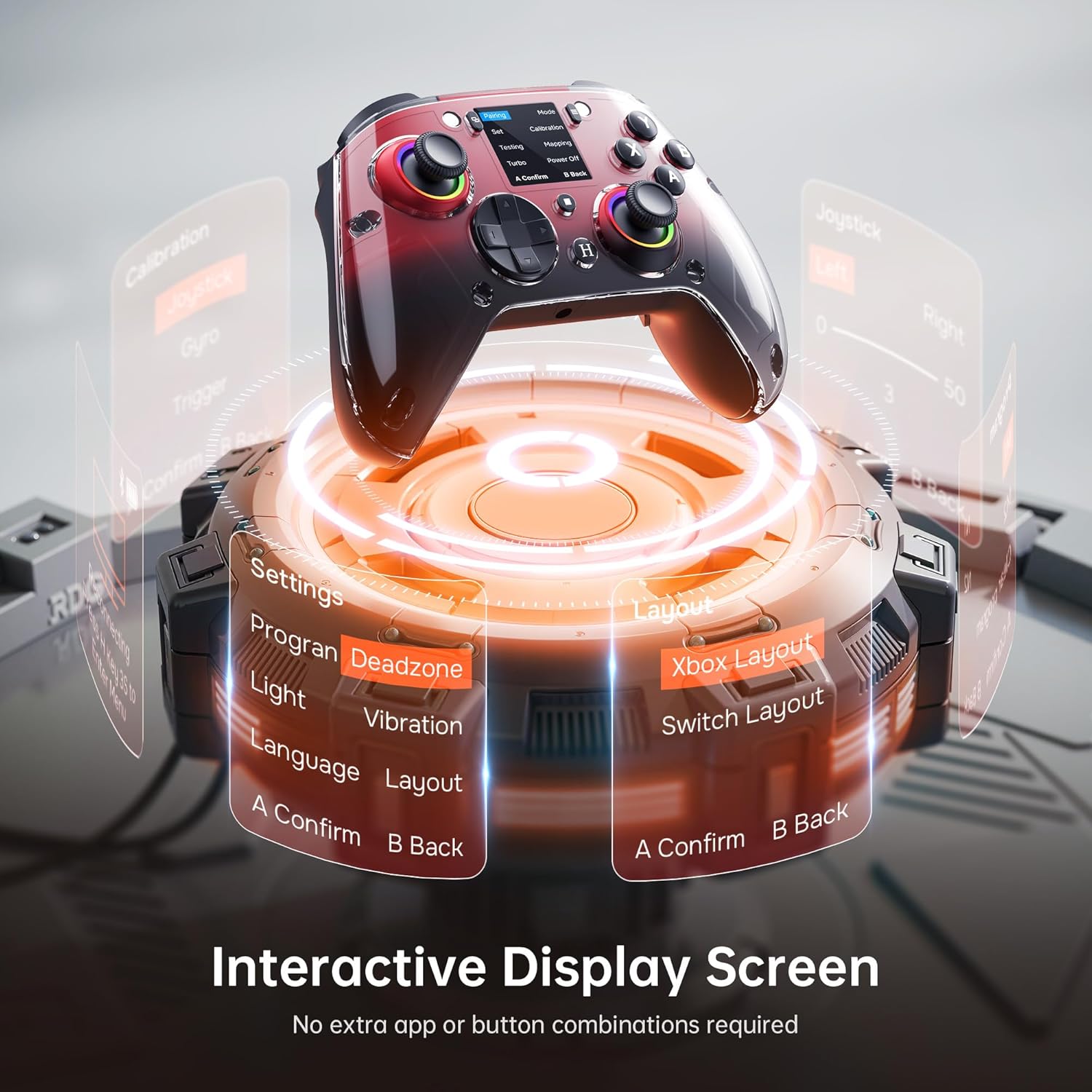
Figure 4.1: The interactive display screen allows for easy adjustment of settings like dead zones, vibration, and button layouts.
- Impostazioni: Adjust vibration intensity, joystick dead zones, trigger sensitivity, and lighting effects.
- Programma: Configure the four programmable back buttons (M1, M2, N1, N2).
- Disposizione: Switch between Xbox and Switch button layouts.
- Calibrazione: Calibrate joysticks, gyro, and triggers if needed.
4.2 Pulsanti posteriori programmabili
The GUSGU G7 features four programmable back buttons (M1, M2, N1, N2) located on the underside of the controller. These can be assigned to single button presses, sequences, or macros via the interactive screen's "Program" menu. This allows for quick execution of complex commands during gameplay.
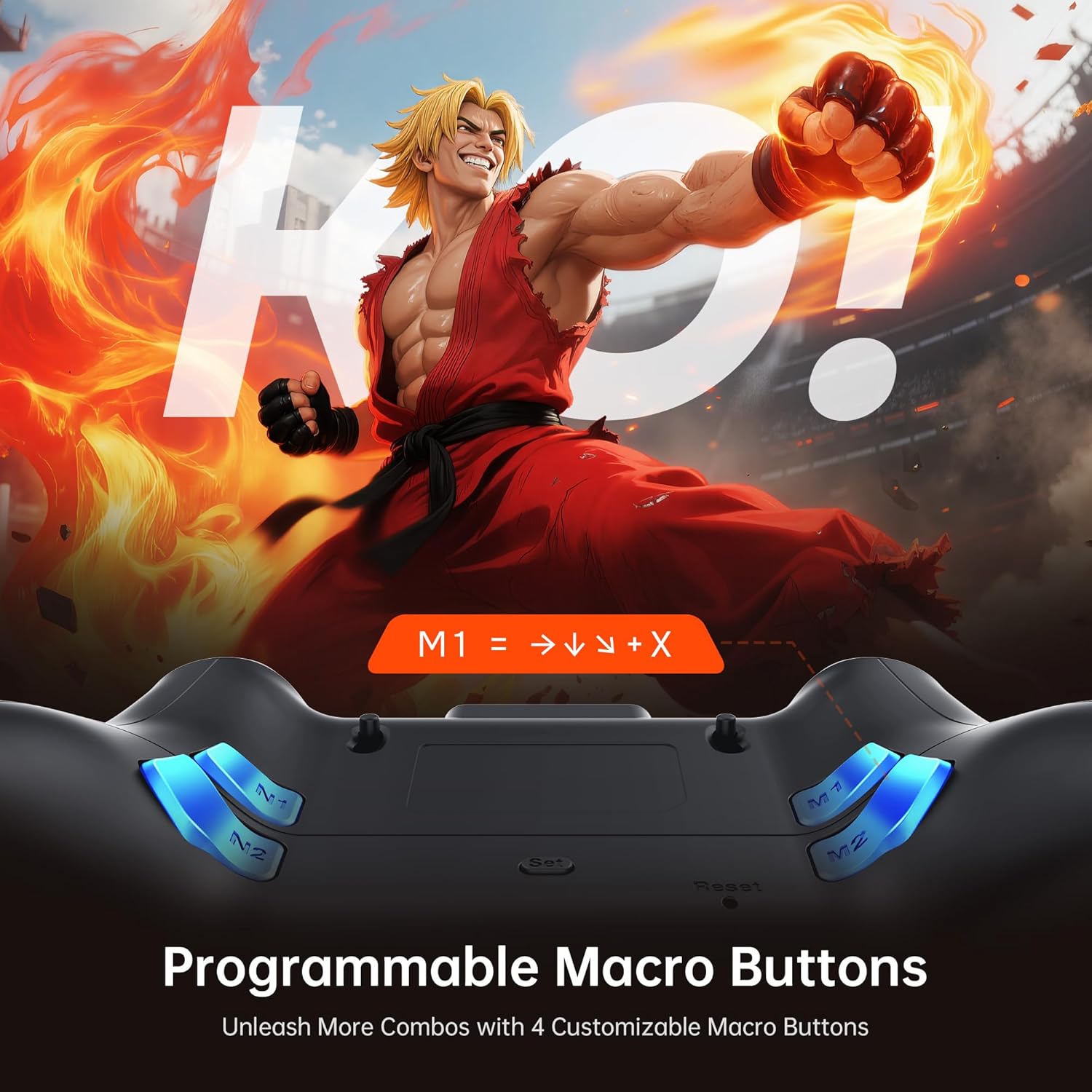
Figure 4.2: The four programmable back buttons (M1, M2, N1, N2) on the rear of the controller, designed for custom macros and shortcuts.
4.3 Hall Effect Joysticks and Adjustable Dead Zones
The Hall Effect joysticks provide precise, drift-free control. Dead zones can be customized from 0% to 50% using the interactive screen to match your preference and game requirements. A smaller dead zone offers more immediate response, while a larger one can prevent unintended inputs.

Figure 4.3: Illustration of the Hall Effect joystick mechanism and the concept of adjustable dead zones for enhanced precision.
4.4 Hall Effect Dual-Stage Triggers
The triggers feature a dual-stage mechanism, allowing you to switch between short-pull for quick actions (e.g., shooting in FPS games) and full-pull for precise control (e.g., acceleration in racing games). This can be configured through the interactive screen.

Figure 4.4: Visual representation of the dual-stage trigger functionality, demonstrating its application in different gaming scenarios.
4.5 Motion Control (6-Axis Gyro Sensor)
The built-in 6-axis gyroscope provides precise motion sensing for games that support tilt or motion-based controls. This enhances immersion in titles requiring realistic steering, aiming, or flight mechanics.
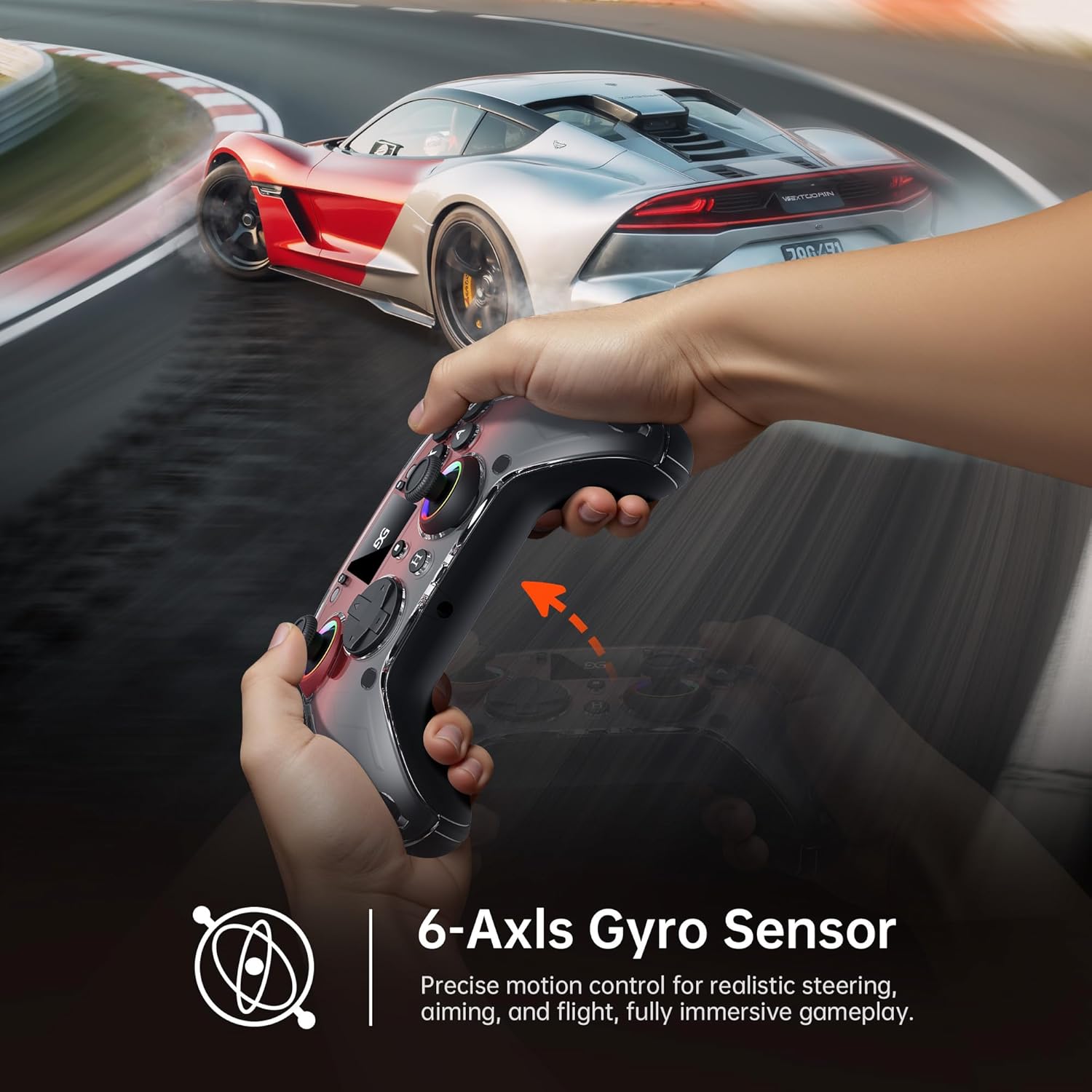
Figure 4.5: A user demonstrating motion control with the GUSGU G7 controller in a racing game, highlighting the 6-axis gyro sensor.
4.6 Feedback di vibrazione
Dual asymmetric vibration motors provide four levels of haptic feedback, accurately replicating in-game events such as impacts, explosions, or engine rumble. Vibration intensity can be adjusted via the interactive screen.
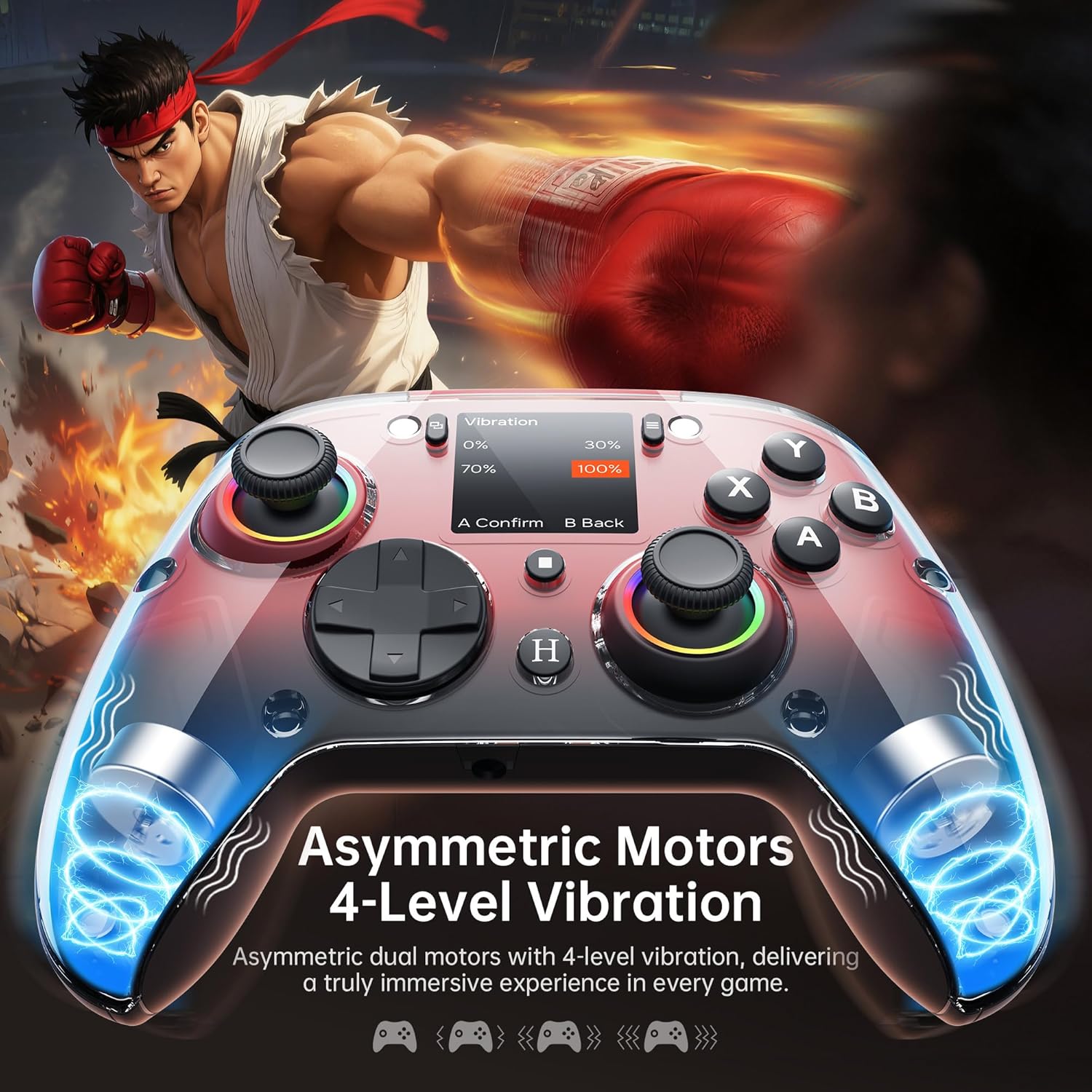
Figura 4.6: Interno view of the GUSGU G7 controller illustrating the asymmetric vibration motors and their four adjustable intensity levels.
4.7 Uscita audio
The 3.5mm headphone jack supports game audio output when the controller is connected via USB cable to a Nintendo Switch (Switch 1) or PlayStation 4. Audio output is not supported on other devices such as PC or mobile phones.
5. Compatibilità
The GUSGU G7 Wireless Gaming Controller offers broad compatibility across various platforms:

Figure 5.1: The GUSGU G7 controller displayed with a list of compatible devices including PC, mobile, gaming consoles, and in-car systems.
- Per PC: Windows 10 and above (X-input, D-input modes).
- iOS: iOS 14.0 e versioni successive.
- Androide: Android 9.0 e versioni successive.
- Nintendo Switch (NS): Supports Switch mode.
- PlayStation 4 (PS4): Supports PS4 mode.
- Tesla Arcade: Compatible with Tesla in-car gaming systems.
Note: The GUSGU G7 controller is currently not compatible with Xbox or PlayStation 5 consoles.
6. Manutenzione
To ensure the longevity and optimal performance of your GUSGU G7 controller, follow these maintenance guidelines:
- Pulizia: Utilizzare un panno morbido e asciutto per pulire il controller. Per lo sporco ostinato, leggermente dampLavare il panno con acqua. Evitare l'uso di prodotti chimici aggressivi o detergenti abrasivi.
- Magazzinaggio: Conservare il controller in un luogo fresco e asciutto, lontano dalla luce solare diretta e da temperature estreme.
- Cura della batteria: Avoid fully discharging the battery frequently. If storing for an extended period, charge the controller to approximately 50% to preserve battery health.
- Gestione dei cavi: Non piegare o tirare eccessivamente il cavo USB-C per evitare danni.
7. Risoluzione Dei Problemi
If you encounter issues with your GUSGU G7 controller, refer to the following common solutions:
| Problema | Soluzione |
|---|---|
| Il controller non si accende. | Assicurati che il controller sia carico. Collegalo a una fonte di alimentazione tramite il cavo USB-C. |
| Il controller non si connette in modalità wireless. |
|
| Sbandamento del joystick o input impreciso. |
|
| I pulsanti programmabili non funzionano. | Verify the button assignments in the "Program" menu on the interactive screen. Ensure they are correctly configured. |
| No audio from 3.5mm jack. | Ensure the controller is connected via USB-C to a Nintendo Switch (Switch 1) or PlayStation 4. Audio is not supported on PC or mobile devices. Check device audio settings. |
8. Specifiche
| Caratteristica | Dettaglio |
|---|---|
| Numero di modello | GUSGU G7 |
| Connettività | Bluetooth 5.1, wireless a 2.4 GHz, USB-C cablato |
| Tasso di sondaggio | 1000Hz (Wired/2.4GHz), 250Hz (Bluetooth) |
| Joystick | Hall Effect, Adjustable Dead Zones (0-50%) |
| Trigger | Hall Effect, Dual-Stage with Adjustable Travel |
| Pulsanti programmabili | 4 Back Buttons (M1, M2, N1, N2) |
| Sensore di movimento | Giroscopio ad asse 6 |
| Vibrazione | Dual Asymmetric Motors, 4 Levels Adjustable |
| Capacità della batteria | 1000mAh |
| Durata della batteria | Fino a 18 ore |
| Presa audio | 3.5mm (Switch 1, PS4 via USB only) |
| Compatibilità | PC (Win 10+), iOS (14.0+), Android (9.0+), NS, PS4, Tesla Arcade |
| Dimensioni | 7.72 x 5.16 x 2.83 pollici |
| Peso | 16 once |
9. Garanzia e supporto
GUSGU is committed to providing quality products and customer satisfaction. While specific warranty details are not provided in this manual, GUSGU offers lifetime customer support for its products.
For further assistance, technical support, or warranty inquiries, please visit the official GUSGU websito o contattare il servizio clienti tramite il rivenditore presso cui è stato acquistato il prodotto.
Puoi anche visitare il GUSGU Store on Amazon per ulteriori informazioni e risorse di supporto.