
Introduzione
The GUSGU G7 Wireless Gaming Controller is a versatile and high-performance device designed for an immersive gaming experience across multiple platforms. Featuring an interactive screen for easy configuration, Hall Effect joysticks and triggers for precision, and dual-mode connectivity, this controller is built for serious gamers.
Caratteristiche principali
- Interactive Screen & Programmable Buttons: Configure settings directly on the controller's display. Four programmable back buttons allow for custom shortcuts and macros.
- Joystick e trigger ad effetto Hall: Experience drift-free precision with Hall sensing technology. Customizable dead zones and dual-stage trigger locks enhance control.
- 6-Axis Gyroscope & Asymmetric Motors: Enjoy precise motion control for aiming and steering, complemented by realistic 4-level vibration feedback for immersive gameplay.
- Connettività a doppia modalità: Seamlessly switch between Bluetooth 5.1, 2.4GHz wireless, and USB-C wired connections.
- Batteria a lunga durata: The 1000mAh battery provides up to 18 hours of gameplay on a single charge.
- Precise 8-Way D-Pad & Conductive Silicone Buttons: Designed for accurate control and comfortable, quiet presses during long gaming sessions.
- Jack per cuffie da 3.5 mm: Supports game audio output when the controller is connected via USB cable to Switch or PS4.
Guida all'installazione
Contenuto della confezione:
- GUSGU G7 Wireless Gaming Controller
- USB-C Charging/Wired Cable
- Dongle wireless da 2.4 GHz
- Manuale d'uso
Carica iniziale:
Before first use, fully charge the controller using the provided USB-C cable. Connect the USB-C end to the controller and the USB-A end to a compatible power source (e.g., computer USB port, USB wall adapter). The interactive screen will indicate charging status.
Accensione/spegnimento:
Per accendere, premere il H pulsante. Per spegnere, premere e tenere premuto il pulsante H button for 3 seconds until the screen turns off.
Collegamento del controller:
The GUSGU G7 supports multiple connection modes:
1. 2.4GHz Wireless Connection (Recommended for PC):
- Inserisci il dongle wireless da 2.4 GHz in una porta USB disponibile sul tuo PC o dispositivo compatibile.
- Accendere il controller.
- On the controller's interactive screen, navigate to Modalità e seleziona Chiavetta. The controller will automatically pair with the dongle.

Image: GUSGU G7 Controller displaying the 2.4GHz wireless connection mode on its interactive screen, with the wireless dongle shown.
2. Bluetooth 5.1 Connection (for iOS, Android, Switch, PS4):
- Accendere il controller.
- On the controller's interactive screen, navigate to Modalità and select the desired platform (e.g., Android, iOS, Interruttore, PS4).
- Enable Bluetooth on your device (phone, tablet, Switch console, PS4).
- Cercare "GUSGU G7" in the Bluetooth device list and select it to pair.

Image: GUSGU G7 Controller with various compatible devices like PC, mobile, and consoles displayed around it.
3. Connessione cablata USB-C:
- Connect the USB-C cable to the controller and the other end to your PC or compatible console.
- Il controller passerà automaticamente alla modalità cablata.

Image: Close-up of the GUSGU G7 Controller, highlighting its USB-C port for wired connection and charging.
Istruzioni per l'uso
Interactive Screen Navigation:
Premere e tenere premuto il tasto H button for 3 seconds to access the main menu on the interactive screen. Use the joysticks or D-pad to navigate through options and the A/B buttons for confirmation/back.

Image: GUSGU G7 Controller displaying the interactive display screen with various settings menus, emphasizing ease of use without external apps.
Programmable Back Buttons (M1-M4):
The four back buttons (M1, M2, M3, M4) can be programmed to perform single actions or complex macros. Access the Programma option in the interactive screen menu to set up custom commands.

Image: The underside of the GUSGU G7 Controller, highlighting the programmable macro buttons (M1, M2, N1, N2) for custom commands.
Adjusting Joystick Dead Zones:
To eliminate stick drift and fine-tune precision, use the interactive screen to adjust joystick dead zones from 0-50% via the Zona morta collocamento.

Image: Diagram illustrating the adjustable dead zone feature of the GUSGU G7's Hall Effect joysticks, showing precision control.
Due-Stage Trigger Locks:
The Hall Effect triggers feature dual-stage locks. Use the physical switches on the underside of the controller to toggle between rapid short-press firing and full-press precision control, adapting to different game genres.

Image: Visual representation of the GUSGU G7's Hall Effect two-stage triggers, demonstrating their use in different gaming scenarios.
Risposte di vibrazione:
The asymmetric dual motors provide four adjustable levels of vibration feedback. Adjust the intensity via the Vibrazione setting on the interactive screen to suit your preference.

Immagine: Interna view of the GUSGU G7 Controller showing the asymmetric motors and illustrating the four levels of vibration feedback.
Giroscopio a 6 assi:
The built-in 6-axis gyroscope enables precise motion control for aiming, steering, and action gameplay. This feature is automatically active when supported by the game.
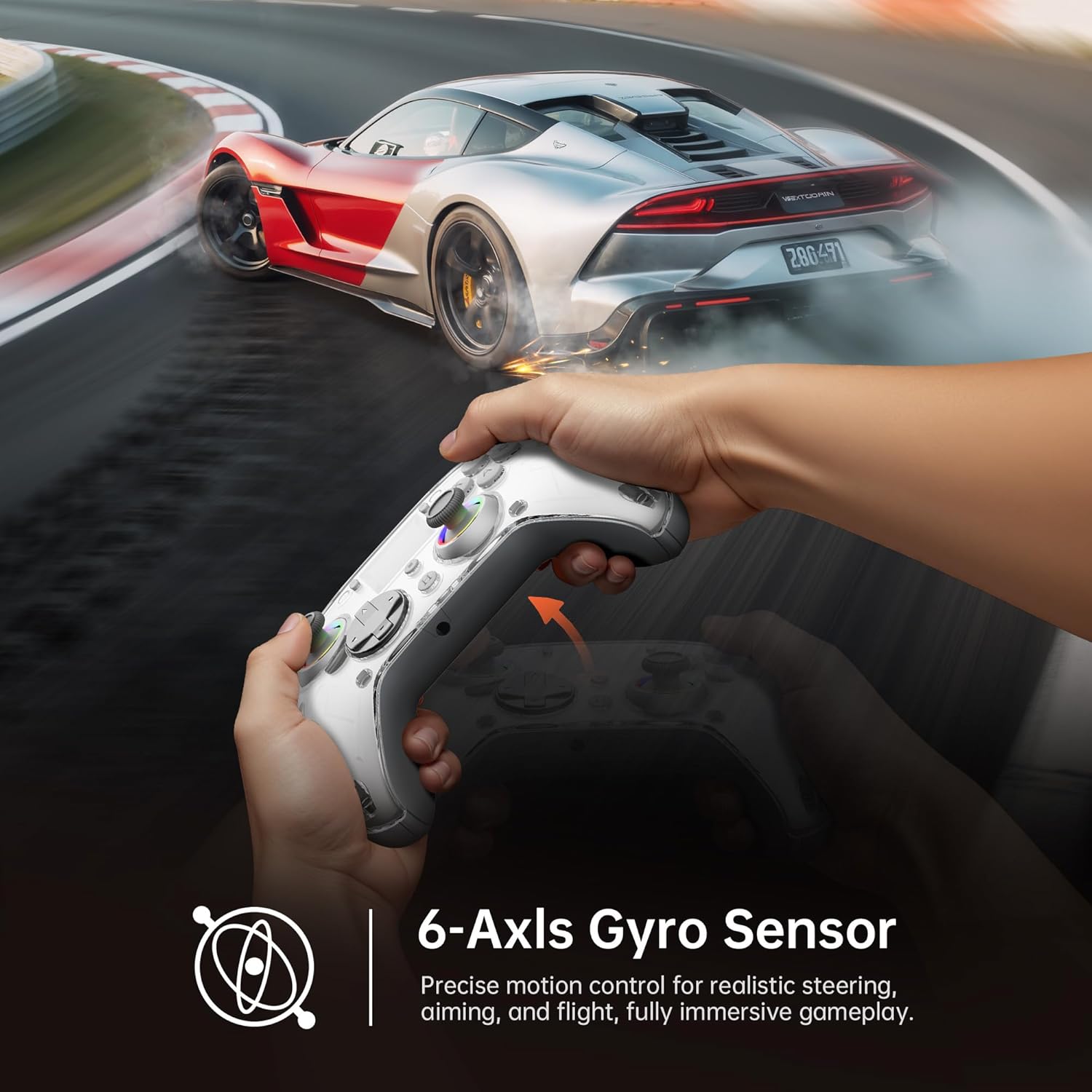
Image: Diagram illustrating the 6-Axis Gyro Sensor in the GUSGU G7 Controller, showing its application in precise motion control for gaming.
Changing Button Layouts:
Switch between Xbox and Switch button layouts (A/B/X/Y mapping) via the Disposizione setting on the interactive screen to match your preferred gaming style or console.
Headphone Jack Usage:
The 3.5mm headphone jack supports game audio output when the controller is connected via USB cable to a Nintendo Switch or PlayStation 4. Audio output is not supported on PC or mobile phones through this jack.
Video ufficiale del prodotto:
Video: Mostra il video ufficiale del prodottoasing the GUSGU G7 Wireless Gaming Controller's features and functionality.
Manutenzione
- Mantenere pulito il controller pulendolo con un panno morbido e asciutto.
- Evitare di esporre il controller a temperature estreme, umidità o luce solare diretta.
- Non smontare il controller, poiché ciò invaliderebbe la garanzia.
- Conservare il controller in un luogo fresco e asciutto quando non in uso.
Risoluzione dei problemi
Il controller non si connette:
- Assicurarsi che il controller sia completamente carico.
- Verify the correct connection mode is selected on the interactive screen (2.4GHz, Bluetooth, or Wired).
- Per quanto riguarda il Bluetooth, assicurati che il Bluetooth del tuo dispositivo sia abilitato e che il controller sia in modalità di associazione.
- Try restarting both the controller and the device you are connecting to.
- If using 2.4GHz, ensure the dongle is securely inserted and recognized by your device.
Stick Drift or Input Issues:
- Calibrate the joysticks and triggers via the Calibrazione option in the interactive screen menu.
- Adjust the joystick dead zones using the Zona morta collocamento.
Vibrazione non funzionante:
- Controllare il Vibrazione setting on the interactive screen and ensure it's not set to 0%.
- Assicurati che il gioco a cui stai giocando supporti il feedback tramite vibrazione.
Specifiche
| Caratteristica | Dettaglio |
|---|---|
| Numero di modello | GUSGU G7 |
| Connettività | Bluetooth 5.1, wireless a 2.4 GHz, USB-C cablato |
| Tasso di sondaggio | 1000Hz (Wired/2.4GHz) |
| Joystick e grilletti | Effetto Hall |
| Capacità della batteria | 1000mAh (Up to 18 hours gameplay) |
| Giroscopio | 6-Asse |
| Vibrazione | Asymmetric Dual Motors (4 levels) |
| Compatibilità | PC (Windows 10+), iOS (14.0+), Android (9.0+), Nintendo Switch, PS4, Tesla Arcade (Not compatible with Xbox or PS5) |
| Peso | 15.5 once |
| Produttore | Shenzhen Wojiayoupin Technology Co., Ltd. |
Garanzia e supporto
For warranty information, technical support, or customer service inquiries, please refer to the contact details provided on the product packaging or visit the official GUSGU websito.