
Introduzione
Thank you for choosing the ganopterygon G128 Smart Watch. This device is designed to enhance your daily life with its advanced features, including a vibrant 2.01-inch HD touchscreen, Bluetooth calling, comprehensive health monitoring, and a wide array of sports modes. This manual provides essential information for setting up, operating, and maintaining your smartwatch to ensure optimal performance and longevity. Please read it thoroughly before use.
Cosa c'è nella scatola
Your ganopterygon G128 Smart Watch package includes the following items:
- Smart Watch (G128)
- Cavo di ricarica magnetico
- Manuale d'uso
- Watch Band

Image: The ganopterygon G128 Smart Watch package contents, showing the watch, charging cable, user manual, and watch band neatly arranged.
Impostare
1. Ricarica iniziale
Before first use, ensure your smartwatch is fully charged. Connect the magnetic charging cable to the charging points on the back of the watch and plug the USB end into a power adapter (not included). A full charge typically takes approximately 2.5 hours.
Video: An unboxing video demonstrating the initial setup and charging of a smartwatch, highlighting the magnetic charging cable.
2. Download e associazione dell'app
To unlock all features and synchronize data, download the companion app. Scan the QR code displayed on the watch screen or in the user manual to find the correct app (e.g., Da Fit App). Once installed, enable Bluetooth on your smartphone, open the app, and follow the on-screen instructions to add and pair your G128 Smart Watch.

Image: A visual guide illustrating the process of downloading the Da Fit App, enabling Bluetooth, adding the device, and pairing the G128 Smart Watch with a smartphone.
Istruzioni per l'uso
1. Visualizzazione e personalizzazione
The G128 Smart Watch features a vibrant 2.01-inch HD touchscreen. Swipe left/right or up/down to navigate through menus and features. Customize your watch face from over 100 options available in the app, or use your favorite photo for a personalized look.
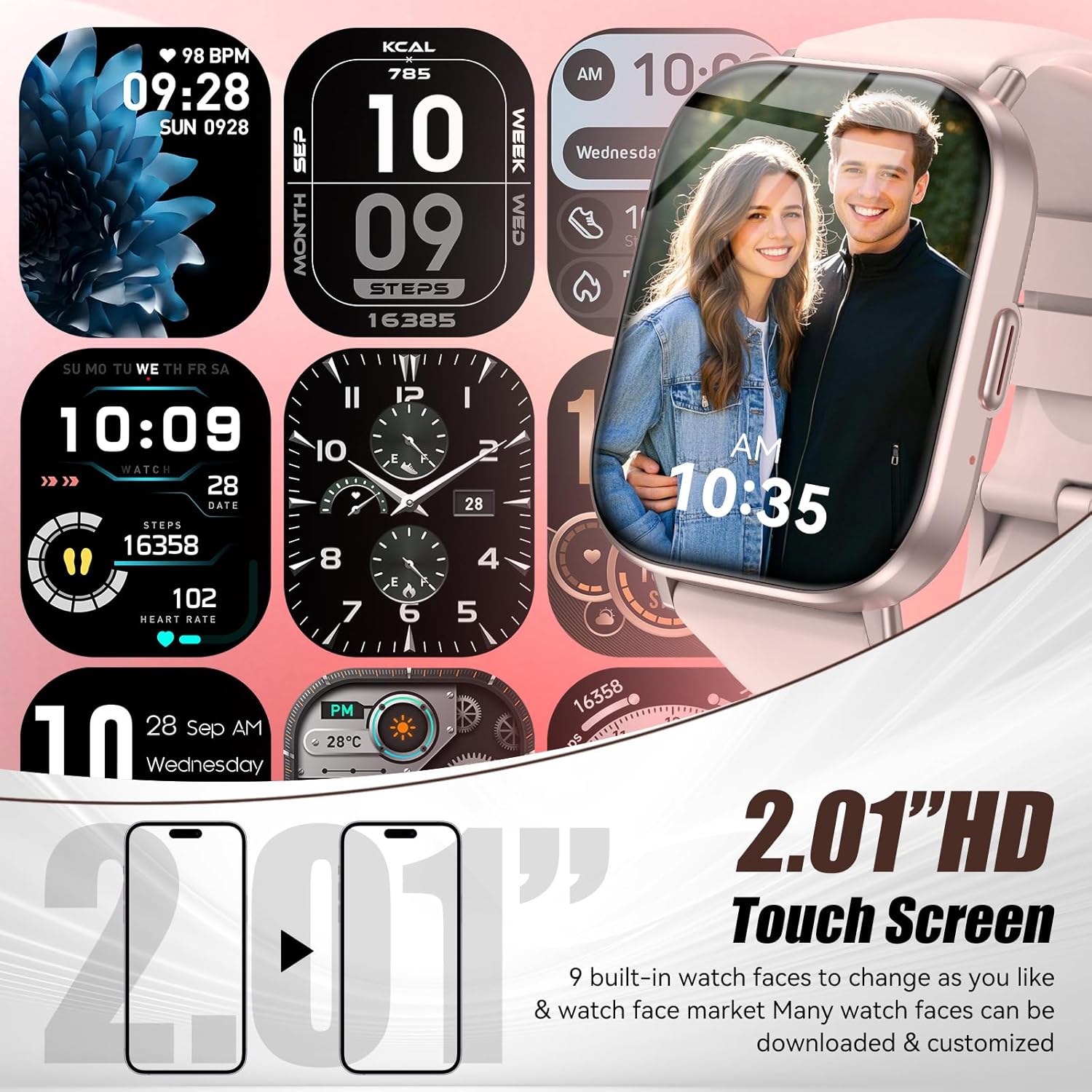
Image: The G128 Smart Watch showcasing its 2.01-inch HD touchscreen with multiple watch face customization options, including a photo dial.
2. Chiamate Bluetooth
Once paired with your smartphone via Bluetooth 5.3, you can make and receive calls directly from your wrist. The watch supports dialing, accessing contacts, and viewing call logs for hands-free convenience.

Image: The G128 Smart Watch demonstrating its Bluetooth call functionality, showing the watch interface for answering calls, dialing, and managing contacts.
3. Notifiche dei messaggi
Stay connected with real-time notifications for calls, SMS, and social media apps (Facebook, WhatsApp, Instagram, etc.). The watch displays alerts but does not support direct replies.

Image: The G128 Smart Watch showing incoming message notifications from different platforms, emphasizing its alert-only function.
4. Modalità sportive
Track your workouts with over 120 professional sports modes, including running, swimming, yoga, and more. The watch accurately maps routes and analyzes metrics like step frequency, calorie burn, and performance, providing detailed post-workout reports.
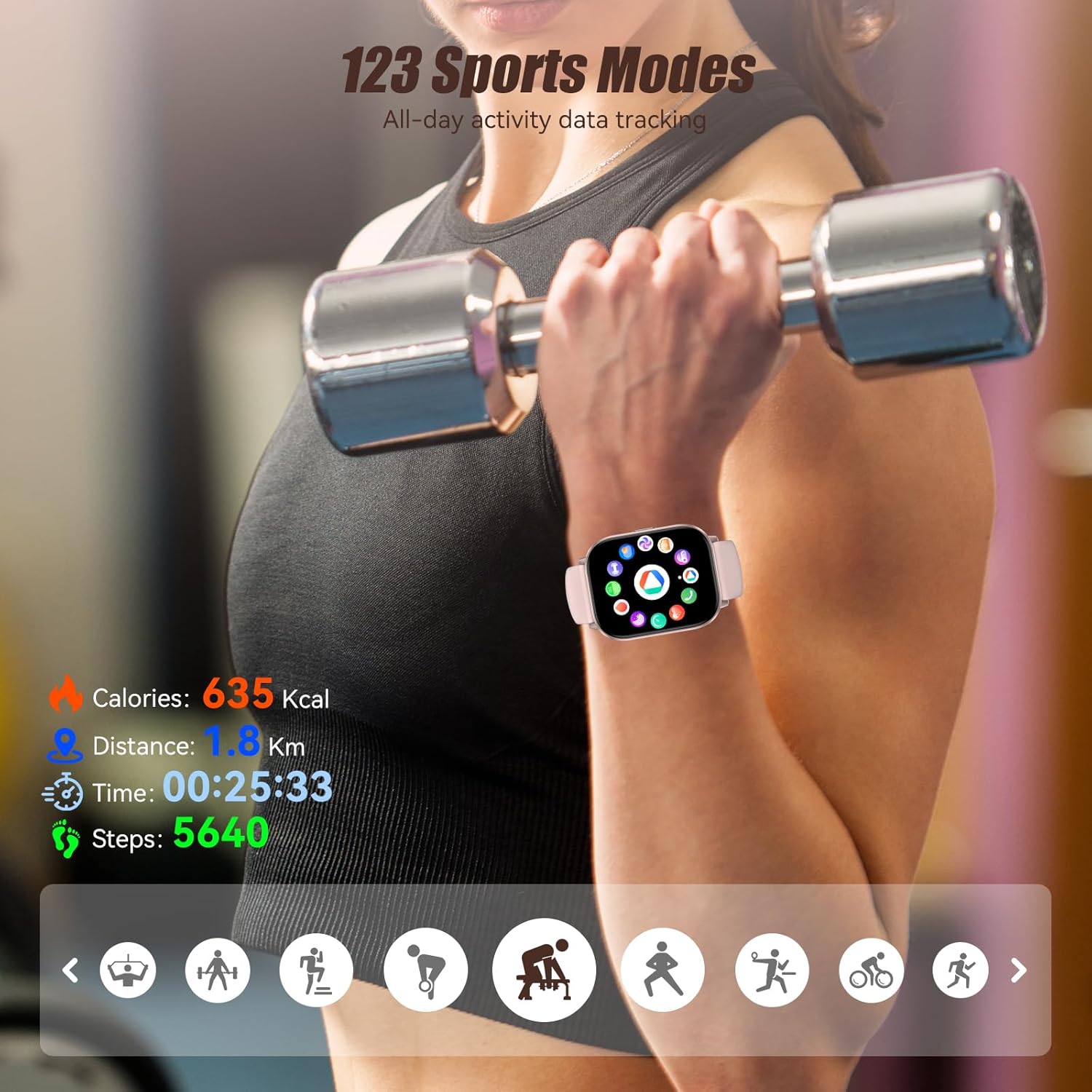
Image: The G128 Smart Watch tracking a workout, showing various metrics like calories burned, distance, time, and steps, with icons for different sports modes.
Video: Un video promozionale mostraasing the various sports modes and activity tracking capabilities of the smartwatch, including running, cycling, and gym workouts.
5. Monitoraggio della salute
Utilize advanced optical sensors for 24/7 heart rate tracking and comprehensive sleep stage analysis (Deep/Light/REM). The watch also supports menstrual cycle tracking for women.

Image: The G128 Smart Watch interface showing real-time heart rate, sleep duration and stages, and a reminder for menstrual cycle tracking.
6. Smart Assistant and Other Functions
The smartwatch includes a smart assistant for voice control, sedentary reminders, music playback control, weather forecasts, and remote phone camera functions. It also features a calculator, alarm clock, and timer.
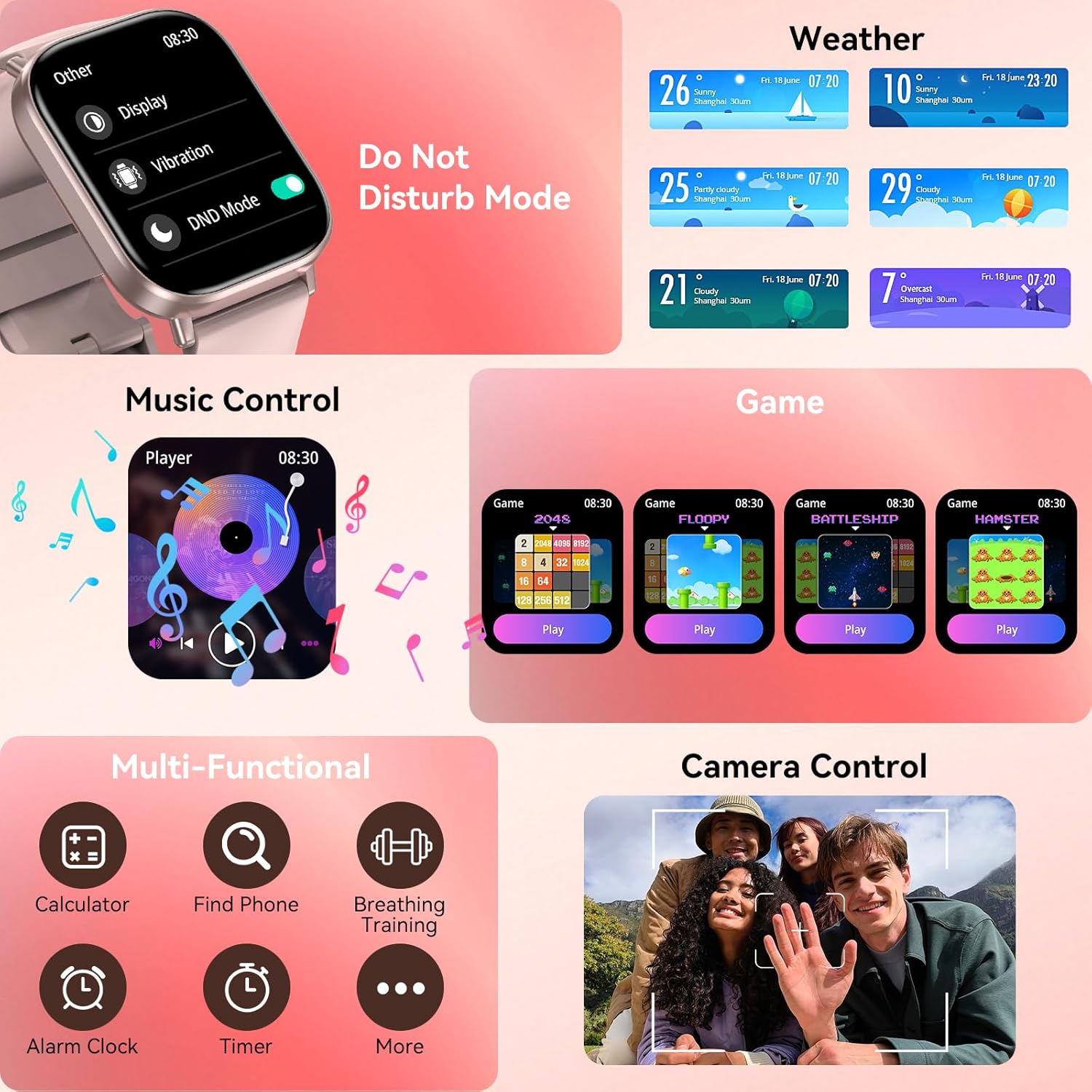
Image: The G128 Smart Watch showing its diverse range of practical functions, including music control, calculator, camera remote, and more.
Manutenzione
1. Grado di impermeabilità
The G128 Smart Watch boasts an IP68 waterproof rating, meaning it can withstand splashes, sweat, and brief immersion in water. It is suitable for daily use, including hand washing and light rain. However, it is not recommended for hot water activities like showering or sauna, or for prolonged submersion.
Video: A visual demonstration of the smartwatch's IP68 waterproof capabilities, showing it being splashed with water.
2. Batteria e ricarica
The fitness watch features a low-power chipset and magnetic fast charging. A single charge provides up to 7 days of typical usage and 24 hours of usage from a 20-minute charge. To charge, align the magnetic pins of the charging cable with the charging points on the back of the watch.

Image: The G128 Smart Watch being charged with its magnetic cable, detailing its 300mAh battery capacity and charging times.
Risoluzione dei problemi
- L'orologio non si accende: Assicurati che l'orologio sia completamente carico. Premi a lungo il pulsante laterale per accenderlo.
- Impossibile associare il telefono: Assicurati che il Bluetooth sia attivato sul tuo telefono e che l'orologio sia nel raggio d'azione. Riavvia entrambi i dispositivi e prova ad associarli di nuovo tramite l'app.
- Dati sanitari inesatti: Ensure the watch is worn snugly on your wrist, with the sensors making good contact with your skin. Avoid excessive movement during measurements.
- Notifiche non ricevute: Check app settings to ensure notifications are enabled for desired applications. Verify that the watch is connected via Bluetooth.
- Breve durata della batteria: Reduce screen brightness, disable unnecessary features, and ensure regular charging.
Specifiche
| Caratteristica | Dettaglio |
|---|---|
| Numero di modello | G128 |
| Dimensioni dello schermo | 2.01 pollici |
| Capacità della batteria | 300 milioneamp Ore |
| Tecnologia di connettività | Bluetooth 5.3 |
| Sistema operativo | Android (compatibile con iOS 10.0+/Android 6.0+) |
| Grado di impermeabilità | Grado di protezione IP68 |
| Peso dell'articolo | 50 grammi |
| Caratteristiche speciali | Activity Tracker, Cycle Tracking, Heart Rate Monitor, Time Display, Weather Forecast |
Garanzia e supporto
ganopterygon is committed to providing high-quality products and customer satisfaction. Your G128 Smart Watch comes with lifetime support and satisfied solutions. Additionally, we offer a 2-year free replacement policy for manufacturing defects.
For any inquiries, technical assistance, or warranty claims, please contact our 24-hour after-sales service. Refer to the contact information provided in your product packaging or visit the official ganopterygon websito di supporto.

Image: A graphic detailing ganopterygon's customer support, including 24-hour service, lifetime support, and a 2-year free replacement.