
1. Introduzione
This manual provides essential instructions for the safe operation and maintenance of your VTech Advanced HD Plus 5.5" HD 1 Cam Video Baby Monitor. Please read this manual thoroughly before using the product to ensure proper setup and functionality. Keep this guide for future reference.

Image 1.1: The VTech Advanced HD Plus 5.5" HD 1 Cam Video Baby Monitor, featuring the parent unit and baby unit.
2. Caratteristiche principali
The VTech Advanced HD Plus Video Baby Monitor is designed to provide reliable monitoring of your baby. Key features include:
- 5.5" HD IPS LCD Screen: Offers clear 720p video resolution with wide viewing angles and enhanced color accuracy.
- Batteria a lunga durata: Up to 13 hours of continuous video streaming or 19 hours of audio-only streaming on a single charge.
- Telecamera Pan-Tilt-Zoom: Remote control for 360-degree panoramic view, 122-degree vertical view, and 4x digital zoom.
- Grandangolo View: A 110-degree wide-angle lens captures more of the nursery.
- Adaptive Night Light: Touch-controlled, dimmable 7-color night light to create a soothing environment.
- Conversazione bidirezionale: Allows communication with your baby from the parent unit.
- Lullabies & Soothing Sounds: Five calming melodies and five ambient sounds to help soothe your baby.
- Monitoraggio della temperatura: Displays the nursery's ambient temperature on the parent unit.
- Avvisi di movimento e suono: Notifies you of activity in the baby's room.
- Visione notturna automatica a infrarossi: Provides clear video in low-light conditions.
- Secure 2.4GHz Wireless Connection: Ensures a private and interference-free connection up to 1,000 feet. No Wi-Fi required.

Image 2.1: Visual representation of the monitor's main features.
3. Contenuto della confezione
Assicurati che tutti gli articoli siano presenti nel pacco:
- Unità Genitore
- Unità bambino (fotocamera)
- 2 AC Adapters (one for Parent Unit, one for Baby Unit)
- Guida rapida
4. Istruzioni per l'installazione
4.1. Ricarica dell'unità genitore
- Connect the small end of the parent unit power adapter to the power jack on the side of the parent unit.
- Collegare l'estremità grande dell'adattatore di alimentazione a una presa a muro.
- Charge the parent unit for at least 12 hours before initial use. The battery icon will indicate charging status.
4.2. Alimentazione dell'unità bambino (telecamera)
- Connect the small end of the baby unit power adapter to the power jack on the back of the baby unit.
- Collegare l'estremità grande dell'adattatore di alimentazione a una presa a muro.
- The baby unit will power on automatically once connected to power.
4.3. Posizionamento dell'unità bambino
Posizionare l'unità bambino in un luogo che fornisca una vista libera view of your baby in their crib or play area. For optimal performance:
- Place the baby unit at least 3 feet (1 meter) away from your baby to avoid potential hazards.
- Ensure the baby unit is on a flat, stable surface or securely mounted to a wall (mounting hardware not included).
- Avoid placing the baby unit near other electronic devices that may cause interference.
- Keep the power cords out of reach of children.
5. Istruzioni per l'uso
5.1. Controlli dell'unità genitore
Familiarize yourself with the buttons on your parent unit:
- MENU/SELEZIONA: Press to open the menu or confirm a selection.
- Pulsanti freccia (su, giù, sinistra, destra): Navigate menu options and control camera pan/tilt.
- VOL + / VOL -: Regola il volume di ascolto.
- PARLARE: Tieni premuto per parlare al tuo bambino tramite l'unità bambino.
- LCD acceso/spento: Press to turn the screen on or off while audio monitoring continues.
- ZOOM: Press to zoom in or out on the video feed.
- Pulsante di accensione: Tenere premuto per accendere o spegnere l'unità genitore.
5.2. Video Monitoring
Once both units are powered on and linked, the parent unit will automatically display live video from the baby unit. The 5.5" IPS screen provides a clear view.
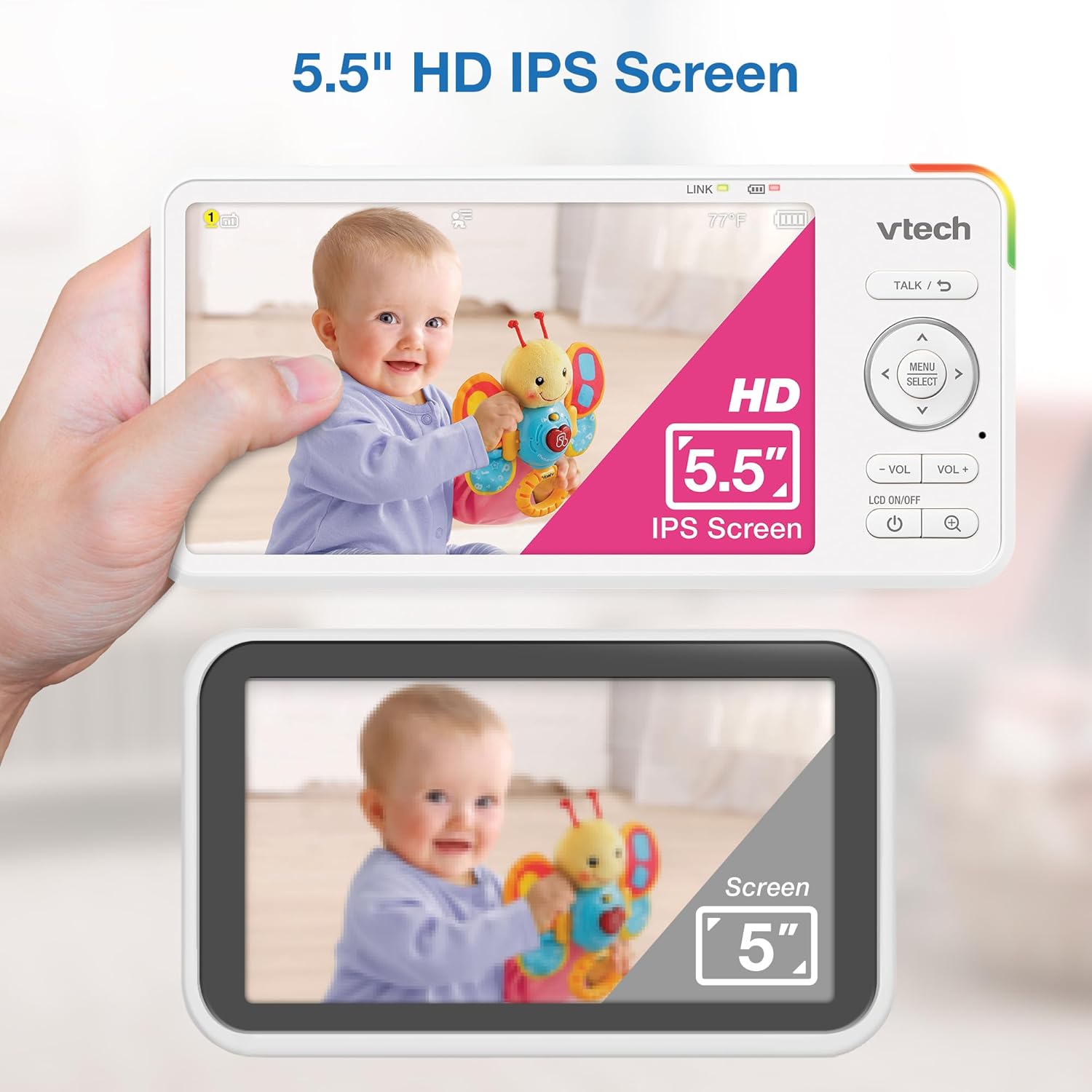
Image 5.1: The 5.5" HD IPS screen offers a larger and clearer view compared to standard screens.
5.3. Panoramica, inclinazione e zoom
Use the arrow buttons on the parent unit to remotely adjust the camera's view:
- Premere il tasto Su/Giù arrows to tilt the camera vertically (122-degree vertical view).
- Premere il tasto Sinistra/Destra arrows to pan the camera horizontally (360-degree panoramic view).
- Premere il tasto ZOOM button to activate the 4x digital zoom for a closer look.

Image 5.2: Remote pan, tilt, and 4x zoom functionality for comprehensive nursery coverage.
5.4. Comunicazione bidirezionale
Per parlare al tuo bambino, tieni premuto il tasto PARLARE button on the parent unit. Release the button to stop talking and resume listening.

Image 5.3: Using the two-way talk feature to communicate with your baby.
5.5. Night Light, Lullabies, and Soothing Sounds
Access these features through the parent unit's menu:
- Luce notturna: Select the night light option to choose from 7 colors or adjust brightness. The adaptive feature adjusts to nursery brightness.
- Lullabies & Soothing Sounds: Choose from five melodies and five ambient sounds to play through the baby unit.
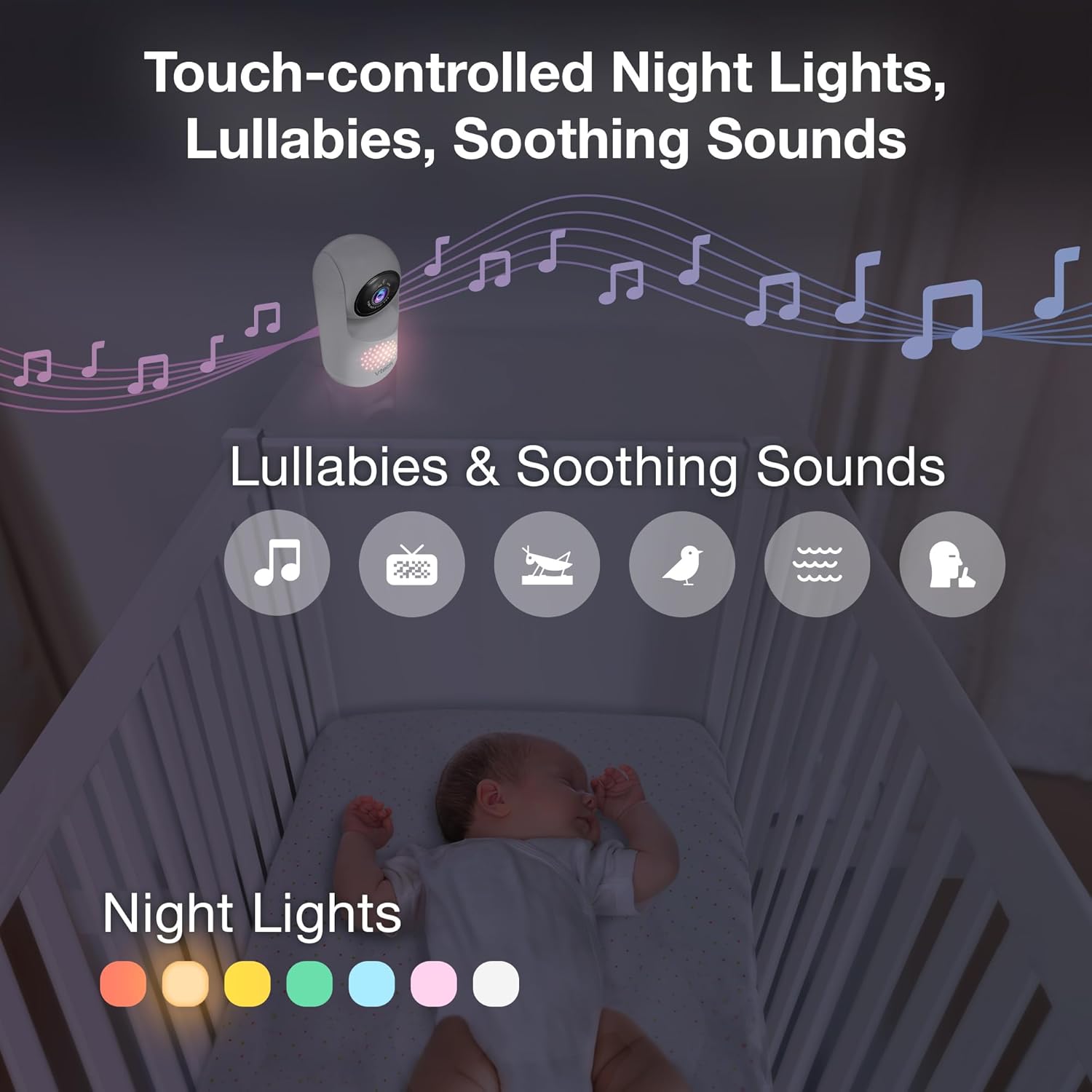
Image 5.4: The camera unit provides touch-controlled night lights, lullabies, and soothing sounds.
5.6. Monitoraggio della temperatura
The parent unit displays the current temperature of the baby's room, measured by the baby unit. This helps ensure a comfortable environment for your baby.
5.7. Motion and Sound Alerts
The monitor is equipped with motion and sound detection. When activity is detected, the parent unit will provide an alert. You can adjust the sensitivity settings in the menu.

Image 5.5: Motion and temperature alerts displayed on the parent unit.
5.8. Visione notturna
The baby unit automatically activates infrared night vision in low-light conditions, providing a clear black-and-white image on the parent unit.

Image 5.6: Automatic infrared night vision for clear monitoring in the dark.
6. Manutenzione
6.1. Pulizia
- Pulire le unità monitor con un panno morbido eamp stoffa.
- Non utilizzare spray detergenti o detergenti liquidi.
- Prima di pulire le unità, assicurarsi che siano scollegate.
6.2. Cura della batteria
- Per prolungare la durata della batteria, caricare completamente l'unità genitore prima del primo utilizzo.
- Evitare temperature estreme, che possono influire sulle prestazioni della batteria.
- Se si conserva l'unità per un periodo prolungato, caricare periodicamente la batteria.

Image 6.1: The 5,000mAh rechargeable battery provides extended monitoring time.
7. Risoluzione Dei Problemi
If you experience issues with your VTech Advanced HD Plus monitor, refer to the following common solutions:
| Problema | Possibile soluzione |
|---|---|
| Nessun collegamento / Connessione scadente |
|
| Nessuna immagine / Schermo nero |
|
| Nessun suono / Volume basso |
|
| La batteria si scarica rapidamente |
|
If the problem persists after trying these solutions, please contact VTech customer support.
8. Specifiche
| Caratteristica | Dettaglio |
|---|---|
| Nome del modello | Advanced HD Plus |
| Dimensioni dello schermo | LCD IPS da 5.5 pollici |
| Risoluzione video | Formato: 720p |
| Tecnologia di connettività | 2.4G FHSS Wireless (No Wi-Fi) |
| Allineare | Fino a 1,000 piedi (linea di vista) |
| Capacità della batteria | 5000 mAh |
| Battery Life (Video Streaming) | Fino a 13 ore |
| Durata della batteria (solo audio) | Fino a 19 ore |
| Pan Angle | 360 degrees panoramic |
| Angolo di inclinazione | 122 degrees vertical |
| Ingrandire | 4x Digital |
| Grandangolo View | 110 gradi |
| Visione notturna | Infrarossi automatici |
| Tipi di avviso | Audio e movimento |
| Fonte di alimentazione | Elettrico con cavo (5 V, 7.5 W) |
| Dimensioni (unità genitore) | 6.58 x 3.23 x 0.71 pollici |
| Peso dell'articolo | 1.6 libbre (0.73 kg) |
| Codice UPC | 735078058157 |
9. Supporto e garanzia
For technical support, product registration, or warranty information, please visit the official VTech websito o contattare il servizio clienti:
- Websito: www.vtechbabycare.com
- E-mail: support@vtechbabycare.com
Please refer to your product packaging or the VTech website for specific warranty details applicable to your region.