
1. Introduzione
This manual provides detailed instructions for the installation, operation, and maintenance of your WOOX R8404 4G LTE Outdoor Solar Security Camera. Please read this manual thoroughly before using the product to ensure proper function and safety. This camera is designed for autonomous surveillance in remote areas without Wi-Fi or electricity, utilizing 4G LTE connectivity and solar power.
2. Prodotto finitoview
The WOOX R8404 is a 2K 3MP outdoor security camera featuring 4G LTE connectivity, solar charging, color night vision, and AI-powered human detection. It offers comprehensive surveillance with flexible installation options.
Caratteristiche principali:
- Autonomous 4G LTE Connectivity: Operates independently in areas without Wi-Fi or electricity. Requires a Nano SIM card (not included) with an active data plan.
- 2K Ultra-Clear Vision: 3-megapixel wide-angle lens provides sharp 2K images during the day.
- Visione notturna a colori: Integrated fill light automatically activates color night vision for bright, vivid images at night.
- Grandangolo 130° View: Covers large outdoor areas, reducing blind spots.
- Alimentato ad energia solare: High-performance solar panel and battery ensure year-round operation with approximately 2.5 hours of daily sunlight. Can operate for up to two months without direct sunlight.
- Rilevamento umano AI: PIR-based AI technology accurately identifies human activity, reducing false alarms from animals or environmental factors. Sends real-time notifications via the app.
- Customizable Surveillance Zones: Allows setting priority monitoring zones (e.g., parking spaces, pools, garden corners).
- Installazione rapida: Wireless design for flexible mounting, operational in under 5 minutes.
- Design durevole: IP66 certified for weather protection, operating in temperatures from -20°C to 50°C.
- Audio bidirezionale: Microfono e altoparlante integrati per la comunicazione a distanza.
- Archiviazione sicura: Supports local storage via microSD card (up to 256GB, not included) and encrypted cloud storage (7-day free trial available).
3. Impostazione
3.1 Contenuto della confezione
- WOOX R8404 4G LTE Outdoor Solar Security Camera
- Staffa di fissaggio
- Cavo di ricarica USB
- Viti e tasselli
- Manuale d'uso
Note: Nano SIM card and microSD card are not included.
3.2 Configurazione iniziale e associazione dell'app
Follow these steps to set up your WOOX R8404 camera and pair it with the WOOX Home app.
- Scarica l'app WOOX Home: Cercare "WOOX Home" on the App Store (iOS) or Google Play Store (Android) and install it. Register or log in to your account.
- Inserire la carta SIM: Important: The SIM card must be inserted first. Open the rubber cover on the back of the camera. Carefully insert a Nano SIM card with an active data plan into the SIM card slot. Ensure it is correctly oriented.
- Accensione e ripristino: It is recommended to connect the camera to USB power during setup to ensure sufficient battery. Press and hold the power button for more than 5 seconds to turn on the camera. Then, press and hold the reset button for about 5 seconds until the camera restarts and emits a pairing prompt sound. The indicator light will flash rapidly in blue.
Video: Step-by-step guide on how to set up your WOOX R8404 Smart 4G Outdoor Camera, including SIM card insertion, power-on, reset, and app pairing process.
- Aggiungi dispositivo nell'app: Open the WOOX Home app. Tap the "+" icon in the top right corner to add a new device. Select the corresponding product type (e.g., Smart 4G Outdoor Camera R8404) from the product list.
- Scansiona il codice QR: The app will prompt you to scan a QR code. Position the camera to read the QR code displayed on your phone screen from 15-20 cm away. Once the camera reads the QR code, it will emit a confirmation sound. Tap "I Heard a Prompt" in the app.
- Connetti dispositivo: The app will search for and register the device to your account. Once successfully added, you can name the device. This name will also be used for integration with Amazon Alexa and Google Home.

Immagine: dettagliata view of inserting a Nano SIM card into the WOOX R8404 camera. Ensure the SIM card is inserted correctly before powering on.

Image: A smartphone displaying a QR code for device pairing, with the camera positioned to scan it. This step connects the camera to your WOOX Home app.
3.3 Installazione fisica
The camera's wireless and solar-powered design allows for flexible mounting. Choose a location with good 4G signal reception and sufficient sunlight exposure for optimal charging.
- Utilizzare la staffa di montaggio e le viti fornite per fissare saldamente la telecamera a una parete o a un palo.
- Adjust the camera angle to cover your desired surveillance area.

Image: A person installing the WOOX R8404 camera on a wooden exterior wall, demonstrating the ease of wireless setup. The camera is designed for quick and flexible mounting.
4. Istruzioni per l'uso
4.1 Vivere View e Registrazione
Once connected, access the live feed from your camera through the WOOX Home app. You can view pippo in tempo realetage, take snapshots, and record video directly from the app.

Image: The WOOX 4G camera mounted on a building, illustrating its 4G connectivity for monitoring anytime, anywhere, without Wi-Fi or power supply. Compatible with major European mobile networks.
4.2 Power Management (Solar & Battery)
The camera features a dual power mode, combining a solar panel with a high-performance battery. Ensure the solar panel receives adequate sunlight for continuous operation.
- Approximately 2.5 hours of daily sunlight are sufficient for stable year-round operation.
- The advanced energy-saving design allows the camera to function for up to two months in cloudy, rainy, or low-light conditions.

Image: Visual representation of the camera's dual power mode, highlighting the solar panel for light-based charging and the internal battery for night and bad weather operation, ensuring continuous functionality.
4.3 Visione notturna
The camera automatically switches to night vision in low-light conditions. It offers both infrared and color night vision modes.
- Visione notturna a colori: Activated by the integrated fill light, providing bright and vivid images.
- Visione notturna a infrarossi: Standard black and white night vision for discreet monitoring.
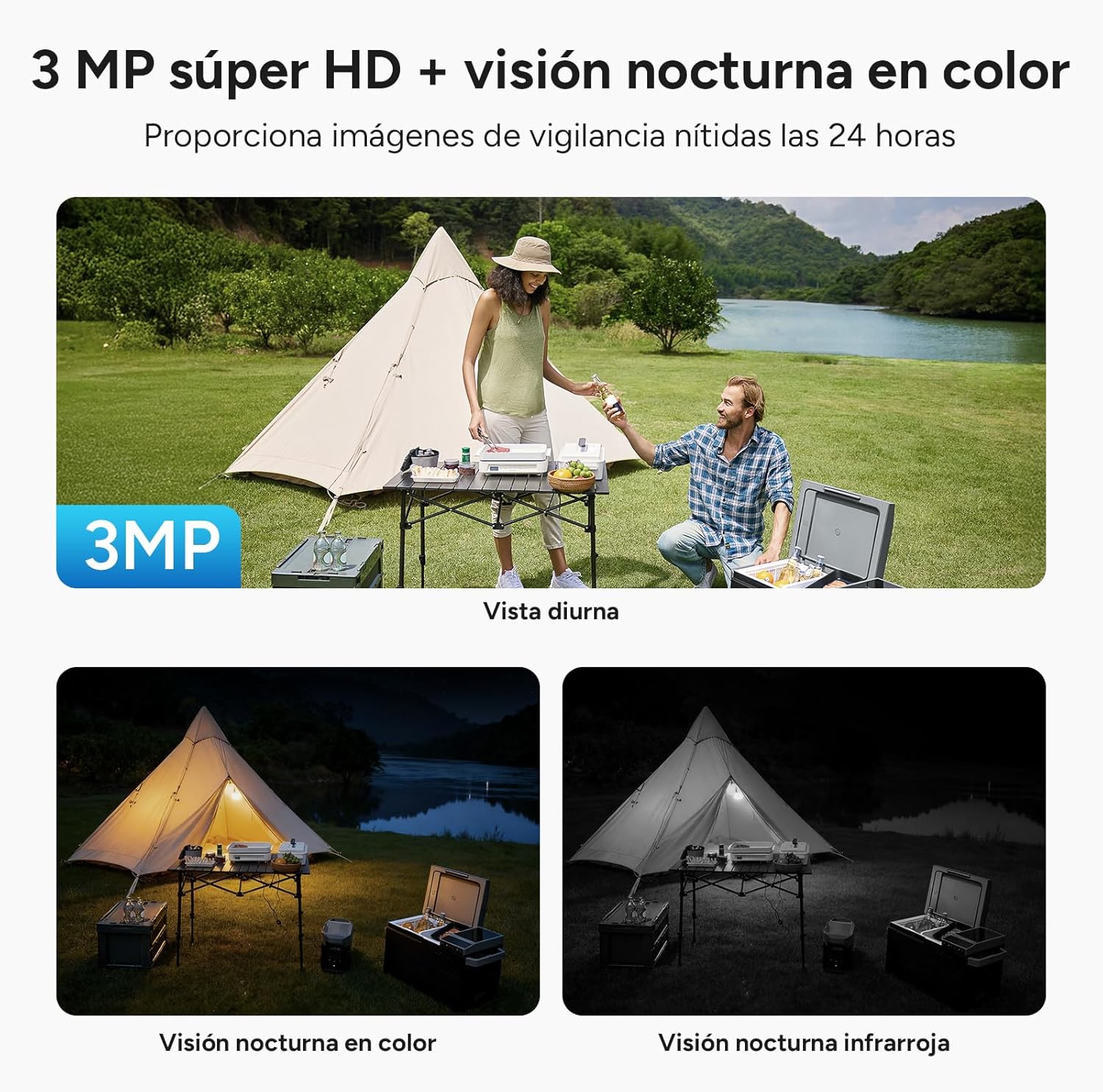
Image: A comparison of the camera's 3MP Super HD daytime view, color night vision, and infrared night vision, demonstrating its 24-hour surveillance capabilities with clear images in various lighting conditions.
4.4 Rilevamento e avvisi umani tramite IA
The camera uses AI to distinguish human movement from other objects, significantly reducing false alarms. When human intrusion is detected, the camera sends real-time alerts to your WOOX Home app.
- Customize detection zones to focus on specific areas.
- The camera can activate a sound and light alarm to deter intruders.

Image: The camera's 130° field of view with AI intelligent detection, showing how it precisely identifies people and vehicles for more reliable security, reducing blind spots.
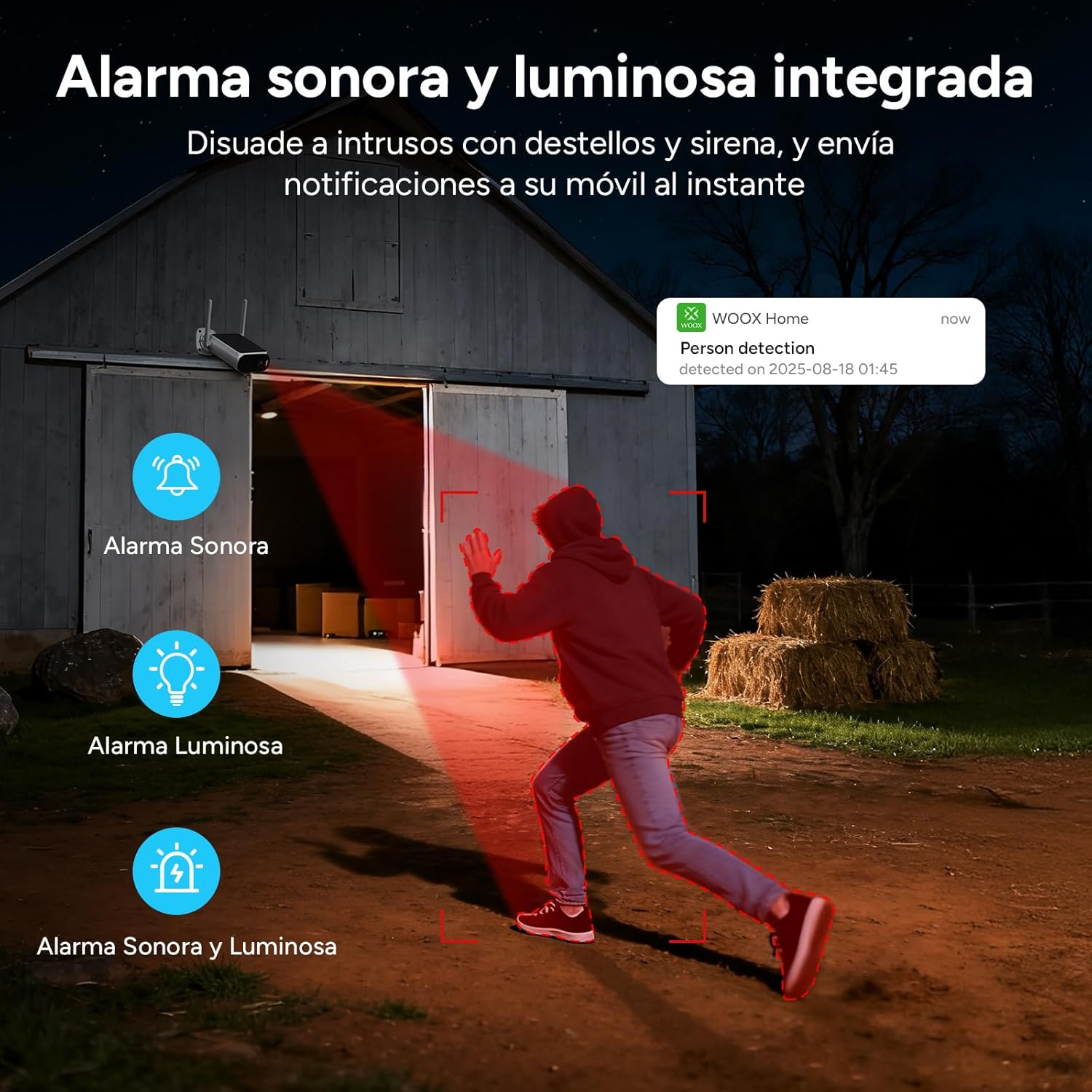
Image: An illustration of the integrated sound and light alarm deterring intruders with flashes and a siren, sending instant notifications to your mobile device.
4.5 Audio bidirezionale
Use the two-way audio feature to communicate with visitors or deter unwanted guests directly through the app.

Image: Depiction of two-way voice communication, with integrated microphone and speaker enabling remote alerts and interaction for enhanced security protection.
4.6 Opzioni di archiviazione
La fotocamera supporta due metodi di memorizzazione:
- Archiviazione locale: Insert a microSD card (up to 256GB, not included) into the designated slot.
- Archiviazione cloud: Utilize the cloud storage service offered through the WOOX Home app. Advanced encryption ensures your privacy.

Image: Visual explanation of the two storage modes: support for cloud storage and local storage via a microSD card up to 256 GB (not included).
5. Manutenzione
The WOOX R8404 camera is designed for outdoor use and requires minimal maintenance.
- Resistenza alle intemperie: The camera is IP66 certified, protecting it against dust and powerful water jets. It operates reliably in temperatures ranging from -20°C to 50°C.
- Pulizia: Pulire periodicamente l'obiettivo della fotocamera e il pannello solare con un panno morbido e asciutto.amp cloth to ensure clear vision and efficient charging. Avoid using harsh chemicals.
- Durata della batteria: While solar-powered, prolonged periods of extreme low light may require occasional manual charging via the USB port.

Image: The camera with water droplets, highlighting its IP66 rating and robust operating temperature range of -20°C to 50°C, ensuring durability in various weather conditions.
6. Risoluzione Dei Problemi
If you encounter issues with your WOOX R8404 camera, refer to the following common solutions:
- No Connection/Delayed Image Transmission:
- Assicurarsi che la scheda Nano SIM sia inserita correttamente e che abbia un piano dati attivo.
- Check 4G signal strength in the camera's location. Move the camera to an area with better signal if necessary.
- Perform a device reset by pressing and holding the reset button for 5 seconds until the camera restarts. Then re-pair with the app.
- Ensure the camera has sufficient battery power. Connect it to USB power if the battery is low.
- Falsi allarmi:
- Adjust the sensitivity of the AI human detection in the WOOX Home app.
- Define specific surveillance zones to exclude areas prone to non-human movement (e.g., swaying branches).
- Visione notturna scarsa:
- Assicurarsi che l'obiettivo della fotocamera sia pulito e libero da ostruzioni.
- Check if the integrated fill light is functioning correctly.
- Batteria non in carica:
- Verify the solar panel is clean and free from dirt or debris.
- Assicurarsi che il pannello solare sia posizionato in modo da ricevere la luce solare diretta per diverse ore al giorno.
- In prolonged cloudy periods, consider charging the camera via the USB port.
7. Specifiche
| Caratteristica | Specificazione |
|---|---|
| Nome del modello | 4G Solar Cam R8404 |
| Tecnologia di connettività | 4G LTE (cellulare) |
| Uso consigliato | Sorveglianza esterna |
| Caratteristiche speciali | Two-way audio, Built-in light, HD Resolution, Motion sensor, Night vision (Infrared & White Light) |
| Uso interno/esterno | All'aperto |
| Dispositivi compatibili | Smartphone, Tablet |
| Fonte di alimentazione | Rechargeable battery, Solar panel charging |
| Tipo di controllore | WOOX Home APP |
| Tipo di montaggio | Montaggio a parete |
| Colore | Nero, Bianco |
| Tipo di materiale | Acrilonitrile-butadiene-stirene (ABS), Policarbonato (PC) |
| Livello di resistenza all'acqua | Resistente all'acqua (IP66) |
| Tipo di avviso | Movimento |
| Lamp Tipo | Infrared Lights, LED |
| Risoluzione di registrazione video | Risoluzione 1296p (2K) |
| Frequenza dei fotogrammi | 15 fotogrammi al secondo |
| Codifica video | H.264 |
| Formato di acquisizione video | MP4 |
| Gamma di visione notturna | 8 metri |
| Max Flash Memory Support | 256 GB (Micro SD) |
| Voltage | 5 Volt |
| Energia | 7.5 Watt |
| Capacità della batteria | 10400 mAh |
| Viewangolo di ing | 120 Degrees (Note: Feature bullets state 130 degrees, using 120 from specs table) |
| Tecnologia dei sensori ottici | CMOS |
| Dimensioni dell'articolo | 13 x 8 x 4 centimetri |
8. Garanzia e supporto
WOOX products are designed and manufactured to the highest quality standards. In the unlikely event of a defect, WOOX provides a limited warranty from the date of purchase. Please retain your proof of purchase for warranty claims.
For technical support, troubleshooting assistance, or warranty inquiries, please visit the official WOOX website or contact their customer service through the WOOX Home app. Detailed contact information can typically be found on the product packaging or the official websito.
Please note that the warranty may not cover damages caused by improper installation, misuse, unauthorized modifications, or natural disasters.