
1. Introduzione
This manual provides essential information for the safe and efficient installation, operation, and maintenance of the YMZYEKB ACS355-01E-04A7-2 Inverter. Please read this manual thoroughly before attempting to install or operate the device. Retain this manual for future reference.
2. Informazioni sulla sicurezza
AVVERTIMENTO: Electrical shock hazard. Only qualified personnel should perform installation and maintenance procedures. Disconnect all power before servicing.
- Ensure the inverter is installed in a dry, well-ventilated area, free from direct sunlight and excessive dust.
- Verificare che il volume di ingressotage matches the inverter's specifications (200-240 V).
- Una corretta messa a terra è essenziale per prevenire rischi elettrici.
- Do not operate the inverter with damaged cables or if the enclosure is open.
- Always wear appropriate personal protective equipment (PPE) when working with electrical equipment.
3. Prodotto finitoview
The ACS355-01E-04A7-2 is a robust inverter designed for various industrial applications. It features an open-type enclosure with IP20 protection, suitable for cabinet building. Key features include:
- Ingresso volumetage: 200-240 V
- Frequenza: Frequenza 50/60 Hz
- Output Current (Normal Use): 4.7 A
- Output Power (Normal Use): 0.75 kW
- Grado di protezione: Grado di protezione IP20
- Protocolli di comunicazione: MODBUS, LON, DeviceNet, PROFIBUS, CAN, EtherNet/IP, PROFINET IO, TCP/IP, RS-232, RS-485.
- Ingressi analogici: 2
- Uscite analogiche: 1
- Digital In/Outputs: 5/1
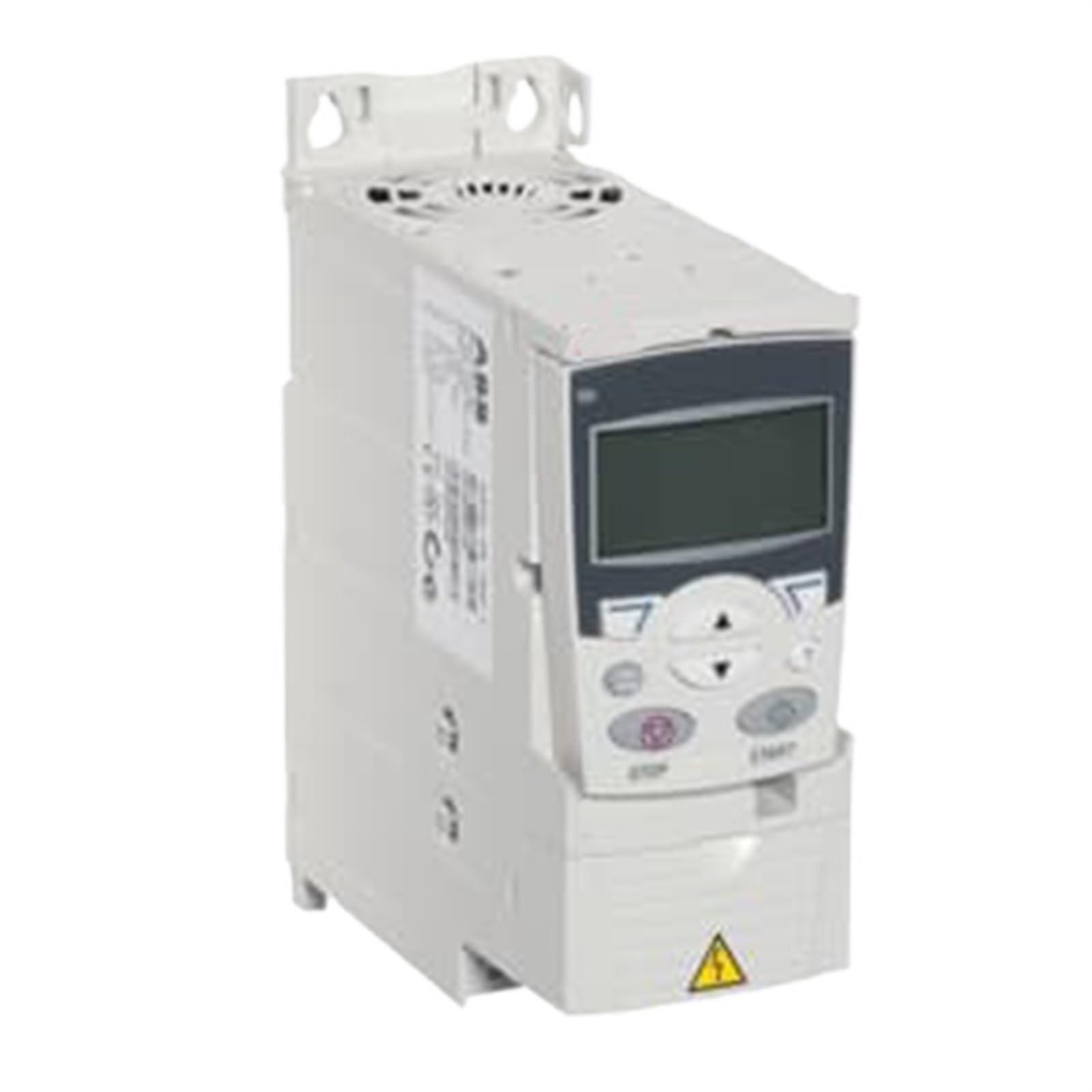
Figura 3.1: Fronte view of the ACS355-01E-04A7-2 Inverter, showing control panel and connection terminals.
4. Configurazione e installazione
4.1. Montaggio
The inverter is designed for module-based cabinet building. Ensure adequate space for ventilation around the unit. Mount the inverter vertically on a stable surface using appropriate fasteners. Refer to the dimensional specifications for mounting hole locations.
4.2. Cablaggio
All wiring must comply with local electrical codes and regulations. Use appropriately sized cables for input power, motor connections, and control signals.
- Potenza in ingresso: Connect the 200-240 V AC single-phase power supply to the designated input terminals (L1, L2).
- Collegamento del motore: Connect the motor phases to the output terminals (U, V, W).
- Messa a terra: Connect the protective earth (PE) terminal to a reliable ground point.
- Cablaggio di controllo: Connect analog inputs (2), analog outputs (1), and digital I/O (5 inputs, 1 output) as required for your application. Refer to the wiring diagram for specific terminal assignments.
Note: This model includes a PC connection for configuration and monitoring.
5. Istruzioni per l'uso
5.1. Accensione iniziale
After completing all wiring and safety checks, apply power to the inverter. The unit will perform a self-diagnostic check. Observe any error codes or indicators.
5.2. Funzionamento di base
The inverter can be controlled via its digital inputs or through a connected communication protocol (e.g., MODBUS). Consult the detailed programming manual for specific parameter settings related to motor control, speed reference, and acceleration/deceleration ramps.
- Avvio/Arresto: Typically controlled by a digital input or communication command.
- Controllo della velocità: Can be set via analog input (e.g., 0-10V, 4-20mA) or digital communication.
- Monitoraggio: Output current, frequency, and status can be monitored via analog outputs or communication interfaces.
6. Manutenzione
Regular maintenance ensures the longevity and reliable operation of your inverter. Always disconnect power before performing any maintenance.
- Pulizia: Periodically clean the exterior of the inverter and ventilation openings to prevent dust accumulation. Use a soft, dry cloth. Do not use liquid cleaners.
- Ispezione: Annually inspect all wiring connections for tightness and signs of wear or damage. Check for any discoloration or unusual odors.
- Controllo ambientale: Assicurarsi che l'ambiente operativo rimanga entro gli intervalli di temperatura e umidità specificati.
7. Risoluzione Dei Problemi
Questa sezione fornisce soluzioni ai problemi più comuni. Per problemi non elencati qui, contattare l'assistenza tecnica.
| Problema | Possibile causa | Soluzione |
|---|---|---|
| L'inverter non si accende | Nessuna alimentazione in ingresso; fusibile bruciato; cablaggio errato | Controllare l'alimentazione; ispezionare i fusibili; verificare i collegamenti elettrici. |
| Il motore non funziona | Incorrect control signal; Motor fault; Parameter error | Check control wiring; Inspect motor; Verify inverter parameters. |
| Errore di sovraccarico | Motor overloaded; Incorrect motor parameters; Inverter undersized | Reduce motor load; Adjust motor parameters; Ensure inverter matches motor rating. |
| Sovravoltage/Sottovoltage colpa | Unstable input power supply | Controllare l'input voltage stability; Use a voltage regolatore se necessario. |
8. Specifiche tecniche
| Parametro | Valore |
|---|---|
| Modello | ACS355-01E-04A7-2 |
| Numero di fasi | 1 |
| Grado di protezione | Grado di protezione IP20 |
| Tipo di contenitore | Tipo aperto |
| Frequenza (f) | Frequenza 50/60 Hz |
| Ingresso volumetage (Uin) | 200-240 V |
| Tipo di montaggio | Module for cabinet building |
| Output Current, Normal Use (In) | 4.7 A |
| Output Power, Light-Overload Use (PLD) | 0.75 kW |
| Output Power, Normal Use (Pn) | 0.75 kW |
| Ingressi analogici | 2 |
| Uscite analogiche | 1 |
| Number of Digital In/Outputs | 5/1 |
| Protocolli di comunicazione | MODBUS, LON, DeviceNet, PROFIBUS, CAN, EtherNet/IP, PROFINET IO, TCP/IP, RS-232, RS-485 |
| Dimensioni del pacco | 0.39 x 0.39 x 0.39 pollici |
| Peso dell'articolo | 1.76 once (50 grammi) |
9. Garanzia e supporto
For warranty information, please refer to the documentation provided with your purchase or visit the official YMZYEKB website. Technical support is available for assistance with installation, operation, and troubleshooting. Please have your model number and purchase details ready when contacting support.
Informazioni sui contatti: Fare riferimento alla confezione del prodotto o alle istruzioni ufficiali del produttore websito per i dettagli di contatto dell'assistenza più aggiornati.