
iSinbox YG381
Manuale utente del proiettore intelligente per esterni iSinbox YG381 4K
Model: YG381 | Brand: iSinbox
1. Introduzione
This manual provides essential information for the safe and efficient operation of your iSinbox YG381 4K Smart Outdoor Projector. Please read it thoroughly before using the device and retain it for future reference.
Informazioni sulla sicurezza
- Non guardare direttamente nell'obiettivo del proiettore quando lamp è acceso.
- Garantire un'adeguata ventilazione attorno al proiettore per evitare il surriscaldamento.
- Tenere il proiettore lontano dall'acqua o da altri liquidi.
- Utilizzare solo l'alimentatore fornito con il dispositivo.
- Non tentare di smontare o riparare il proiettore da soli. Contattare l'assistenza clienti per ricevere assistenza.
2. Contenuto della confezione
Verificare che tutti gli articoli siano presenti nel pacco:
- Proiettore iSinbox YG381
- Telecomando (batterie AAA non incluse)
- Adattatore di alimentazione
- Manuale d'uso

Image 2.1: iSinbox YG381 Projector with its main components and projected screen showing various streaming apps.
3. Prodotto finitoview
The iSinbox YG381 projector is designed for versatile use, featuring a compact form factor and a 360° adjustable stand. It integrates a Smart Pro OS for direct access to streaming applications.
Caratteristiche principali:
- Display: Native 1080p resolution, 4K support, HDR10+, 1200 ANSI lumens.
- Audio: Dolby-certified HiFi stereo speakers, DTS decoding, eARC support, Bidirectional Bluetooth 5.3.
- Intelligenti Caratteristiche: Smart TV Pro OS, built-in Netflix, YouTube, Prime Video, Disney+, AI autofocus, 6D keystone correction, automatic obstacle avoidance, automatic screen alignment.
- Connettività: Wi-Fi 6, HDMI, USB.
- Progetto: 360° adjustable stand, lightweight and portable.
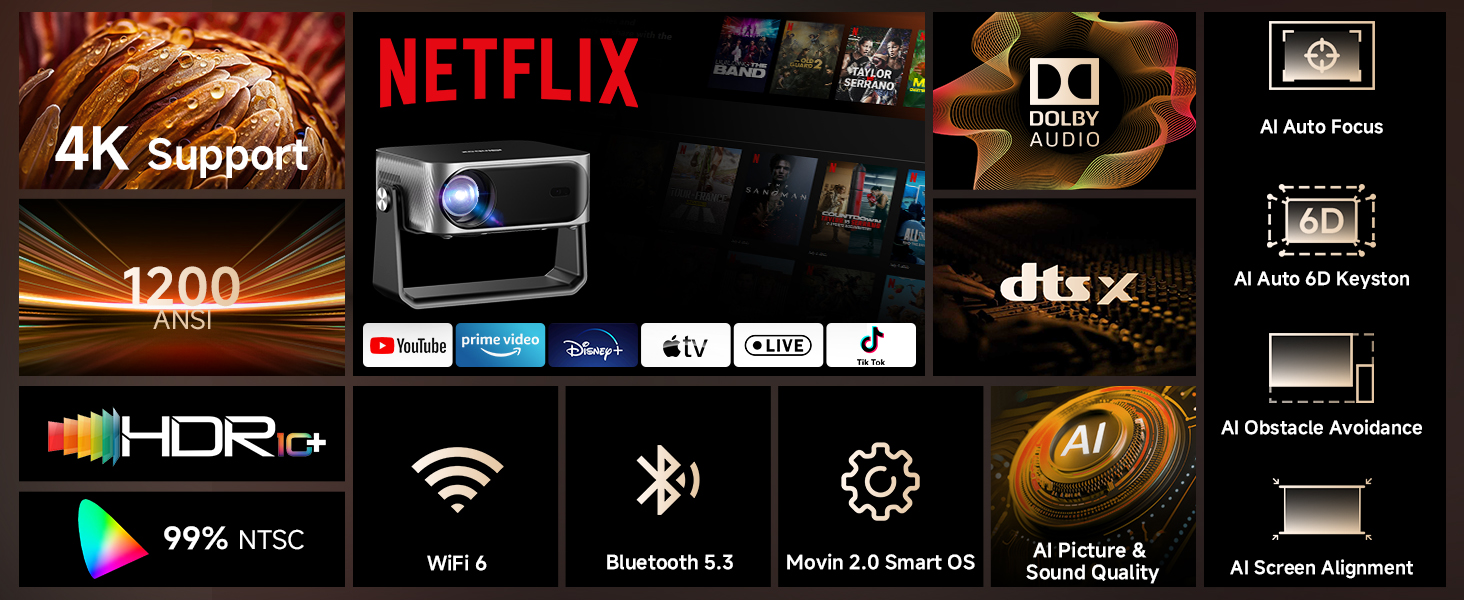
Immagine 3.1: Passoview of the iSinbox YG381 projector's main features, including 4K support, 1200 ANSI, HDR10+, Dolby Audio, and AI auto-adjustments.
4. Impostazione
4.1 Accensione iniziale
- Collegare l'adattatore di alimentazione al proiettore e a una presa di corrente.
- Premere il pulsante di accensione sul proiettore o sul telecomando per accenderlo.
- Follow the on-screen prompts to select your language and complete the initial setup.
4.2 Connessione di rete
- Accedere al menu "Impostazioni" del proiettore.
- Selezionare "Rete" o "Wi-Fi".
- Choose your Wi-Fi network from the list and enter the password. The projector supports Wi-Fi 6 for faster connection speeds.
4.3 Positioning and Image Adjustment
The projector features intelligent auto-adjustment capabilities:
- AI Autofocus: Il proiettore regola automaticamente la nitidezza dell'immagine.
- Correzione trapezoidale 6D: Automatically corrects image distortion from angled projections.
- Evitamento automatico degli ostacoli: Detects and adjusts the image to avoid objects on the projection surface.
- Allineamento automatico dello schermo: Optimizes the image to fit the screen area.
These adjustments occur automatically within approximately 3 seconds when the projector is moved or repositioned. A digital zoom function (50-100%) allows for screen size adjustment without moving the unit.
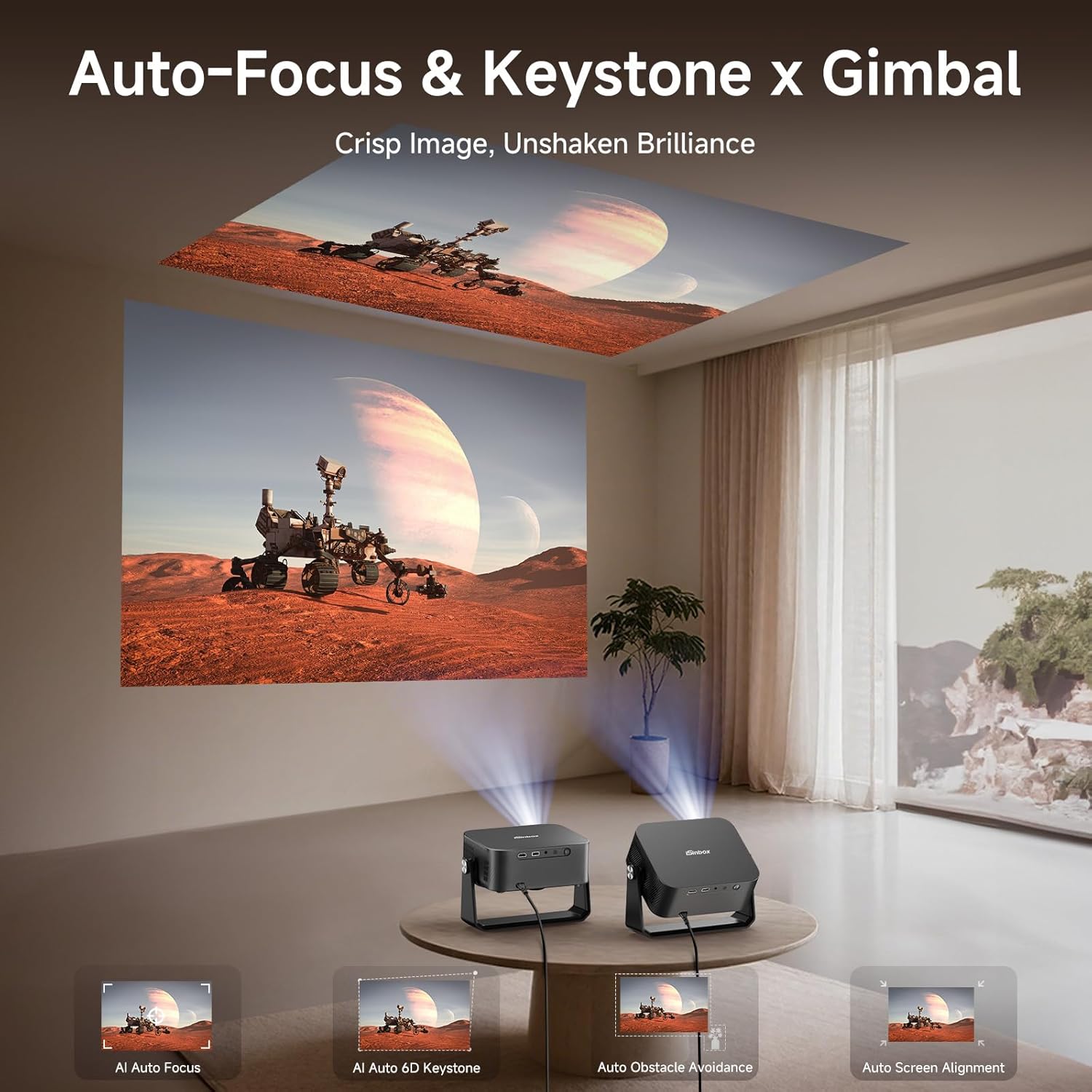
Image 4.1: The projector automatically adjusting focus and keystone for both wall and ceiling projections.
5. Funzionamento del proiettore
5.1 Smart TV Pro OS and Built-in Applications
The iSinbox YG381 operates on an upgraded Smart Pro OS, providing direct access to popular streaming services without external devices.
- From the home screen, select the desired application (e.g., Netflix, YouTube, Prime Video, Disney+).
- Accedi con le credenziali del tuo account.
- Begin streaming content.
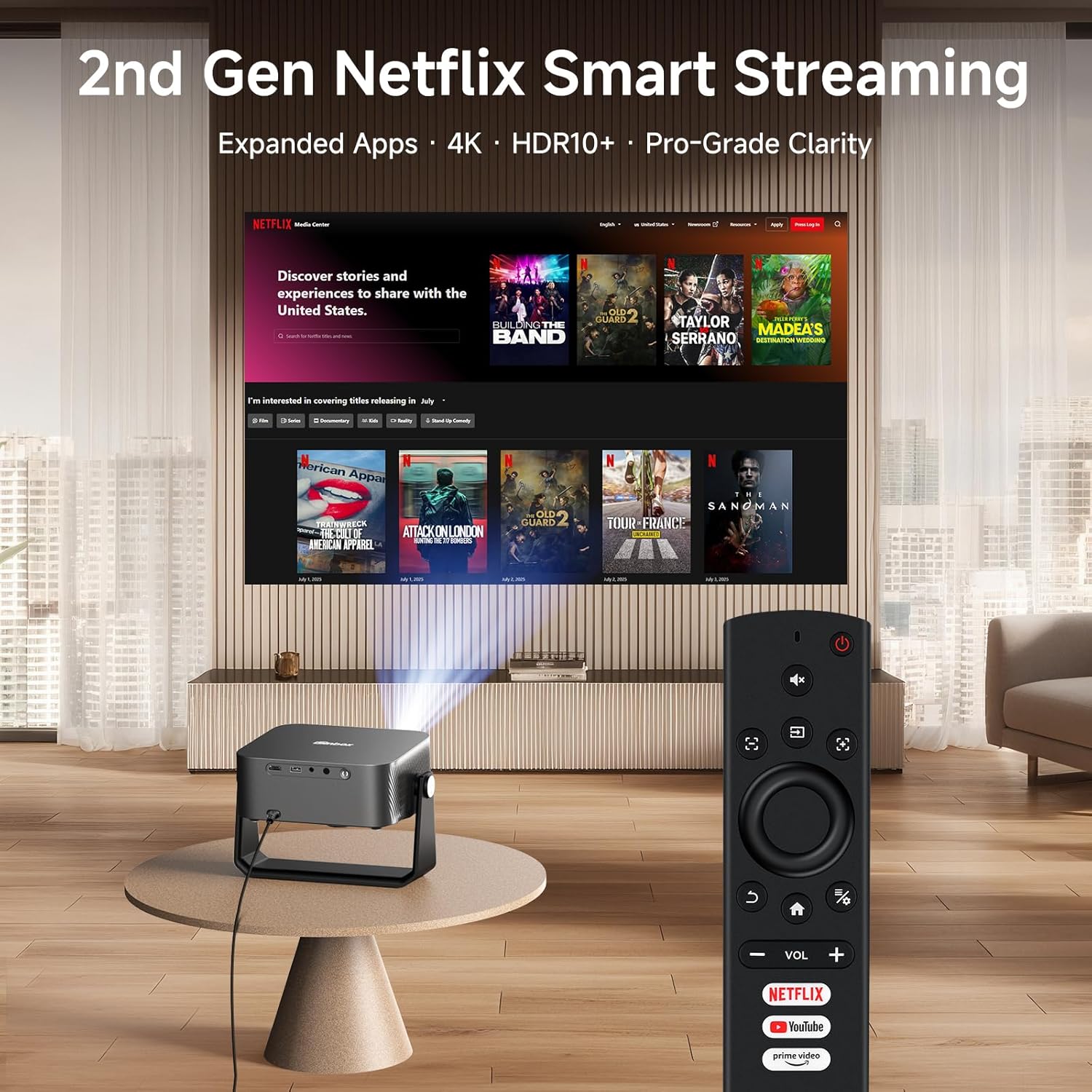
Image 5.1: The projector remote control with dedicated buttons for Netflix, YouTube, and Prime Video, simplifying access to built-in applications.
5.2 Connettività audio
The projector features Dolby-certified HiFi stereo speakers and DTS decoding technology. For external audio, use the bidirectional Bluetooth 5.3 functionality:
- Collegamento ad altoparlanti esterni: Pair the projector with Bluetooth speakers or headphones for enhanced audio output.
- Utilizzo come altoparlante Bluetooth: Connect your smartphone or other Bluetooth device to the projector to use its internal speakers for audio playback.

Image 5.2: Bidirectional Bluetooth 5.3 allows the projector to connect to external speakers or function as a standalone Bluetooth speaker for a phone.
5.3 Screen Mirroring and External Devices
The projector supports seamless screen mirroring via Wi-Fi 6 and can connect to external devices via HDMI and USB.
- Clonazione schermo: Use the built-in Wi-Fi 6 to mirror content from compatible devices.
- Ingresso HDMI: Connect gaming consoles, laptops, or other media players using an HDMI cable.
- Ingresso USB: Riproduci contenuti multimediali files direttamente da un dispositivo di archiviazione USB.

Image 5.3: Wi-Fi 6 technology provides a stable and fast connection for streaming and gaming, reducing lag.
6. Manutenzione
6.1 Pulizia del proiettore
- Lente: Utilizzare un panno morbido e privo di lanugine, specificamente progettato per lenti ottiche. Non utilizzare detergenti abrasivi.
- Esterno: Pulire l'esterno del proiettore con un panno morbido e asciutto. Per macchie ostinate, utilizzare un panno leggermenteamp si può usare un panno, seguito da un panno asciutto.
- Vents: Periodically check the ventilation openings for dust accumulation. Use a soft brush or compressed air to gently clear any blockages.
6.2 Conservazione
Quando non viene utilizzato per lunghi periodi, conservare il proiettore in un luogo fresco e asciutto, lontano dalla luce solare diretta e da temperature estreme. Si consiglia di utilizzare l'imballaggio originale o una custodia protettiva per evitare polvere e danni.
7. Risoluzione Dei Problemi
If you encounter issues with your iSinbox YG381 projector, refer to the following common solutions:
| Problema | Possibile causa | Soluzione |
|---|---|---|
| Nessuna immagine visualizzata | Cavo di alimentazione scollegato, sorgente di ingresso non selezionata, copriobiettivo inserito. | Controllare il collegamento dell'alimentazione, selezionare la sorgente di ingresso corretta (HDMI/USB), rimuovere il copriobiettivo. |
| L'immagine è sfocata | Sfocato, il proiettore si è mosso. | The projector features AI autofocus; if moved, it should auto-adjust. If not, check for obstructions or restart. |
| Nessun suono | Volume too low, external speakers not connected, audio settings incorrect. | Increase volume, check Bluetooth connection to external speakers, verify audio output settings. |
| Connessione Wi-Fi instabile | Distance from router, network interference. | Ensure projector is within Wi-Fi range, minimize interference from other devices. |
For issues not covered here, please contact iSinbox customer support.
8. Specifiche
| Caratteristica | Dettaglio |
|---|---|
| Marca | iSinbox |
| Numero di modello | YG381 |
| Risoluzione dello schermo | 1920 x 1080 (Native 1080p), 4K Support |
| Luminosità | 1200 ANSI Lumen |
| Supporto HDR | HDR10+ |
| Sistema operativo | Movin Smart OS 2.0 |
| Connettività | Wi-Fi 6, Bluetooth 5.3, HDMI, USB |
| Audio | Dolby Audio, DTS Decoding, eARC |
| Regolazione automatica | AI Autofocus, 6D Keystone Correction, Auto Obstacle Avoidance, Auto Screen Alignment |
| Dimensioni | 9.19 x 7.87 x 3.07 pollici (circa) |
| Peso | 14.4 once (circa) |
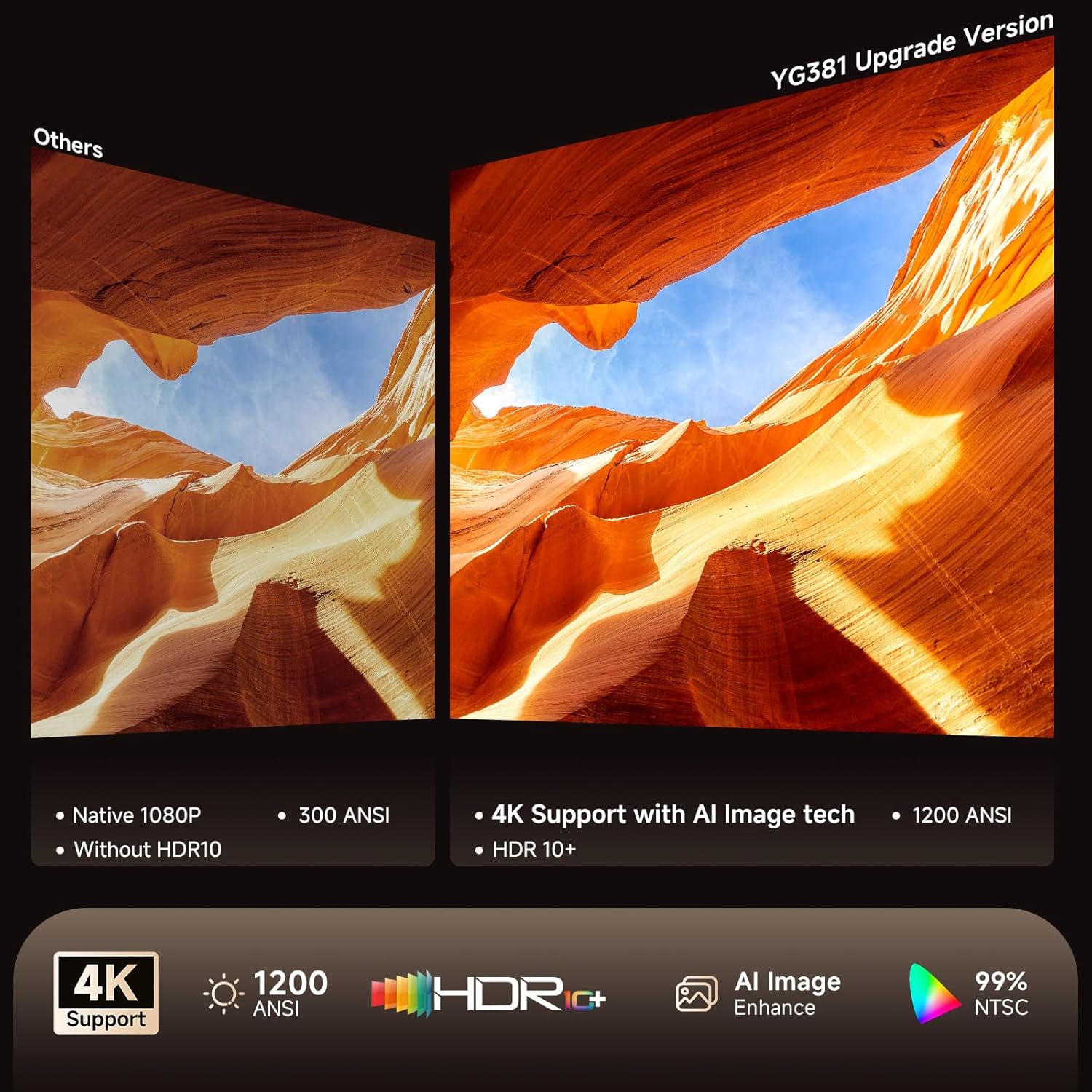
Image 8.1: Visual comparison highlighting the enhanced clarity and color accuracy with 4K support and HDR10+ on the YG381.
9. Garanzia e supporto
9.1 Informazioni sulla garanzia
The iSinbox YG381 projector comes with a Garanzia di sostituzione gratuita di 1 anno e un Garanzia limitata di 3 anno dalla data di acquisto. La presente garanzia copre difetti di fabbricazione e malfunzionamenti in condizioni di normale utilizzo. Si prega di conservare la prova d'acquisto per eventuali reclami in garanzia.
9.2 Assistenza clienti
iSinbox provides supporto tecnico a vita with a 24-hour response time. For technical assistance, warranty claims, or any questions regarding your projector, please contact iSinbox customer service through the retailer's platform or the official iSinbox websito.
Ask a question about this manual
Ask about setup, troubleshooting, compatibility, parts, safety, or missing instructions. Manuals+ will review the question and use this page’s manual context to help answer it.