
Introduzione
The Cuifati AI Translator Smart Glasses are designed to provide seamless communication and audio experiences. Featuring 144-language translation, voice control, Bluetooth calling, and remote photography capabilities, these glasses are suitable for various applications including travel, business meetings, and daily use. This manual provides detailed instructions for setup, operation, and maintenance of your smart glasses.
Contenuto della confezione
Si prega di verificare che tutti gli articoli siano presenti nel pacco:
- 1 x Smart Glasses
- 1 x Supply Cable (Charging Cable)
- 1 x panno per la pulizia
- 1 x borsa in tessuto portatile
- 2 x Manuali utente

Image: The package contents, showing the smart glasses, a USB charging cable, a black wiping cloth, and a black drawstring cloth bag.
Impostare
Caricare gli occhiali
Before initial use, fully charge your smart glasses. Connect the provided supply cable to the magnetic charging port on the glasses and to a DC 5V power source. Charging typically takes approximately 60 minutes. The glasses feature a 150mAh li-ion battery, providing up to 5 hours of music playback or 4 hours of voice calls.
Accoppiamento Bluetooth
The smart glasses utilize Bluetooth V5.4 for stable connections. They support automatic pairing with your mobile device. Once powered on, the glasses will enter pairing mode. Enable Bluetooth on your mobile phone and select the Cuifati Smart Glasses from the list of available devices to connect. The transmission distance is approximately 10 meters.

Image: The smart glasses positioned next to a smartphone, illustrating the automatic pairing feature for audio and calls.
Istruzioni per l'uso
Accensione/spegnimento
The glasses are designed for convenient use. Once charged, they can be activated with a simple touch, indicating they are ready for operation.
Funzioni di chiamata
The smart glasses provide clear 360-degree stereo sound for calls. Equipped with a high-sensitivity microphone and noise reduction technology, you can manage calls directly from the glasses. Simply press a key on the glasses to answer, make, hang up, or reject calls.

Image: A close-up of the smart glasses temple, highlighting the touch-sensitive area for quick connection and control of audio and calls.
AI Intelligent Voice Dialogue
The glasses feature an integrated microphone for AI intelligent voice dialogue. With a gentle touch, you can activate the voice assistant. Speak a command or question to receive assistance with work, study, or general inquiries.

Image: The smart glasses with various speech bubbles around them, illustrating the AI intelligent voice dialogue function for asking questions and receiving answers.
Modalità di traduzione
The smart glasses support automatic recognition and translation of 144 languages. There are three primary translation modes:
- Bluetooth Glasses and Mobile Phone Mode: One person wears the smart glasses, while the other uses a mobile phone. Press the translation key on either the glasses or the mobile phone. The spoken voice will be automatically recognized and translated, enabling direct conversation.
- Modalità macchina di traduzione: Press the language key to initiate translation. The translated audio will be played through the phone's speaker.
- Freely Conversation Mode: This mode allows for continuous, natural conversation through the Bluetooth glasses.
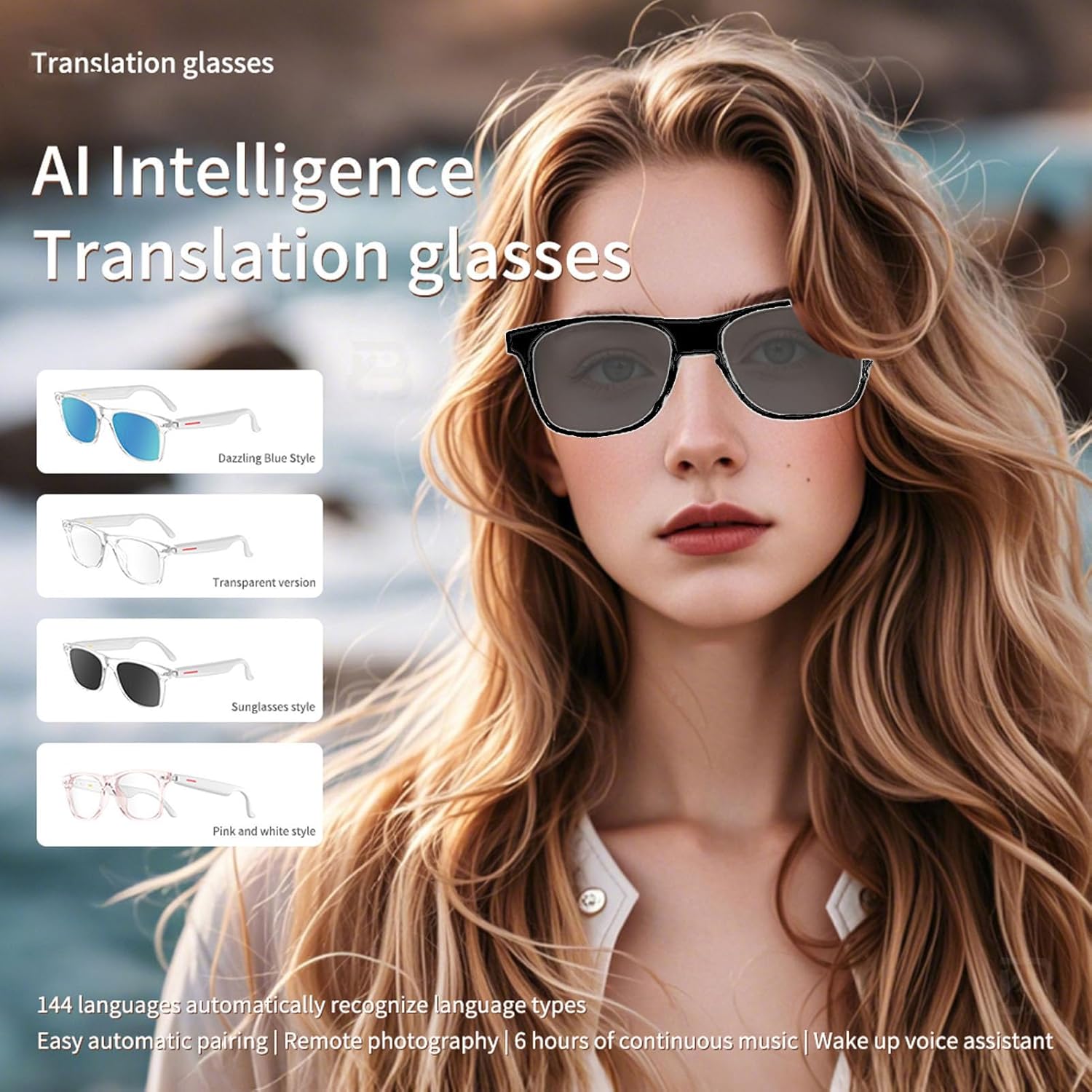
Image: A visual representation of the AI Intelligence Translation glasses, showcasing various frame styles (Dazzling Blue, Transparent, Sunglasses, Pink and White) and emphasizing 144 language support and automatic pairing.
Fotografia con telecomando
The glasses can be used for remote control photography, allowing you to capture moments without directly interacting with your phone. Refer to the specific app instructions for activating this feature.

Image: Two individuals smiling, framed as if captured by a remote camera, demonstrating the remote control photography function of the smart glasses.
Manutenzione
Pulizia
Use the provided wiping cloth to clean the lenses and frame of your smart glasses. Avoid using harsh chemicals or abrasive materials that could damage the surfaces.
Resistenza all'acqua
The translation glasses are IP65 water-resistant, offering protection against dust and low-pressure water jets. They are suitable for outdoor travel and cycling, but should not be submerged in water.
Cura della batteria
To prolong battery life, avoid fully discharging the battery frequently. Store the glasses in a cool, dry place when not in use for extended periods. The standby time is approximately 168 hours.
Risoluzione dei problemi
- Nessun potere: Ensure the glasses are fully charged. Connect to the magnetic charging cable and a power source.
- Impossibile connettersi tramite Bluetooth: Ensure Bluetooth is enabled on your mobile device and the glasses are in pairing mode. Try restarting both devices.
- Problemi di traduzione: Verify that the glasses are properly connected to your mobile device and the translation application is running correctly. Check your internet connection for language data.
- Scarsa qualità audio: Ensure the glasses are within Bluetooth range of your device. Check for any obstructions or interference.
Specifiche
| Caratteristica | Specificazione |
|---|---|
| Marca | Cuifati |
| Modello | B0F94KQBL6 |
| Versione Bluetooth | V5.4 |
| Metodo di controllo | Tocco |
| Tempo di ricarica | Circa 60 minuti |
| Distanza di trasmissione | ≥10 metri |
| Volume di caricatage/corrente | CC 5V |
| Tempo di standby | 168 ore |
| Tipo di batteria | Batteria agli ioni di litio da 150 mAh integrata |
| Materiale | PC and electronics |
| Resistenza all'acqua | Grado di protezione IP65 |
| Peso dell'articolo | 5.5 once |
| Dimensioni del pacco | 6.69 x 2.36 x 2.36 pollici |
Garanzia e supporto
For warranty information or technical support, please refer to the documentation included with your purchase or contact the manufacturer directly. Contact details can typically be found on the product packaging or the official Cuifati websito.