1. Introduzione e descrizione del prodottoview
This manual provides essential information for the proper use and maintenance of your Guy-Tech 9V 500mA AC-DC Adapter. This adapter is designed to provide reliable power to compatible electronic devices, specifically the Philips DECT 225 Phone (Model BD090050G).
The adapter features a compact and lightweight design, making it suitable for various applications and easy portability. It is engineered for high efficiency and low energy consumption, ensuring stable operation with minimal heat generation and noise.

Figure 1.1: Guy-Tech 9V 500mA AC-DC Adapter. This image shows the main unit of the adapter with its attached power cord and DC output plug.
Caratteristiche principali:
- Ingresso volumetage: AC 100V - 240V, suitable for worldwide use.
- Produzione: 9V DC, 500mA.
- Protezioni di sicurezza: Include oltre il volumetage Output Protection, Over Current Output Protection, and Short Circuit Output Protection to safeguard your device.
- Efficienza: High power exchange efficiency for stable working temperature.
- Portabilità: Small and lightweight design for convenience.

Figure 1.2: Portability of the adapter. The image illustrates how easily the compact adapter can be carried or packed into a bag.
2. Configurazione e connessione
Before connecting the adapter, ensure that your device (Philips DECT 225 Phone) requires a 9V DC input and that the adapter's output plug is compatible with your device's power input port. Using an incompatible adapter may damage your device.
Passaggi di connessione:
- Ispezionare l'adattatore: Before use, visually inspect the adapter and its cable for any signs of damage, such as frayed wires or cracked casing. Non utilizzare se danneggiato.
- Connetti al dispositivo: Carefully insert the DC output plug of the Guy-Tech adapter into the power input port of your Philips DECT 225 Phone. Ensure a secure and snug fit.
- Collegare alla presa di corrente: Plug the AC input prongs of the adapter into a standard AC 100V-240V wall outlet. Ensure the outlet is easily accessible.
- Verifica potenza: Once connected, your device should indicate that it is receiving power (e.g., a charging indicator light on the phone).
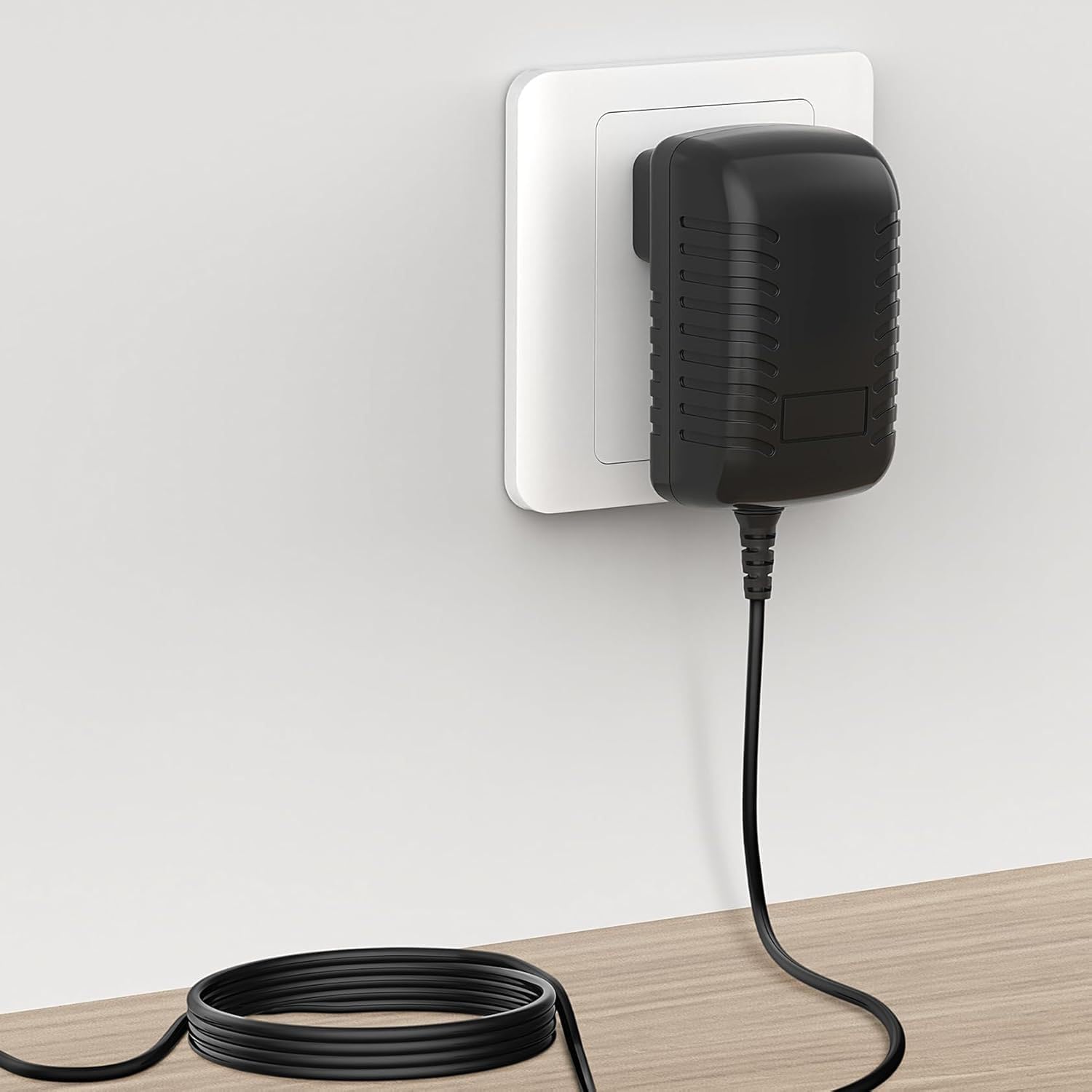
Figure 2.1: Adapter connected to a wall outlet. This image demonstrates the adapter properly plugged into a standard electrical wall socket.
Important Safety Note: This adapter is a replacement unit and not an original Philips product. Always verify compatibility before use.
3. Istruzioni per l'uso
The Guy-Tech AC-DC Adapter operates automatically once connected to a power source and a compatible device. It converts the alternating current (AC) from your wall outlet into direct current (DC) required by your Philips DECT 225 Phone.
Linee guida per l'utilizzo:
- Assicurarsi che l'adattatore venga utilizzato in un'area ben ventilata per evitare il surriscaldamento.
- Non coprire l'adattatore durante il funzionamento.
- Avoid exposing the adapter to water, excessive humidity, or extreme temperatures.
- Scollegare l'adattatore dalla presa a muro quando non lo si utilizza per periodi prolungati.
4. Manutenzione e cura
Proper maintenance ensures the longevity and safe operation of your Guy-Tech AC-DC Adapter.
Pulizia:
- Always unplug the adapter from the wall outlet and disconnect it from your device before cleaning.
- Use a soft, dry cloth to wipe the exterior of the adapter.
- Do not use liquid cleaners, aerosols, or abrasive materials, as these can damage the adapter.
Magazzinaggio:
- Conservare l'adattatore in un luogo fresco e asciutto, lontano dalla luce solare diretta e da temperature estreme.
- Avoid tightly coiling the power cord or bending it sharply, which can damage the internal wires.

Figure 4.1: Internal and external features. This image highlights the American plug type, the robust thick copper core of the cable, and the flexibility designed into the power cord to prevent damage.
5. Risoluzione Dei Problemi
If you encounter issues with your Guy-Tech AC-DC Adapter, refer to the following common problems and solutions:
| Problema | Possibile causa | Soluzione |
|---|---|---|
| Dispositivo che non riceve alimentazione | Adapter not fully plugged in; Wall outlet not active; Device power port issue; Incompatible device. | Ensure adapter is securely plugged into both the wall and the device. Test the wall outlet with another device. Verify device power port is clean and undamaged. Confirm device requires 9V 500mA and has a compatible port. |
| L'adattatore risulta eccessivamente caldo | Scarsa ventilazione; Sovraccarico; Guasto interno. | Ensure adapter is in a well-ventilated area and not covered. Disconnect and allow to cool. If overheating persists, discontinue use and contact support. |
| Flickering power indicator on device | Loose connection; Power fluctuations; Adapter fault. | Check all connections for tightness. Try a different wall outlet. If the issue persists, the adapter may be faulty. |
If the problem persists after attempting these solutions, please contact the seller or manufacturer for further assistance.
6. Specifiche
Detailed technical specifications for the Guy-Tech 9V 500mA AC-DC Adapter:
| Specificazione | Dettaglio |
|---|---|
| Modello | BD090050G Compatible |
| Ingresso volumetage | CA 100 V - 240 V |
| Volume di uscitatage | CC 9V |
| Corrente di uscita | 500mA |
| Tipo di connettore | Plug (DC Barrel Connector) |
| Dispositivi compatibili | Philips DECT 225 Phone, Monitors, Printers, Speakers, Tablets (verify voltage/corrente) |
| Caratteristica speciale | Portatile |
| Colore | Nero |
| Materiale | Composito, Metallo, Plastica |
| Certificazioni | CCC, CE, RoHS |
| Produttore | SHENZHEN XINGSENXIANG |

Figure 6.1: Adapter Dimensions. This image provides the physical measurements of the adapter unit, showing its length, width, and height.
7. Garanzia e supporto
For information regarding warranty coverage, return policies, or technical support for your Guy-Tech 9V 500mA AC-DC Adapter, please refer to the purchase documentation or contact the seller directly. Specific warranty terms may vary depending on the retailer and region of purchase.
If you require assistance with troubleshooting or have questions not covered in this manual, please reach out to the customer support provided by the seller or the manufacturer, SHENZHEN XINGSENXIANG.