
VETEK NPX108-2
VETEK 4K 64MP Camcorder User Manual
Model: NPX108-2
1. Introduzione
This manual provides instructions for the VETEK 4K 64MP Camcorder, model NPX108-2. This device is designed for high-quality video recording and photography, featuring 4K Ultra HD video resolution at 60 frames per second (FPS) and 64-megapixel image resolution. It includes an 18X digital zoom, a 4.0-inch 270-degree rotating touchscreen, and WiFi connectivity. The camcorder is equipped with an external microphone, a handheld stabilizer, and a 2.4G wireless remote control to enhance your recording experience.
Contenuto della confezione:
- VETEK 4K 64MP Camcorder
- DV-108 Battery (4500mAh)
- Scheda SD da 64 GB
- Cavo USB
- Telecomando wireless 2.4G
- stabilizzatore Handheld
- Paraluce
- Microfono esterno
- Luce di riempimento a LED
- Manuale d'uso
- Borsa fotografica

2. Componente suview
Familiarizza con le varie parti e i comandi della videocamera.

Porte e interfacce:

Controlli:

3. Configurazione iniziale
3.1 Caricamento della batteria
Insert the provided DV-108 battery into the camcorder. Connect the camcorder to a power source using the USB cable. The battery takes approximately 4-5 hours to fully charge and provides about 3 hours of continuous use.

3.2 Inserimento della scheda SD
Locate the SD card slot on the camcorder. Insert the provided 64GB SD card into the slot until it clicks into place. Ensure the card is inserted correctly to avoid damage.
3.3 Collegamento degli accessori
- Microfono esterno: Attach the external microphone to the hot shoe mount on top of the camcorder and connect its cable to the MIC port.
- Stabilizzatore portatile: Secure the handheld stabilizer to the bottom tripod mount of the camcorder for improved stability during recording.
- Paraluce: Attach the lens hood to the front of the lens to protect it and reduce glare.
4. Istruzioni per l'uso
4.1 Accensione/spegnimento
Tenere premuto il pulsante di accensione per accendere o spegnere la videocamera.
4.2 Registrazione video e scatto di foto
Use the Mode button to switch between video recording and photo capture modes. Press the Quick Video button to start/stop video recording or the Quick Photo button to take a picture.


4.3 Zoom digitale
The camcorder features an 18X digital zoom. Use the zoom controls (W/T buttons) on the camcorder or the handheld stabilizer to adjust the zoom level.

4.4 Funzionamento del touch screen
The 4.0-inch 270-degree rotating touchscreen allows for easy navigation of menus, settings, and playback of recordings.
4.5 Connettività WiFi
Connect the camcorder to your smartphone via WiFi using the XDV PRO app. This allows you to view recordings, control the camera remotely, and transfer files.


4.6 WebFunzionalità della camma
Connect the camcorder to a computer using the USB cable and select "PC CAM" mode to use it as a webcam for video calls and streaming.


4.7 Telecomando 2.4G
The included 2.4G wireless remote control allows you to operate the camcorder from up to 65 feet away in any direction.

4.8 Microfono esterno
The external microphone utilizes X-Y Stereo Pickup Technology to effectively reduce background noise and improve audio quality. Adjust the sound sensitivity from -10dB to +20dB for optimal audio capture.

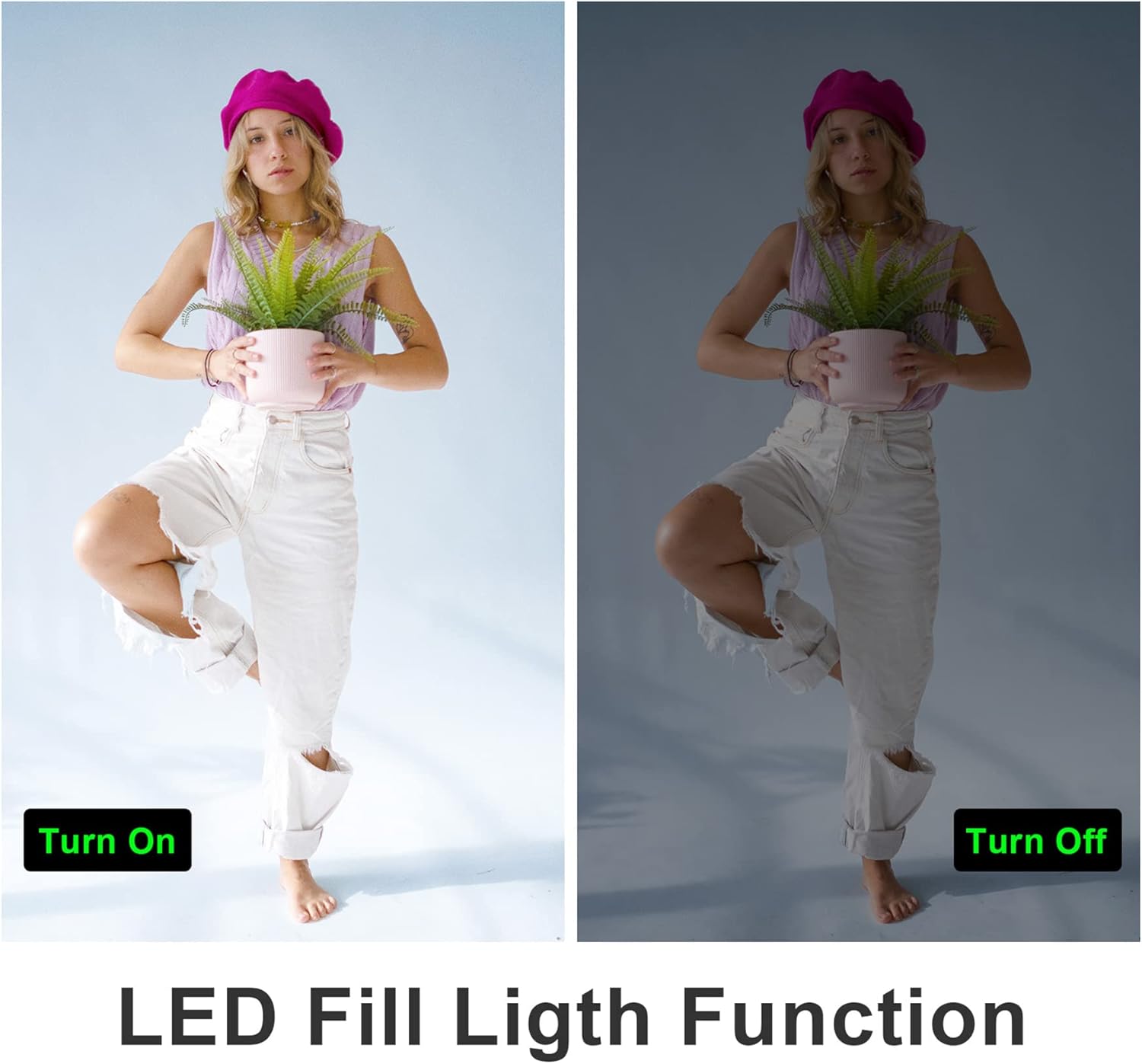
4.9 LED Fill Light
Activate the built-in LED fill light for improved illumination in low-light conditions.
4.10 Slow Motion and Time-Lapse
The camcorder supports slow-motion recording for capturing fast-moving objects and time-lapse recording for condensing long events into short videos.

4.11 uscita HDMI
Connect the camcorder to a TV or monitor using an HDMI cable (not included) to view le tue registrazioni su uno schermo più grande.

5. Manutenzione
5.1 Cura della batteria
- Caricare completamente la batteria prima del primo utilizzo.
- Evitare di esporre la batteria a temperature estreme.
- If not using the camcorder for an extended period, remove the battery.
5.2 Pulizia
- Per pulire il corpo della videocamera, utilizzare un panno morbido e asciutto.
- For the lens and touchscreen, use a specialized lens cleaning cloth and solution.
- Non utilizzare detergenti abrasivi o solventi.
5.3 Conservazione
Store the camcorder in a cool, dry place away from direct sunlight and dust. Use the provided camera bag for protection during transport.
6. Risoluzione Dei Problemi
Refer to the following tips for common issues:
- Fixed Focal Length: This camera has a fixed focal length and does not support optical zoom. Zooming is digital.
- Autofocus Delay: Autofocus may require a 2-3 second delay buffer time to adjust.
- Qualità video: The quality of recorded video may not be as high as still photos, especially in challenging lighting conditions.
- Portata del microfono: The built-in microphone has a pickup distance of approximately 6.5 feet. The external microphone can extend this range to about 16.4 feet.
- La fotocamera non si accende: Assicurarsi che la batteria sia completamente carica e inserita correttamente.
- Errore scheda SD: Ensure the SD card is inserted correctly and is not full or corrupted. Try reformatting the card (this will erase all data).
- Problemi di connessione WiFi: Ensure the XDV PRO app is installed and the camcorder's WiFi is enabled. Check your smartphone's WiFi settings.

7. Specifiche
| Caratteristica | Specificazione |
|---|---|
| Numero di modello | NPX108-2 |
| Risoluzione video | 4K Ultra HD (3840x2160) a 60 FPS |
| Risoluzione dell'immagine | 64 Megapixel |
| Digital Zoom | 18X |
| Dimensioni dello schermo | 4.0-inch Touch Screen (270-degree rotation) |
| Connettività | Wi-Fi, USB, HDMI |
| Capacità della batteria | Polimero di litio da 4500 mAh |
| Durata della batteria | Approx. 3 hours recording |
| Magazzinaggio | Scheda SD (fino a 64 GB inclusa) |
| Caratteristiche speciali | Anti-shake, Face Detection, Night Vision, Webcam Mode, Slow Motion, Time-Lapse, External MIC Support, LED Fill Light |
| Dimensioni | 6.8 x 3.2 x 3.8 pollici |
| Peso | 3.61 libbre |
8. Informazioni sulla garanzia
VETEK products typically come with a standard manufacturer's warranty. Please refer to the warranty card included in your package or contact customer support for specific details regarding warranty coverage and duration.
9. Assistenza clienti
For further assistance, technical support, or inquiries regarding your VETEK 4K 64MP Camcorder, please visit the official VETEK website or contact their customer service department. Contact information can usually be found on the product packaging or the brand's online store.
Ask a question about this manual
Ask about setup, troubleshooting, compatibility, parts, safety, or missing instructions. Manuals+ will review the question and use this page’s manual context to help answer it.