
Introduzione
Thank you for choosing the JOOAN W3-Dual Lens Outdoor Security Camera. This camera features a unique dual-lens design, providing comprehensive surveillance with 2K HD resolution. It supports both 2.4Ghz and 5Ghz dual-band WiFi, wired connectivity, PTZ rotation, two-way audio, and advanced motion detection with various alert options. This manual provides detailed instructions for installation, operation, and maintenance to ensure optimal performance and security.
Informazioni sulla sicurezza
- Ensure the camera is powered by the provided adapter and power cord. This device is not battery-powered.
- Install the camera in a location with stable WiFi signal for optimal performance.
- Evitare di posizionare la fotocamera vicino a forti fonti di interferenza elettromagnetica.
- Non tentare di smontare o modificare la fotocamera, poiché ciò invaliderebbe la garanzia e potrebbe danneggiarla.
- Ensure all cables are properly secured and protected from environmental elements.
- For outdoor installation, ensure the camera is securely mounted to prevent accidental falls.
Contenuto della confezione
Verifica che tutti gli articoli siano presenti nel tuo pacco:
- JOOAN W3-Dual Lens Security Camera (x1)
- Adattatore di alimentazione (x1)
- Cavo di alimentazione (x1)
- Screws Bag (x1)
- Manuale utente (x1)

Image: Contents of the JOOAN W3-Dual Lens Security Camera package, including the camera, power adapter, power cord, mounting screws, and user manual.
Prodotto finitoview
The JOOAN W3-Dual Lens camera features two independent lenses for comprehensive coverage. The upper lens is fixed, while the lower lens offers Pan-Tilt-Zoom (PTZ) functionality. It is designed for outdoor use with IP66 weather resistance.
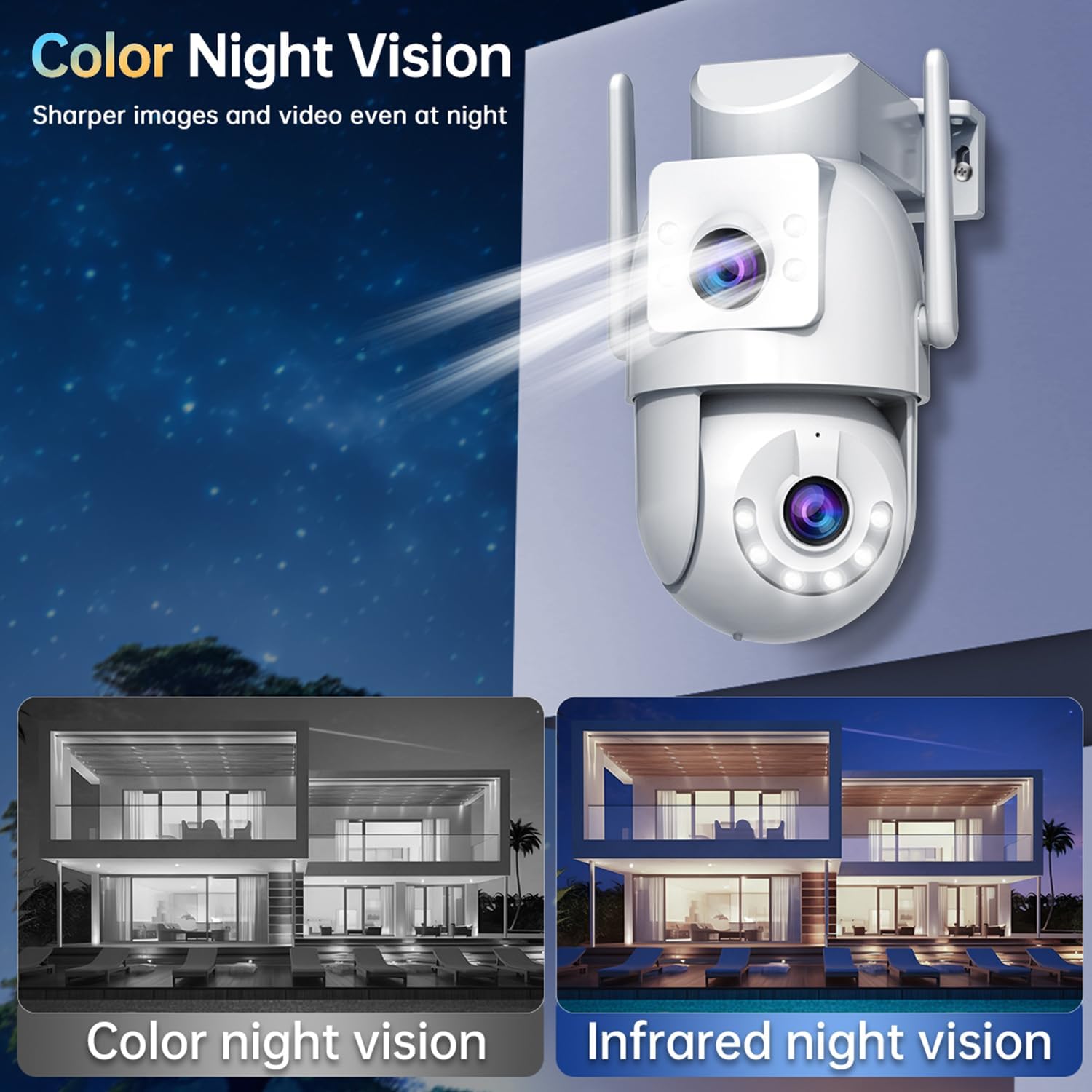
Immagine: Frontale view of the JOOAN W3-Dual Lens Security Camera, showing both lenses, LED lights, and antennas.

Immagine: Primo piano view highlighting the MicroSD card slot and the reset button on the camera body.
Impostare
1. Montaggio della fotocamera
The camera supports both ceiling and wall mounting. Choose a location that provides the desired viewing angle and has a stable WiFi signal. The camera is IP66 weatherproof, suitable for outdoor installation.
- Use the included screws to securely attach the mounting bracket to your chosen surface.
- Fissare la telecamera alla staffa di montaggio.
- For ceiling mounting, the image can be flipped in the app settings if needed.

Immagine: Examples of the camera installed on a wall and mounted on a ceiling, demonstrating its versatility.
2. Collegamento elettrico
Connect the provided power adapter to the camera's power input and plug it into a standard electrical outlet. The camera requires a continuous power supply and is not battery-operated.

Image: The camera connected to a power outlet via its power cable and adapter.
3. Connessione di rete
The camera supports dual-band WiFi (2.4Ghz and 5Ghz) and wired Ethernet connection. Follow the in-app instructions to connect your camera to your home network.
- Connessione wifi: Open the app, select 'Add Device', and follow the prompts to connect to your WiFi network. Ensure your phone is connected to the same WiFi network during setup.
- Connessione cablata: Connect an Ethernet cable from your router to the camera's Ethernet port. The camera will automatically attempt to connect to the network.
- Modalità AP: If direct connection fails, the camera may enter AP (Access Point) mode, allowing you to connect directly to its WiFi hotspot for initial configuration.

Image: Illustrates the camera's support for 5G/2.4G WiFi, Bluetooth, and Wired connectivity.
4. Installazione dell'app
Download the official JOOAN camera app from your smartphone's app store (iOS App Store or Google Play Store). Register an account and log in to begin adding your device.

Immagine: Uno smartphone che mostra la diretta view from the JOOAN camera app, showing two camera feeds simultaneously.
5. Installazione della scheda MicroSD
The camera supports MicroSD cards from 8GB to 256GB for local storage. Power off the camera before inserting or removing the MicroSD card.
- Individuare lo slot per la scheda MicroSD sul corpo della fotocamera.
- Inserire delicatamente la scheda MicroSD nello slot finché non scatta in posizione.
- Format the MicroSD card through the camera app settings after installation for proper functionality.
Istruzioni per l'uso
1. Vivere View & Dual Lens Monitoring
Access the live feed from both lenses simultaneously through the app. The dual-lens design allows you to monitor two different areas at once, eliminating blind spots.
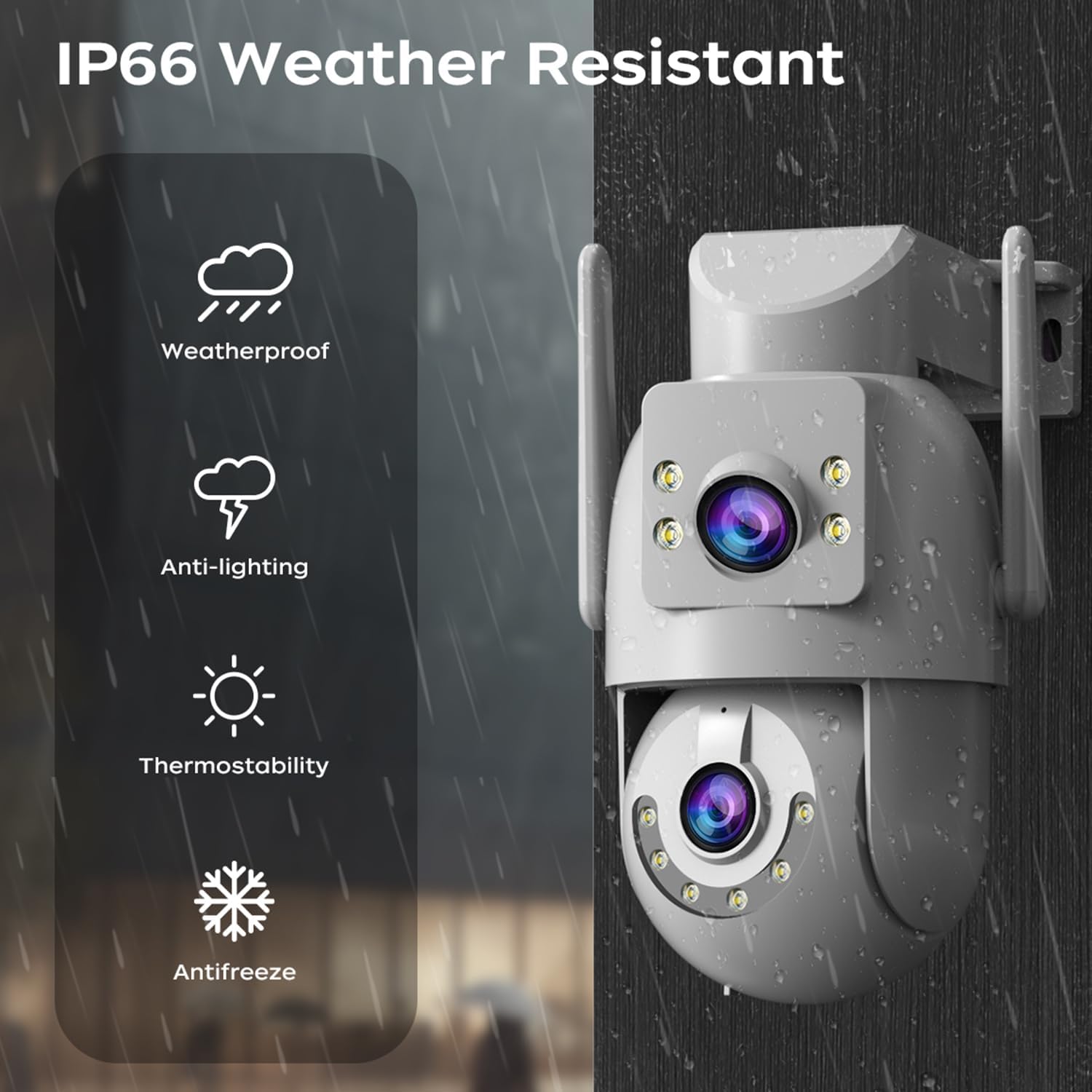
Image: A visual representation of the dual-lens camera monitoring two distinct areas simultaneously, displayed on a smartphone screen.
2. Controllo PTZ
The lower lens offers Pan-Tilt-Zoom (PTZ) capabilities. Use the controls within the app to remotely adjust the camera's viewangolo di ing.
- Pan: Ruota la telecamera orizzontalmente fino a 355 gradi.
- Inclinazione: Regolare la telecamera verticalmente fino a 90 gradi.
- Zoom digitale: Pinch to zoom on the live feed for closer inspection.

Image: A smartphone screen showing PTZ controls, with arrows indicating the camera's pan and tilt movement.
3. Audio bidirezionale
Utilizza il microfono e l'altoparlante integrati per una comunicazione bidirezionale. Questo ti consente di parlare con i visitatori o dissuadere gli intrusi direttamente tramite la telecamera.
- Tocca l'icona del microfono nell'app per parlare.
- Adjust audio volume as needed within the app.

Image: A person speaking into a smartphone, with a delivery person at the door, illustrating the two-way audio communication feature.
4. Modalità di visione notturna
The camera offers three night vision modes to suit different lighting conditions:
- Infrared Night Vision (B/W): Fornisce immagini nitide in bianco e nero anche in completa oscurità utilizzando LED a infrarossi.
- Visione notturna a colori: Utilizes white LEDs to provide full-color images at night.
- Visione notturna intelligente a colori: The camera automatically switches from infrared to full-color vision when motion is detected, providing detailed color footage quando necessario.
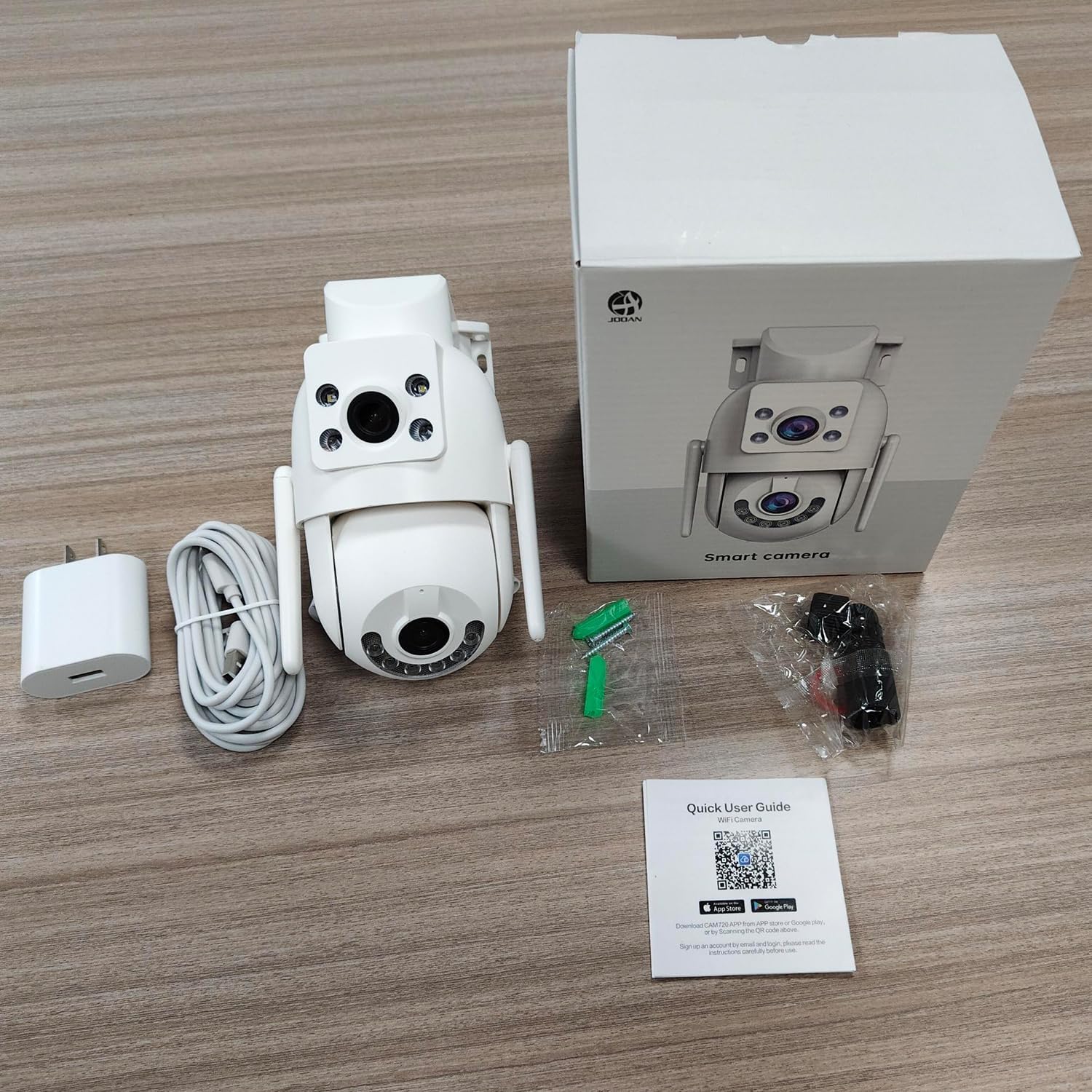
Image: Comparison of color night vision and infrared night vision, showing sharper and more detailed images in color at night.

Immagine: Visual examples of Infrared Night Vision, Full Color Night Vision, and Smart Color Night Vision modes.
5. Rilevamento del movimento e avvisi
The camera features advanced motion and sound detection capabilities. Customize detection zones, sensitivity, and alert types within the app.
- Rilevamento del movimento: Receive instant push notifications to your phone when motion is detected.
- Rilevamento del pianto: Alerts you to unusual sounds, such as crying, in the monitored area.
- Light & Sound Alarm: Configure the camera to activate a floodlight and/or siren upon detection to deter intruders.
- Customized Setup: Adjust detection methods, sensitivity levels, specific detection areas, and alert schedules.

Image: An illustration showing motion detection in action, with an alert notification on a smartphone.

Image: Depicts the camera's motion detection triggering a floodlight and siren, with a notification appearing on a phone.
6. Tracciamento automatico
Enable auto-tracking for the PTZ lens. When motion is detected, the camera will automatically pan to follow the moving object within its field of view.

Image: A visual demonstration of the auto-tracking feature, showing the camera panning to follow a moving person.
7. Opzioni di archiviazione
La fotocamera supporta due metodi di archiviazione principali per i dati registratitage:
- Memoria della scheda MicroSD: Records continuously or based on events to a locally installed MicroSD card (8-256GB, not included).
- Archiviazione cloud: Offers secure cloud storage for alarm records. This allows you to access footage even if the camera is lost or damaged. Cloud storage typically requires a subscription.

Image: Icons representing cloud storage and MicroSD card storage, with a visual of the MicroSD card slot on the camera.

Image: Illustrates MicroSD card storage and cloud storage options for recording and playback.
8. Condivisione dell'accesso
You can share camera access with family members or trusted individuals through the app, allowing multiple users to view il feed live e ricevi avvisi.

Immagine: più individui viewing the camera feed on their smartphones, demonstrating the sharing feature.
9. Integrazione della casa intelligente
The JOOAN W3-Dual Lens camera is compatible with smart home platforms like Amazon Alexa, allowing for voice control and integration into your smart home ecosystem.
- Follow the instructions in the app to link your camera with your Alexa account.
- Usa i comandi vocali per view il feed della telecamera sui display intelligenti compatibili.

Image: A person interacting with an Alexa-enabled device to view the camera feed, indicating smart home compatibility.
Manutenzione
- Pulizia: Pulisci regolarmente le lenti della fotocamera con un panno morbido e asciutto per garantire una qualità dell'immagine nitida. Non utilizzare prodotti chimici aggressivi.
- Aggiornamenti del firmware: Check the app periodically for firmware updates. Keeping your camera's firmware up-to-date ensures optimal performance, security, and access to new features.
- Alimentazione elettrica: Ensure the power connection remains secure and free from damage.
Risoluzione dei problemi
| Problema | Possibile soluzione |
|---|---|
| Fotocamera offline | Check WiFi signal strength, ensure power supply is connected, restart camera and router. |
| Impossibile connettersi al WiFi | Ensure correct WiFi password, try 2.4Ghz network if 5Ghz fails, move camera closer to router, reset camera. |
| Scarsa qualità dell'immagine | Clean the camera lenses, check network bandwidth, ensure adequate lighting for night vision. |
| Nessun avviso di rilevamento del movimento | Verify motion detection is enabled in app settings, adjust sensitivity, check alert schedule. |
| La scheda MicroSD non registra | Ensure card is inserted correctly, format card in app, check card capacity and health. |
Specifiche
| Caratteristica | Dettaglio |
|---|---|
| Numero di modello | W3-U |
| Risoluzione di acquisizione video | 3 MP (2K*2) |
| Tecnologia di connettività | Wi-Fi (2.4Ghz/5Ghz), Wired (Powerline) |
| Fonte di alimentazione | Elettrico con cavo (5 V, 7.5 W) |
| Tipo di montaggio | Montaggio a soffitto, montaggio a parete |
| Viewangolo di ing | 360 gradi (PTZ) |
| Caratteristiche speciali | Dual Lens, 2-Way Audio, Motion Detection, Auto Tracking, Color Night Vision, IP66 Weatherproof |
| Magazzinaggio | Scheda MicroSD (8-256 GB), archiviazione cloud |
| Dispositivi compatibili | Smartphone (Android/iOS) |
| Peso dell'articolo | 1.15 libbre |
| Dimensioni | 6.93 x 5.79 x 4.29 pollici |
Garanzia e supporto
JOOAN products come with a standard manufacturer's warranty. For specific warranty details, please refer to the warranty card included in your package or contact JOOAN customer support.
If you encounter any issues or have questions regarding your JOOAN W3-Dual Lens Security Camera, please contact our customer support team. Contact information can typically be found on our official website or within the camera app's 'About Us' section.