
Introduzione
This manual provides essential information for the safe and efficient use of your SUPVAN T50M Pro Label Maker. Please read these instructions carefully before operating the device and retain them for future reference.
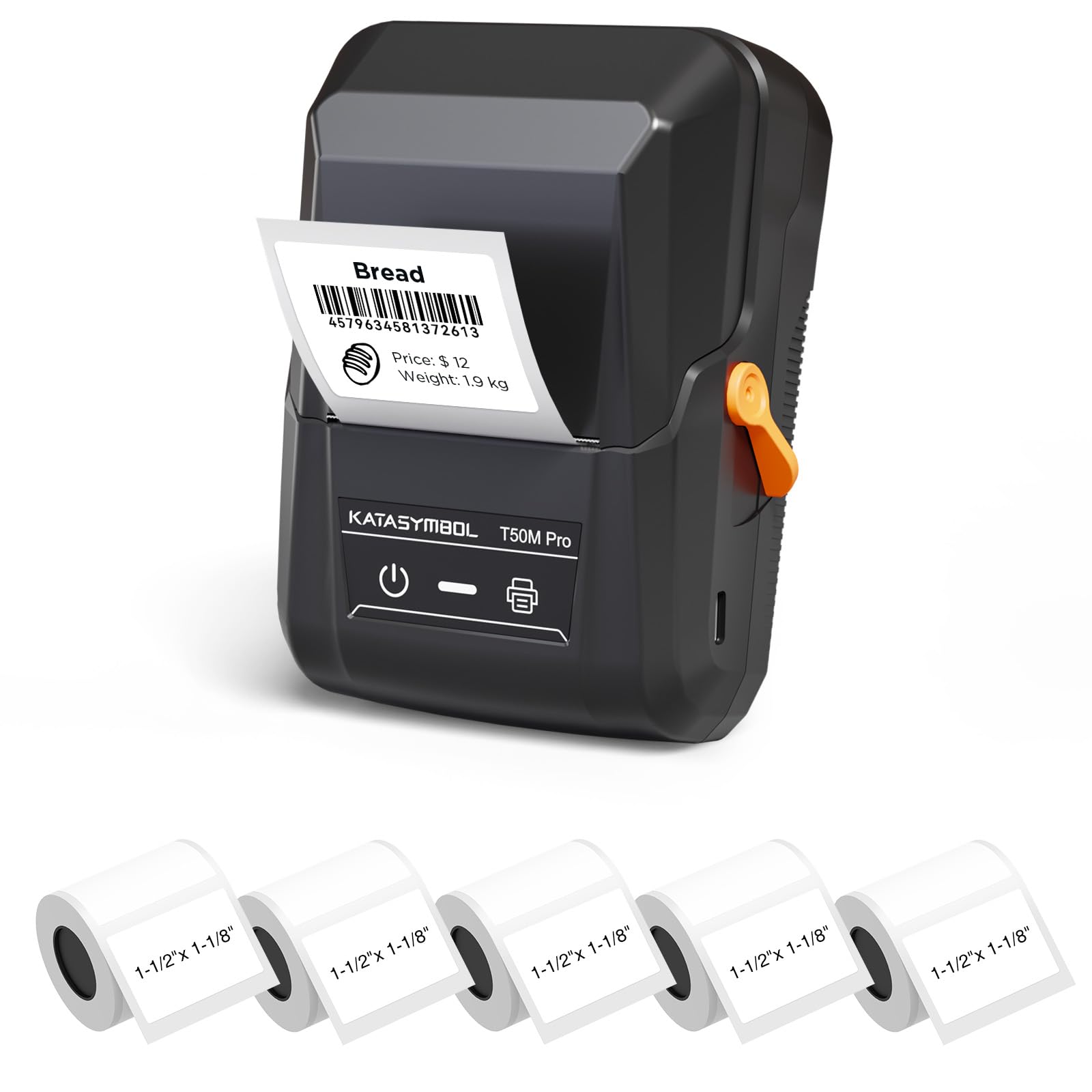
Image: The SUPVAN T50M Pro Label Maker, a compact thermal printer.
Contenuto della confezione
Verifica che tutti gli articoli siano presenti nel tuo pacco:
- SUPVAN T50M Pro Label Maker
- 5 rolls of 1.57'' × 1.18'' (40mm × 30mm) white labels (250 labels/roll)
- USB Cable (for charging and connectivity)
- Manuale dell'utente (questo documento)
Guida all'installazione
1. Carica del dispositivo
Before first use, fully charge the label maker using the provided USB cable. The device features a 1200 mAh built-in rechargeable battery, offering extended use on a single charge.
2. Installazione del rotolo di etichette
The T50M Pro uses thermal paper, eliminating the need for ink or toner. Follow these steps to install a label roll:
- Aprire il coperchio dello scomparto delle etichette.
- Inserire il rotolo di etichette con la superficie di stampa rivolta verso l'alto.
- Ensure the label edge is aligned with the printer's feed mechanism.
- Close the cover. The device's Smart RFID Auto-Detection will recognize the label size automatically.

Image: Illustration of loading thermal paper into the label maker. The device uses thermal printing technology, requiring no ink or toner.
3. Installazione e connessione dell'app
Download the official SUPVAN app from your device's app store. The app provides all editing functions and is free to use.
- Accendere l'etichettatrice.
- Open the SUPVAN app on your smartphone or tablet.
- Follow the in-app instructions to connect to your T50M Pro via Bluetooth or USB.
Istruzioni per l'uso
1. Creazione di etichette con l'app
The SUPVAN app offers a comprehensive suite of editing tools:
- Revisione del testo: Choose from over 40 fonts.
- Image & Picture Integration: Add custom images and logos.
- Modelli: Access over 140 free, constantly updated templates for various uses.
- Auto Label Size Recognition: The app automatically detects the loaded label size, reducing errors.

Image: The SUPVAN app's editing interface, demonstrating font choices, image integration, and automatic label size detection.

Image: A selection of over 140 free templates available within the SUPVAN app, suitable for diverse labeling needs.
2. Stampa di etichette
After designing your label in the app, select the "Print" option. Ensure the label maker is connected and has sufficient battery. The T50M Pro supports various label styles and sizes, printing 3/4 to 2-inch wide labels.

Immagine: Examples of labels created with the T50M Pro, including address labels, price tags, and decorative labels, demonstrating support for various styles.

Image: A visual comparison highlighting the high-quality image output from the SUPVAN T50M Pro's app compared to other label makers.
3. Applicazioni comuni
The SUPVAN T50M Pro is suitable for a wide range of labeling tasks:
- Piccola impresa: Shipping addresses, product information, QR codes, brand logos.
- Ufficio e scuola: Nome tags, folder labels, documentation, asset tagè andato.
- Organizzazione della casa: Pantry labels, storage bins, personal items.

Image: Demonstrates diverse uses for the label maker, such as labeling containers in a pantry, creating product labels, printing shipping labels, and organizing school supplies.
Manutenzione
1. Pulizia della testina di stampa
Per garantire una qualità di stampa ottimale, pulire periodicamente la testina di stampa termica. Utilizzare un panno morbido e privo di lanugine leggermenteampened with isopropyl alcohol. Do not use abrasive cleaners or sharp objects.
2. Cura della batteria
Recharge the device when the battery indicator is low. Avoid fully discharging the battery frequently to prolong its lifespan. Store the device in a cool, dry place when not in use for extended periods.
3. Conservazione delle etichette
Conservare i rotoli di etichette in un luogo fresco e asciutto, lontano dalla luce solare diretta e dal calore, per evitare il degrado del materiale termico.
Risoluzione dei problemi
1. Il dispositivo non si accende
- Assicurati che il dispositivo sia completamente carico. Collegalo a una fonte di alimentazione tramite il cavo USB.
- Tenere premuto il pulsante di accensione per alcuni secondi.
2. Printing Issues (Blank or Faint Prints)
- Check if the label roll is installed correctly with the printing surface facing up.
- Assicurarsi che il rotolo di etichette non sia vuoto.
- Pulire la testina di stampa come descritto nella sezione Manutenzione.
- Verify that the label type is compatible with the T50M Pro.
3. App Connectivity Problems
- Assicurati che il Bluetooth sia abilitato sul tuo dispositivo mobile.
- Make sure the label maker is turned on and within range.
- Restart both the label maker and the app.
- Se i problemi persistono, prova a reinstallare l'app.
4. Label Misalignment
- Ensure the label roll is properly seated and aligned in the compartment.
- The Smart RFID Auto-Detection should prevent most misalignment issues; if not, try re-seating the roll.
Specifiche
| Caratteristica | Dettaglio |
|---|---|
| Nome del modello | T50M Pro |
| Marca | SUPVANO |
| Tecnologia di stampa | Termico |
| Tecnologia di connettività | USB, Bluetooth |
| Interfaccia Hardware | USB |
| Uscita della stampante | Monochrome (Black Ink Color) |
| Dimensione massima del supporto | 1.57'' × 1.18'' (40mm × 30mm) - 3/4 to 2-inch wide labels supported |
| Caratteristica speciale | Portable, Smart RFID Auto-Detection, BPA-free labels |
| Batteria | Batteria ricaricabile integrata da 1200 mAh |
| Dimensioni | Circa 5" x 3.7" x 2.3" |
| Peso | Circa. 0.6 libbre |
| Componenti inclusi | Label Maker, Labels, USB Cable |

Image: The compact design of the T50M Pro, highlighting its portability, lightweight nature, and 1200 mAh rechargeable battery.
Garanzia e supporto
Informazioni sulla garanzia
For detailed warranty information, please refer to the warranty card included with your product or visit the official SUPVAN websito. I termini e le condizioni della garanzia possono variare in base alla regione e al rivenditore.
Assistenza clienti
If you encounter any issues or have questions regarding your SUPVAN T50M Pro Label Maker, please contact SUPVAN customer support through their official websito o rivenditore presso cui è stato acquistato il prodotto.
Puoi anche visitare il Negozio SUPVAN su Amazon per ulteriori informazioni sul prodotto e risorse di supporto.