
1. Introduzione
Thank you for choosing the ZIPRO Ramble Treadmill. This manual provides essential information for the safe assembly, operation, and maintenance of your new fitness equipment. Please read this manual thoroughly before first use and keep it for future reference. The ZIPRO Ramble Treadmill is designed for home use, offering a versatile workout experience with adjustable speed, incline, and various training programs.
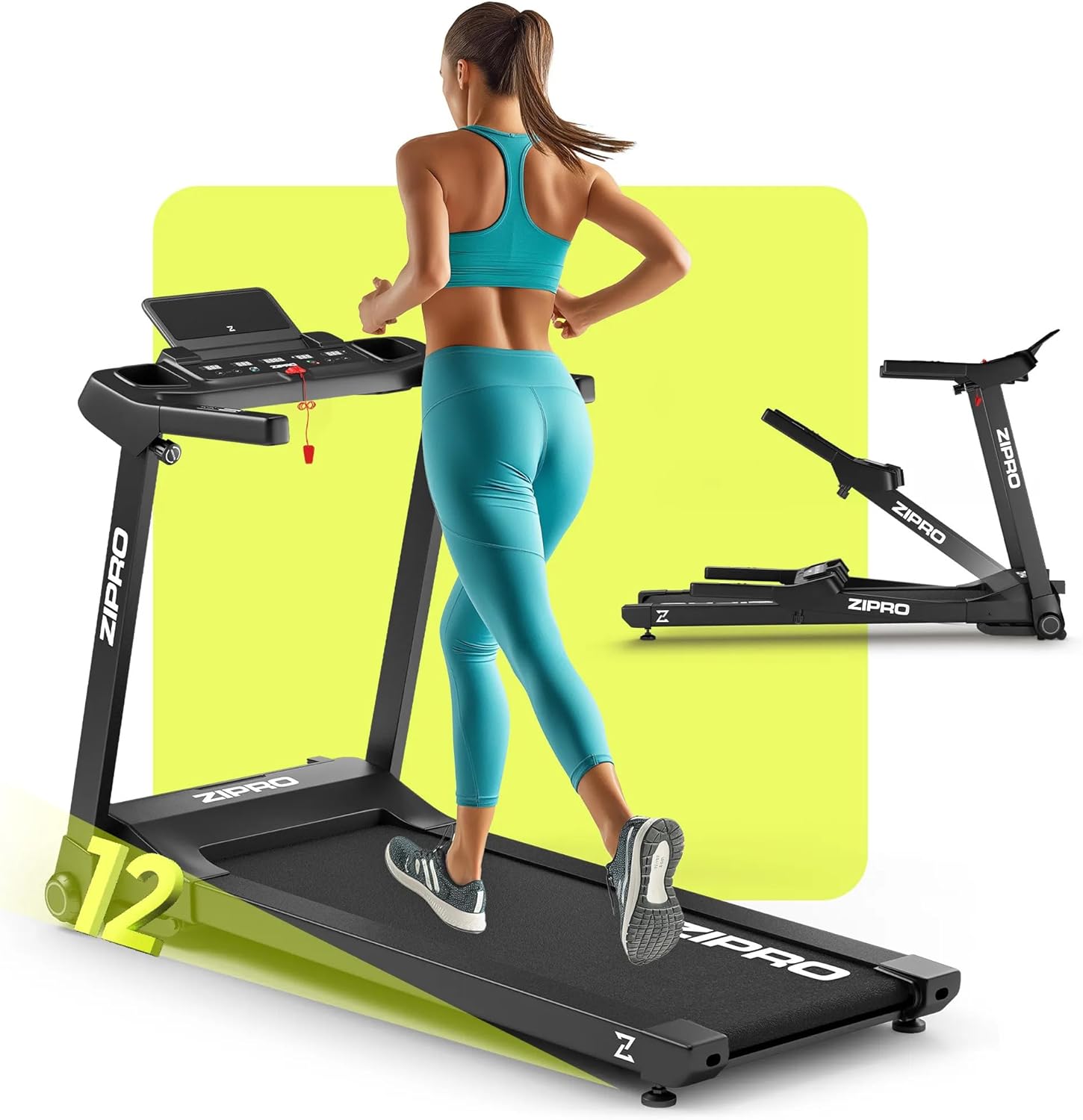
Image 1.1: The ZIPRO Ramble Treadmill in operation, demonstrating its design and functionality.
2. Importanti istruzioni di sicurezza
To reduce the risk of serious injury, read all instructions before using the treadmill. The manufacturer assumes no responsibility for personal injury or property damage sustained by or through the use of this product.
- Consultare un medico prima di iniziare qualsiasi programma di esercizi.
- Tenere i bambini e gli animali domestici lontani dal tapis roulant durante il funzionamento.
- Posizionare il tapis roulant su una superficie piana e stabile, con spazio sufficiente attorno.
- Indossare abbigliamento sportivo e scarpe da ginnastica adeguati.
- Non utilizzare il tapis roulant se il cavo o la spina sono danneggiati o se non funziona correttamente.
- Utilizzare sempre la chiave di sicurezza. Fissare la clip ai vestiti prima di iniziare l'allenamento.
- Non salire o scendere dal tapis roulant mentre il nastro è in movimento.
- Non tentare di riparare il tapis roulant da soli. Per le riparazioni, rivolgersi a personale qualificato.
- Scollegare il tapis roulant dalla presa di corrente quando non è in uso o prima di pulirlo/manutenerlo.
3. Contenuto della confezione
Carefully unpack the box and ensure all components are present and undamaged. If any parts are missing or damaged, do not assemble the treadmill and contact customer support.
- 1x ZIPRO Ramble Inclinable Treadmill (main unit)
- Manuale d'uso
- Strumenti di montaggio (se inclusi)
- Chiave di sicurezza
4. Installazione e assemblaggio
The ZIPRO Ramble Treadmill comes largely pre-assembled. Follow these steps for final setup:
- Disimballaggio: Remove all packaging materials and place the treadmill on a clear, level surface.
- Svolgimento: Carefully lift the console and handlebars into the upright position until they lock securely. Ensure all locking mechanisms are engaged.
- Posizionamento: Place the treadmill in a location with at least 2 meters (6.5 feet) of clear space behind it and 0.5 meters (1.6 feet) on each side.
- Collegamento elettrico: Collegare il cavo di alimentazione a una presa elettrica dotata di messa a terra.
- Chiave di sicurezza: Inserire la chiave di sicurezza nell'apposito alloggiamento sulla console. Il tapis roulant non funzionerà senza la chiave di sicurezza.

Image 4.1: Demonstrating the folding and transport features of the treadmill.
The treadmill is equipped with transport wheels for easy relocation when folded. To fold, ensure the running deck is lowered, then lift the rear of the running deck until it locks into the upright position. To unfold, gently release the locking mechanism and lower the running deck to the floor.
5. Istruzioni per l'uso
5.1 Console finitaview

Image 5.1: The control panel with integrated phone holder and bottle holders.
The console features an LED display showing time, speed, distance, calories burned, and heart rate. It also includes quick-access buttons for speed and incline, as well as a smartphone holder and two bottle holders.
5.2 Iniziare un allenamento
- Accensione: Assicurarsi che il tapis roulant sia collegato alla presa di corrente e che la chiave di sicurezza sia inserita.
- Modalità manuale: Premere il pulsante "Start". Il nastro inizierà a muoversi a bassa velocità.
- Regola la velocità: Use the '+' and '-' buttons on the console or handlebars to adjust the speed from 1 km/h to 16 km/h.
- Regola l'inclinazione: Use the 'Incline +' and 'Incline -' buttons to adjust the incline level (12 levels available).

Image 5.2: The treadmill's electronic incline adjustment system.
5.3 Programmi predefiniti
The treadmill offers 12 predefined training programs and 3 customizable modes. To select a program:
- From standby, press the 'Program' button to cycle through available programs (P1-P12).
- Press 'Start' to begin the selected program. The treadmill will automatically adjust speed and incline according to the program profile.

Immagine 5.3: Passoview of training programs and app integration.
5.4 Connettività dell'app
The ZIPRO Ramble Treadmill can connect to fitness applications like FitShow via Bluetooth. Download the compatible app to your smartphone, enable Bluetooth, and follow the app's instructions to pair with your treadmill. This allows for enhanced workout tracking and control.
5.5 Monitoraggio della frequenza cardiaca
Grip the pulse sensors on the handlebars to display your heart rate on the LED screen. For accurate readings, ensure both hands are firmly placed on the sensors.
5.6 Arresto del tapis roulant
Press the 'Stop' button to gradually slow down and stop the treadmill. In an emergency, pull the safety key to immediately stop the belt.
6. Manutenzione
Una manutenzione regolare garantisce la longevità e le prestazioni ottimali del tuo tapis roulant.
- Pulizia: Pulisci le superfici del tapis roulant con un pannoamp panno dopo ogni utilizzo. Evitare detergenti abrasivi o solventi.
- Lubrificazione della cinghia: The running belt requires periodic lubrication to reduce friction. Refer to the specific instructions provided with your lubricant for frequency and application. Generally, lift the edge of the belt and apply silicone lubricant to the center of the deck.
- Regolazione della cintura: If the running belt slips or drifts to one side, it may need adjustment. Consult the troubleshooting section or contact customer support for guidance.
- Cavo di alimentazione: Ispezionare regolarmente il cavo di alimentazione per eventuali danni.
7. Risoluzione Dei Problemi
Se riscontri problemi con il tuo tapis roulant, fai riferimento ai seguenti problemi comuni e alle relative soluzioni:
| Problema | Possibile causa | Soluzione |
|---|---|---|
| Il tapis roulant non si avvia | Cavo di alimentazione scollegato, chiave di sicurezza non inserita, interruttore di alimentazione spento. | Controllare il collegamento elettrico, assicurarsi che la chiave di sicurezza sia completamente inserita, accendere l'interruttore di alimentazione. |
| La cintura da corsa scivola | Cinghia troppo lenta, la cinghia ha bisogno di essere lubrificata. | Adjust belt tension (refer to specific instructions), lubricate the running deck. |
| Rumore insolito durante il funzionamento | Parti allentate, problemi al motore, attrito della cinghia. | Check all bolts and screws for tightness. Lubricate belt. If noise persists, contact customer support. |
| Lettura imprecisa della frequenza cardiaca | Mani non ben salde sui sensori, mani asciutte. | Ensure firm contact with both sensors. Lightly moisten hands if they are too dry. |
For issues not listed here or if solutions do not resolve the problem, please contact ZIPRO customer support.
8. Specifiche
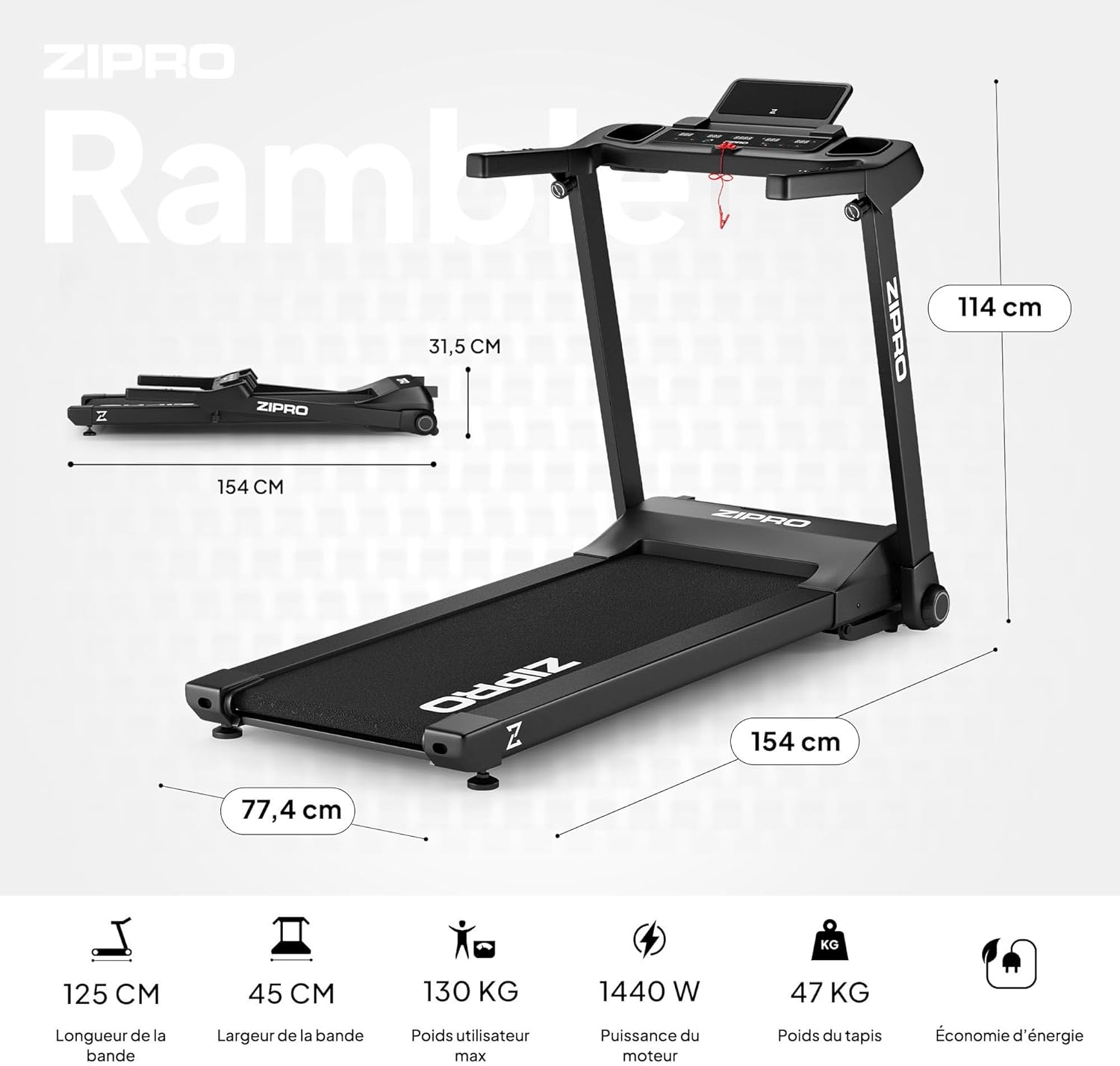
Image 8.1: Key dimensions and specifications of the ZIPRO Ramble Treadmill.
| Caratteristica | Specificazione |
|---|---|
| Modello | passeggiata |
| Marca | ZIPPRO |
| Potenza del motore | 1.96 HP (Continuous Duty) / 1440 W |
| Gamma di velocità | 1 - 16 km/h |
| Livelli di inclinazione | 12 (Automatic Electronic Adjustment) |
| Superficie di corsa (L x P) | Dimensioni: 125 cm x 45 cm |
| Peso massimo dell'utente | 130 kg |
| Programmi | 12 Predefined, 3 Customizable |
| Display | LED (Time, Speed, Distance, Calories, Heart Rate) |
| Connettività | Bluetooth (for fitness apps like FitShow) |
| Dimensioni da aperto (L x P x A) | Dimensioni: 154 cm x 77.4 cm x 114 cm |
| Dimensioni piegate (L x P x A) | 154.2 cm x 77.4 cm x 31.5 cm (height) |
| Peso del prodotto | 47.7 kg |
| Caratteristiche speciali | Foldable design, Transport wheels, Heart rate monitor, Bottle holder, Smartphone holder, Shock absorption system (VIBGUARD PRO) |
| Materiali | Polyethylene (PE), Metal, Plastic |
9. Garanzia e supporto
For information regarding warranty coverage, please refer to the warranty card included with your product or visit the official ZIPRO website. If you require technical assistance, spare parts, or have any questions not covered in this manual, please contact ZIPRO customer support through their official channels.
Please have your product model (Ramble) and purchase information ready when contacting support.


