
eKids 115
eKids Dora Karaoke Microphone with Boombox Instruction Manual
Modello: 115 | Marca: eKids
1. Introduzione
Welcome to the eKids Dora Karaoke Microphone with Boombox. This device is designed to provide an interactive and engaging musical experience. It features a wired microphone, built-in music, and Bluetooth connectivity for streaming audio from compatible devices. This manual provides essential information for setup, operation, maintenance, and troubleshooting to ensure optimal performance and enjoyment.
2. Prodotto finitoview
The eKids Dora Karaoke Microphone with Boombox is a portable audio device shaped like Dora's backpack, designed for children aged 3 and up. It combines a speaker with a wired microphone, allowing users to sing along to pre-loaded songs or music streamed via Bluetooth.
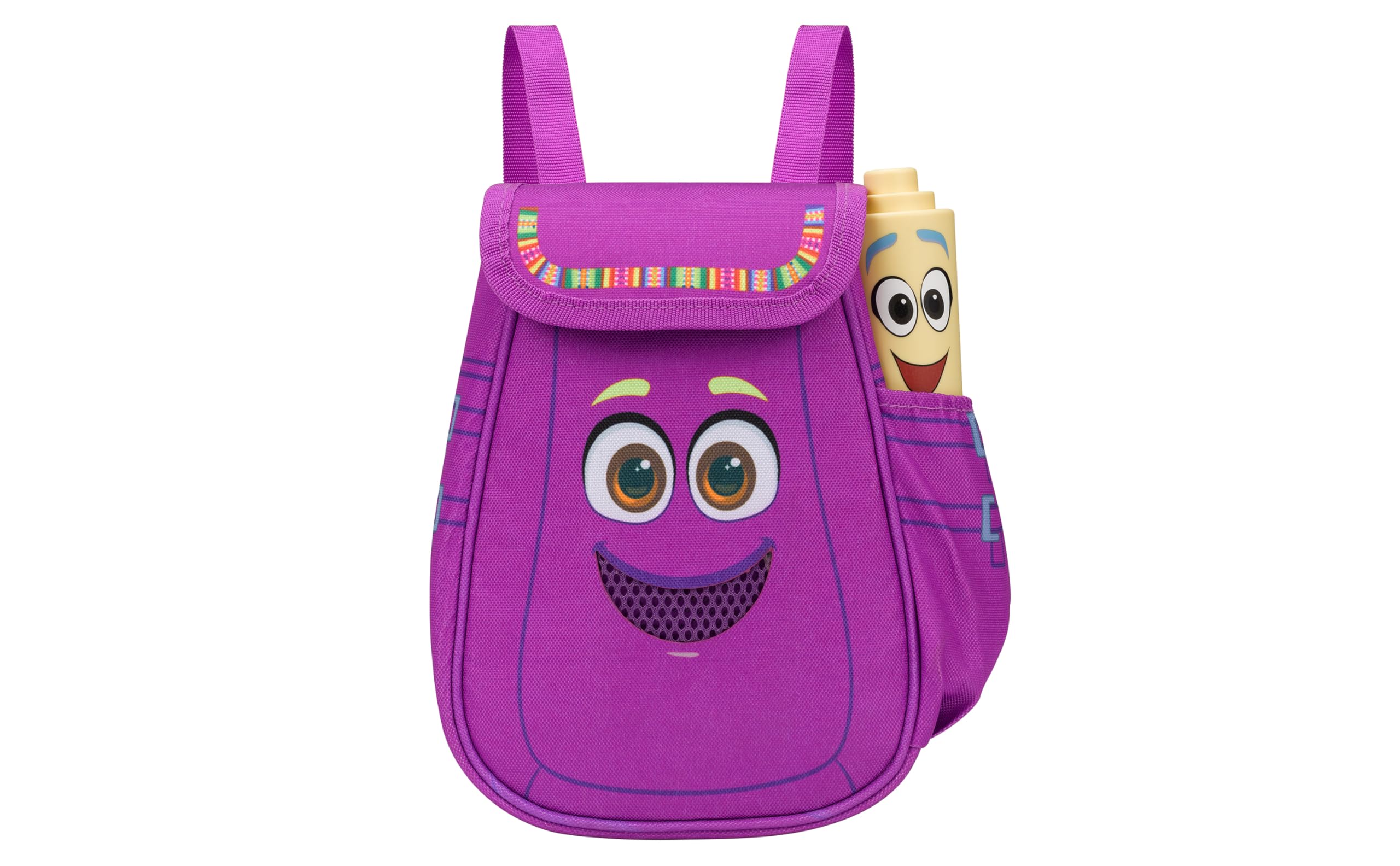
Figure 1: eKids Dora Karaoke Microphone with Boombox.
Caratteristiche principali:
- Altoparlante Bluetooth: Connects to any music device via Bluetooth to stream popular karaoke playlists and more. Lightweight and portable, this karaoke boombox is designed for kids aged 3 and up.
- Microfono per karaoke: Includes a wired microphone to amplify your voice for singing.
- Dora Backpack Design: Features cute and colorful graphics inspired by the popular Nickelodeon series.
- Musica incorporata: Contains extended clips of the songs ‘Rainforest Ritmo’, ‘Cake’, and ‘Empanada’.
- Portabilità: Lightweight design with a built-in handle for easy transport.
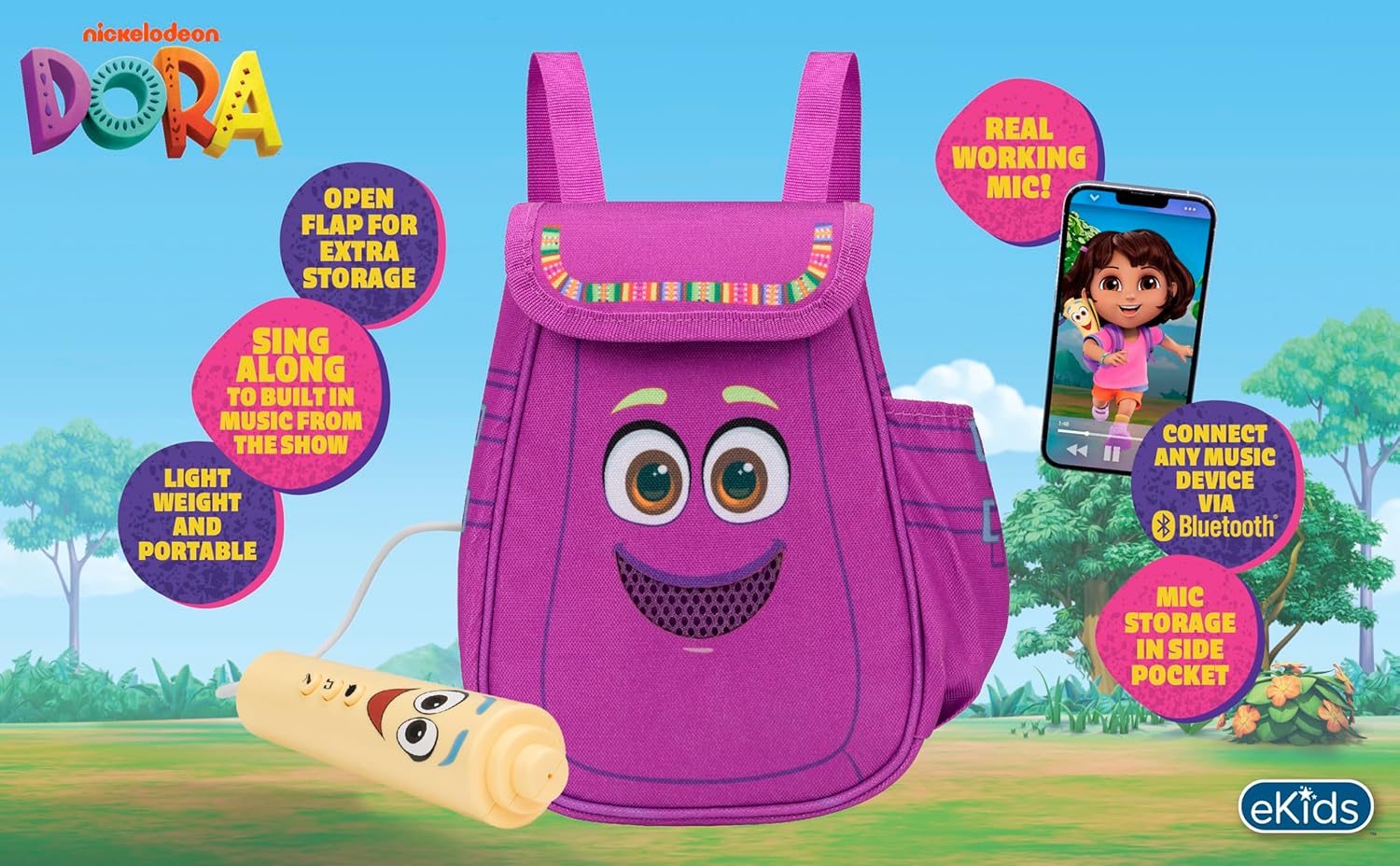
Figura 2: Visual overview of the product's key features.
3. Contenuto della confezione
Assicurarsi che tutti gli articoli siano presenti al momento dell'apertura della confezione:
- Dora Karaoke Microphone with Boombox (main unit)
- Microfono cablato
- Manuale di istruzioni (questo documento)
- 3 x 'AA' Batteries (included)

Figure 3: Product as packaged, showing the boombox and microphone.
4. Impostazione
4.1 Installazione della batteria
- Locate the battery compartment on the back or bottom of the boombox unit.
- Utilizzando un cacciavite a croce (non incluso), aprire il coperchio del vano batteria.
- Insert 3 'AA' batteries, ensuring correct polarity (+/-).
- Riposizionare il coperchio del vano batteria e fissarlo con la vite.
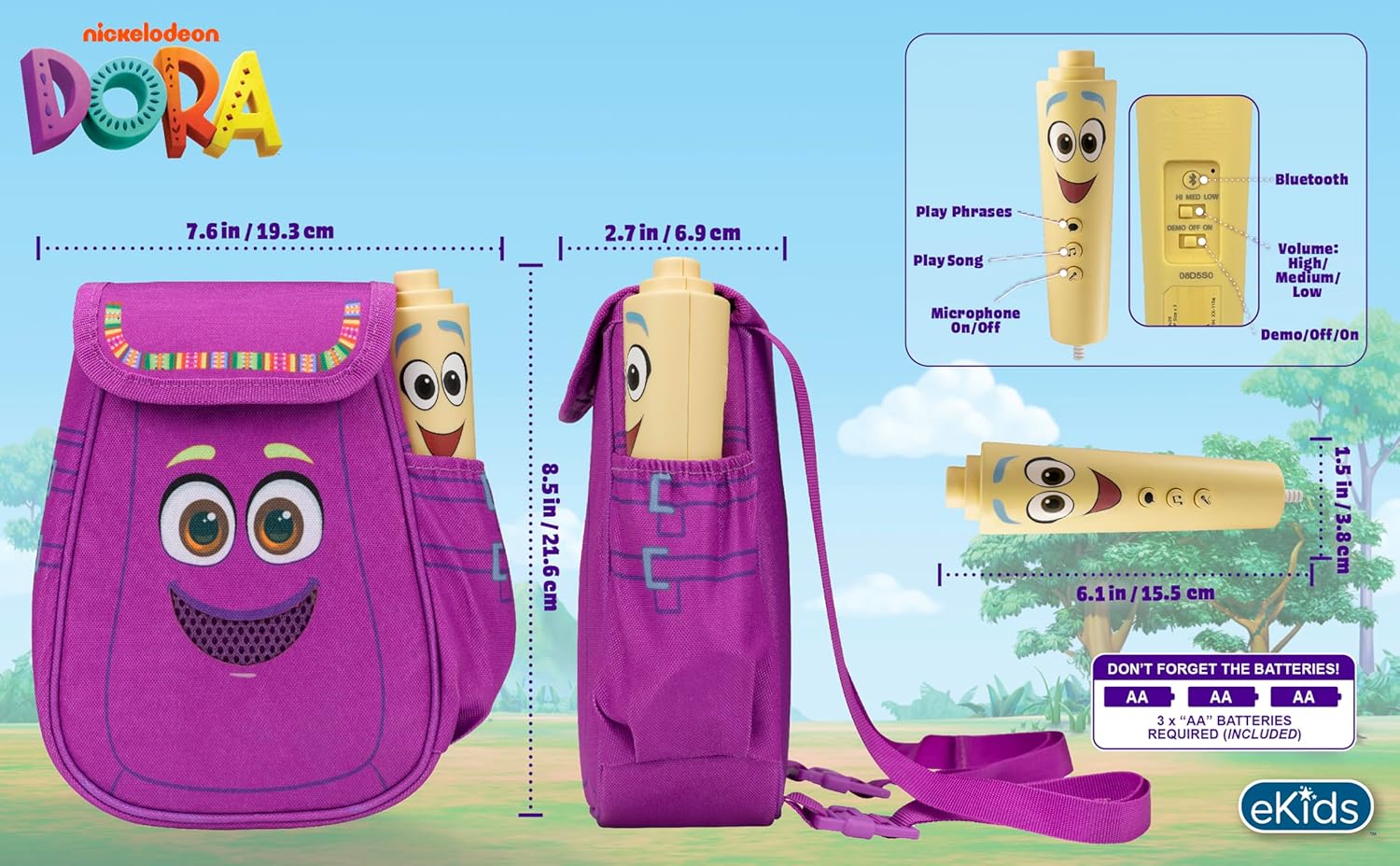
Figura 4: Posteriore view of the boombox, indicating battery compartment and control buttons.
4.2 Collegamento del microfono
The wired microphone is typically pre-connected or plugs into a dedicated port on the boombox. Ensure the microphone cable is securely plugged in.
5. Istruzioni per l'uso
5.1 Accensione/spegnimento
Locate the Power switch (often labeled ON/OFF or with a power symbol) on the unit. Slide it to the 'ON' position to power on the device. Slide it to 'OFF' to power off.
5.2 Playing Built-in Music
Press the designated 'Play Song' button (refer to Figure 4 for button layout) to cycle through the pre-loaded songs. The unit includes extended clips of 'Rainforest Ritmo', 'Cake', and 'Empanada'.
5.3 Utilizzo del microfono
To use the microphone, ensure the 'Microphone On/Off' switch (refer to Figure 4) is in the 'On' position. Speak or sing into the microphone to ampamplifica la tua voce attraverso l'altoparlante del boombox.
5.4 Connettività Bluetooth
To stream music from an external device:
- Assicurarsi che il boombox sia acceso.
- Activate Bluetooth on your external music device (e.g., smartphone, tablet, computer).
- Cercare available Bluetooth devices and select "eKids Dora" or a similar name.
- Una volta effettuata l'associazione, puoi riprodurre in streaming l'audio dal tuo dispositivo al boombox.

Figure 5: Bluetooth connectivity allows streaming from various compatible devices.
5.5 Controllo del volume
Adjust the volume using the 'Volume: High/Medium/Low' switch on the unit (refer to Figure 4).
5.6 Modalità demo
The unit may include a 'Demo/Off/On' switch (refer to Figure 4). Set it to 'Demo' for a brief demonstration of features, or 'On' for full functionality.
6. Manutenzione
- Pulizia: Pulire l'unità con un panno morbido e asciutto. Non utilizzare detergenti abrasivi né immergere l'unità in acqua.
- Cura della batteria: Rimuovere le batterie se l'unità non verrà utilizzata per un periodo prolungato per evitare perdite.
- Magazzinaggio: Conservare l'unità in un luogo fresco e asciutto, lontano dalla luce solare diretta e da temperature estreme.
7. Risoluzione Dei Problemi
| Problema | Soluzione |
|---|---|
| Nessun potere | Check battery installation and ensure batteries are fresh. Confirm the power switch is in the 'ON' position. |
| Nessun suono dall'altoparlante | Increase the volume. Ensure the microphone is switched 'ON' if using it. If using Bluetooth, check device volume and connection. |
| Il microfono non funziona | Ensure the microphone is securely plugged in and its 'On/Off' switch is in the 'On' position. |
| Il Bluetooth non si connette | Ensure the boombox is in Bluetooth pairing mode (if applicable, check manual for specific instructions). Turn off and on Bluetooth on your external device. Move devices closer together. |
8. Specifiche
- Marca: eKids
- Nome modello: 115
- Colore: Dora
- Fonte di energia: Battery Powered (3 x 'AA' batteries)
- Numero di altoparlanti: 1
- Tecnologia di connettività: Bluetooth, 3.5mm audio jack (for wired microphone)
- Peso dell'articolo: 0.52 chilogrammi
- Dimensioni dell'articolo (P x L x A): 10.63"P x 2.24"L x 8.17"A
- Codice UPC: 092298961934
- Produttore: KIDdesign
9. Garanzia e supporto
Questo prodotto viene fornito con un Garanzia limitata di 1 anno from the manufacturer, KIDdesigns. For warranty claims or technical support, please refer to the contact information provided with your purchase documentation or visit the eKids official websito.
For additional product information or to explore other eKids products, visit the Negozio del marchio eKids.
Ask a question about this manual
Ask about setup, troubleshooting, compatibility, parts, safety, or missing instructions. Manuals+ will review the question and use this page’s manual context to help answer it.