
Introduzione
This manual provides instructions for the Lazellz Television TV Remote Control. This remote is designed for use with specific Samsung TV models and requires no programming. Simply install batteries to begin operation.
Impostare
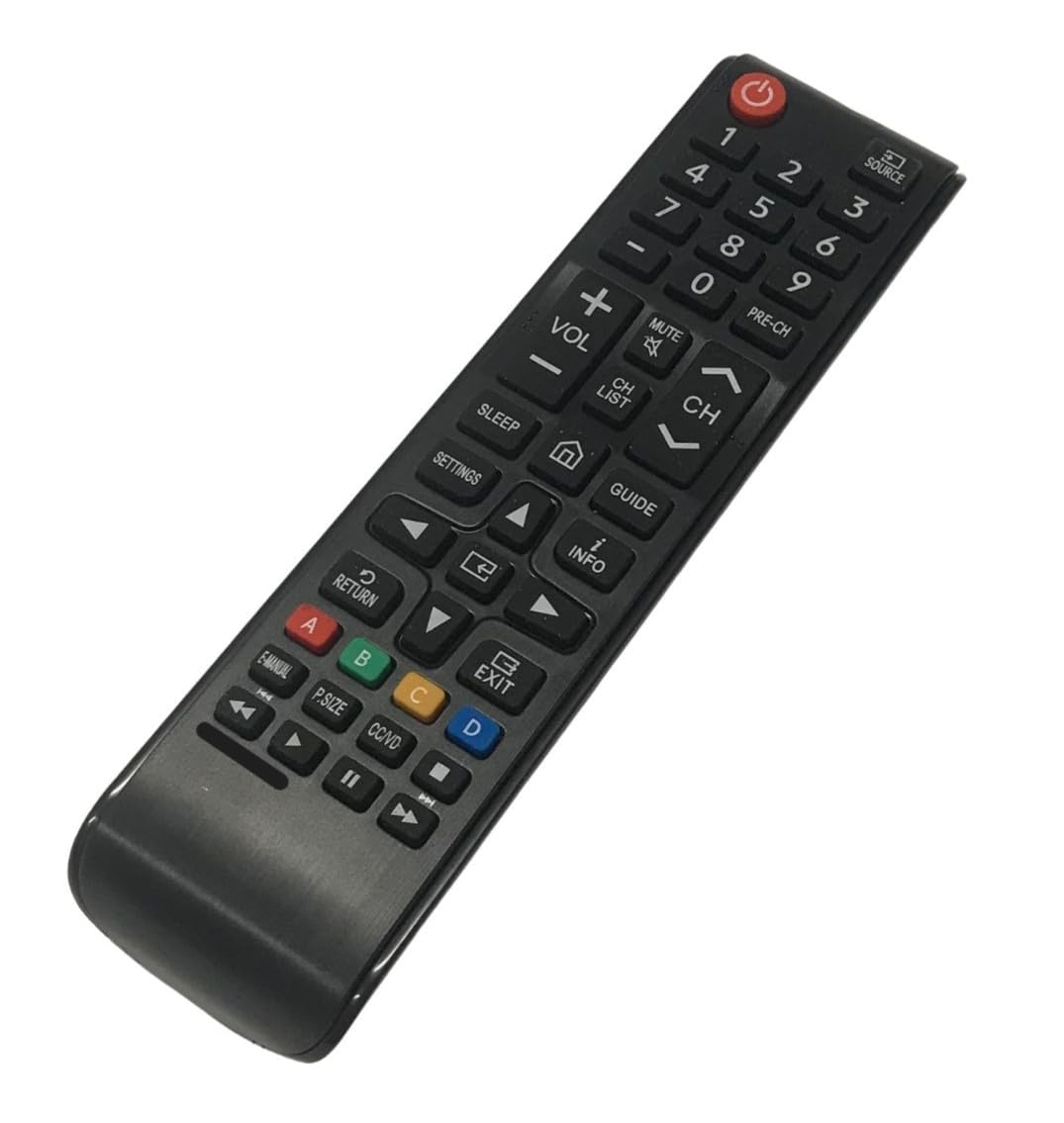
Figura 1: Fronte view of the Lazellz Television TV Remote Control.
Installazione della batteria
- Individuare il vano batterie sul retro del telecomando.
- Per aprire il coperchio del vano batteria, farlo scorrere verso il basso o verso l'esterno.
- Inserire due (2) batterie AAA, assicurandosi che i terminali positivo (+) e negativo (-) corrispondano agli schemi all'interno del vano.
- Chiudere saldamente il coperchio del vano batterie.
- Il telecomando è ora pronto per l'uso. Non è necessaria alcuna programmazione.
Istruzioni per l'uso
This remote control operates using infrared (IR) technology. Ensure there is a clear line of sight between the remote control and the TV's IR receiver for optimal performance.
Funzioni di base
- Pulsante di accensione: Premere per accendere o spegnere il televisore.
- Volume su/giù: Regola il livello del volume della TV.
- Canale su/giù: Cambia il canale televisivo.
- Tasti numerici (0-9): Inserire direttamente i numeri dei canali.
- Tasti di navigazione (Su, Giù, Sinistra, Destra, Invio): Used to navigate menus and select options on the TV screen.
- Pulsante Sorgente/Ingresso: Switches between different input sources (e.g., HDMI 1, HDMI 2, TV).
- Pulsante Menu: Accede al menu principale del televisore.
- Pulsante Indietro/Esci: Ritorna alla schermata precedente o esce da un menu.
Manutenzione
Pulizia del telecomando
Per pulire il telecomando, strofinarlo delicatamente con un panno morbido e asciutto. Per lo sporco ostinato, strofinare leggermenteampPulisci il panno con acqua o un detergente delicato e non abrasivo. Evita di usare prodotti chimici aggressivi o umidità eccessiva, poiché potrebbero danneggiare il telecomando.
Sostituzione della batteria
Sostituisci le batterie quando le prestazioni del telecomando diminuiscono o smette di rispondere. Sostituisci sempre entrambe le batterie contemporaneamente con batterie AAA nuove. Non mischiare batterie vecchie e nuove o tipi diversi di batterie.
Risoluzione dei problemi
| Problema | Soluzione |
|---|---|
| Il telecomando non funziona. |
|
| I pulsanti non rispondono o sono lenti. |
|
| Il telecomando non controlla la TV. |
|
Specifiche
- Marca: Lazellz
- Nome modello: Television TV Remote Control
- Modelli TV compatibili: UN55NU7300F, UN55NU7300FXZA, UN55NU6900F, UN55NU6900FXZA
- Tecnologia di connettività: Infrarossi (IR)
- Caratteristica speciale: No Programming Required, Pre-Programmed
- Tipo di controller: Controllo dei pulsanti
- Portata massima: 30 piedi
- Number of Supported Devices: 1
- Batterie richieste: 2 x AAA (non incluso)
- Peso dell'articolo: 2 once
- Colore: Nero
Informazioni sulla garanzia
For details regarding the product warranty, please refer to the politica di ritorno associated with your purchase. The standard return policy typically covers manufacturing defects for a specified period.
Assistenza clienti
If you encounter issues not covered in this manual or require further assistance, please contact the seller or refer to the product listing on Amazon for support options. When contacting support, please provide your product model number and a detailed description of the issue.