
1. Informazioni importanti sulla sicurezza
Please read all instructions carefully before using this product and retain them for future reference. Failure to follow these instructions may result in electric shock, fire, or other hazards.
- Fonte di energia: Utilizzare solo l'adattatore di alimentazione fornito. Assicurarsi che il volumetage soddisfa i requisiti del dispositivo.
- Acqua e umidità: Non esporre il dispositivo a pioggia, umidità o liquidi. Non posizionare oggetti contenenti liquidi, come vasi, sul dispositivo.
- Ventilazione: Assicurare una ventilazione adeguata. Non ostruire le aperture di ventilazione.
- Calore: Tenere il dispositivo lontano da fonti di calore quali radiatori, bocchette di riscaldamento, stufe o altri apparecchi (inclusi amplificatori) che producono calore.
- Pulizia: Pulire solo con un panno asciutto. Non usare detergenti liquidi o spray.
- Manutenzione: Non tentare di riparare questo prodotto da soli. Affidare tutte le operazioni di manutenzione a personale di assistenza qualificato.
2. Prodotto finitoview
The M-Amazup L-CD201 is a versatile portable desktop CD player designed for home use, offering multiple audio playback options and a compact design. It features dual speakers for clear sound and an LCD display for easy navigation.
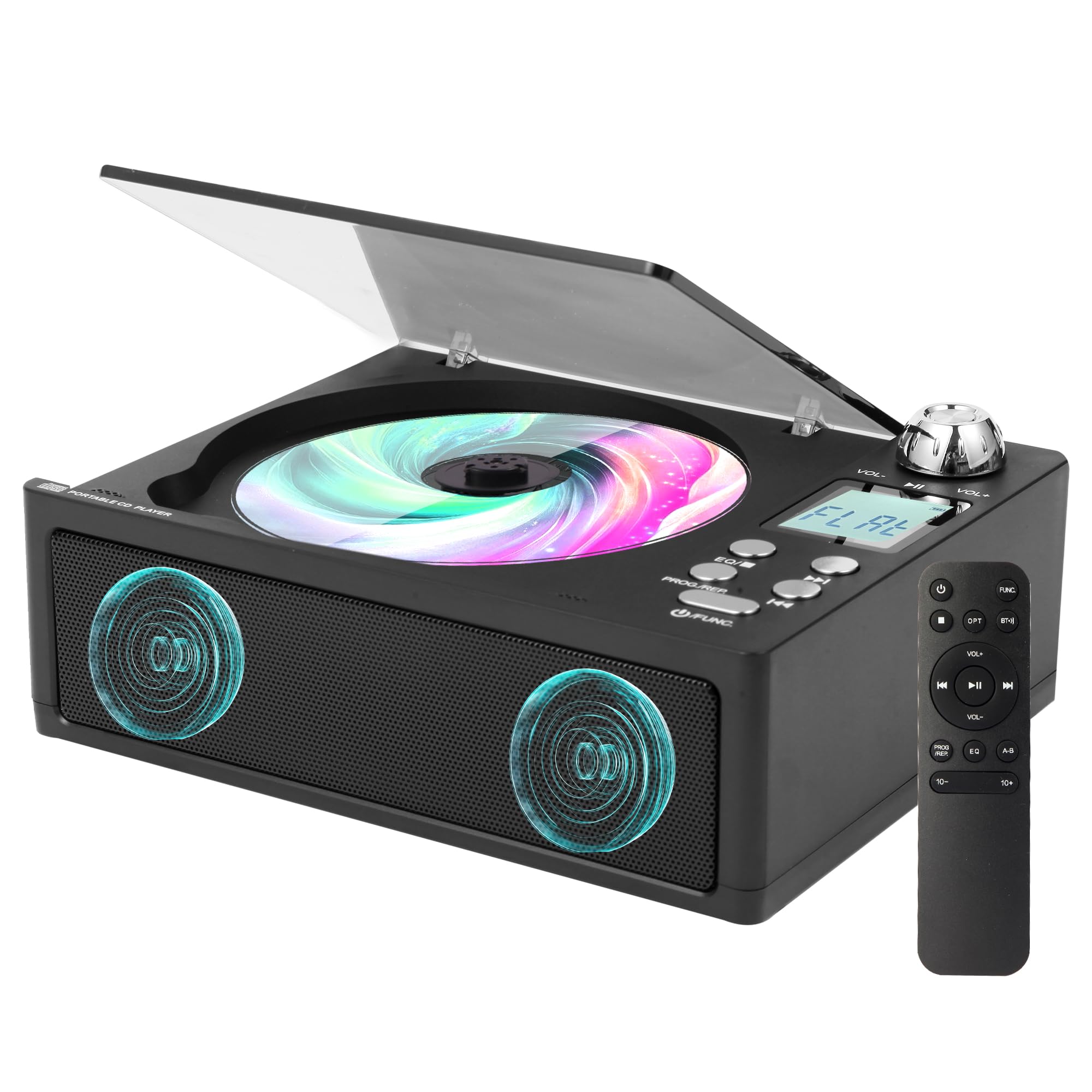
Figure 2.1: M-Amazup L-CD201 Portable Desktop CD Player in Black.
Caratteristiche principali:
- Multifunzione 7 in 1: Supports CD playback, Bluetooth streaming, FM Radio (87.5-108MHz), USB, AUX, TF card, and optical output.
- Doppi altoparlanti: Provides high-fidelity sound with customizable EQ modes (POP/JAZZ/CLASSIC/ROCK/FLAT).
- Retro Design with Modern Tech: Features a tactile volume knob, translucent dust cover, and a 1.3-inch LCD display.
- Telecomando: Per un comodo utilizzo a distanza.
- Lossless Audio Fiber Optic Output: For connecting to external audio systems with studio-quality sound.
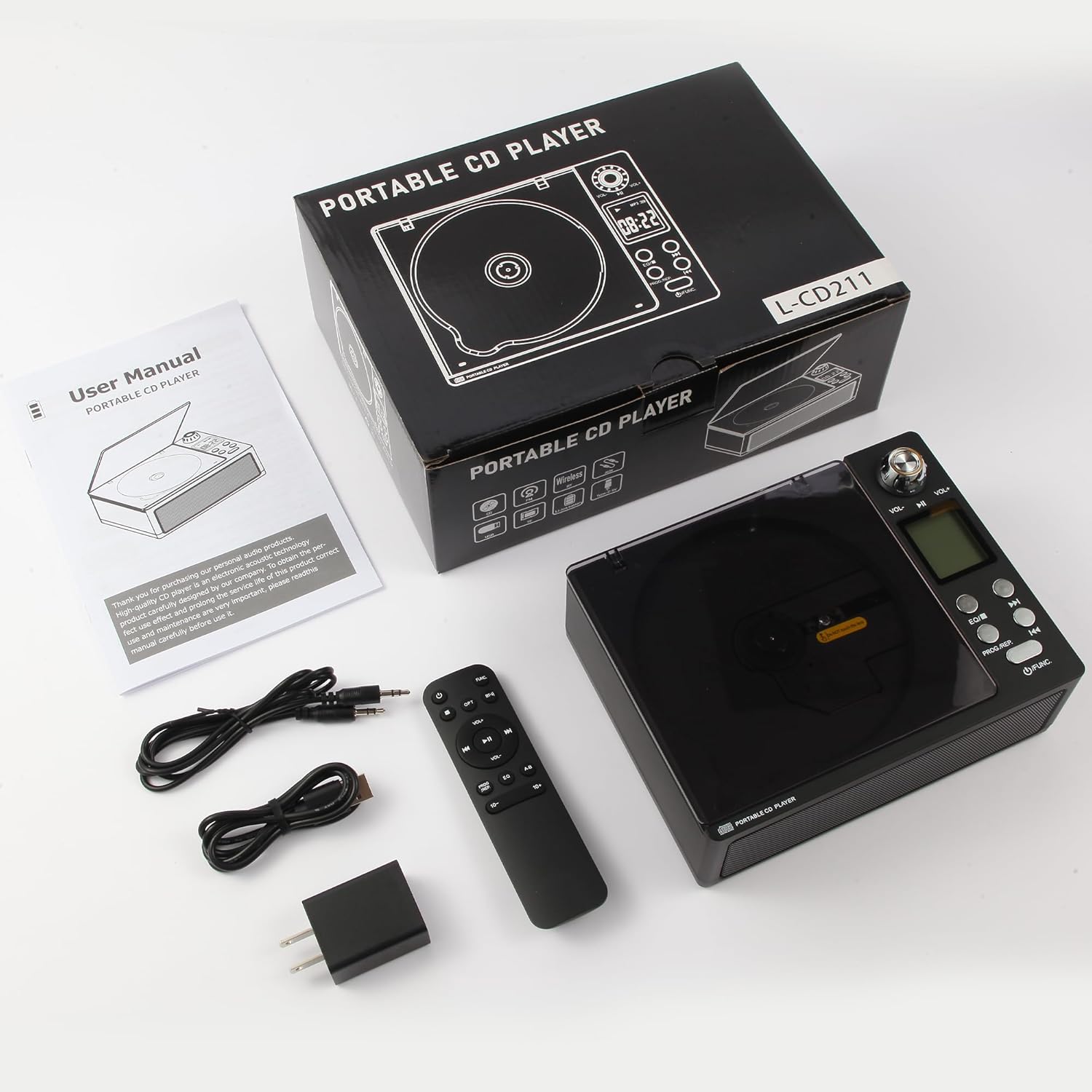
Figura 2.2: Oltreview of the 7-in-1 functions including CD, AUX, FM Radio, Built-in Speaker, USB, Dual-Bluetooth, and 3.5mm Audio Input/Output.
3. Cosa c'è nella scatola
Disimballare con cura la scatola e assicurarsi che tutti gli articoli siano presenti e in buone condizioni.
- Lettore CDx1
- Cavo x1
- Adattatori x1
- Telecomando x1
- Manuale utente x1
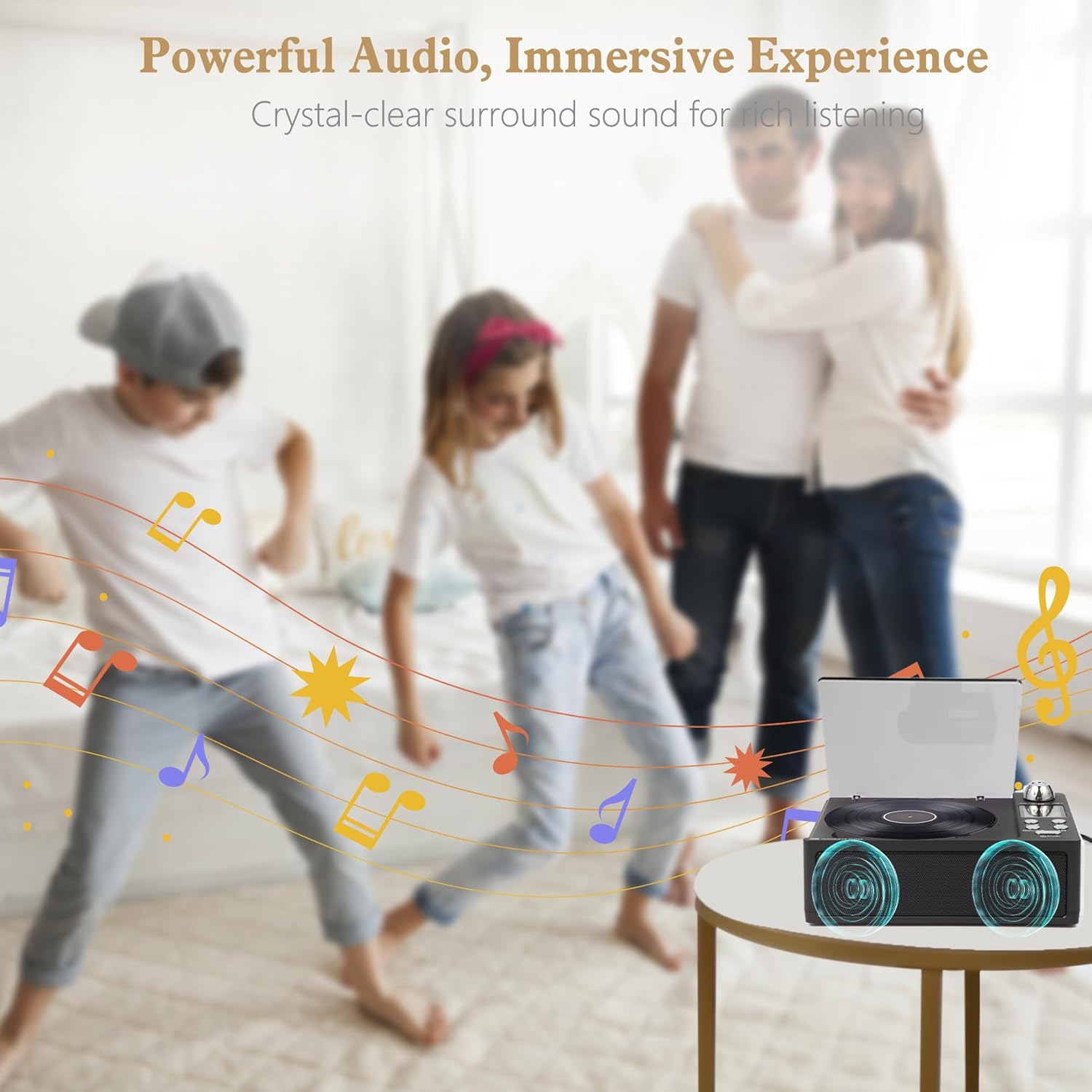
Figure 3.1: Contents of the M-Amazup L-CD201 package, including the CD player, remote control, cables, adapter, and user manual.
4. Impostazione
4.1 Collegamento di alimentazione
- Connect the provided power cable to the DC 5V input port on the back of the CD player.
- Collegare l'adattatore a una presa a muro standard.
- Il dispositivo si accenderà o entrerà in modalità standby.
4.2 Posizionamento iniziale
Place the CD player on a stable, flat surface. Ensure there is adequate space around the device for ventilation.
Video 4.1: This video demonstrates the unboxing and initial setup of the M-Amazup L-CD201 CD player, including connecting the power adapter and placing a CD.
5. Istruzioni per l'uso
5.1 Controlli di base
- Pulsante di alimentazione/funzione: Press and hold to power on/off. Press briefly to switch between modes (CD, USB, TF, AUX, FM, Optical, Bluetooth).
- Manopola del volume: Ruotare in senso orario per aumentare il volume, in senso antiorario per diminuirlo.
- Pulsante Play/Pausa: Premere per riprodurre o mettere in pausa la riproduzione.
- Pulsanti traccia precedente/successiva: Premere per passare alla traccia/stazione precedente o successiva.
- Pulsante EQ: Press to cycle through equalizer presets (POP, JAZZ, CLASSIC, ROCK, FLAT).
- PROG/REP Button: For programming tracks or repeating playback.

Figure 5.1: The included remote control for convenient operation of the CD player's functions.
5.2 Riproduzione CD
- Open the translucent dust cover.
- Place a CD onto the spindle, label side up.
- Close the dust cover. The player will automatically detect the CD and begin playback.
- Use the Play/Pause, Previous/Next, and Volume controls to manage playback.
5.3 Modalità Bluetooth
- Press the Function button until "BT" appears on the LCD display.
- On your Bluetooth-enabled device (smartphone, tablet, etc.), search for "L-CD201" in the Bluetooth settings.
- Select "L-CD201" to pair. Once connected, you can stream audio wirelessly to the CD player.

Figure 5.2: The CD player functions as both a Bluetooth receiver (for streaming from devices) and a Bluetooth transmitter (for connecting to wireless headphones/speakers).
5.4 Radio FM
- Press the Function button until "FM" appears on the LCD display.
- Use the Previous/Next track buttons to manually tune to a station or press and hold to auto-scan for available stations.
- Il display LCD mostrerà la frequenza corrente.
5.5 USB/TF Card/AUX/Optical Playback
- Insert your USB drive, TF card, or connect an external device via the AUX or Optical port.
- Press the Function button to select the corresponding input mode (USB, TF, AUX, OPT).
- The player will automatically detect and begin playback from the selected source.

Figura 5.3: Posteriore view of the CD player showing various input/output ports including Optical, AUX, USB, and TF Card slots.
6. Manutenzione
6.1 Pulizia
- Prima di pulirlo, scollegare sempre il dispositivo dalla presa di corrente.
- Utilizzare un panno morbido e asciutto per pulire l'esterno dell'unità.
- For the CD lens, use a specialized CD lens cleaning kit.
- Non utilizzare detergenti abrasivi, cere o solventi.
6.2 Conservazione
When not in use for extended periods, store the CD player in a cool, dry place, away from direct sunlight and extreme temperatures.
7. Risoluzione Dei Problemi
| Problema | Possibile causa | Soluzione |
|---|---|---|
| Nessun potere | Adattatore di alimentazione non collegato o presa difettosa. | Controllare i collegamenti elettrici. Provare una presa diversa. |
| Il CD non viene riprodotto/salta | Il CD è sporco, graffiato o inserito in modo errato. | Clean the CD. Ensure it is placed correctly. Try another CD. |
| Nessun suono | Volume too low, mute activated, or incorrect mode. | Increase volume. Check if mute is on. Ensure correct input mode is selected. |
| Bluetooth non associato | Device too far, not in pairing mode, or already connected. | Ensure both devices are in pairing mode and close to each other. Disconnect from other devices. |
| scarsa ricezione della radio FM | Segnale debole o interferenza. | Adjust the antenna. Move the player to a different location. |
8. Specifiche
| Caratteristica | Dettaglio |
|---|---|
| Numero di modello | L-CD201 |
| Dimensioni del prodotto | 7.5 x 5.8 x 2.3 pollici |
| Peso dell'articolo | 2.02 libbre |
| Tecnologia di connettività | Ausiliario, Bluetooth, Ottico, USB |
| FM Tuner Range | Frequenza 87.5-108 MHz |
| Caratteristiche speciali | Built-in Speaker, Built-In Bluetooth Receiver and Transmit, Dust Cover, Headphone Jack Output, Portable |
| Fonte di alimentazione | Corded Electric (AC adapter included) |
9. Garanzia e supporto
This product comes with a standard manufacturer's warranty. For specific warranty details, please refer to the warranty card included in your package or contact M-Amazup customer support.
For technical support, troubleshooting assistance, or any inquiries regarding your M-Amazup L-CD201 CD Player, please visit the official M-Amazup websito o contattare il servizio clienti utilizzando le informazioni fornite nella documentazione del prodotto.