
1. Impostazione
This section provides instructions for setting up your IROK Mer68 mechanical keyboard.
1.1 Contenuto del disimballaggio
Disimballare con attenzione la scatola e assicurarsi che siano presenti tutti gli articoli:
- IROK Mer68 Mechanical Keyboard
- Cavo USB-C
- Estrattore per tasti
- Extra Switches (approximately 3)
- Copertura antipolvere
1.2 Collegamento della tastiera
Connect the provided USB-C cable to the keyboard and then to an available USB port on your computer (Laptop or PC). The keyboard is wired for a stable connection.
1.3 Installazione del driver
The IROK Mer68 gaming keyboard supports Web Driver & One-stop HUB Drive for configuration and customization. Please visit the official IROK website for the latest drivers and software to unlock full functionality.

Figure 1: IROK Mer68 Mechanical Keyboard connected to a computer.
Video 1: Official IROK Mer68 wired keyboard overview, che ne dimostra le caratteristiche e il design.
2. Istruzioni per l'uso
Understand the key features and how to operate your IROK Mer68 keyboard.
2.1 Key Layout and Performance
The Mer68 features a compact 68-key layout, integrating essential keys in a smaller footprint. It is equipped with advanced magnetic switches utilizing the second-generation GTURBO magnetic axis algorithm and a high-speed flagship MCU.
- Tasso di sondaggio: 8KHZ for seamless and lag-free input.
- Latenza: As low as 0.125MS for rapid response.
- Single-Key Scan Rate: 256KHZ for precise and stable gaming.
- Scatto rapido (RT): 0.004MM with 0.001mm step for swift actions and instant stops.

Figure 2: Flagship MCU Chip for enhanced performance.

Figure 3: Low latency performance of the keyboard.

Figure 4: High single-key scan rate for precision.
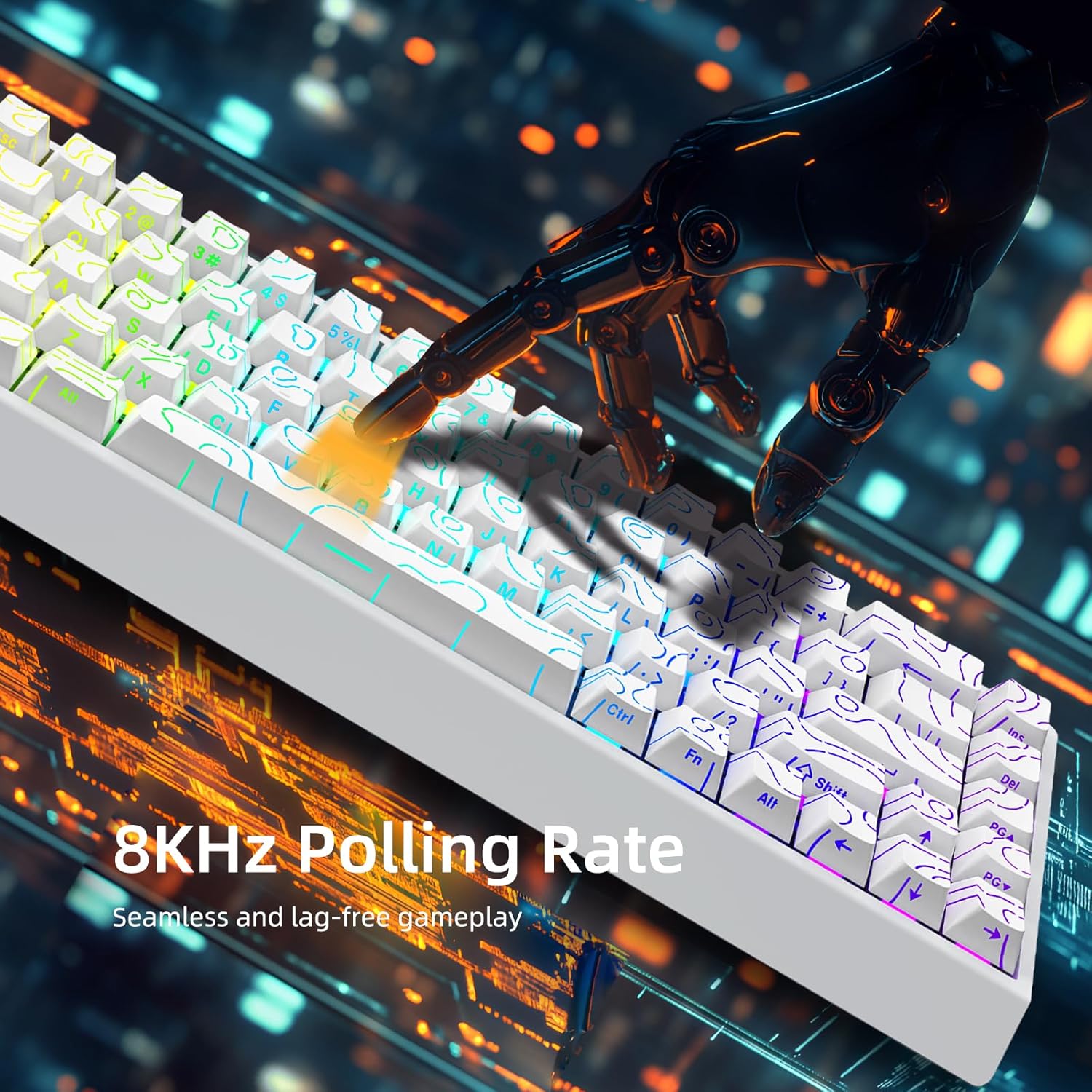
Figure 5: 8KHZ Polling Rate for responsive gameplay.
2.2 Customization and Lighting
The IROK Mer68 offers extensive customization options:
- MIX Function: All magnetic switches and keycaps can be freely replaced, allowing for a personalized typing experience without soldering.
- Illuminazione ARGB: Features an independent IC 500HZ High Refresh Rate ARGB lamp, providing rich colors and enhanced eye protection.
- Altezza regolabile: The keyboard includes slants on the back to adjust its height for ergonomic comfort.
To change ARGB lighting effects, hold the Fn tasto e premere il tasto left bracket key ([) to cycle through various colors and patterns.

Figure 6: Customizable ARGB backlighting.

Figure 7: All Magnetic Switch Mix Function for customization.
3. Manutenzione
Una corretta manutenzione garantisce la longevità e le prestazioni ottimali della tastiera.
3.1 Pulizia
Regularly clean your keyboard to prevent dust and debris buildup. Use a soft, dry cloth for the surface. For deeper cleaning, you may remove keycaps using the provided keycap puller and use compressed air to clear dust from beneath the switches.
3.2 Sostituzione dell'interruttore e del tasto
The hot-swappable design allows for easy replacement of switches and keycaps. Use the keycap puller to gently remove keycaps. If a switch needs replacement, carefully pull it out and insert a new one. Ensure the new switch is properly aligned before pressing it into place.
3.3 Conservazione
When not in use, place the provided dust cover over the keyboard to protect it from dust and spills.
4. Risoluzione Dei Problemi
If you encounter issues with your IROK Mer68 keyboard, refer to the following common solutions.
4.1 La tastiera non risponde
- Assicurati che il cavo USB-C sia collegato saldamente sia alla tastiera che al computer.
- Prova a collegare la tastiera a una porta USB diversa del computer.
- Prova la tastiera su un altro computer per determinare se il problema riguarda la tastiera o il computer.
- Riavvia il computer.
4.2 Problemi di illuminazione
- Assicurarsi che la tastiera sia correttamente alimentata.
- Scorrere le modalità di illuminazione utilizzando Fn + [ to see if the lights respond.
- Check the driver software for lighting settings and ensure they are configured correctly.
4.3 Sticky or Unresponsive Keys
- Remove the keycap using the keycap puller.
- Inspect the switch for any debris or foreign objects. Clean if necessary.
- If the switch is damaged, replace it with one of the extra switches provided.
5. Specifiche
Detailed technical specifications for the IROK Mer68 Mechanical Keyboard.
| Caratteristica | Dettaglio |
|---|---|
| Marca | IROK |
| Nome del modello | Mer68 |
| Numero di chiavi | 68 |
| Descrizione della tastiera | Meccanico |
| Tipo di interruttore | Magnetico |
| Tecnologia di connettività | USB-C (cablato) |
| Tasso di sondaggio | 8KHz |
| Latenza | As low as 0.125MS |
| Single-Key Scan Rate | 256KHz |
| Rapid Trigger (RT) Accuracy | 0.004MM (0.001MM step) |
| Retroilluminazione della tastiera | ARGB (500HZ High Refresh Rate) |
| Caratteristiche speciali | Tasti retroilluminati, personalizzabili, ergonomici, sostituibili a caldo |
| Dispositivi compatibili | Laptop, PC (Windows OS Family) |
| Dimensioni del prodotto | 12 cm L x 5 cm P x 2 cm A |
| Peso dell'articolo | 0.75 chilogrammi |
| Materiale di recinzione | Plastica |
| Accessori inclusi | Cavo USB, estrattore per tasti |
6. Garanzia
The IROK Mer68 Mechanical Keyboard comes with a garanzia di un anno from the date of purchase. Please retain your proof of purchase for warranty claims. For detailed warranty terms and conditions, refer to the official IROK websito o contattare l'assistenza clienti.
7. Supporto
For further assistance, technical support, or driver downloads, please visit the official IROK websito o contattare il loro servizio clienti.
- Official IROK Store: Visit the IROK Store on Amazon
- Software del driver: Utilizzare il Web Driver & One-stop HUB Drive for keyboard customization and updates.