Introduzione
Welcome to the MZYMI GT100 Wireless Gaming Headset user manual. This guide provides detailed instructions for setting up, operating, and maintaining your new headset. Please read this manual thoroughly before use to ensure optimal performance and longevity of your device.
Contenuto della confezione
The MZYMI GT100 Wireless Gaming Headset package includes:
- MZYMI GT100 Wireless Gaming Headset
- Ricevitore USB a 2.4 GHz
- Cavo audio da tipo C a 3.5 mm
- Cavo di ricarica da tipo C a USB
- Manuale d'uso

Image: The MZYMI GT100 headset and all included accessories: headset, 2.4GHz receiver, Type-C to 3.5mm audio cable, Type-C to USB charging cable, and user manual.
Prodotto finitoview
Familiarizzare con i componenti e i comandi dell'auricolare.
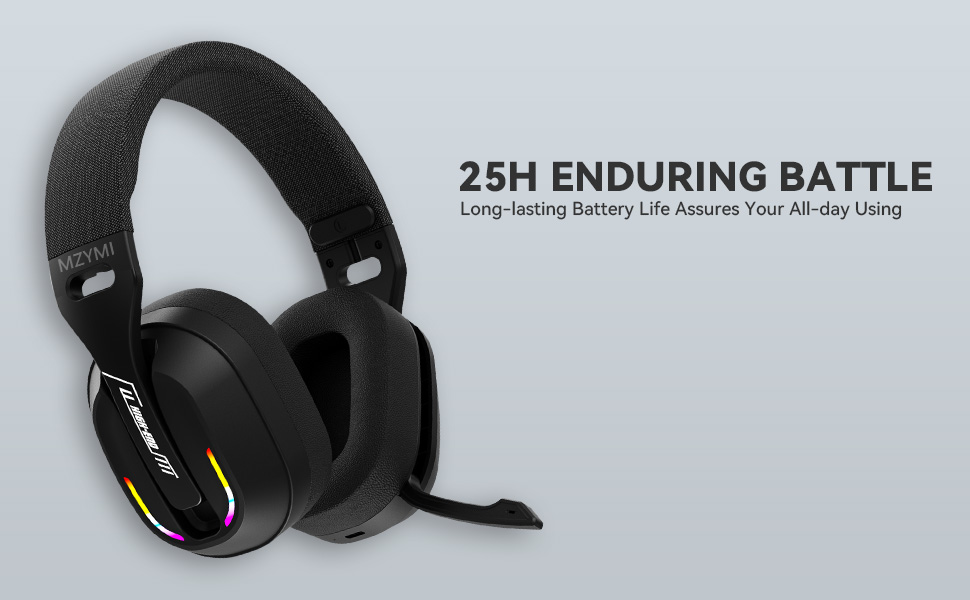
Image: Diagram illustrating the MZYMI GT100 headset with labels for buttons, ports, and the detachable 2.4GHz receiver.
Le cuffie sono dotate di:
- Pulsante Volume su/Traccia successiva
- Pulsante Volume Giù/Traccia Precedente
- Pulsante Modalità (M). (for switching between 2.4GHz and Bluetooth modes)
- Pulsante di accensione
- Spia luminosa
- Type-C Charging port / 3.5mm audio output
- Microfono retrattile

Image: Close-up of the MZYMI GT100 headset showing the control buttons on the earcup.
The microphone is designed to be retractable, allowing it to be folded up when not in use.

Image: The MZYMI GT100 headset with its microphone extended, ready for use. The microphone can be folded away when not needed.
Impostazione e connessione
1. 2.4GHz Wireless Connection (for PC, PS5, PS4)
The 2.4GHz USB receiver provides a stable, low-latency wireless connection.

Image: The MZYMI GT100 headset with the 2.4GHz USB receiver and Type-C adapter.
- Insert the 2.4GHz USB receiver into an available USB port on your PC, PS5, or PS4. If your device uses a Type-C port, attach the Type-C adapter to the USB receiver first.
- Accendere l'auricolare tenendo premuto il pulsante di accensione.
- Press the 'M' button twice to switch to 2.4GHz mode. The indicator light will confirm the connection.
2. Bluetooth 5.4 Connection (for mobile devices, laptops)
For Bluetooth connection, ensure your device has Bluetooth 5.4 or higher for optimal performance.
- Accendi l'auricolare.
- Press the 'M' button to switch to Bluetooth mode. The indicator light will blink, indicating pairing mode.
- On your device, search for "MZYMI GT100" in the Bluetooth settings and select to pair.
3. Connessione cablata (cavo audio da 3.5 mm)
For devices like Xbox Series consoles or when wireless is not preferred, use the included 3.5mm audio cable.
- Connect one end of the Type-C to 3.5mm audio cable to the headset's Type-C port.
- Connect the 3.5mm jack to your device's audio output (e.g., Xbox controller).
- Note: The microphone may not be available when connected to Nintendo Switch via wired mode.
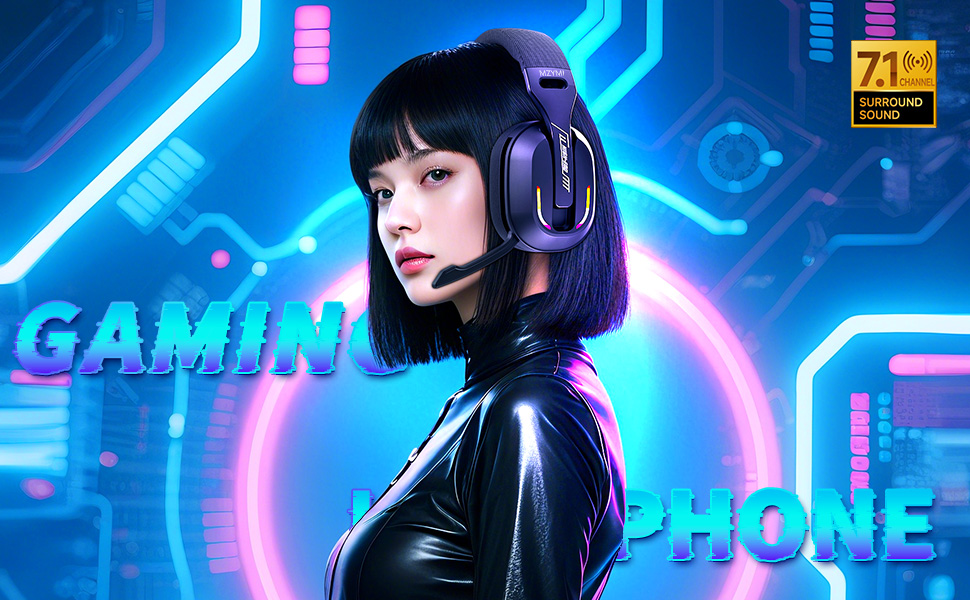
Image: The MZYMI GT100 headset connected to various devices, including a PC, laptop, Xbox One controller, mobile devices, PS4/PS5, and Nintendo Switch, highlighting its multi-platform compatibility.
Istruzioni per l'uso
Controlli
The headset features intuitive on-ear controls:
- Volume su (+): Premere per aumentare il volume. Tenere premuto per passare alla traccia successiva.
- Volume basso (-): Premere per diminuire il volume. Tenere premuto per tornare alla traccia precedente.
- Pulsante Modalità (M): Double-press to switch between 2.4GHz and Bluetooth modes.
- Pulsante di accensione: Press and hold to power on/off. Single press to answer/hang up calls or play/pause music.

Immagine: dettagliata view of the control buttons on the headset's earcup, including volume controls, mode switch, power button, and indicator light.
Utilizzo del microfono
The Environmental Noise Canceling (ENC) microphone ensures clear communication.
To use the microphone, simply pull it down from the earcup. Push it back up to retract it when not in use.
Illuminazione RGB dinamica
The headset features dynamic RGB lighting on the earcups.
To adjust or turn off the lighting, use the multi-functional button controls as indicated in the product diagram.

Image: The MZYMI GT100 headset with its vibrant RGB lighting activated on the earcups, adding a visual element to the gaming experience.
Ricarica e durata della batteria
The headset is equipped with a long-lasting battery.
- Tempo di ricarica: Circa 2.5 ore per una ricarica completa.
- Durata della batteria: Up to 25 hours of use (actual time may vary based on volume and lighting usage).
- Use the included Type-C to USB charging cable to charge the headset.
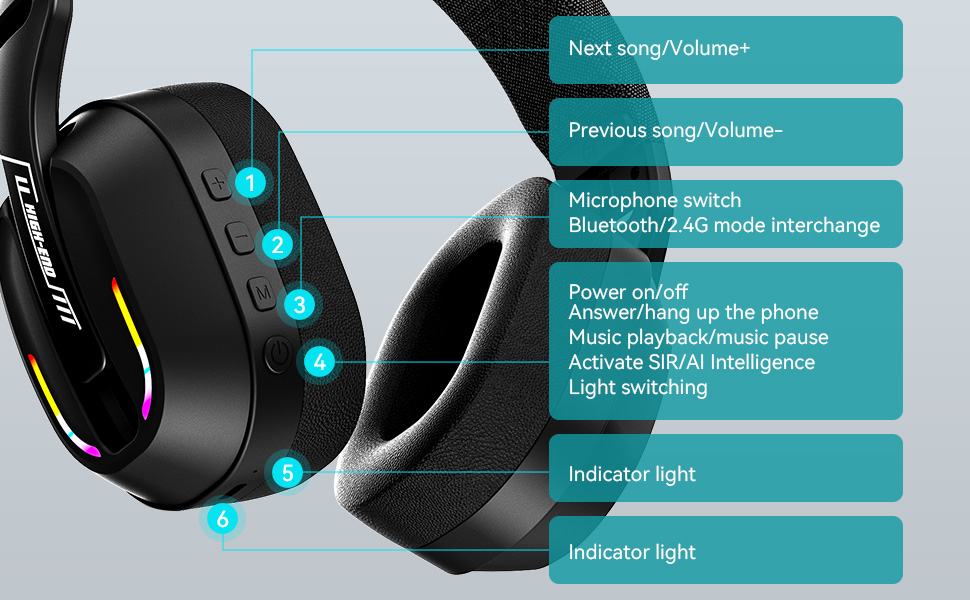
Image: The MZYMI GT100 headset highlighting its extended battery life, suggesting it can last for long gaming sessions.
Compatibilità
The MZYMI GT100 headset offers broad compatibility across various gaming platforms and devices:
- Per PC: Compatible via 2.4GHz USB receiver or wired connection.
- PlayStation 5 (PS5) / PlayStation 4 (PS4): Compatible via 2.4GHz USB receiver or wired connection.
- Nintendo Switch: Compatible via 2.4GHz USB receiver or wired connection. Note: Microphone functionality may be limited in Switch wired mode.
- Xbox Series (Wired Mode Only): Requires 3.5mm cable connection.
- Mobile Devices / Laptops: Compatible via Bluetooth 5.4 or wired connection.
Image: This image visually confirms the headset's versatility, showing connections to various gaming consoles and personal computing devices.
Specifiche
| Caratteristica | Dettaglio |
|---|---|
| Nome del modello | La GT100 |
| Tecnologia di connettività | Wireless (2.4 GHz, Bluetooth 5.4), cablato (jack da 3.5 mm) |
| Dimensioni del conducente | 40mm |
| Controllo del rumore | Cancellazione del rumore ambientale (ENC) |
| Versione Bluetooth | 5.4 |
| Tempo di ricarica | 2.5 ore |
| Peso dell'articolo | 4.6 once (130 grammi) |
| Dimensioni del prodotto | 6 x 3 x 6 pollici |
Risoluzione dei problemi
Nessun suono / Disconnessione
- Assicurarsi che l'auricolare sia acceso e completamente carico.
- For 2.4GHz mode, verify the USB receiver is properly inserted and the headset is in 2.4GHz mode (double-press 'M' button).
- For Bluetooth mode, ensure Bluetooth is enabled on your device and the headset is paired. Try re-pairing if necessary.
- For wired mode, check the 3.5mm cable connection at both ends.
- Confirm audio output settings on your device are configured to the headset.
If using with Xbox, remember only wired mode is supported.
Il microfono non funziona
- Ensure the microphone is pulled down and not retracted.
- Controlla le impostazioni di ingresso del microfono sul tuo dispositivo.
- Note: Microphone may not be available when connected to Nintendo Switch via wired mode.
Scarsa qualità del suono
- Ensure the headset is within range of the 2.4GHz receiver or Bluetooth device.
- Verificare la presenza di interferenze da altri dispositivi wireless.
- Adjust volume levels on both the headset and your device.
Manutenzione e cura
- Keep the headset clean and free of ear wax to maintain optimal sound performance.
- Use a soft, dry cloth to clean the headset. Avoid using chemical cleaners.
- Do not apply excessive pressure to the earcups or headband.
- Conservare in luogo fresco e asciutto quando non in uso.
Garanzia e supporto
For warranty information or technical support, please refer to the contact details provided with your purchase or visit the official MZYMI websito.