
1. Introduzione
Thank you for choosing the GHB ABM780 7-inch 1080P IPS Baby Monitor. This device is designed to provide reliable and secure monitoring of your baby, offering high-definition video and audio transmission. Please read this manual carefully before use to ensure proper operation and to maximize the product's lifespan.

Image 1.1: GHB ABM780 Baby Monitor components and packaging.
2. Prodotto finitoview
2.1 Contenuto della confezione
- 1 x Baby Monitor (Parent Unit)
- 1 x Baby Camera (unità bambino)
- 2 x Power Adapters (USB-C cables included)
- 1 x Manuale utente
- Mounting Screws and Wall Plugs (for camera)
2.2 Caratteristiche principali
- 7-inch 1080P IPS Display: Provides a clear, stable, and flicker-free image with a wide viewangolo di ing.
- Durata prolungata della batteria: 5000mAh battery offers approximately 10 hours of continuous monitoring or up to 360 hours in VOX mode.
- Visione notturna HD: Infrared night vision allows clear monitoring in low-light conditions without disturbing the baby.
- Pan-Tilt-Zoom (PTZ) Camera: Camera can be rotated 350° horizontally and 100° vertically, with 2x and 4x digital zoom.
- Audio bidirezionale: Comunica con il tuo bambino a distanza tramite il monitor.
- Modalità VOX: Sound-activated mode conserves battery by turning off the screen until sound is detected.
- Monitoraggio della temperatura: Built-in sensor displays room temperature on the monitor.
- Ninne nanne: 8 pre-programmed lullabies to soothe your baby.
- Supporto multi-camera: Connect up to two cameras to the monitor (additional cameras sold separately).
- Secure 2.4 GHz FHSS Connection: Ensures a private and interference-free connection without Wi-Fi or app requirements.
- Acquisizione dell'immagine: Supports capturing still images to a TF card (up to 32GB, not included). Video recording is not supported.
3. Impostazione
3.1 Ricarica del monitor
Before first use, fully charge the parent unit (monitor) using the provided USB-C cable and power adapter. The camera unit must always be connected to a power source to function.

Image 3.1: The monitor features a USB-C port for charging its 5000mAh battery.
3.2 Posizionamento e installazione della telecamera
Posizionare la baby camera in un luogo che fornisca una visione chiara view of your baby. Ensure it is out of reach of children and away from any cords that could pose a strangulation hazard. The camera can be placed on a flat surface (tabletop) or mounted to a wall.
- Posizionamento sul tavolo: Basta posizionare la telecamera su una superficie piana e stabile.
- Montaggio a parete: Use the included screws and wall plugs to securely mount the camera to a wall. Ensure the camera is positioned to capture the desired viewzona di ingaggio.
- Montaggio del treppiede: The camera base includes a 1/4-inch screw hole, allowing it to be attached to a compatible tripod or mounting bracket (not included).

Image 3.2: The system supports connecting up to two cameras for comprehensive monitoring.
3.3 Connessione iniziale
The monitor and camera are pre-paired at the factory. To establish a connection:
- Connect the camera to a power outlet using its adapter.
- Turn on the monitor by pressing and holding the power button.
- The monitor should automatically display the camera's video feed. If not, refer to the troubleshooting section for pairing instructions.
4. Istruzioni per l'uso
4.1 Monitorare i controlli
The monitor features intuitive buttons for navigation and control:
- Pulsante di accensione: Tieni premuto per accendere/spegnere. Premi brevemente per accendere/spegnere lo schermo.
- Pulsanti direzionali (su/giù/sinistra/destra): Naviga nei menu e controlla la panoramica/inclinazione della telecamera.
- Pulsante OK: Conferma le selezioni.
- Pulsante Menu: Accedi al menu delle impostazioni.
- Pulsante VOX: Activate/deactivate VOX mode.
- Pulsante microfono: Attiva l'audio bidirezionale.
- Pulsante Ninna nanna: Play/stop lullabies.
- Pulsante Zoom: Toggle 2x/4x digital zoom.
4.2 Panoramica, inclinazione e zoom della telecamera
Utilizzare i pulsanti direzionali sul monitor per regolare a distanza la telecamera viewing angle. Press the 'Up' or 'Down' buttons to tilt the camera vertically (100° range), and 'Left' or 'Right' buttons to pan horizontally (350° range). Press the 'Zoom' button to cycle through 2x and 4x digital zoom levels.

Image 4.1: Control the camera's pan, tilt, and zoom functions directly from the monitor.
4.3 Audio bidirezionale
To speak to your baby, press and hold the Microphone button on the monitor. Release the button to listen to your baby. The monitor will display a microphone icon when two-way audio is active.
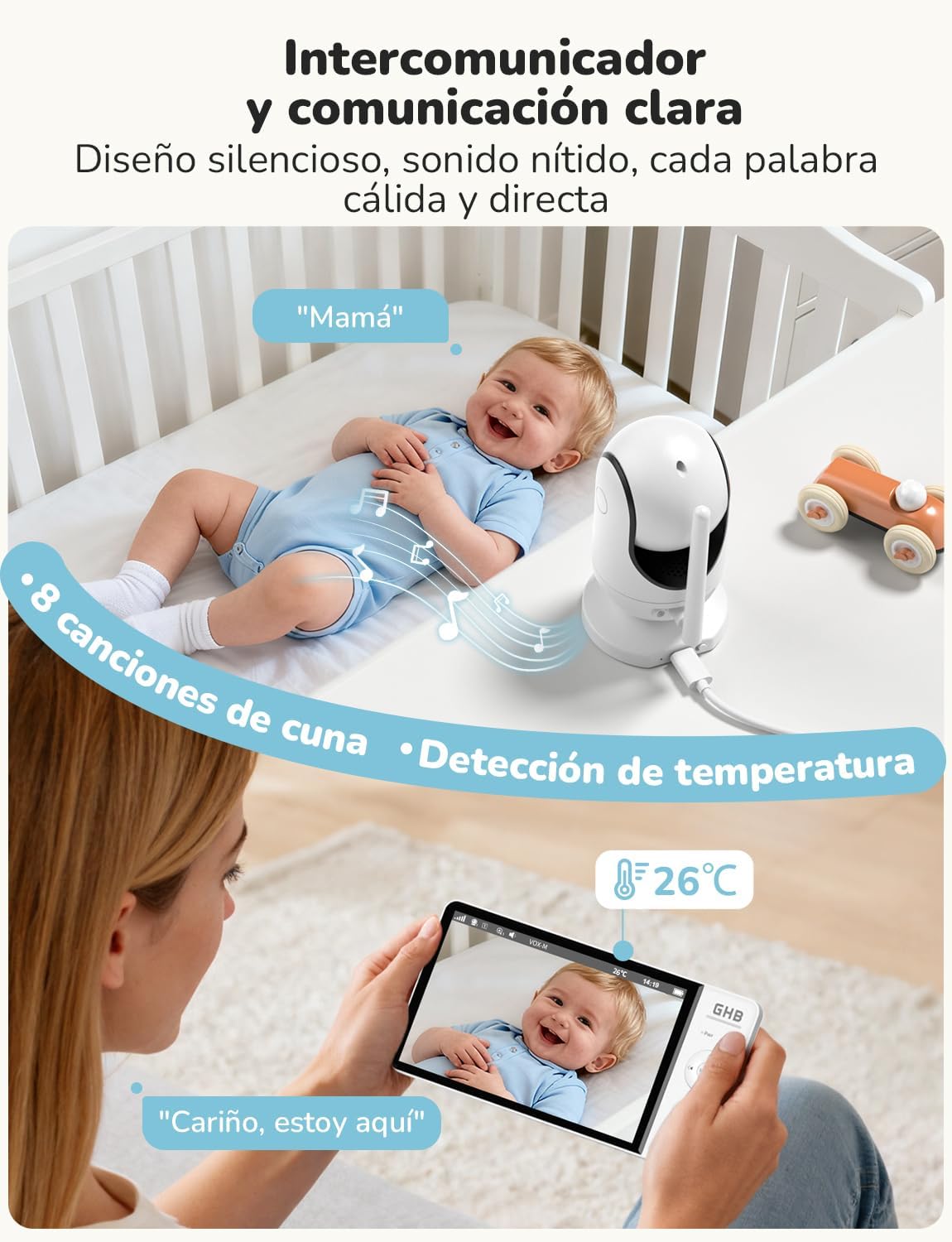
Image 4.2: Engage in two-way communication with your baby using the monitor's microphone function.
4.4 Modalità VOX (Centralino a comando vocale)
VOX mode helps conserve battery life by turning off the monitor screen when no sound is detected. The screen will automatically turn on when the camera detects sound above a set sensitivity level. Press the VOX button to activate or deactivate this mode. You can adjust the VOX sensitivity in the monitor's settings menu.

Image 4.3: VOX mode activates the screen only when sounds are detected, saving battery.
4.5 Visione notturna
The camera automatically switches to infrared night vision in low-light conditions, providing a clear black-and-white image on the monitor. This feature ensures continuous monitoring without the need for additional lighting.

Image 4.4: The 7-inch 1080P IPS display provides clear images day and night, including automatic night vision.
4.6 ninne nanne
To play lullabies, press the Lullaby button on the monitor. You can cycle through the 8 available melodies or stop playback using the same button or through the menu.
4.7 Monitoraggio della temperatura
The monitor displays the ambient temperature of the baby's room, detected by a sensor on the camera. You can set temperature alerts in the menu to be notified if the room temperature goes outside a comfortable range.
4.8 Acquisizione di immagini
The monitor supports capturing still images. Insert a TF card (up to 32GB, FAT32 format, not included) into the monitor's card slot. Refer to the menu for options to capture images. Note that video recording is not supported.
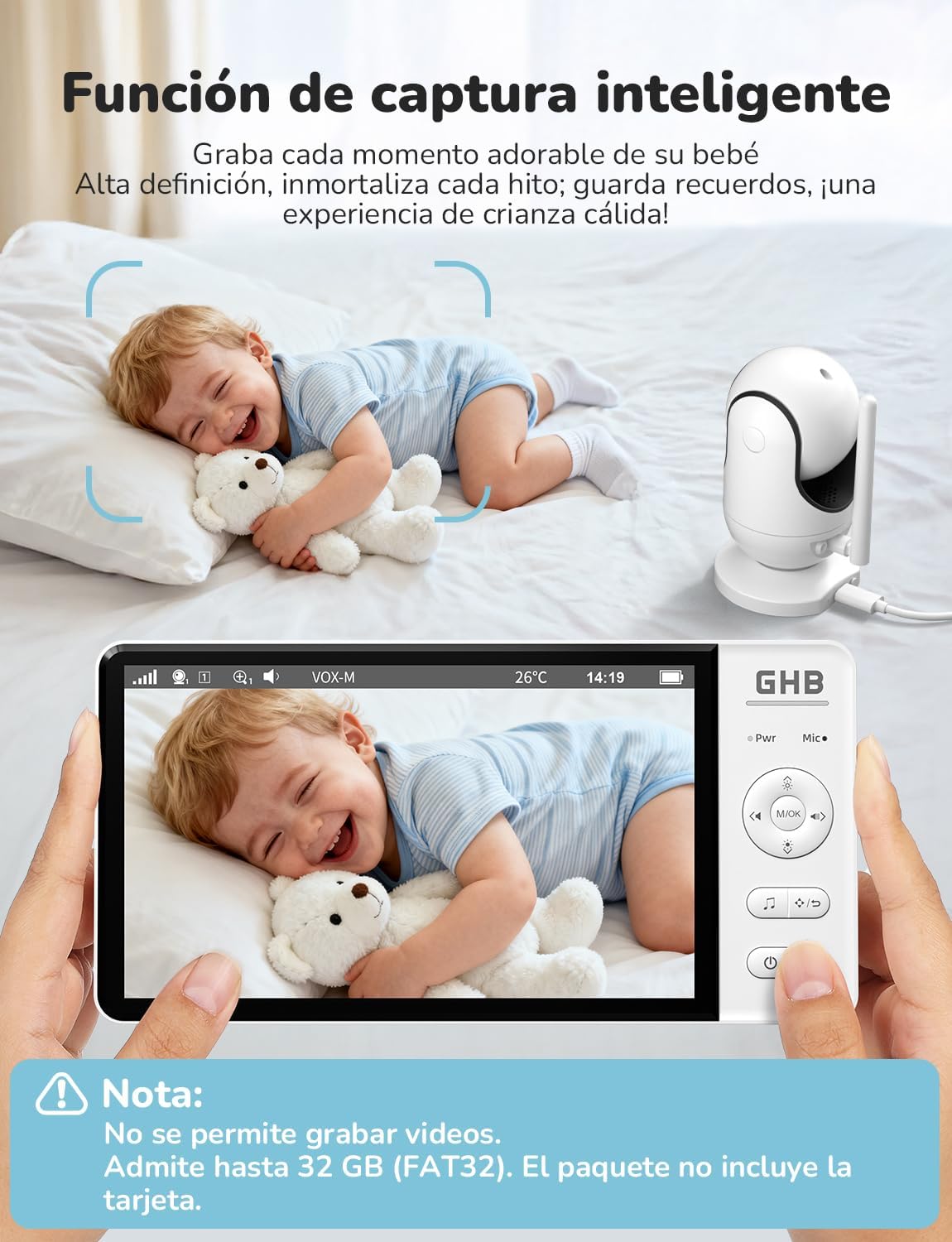
Image 4.5: The smart capture function allows you to save precious moments as still images.
5. Manutenzione
- Pulizia: Use a soft, dry cloth to clean the monitor and camera. Do not use abrasive cleaners or solvents.
- Cura della batteria: To prolong battery life, avoid fully discharging the monitor frequently. Charge it regularly. If storing for an extended period, charge the battery to about 50% and store in a cool, dry place.
- Magazzinaggio: Store the device in a dry place, away from extreme temperatures and direct sunlight.
6. Risoluzione Dei Problemi
| Problema | Possibile causa | Soluzione |
|---|---|---|
| Nessuna immagine/segnale sul monitor | Camera not powered on or out of range. Monitor battery low. | Ensure camera is plugged in and powered. Move monitor closer to camera. Charge monitor battery. Re-pair units if necessary (see manual for specific pairing steps). |
| Scarsa qualità dell'immagine | Low light conditions (night vision active). Obstructions. Camera lens dirty. | Night vision is black and white; this is normal. Ensure no objects block the camera's view. Clean the camera lens gently with a soft cloth. |
| No sound or poor audio | Volume too low. Microphone muted. Interference. | Increase monitor volume. Ensure microphone is not muted. Move units away from other electronic devices. |
| La batteria del monitor si scarica rapidamente | Continuous screen on. VOX mode not active. | Activate VOX mode to conserve battery. Reduce screen brightness. |
| Camera not responding to pan/tilt/zoom | Problema di connessione. | Check connection. Power cycle both camera and monitor. |
7. Specifiche
| Caratteristica | Specificazione |
|---|---|
| Numero di modello | Codice articolo: ABM780 |
| Dimensioni dello schermo | IPS da 7 pollici |
| Risoluzione di acquisizione video | Formato: 1080p |
| Tecnologia senza fili | FHSS a 2.4 GHz |
| Monitorare la capacità della batteria | 5000 mAh agli ioni di litio |
| Monitor Battery Life (Continuous) | Circa 10 ore |
| Monitor Battery Life (VOX Mode) | Circa 360 ore |
| Angolo di panoramica della telecamera | 350° |
| Angolo di inclinazione della telecamera | 100° |
| Digital Zoom | 2x, 4x |
| Max. Supported Cameras | 2 |
| Archiviazione delle immagini | TF card up to 32GB (FAT32, not included) |
| Dimensioni del prodotto | Dimensioni: 21 x 11 x 10 cm |
| Peso del prodotto | 870 grammi |

Image 7.1: Physical dimensions of the GHB ABM780 Baby Monitor components.
8. Garanzia e supporto
This product comes with a standard manufacturer's warranty. For specific warranty details, please refer to the warranty card included in your package or contact GHB customer support. If you encounter any issues not covered in the troubleshooting section, please contact GHB customer service for assistance.
Contact information for support can typically be found on the product packaging or the official GHB websito.