
1. Introduzione
The ATTACK SHARK X11SE is a high-performance wireless gaming mouse designed for precision and comfort. It features a lightweight design, advanced sensor technology, and versatile connectivity options to enhance your gaming and productivity experience.

Immagine: Oltreview of the ATTACK SHARK X11SE's key features including PAW3311 sensor, 63g lightweight design, 22000 DPI, HUANO switches, tri-mode switch, BK52820 chip, TTC encoders, and 65 hours of battery life.
Caratteristiche principali:
- PAW3311 Gaming Sensor: Equipped with the flagship PixArt PAW3311 sensor, offering up to 22,000 DPI with 6 adjustable levels, 400 IPS tracking speed, 35G acceleration, and a 1000Hz/1ms polling rate.
- Ultralight 63g Design: Weighing only 63 ± 3g, this mouse features a minimalist, full-casing design optimized for reduced weight without compromising build quality.
- Connettività Tri-Mode: Supports 2.4 GHz wireless, USB-C wired, and Bluetooth connections for versatile use across various devices.
- Durable Switches & Encoder: Features HUANO switches with a lifespan of 20 million clicks and an optimized TTC encoder for precise scroll wheel feedback.
- Design ergonomico: Dimensions (128 x 64 x 40 mm) suitable for medium to large hands, accommodating palm, claw, and fingertip grip styles for extended comfort.
- Dual Driver Support: Compatibile con Web Driver and proprietary ATTACK SHARK driver for advanced customization of buttons, DPI, polling rate, and macros.
2. Impostazione
Contenuto della confezione:
- Mouse da gioco wireless ATTACK SHARK X11SE
- Cavo USB-C
- Ricevitore USB (2.4 GHz)
- Nastro adesivo
- Manuale d'uso
Caricare il mouse:
Connect the mouse to your computer using the provided USB-C cable. The mouse has a 300mAh battery, providing up to 65 hours of uninterrupted use on a full charge (2-3 hours charging time).

Image: The ATTACK SHARK X11SE mouse illustrating its efficient battery management, offering up to 65 hours of use from a 300mAh battery, fully charged in 2-3 hours.
Modalità di connettività:
The X11SE mouse supports three connection modes: 2.4GHz Wireless, Bluetooth, and USB-C Wired.

Image: The ATTACK SHARK X11SE mouse highlighting its lightning-fast 2.4G wireless connection, wired mode via USB-C, and Bluetooth 5.2 capabilities.
- Modalità wireless a 2.4 GHz:
- Individuare il ricevitore USB, solitamente conservato in uno scomparto nella parte inferiore del mouse.
- Collega il ricevitore USB a una porta USB disponibile sul tuo computer.
- Accendi il mouse utilizzando l'interruttore in basso. Seleziona la modalità 2.4G.
- Il mouse dovrebbe connettersi automaticamente.
- Modalità Bluetooth:
- Accendi il mouse e seleziona la modalità Bluetooth tramite l'interruttore in basso.
- Press and hold the Bluetooth toggle button (often located near the mode switch) for 3 seconds to enter pairing mode. The indicator light will flash.
- Sul tuo computer o dispositivo, vai alle impostazioni Bluetooth e cerca nuovi dispositivi.
- Select "ATTACK SHARK X11SE" from the list to pair.
- Modalità cablata USB-C:
- Connect the USB-C cable to the front port of the mouse and the other end to a USB port on your computer.
- Il mouse passerà automaticamente alla modalità cablata e inizierà a caricarsi.
3. Funzionamento
Funzioni dei pulsanti:
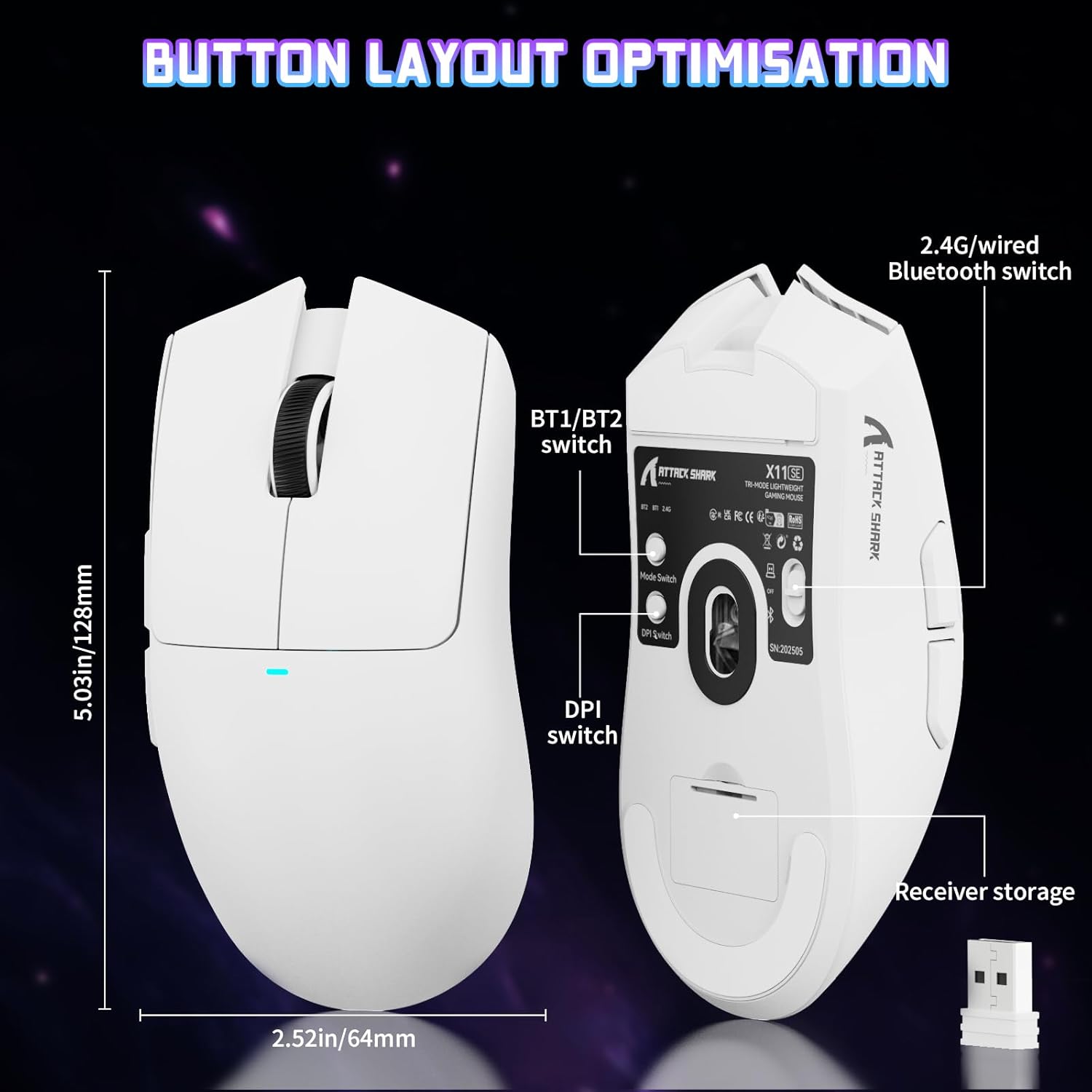
Image: The ATTACK SHARK X11SE mouse displaying its button layout, including the BT1/BT2 switch, DPI switch, and receiver storage, along with its dimensions (128mm length, 64mm width).
- Clic sinistro: Pulsante di azione principale.
- Clic destro: Pulsante di azione secondario, in genere per i menu contestuali.
- Rotella di scorrimento: Scrolls up/down. Can also be pressed for a middle-click function.
- Pulsanti laterali (avanti/indietro): Utilizzato per la navigazione in web browser o azioni di gioco.
- Interruttore DPI: Located on the underside of the mouse, this button cycles through preset DPI levels.
- Interruttore di modalità: Located on the underside, this switch allows you to select between 2.4G wireless, Bluetooth, and Off modes.
Regolazione DPI:
The X11SE features a PixArt PAW3311 sensor with up to 22,000 DPI. You can adjust the DPI sensitivity using the dedicated DPI switch on the bottom of the mouse. For more precise control and custom DPI levels, use the official software.
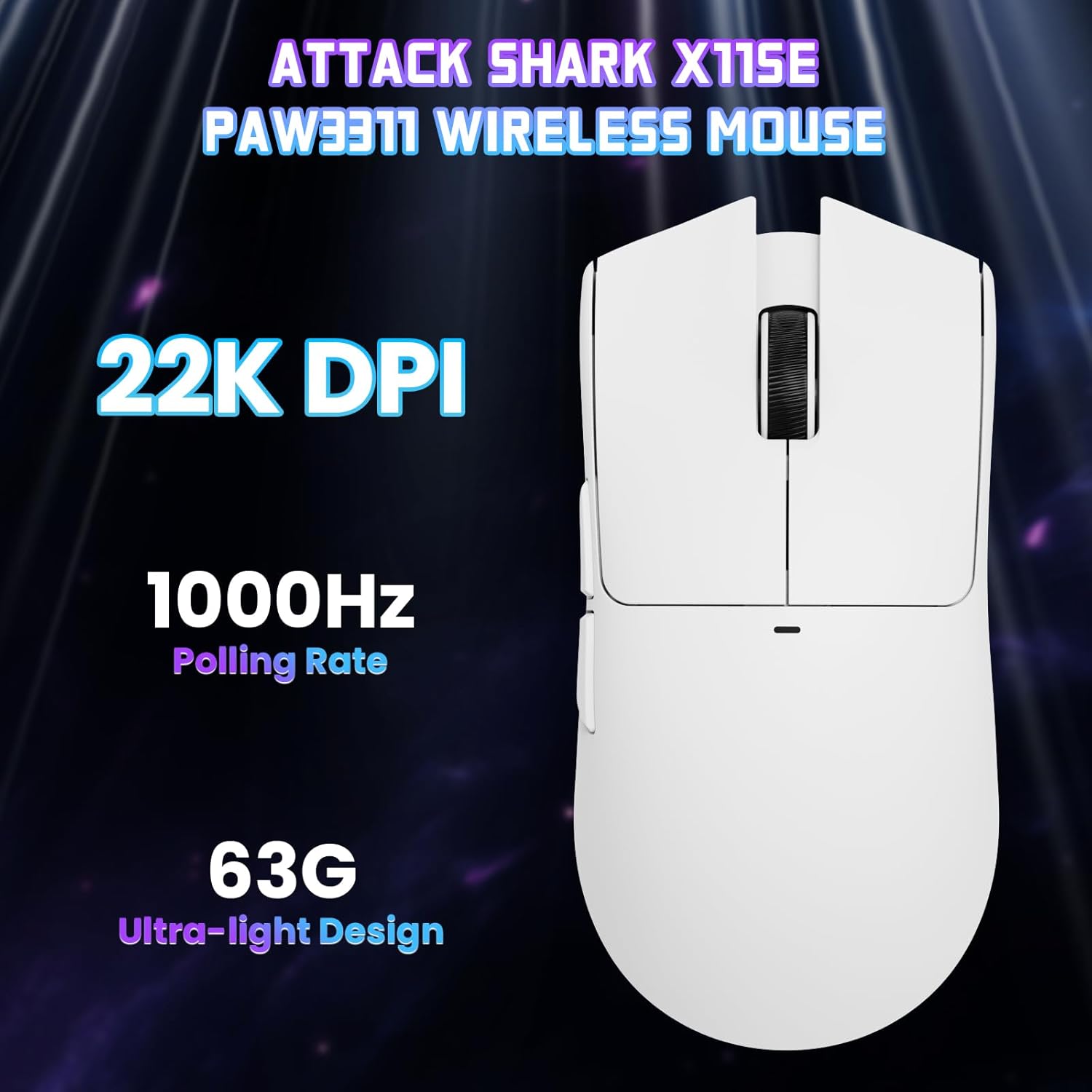
Immagine: dall'alto verso il basso view of the ATTACK SHARK X11SE mouse, emphasizing its 22,000 DPI capability and 1000Hz polling rate for high-performance gaming.
4 Personalizzazione
The ATTACK SHARK X11SE mouse offers extensive customization options through its dedicated software. This allows you to personalize button assignments, DPI settings, polling rate, and create macros.
Installazione del driver:
The mouse supports two drivers:
- Web Autista: Accesso tramite http://szslxd-tech.com/#/
- ATTACK SHARK Proprietary Driver: Scarica da https://attackshark.com/pages/dirver-download
Download and install the preferred driver software on your Windows, macOS, or Linux system.
Caratteristiche del software:

Image: The ATTACK SHARK X11SE software interface, demonstrating options for mouse settings, DPI adjustments, parameter settings, macro editing, and personal profiles.
- Programmazione dei pulsanti: Riassegnare le funzioni a uno qualsiasi dei 5 pulsanti.
- Impostazioni DPI: Create custom DPI profiles and adjust sensitivity levels.
- Tasso di sondaggio: Adjust the polling rate for optimal responsiveness.
- Editor macro: Record and assign complex sequences of commands to a single button.
- Professionistafile Gestione: Save and switch between different profileper vari giochi o applicazioni.
5. Manutenzione
Pulizia:
- Utilizzare un panno morbido e asciutto per pulire la superficie del mouse.
- Per sporco ostinato, leggermente dampPulisci il panno con acqua o una soluzione detergente delicata. Evita prodotti chimici aggressivi.
- Clean the optical sensor area on the bottom of the mouse with a cotton swab to ensure accurate tracking.
Cura della batteria:
- Evitare di scaricare completamente la batteria frequentemente per prolungarne la durata.
- Quando non si utilizza il mouse per lunghi periodi, conservarlo in un luogo fresco e asciutto.
6. Risoluzione Dei Problemi
Problemi comuni e soluzioni:
- Il mouse non risponde:
- Assicurarsi che il mouse sia carico.
- Check the mode switch on the bottom of the mouse to ensure it's in the correct mode (2.4G, BT, or Wired).
- For 2.4GHz mode, ensure the USB receiver is securely plugged in. Try a different USB port.
- For Bluetooth mode, ensure Bluetooth is enabled on your device and the mouse is paired correctly. Try re-pairing.
- For wired mode, ensure the USB-C cable is properly connected.
- DPI non cambia:
- Press the DPI switch on the bottom of the mouse.
- If using custom DPI settings, ensure the driver software is running and the correct profile è attivo.
- Connessione lenta o intermittente:
- Ensure the mouse is close to the USB receiver (for 2.4GHz) or your device (for Bluetooth).
- Evitare interferenze da altri dispositivi wireless.
- Assicurarsi che la batteria del mouse sia sufficientemente carica.
- Update mouse drivers if available.
7. Specifiche
| Caratteristica | Specificazione |
|---|---|
| Marca | ATTACCO SQUALO |
| Nome del modello | X11SE |
| Colore | Bianco |
| Tecnologia di connettività | 2.4 GHz Wireless/USB-C Wired/Bluetooth |
| Caratteristiche speciali | 63g ultralight, BK52820 Chip, TTC Encoder, Dual Driver |
| Tecnologia di rilevamento del movimento | Ottico (PixArt PAW3311) |
| Numero di pulsanti | 5 |
| Orientamento della mano | Ambidestro |
| Utilizzo consigliato del prodotto | Gioco per computer |
| Dispositivi compatibili | Desktop Computer, MAC |
| Sistema operativo | Windows, macOS, Linux |
| Numero di batterie | 1 polimero di litio (incluso) |
| Fonte di alimentazione | Alimentato a batteria |
| Maximum Mouse Sensitivity | 22000 DPI |
| Allineare | 300 centimetri |
| Stile | Ergonomic |
| Materiale | Plastica |
| Paese di origine | Cina |
| Componenti inclusi | USB-C Cable, Manual, Grip Tape |
| Codice UPC | 752010613663 |
8. Garanzia e supporto
Informazioni sulla garanzia:
The ATTACK SHARK X11SE Wireless Gaming Mouse comes with a six-month warranty from the date of purchase. Please retain your proof of purchase for warranty claims.
Download dei driver:
Per gli ultimi driver e aggiornamenti software, visitare:
- Web Autista: http://szslxd-tech.com/#/
- ATTACK SHARK Driver: https://attackshark.com/pages/dirver-download
Related Product Video:
Video: Un video ufficiale del venditore mostraasing the ATTACK SHARK X11 Mouse, demonstrating its features and functionality. While specifically for the X11, it provides relevant insights into the X11SE's design and operation.