
Onida 32AHI
ONIDA 80 cm (32 pollici) Smart Genius Series HD Ready Smart LED TV 32AHI Manuale utente
Model: 32AHI
Introduzione
This manual provides essential information for the setup, operation, and maintenance of your ONIDA 80 cm (32 inch) Smart Genius Series HD Ready Smart LED TV, model 32AHI. Please read these instructions carefully before using your television to ensure proper functionality and safety. Keep this manual for future reference.
Cosa c'è nella scatola
Dopo aver disimballato, verificare che siano presenti tutti i seguenti articoli:
- 1 x ONIDA 80 cm (32 inch) Smart Genius Series HD Ready Smart LED TV Unit
- 1 x telecomando
- 1 cavo mini AV
- 1 x cavo di alimentazione
- 1 x Wall Mount Kit (for wall installation)
- 1 x Manuale utente (questo documento)
- 2 batterie AAA (per il telecomando)
- 2 x TV Stands (for table-top installation)
- 4 x viti per supporto

Image: The ONIDA 32AHI Smart LED TV and its included accessories, such as the remote control, power cord, and stand components.
Impostare
1. Installazione dei supporti TV
If you plan to place the TV on a table or cabinet, attach the included stands:
- Posizionare con cautela lo schermo del televisore su una superficie morbida e piana per evitare danni.
- Allineare ciascun supporto con i fori delle viti corrispondenti nella parte inferiore del televisore.
- Secure the stands using the provided stand screws. Ensure they are tightened firmly.
2. Montaggio a parete (opzionale)
If you intend to wall-mount your TV, use the provided wall mount kit. Professional installation is recommended for wall mounting to ensure safety and proper alignment. Refer to the separate instructions included with the wall mount kit for detailed steps.
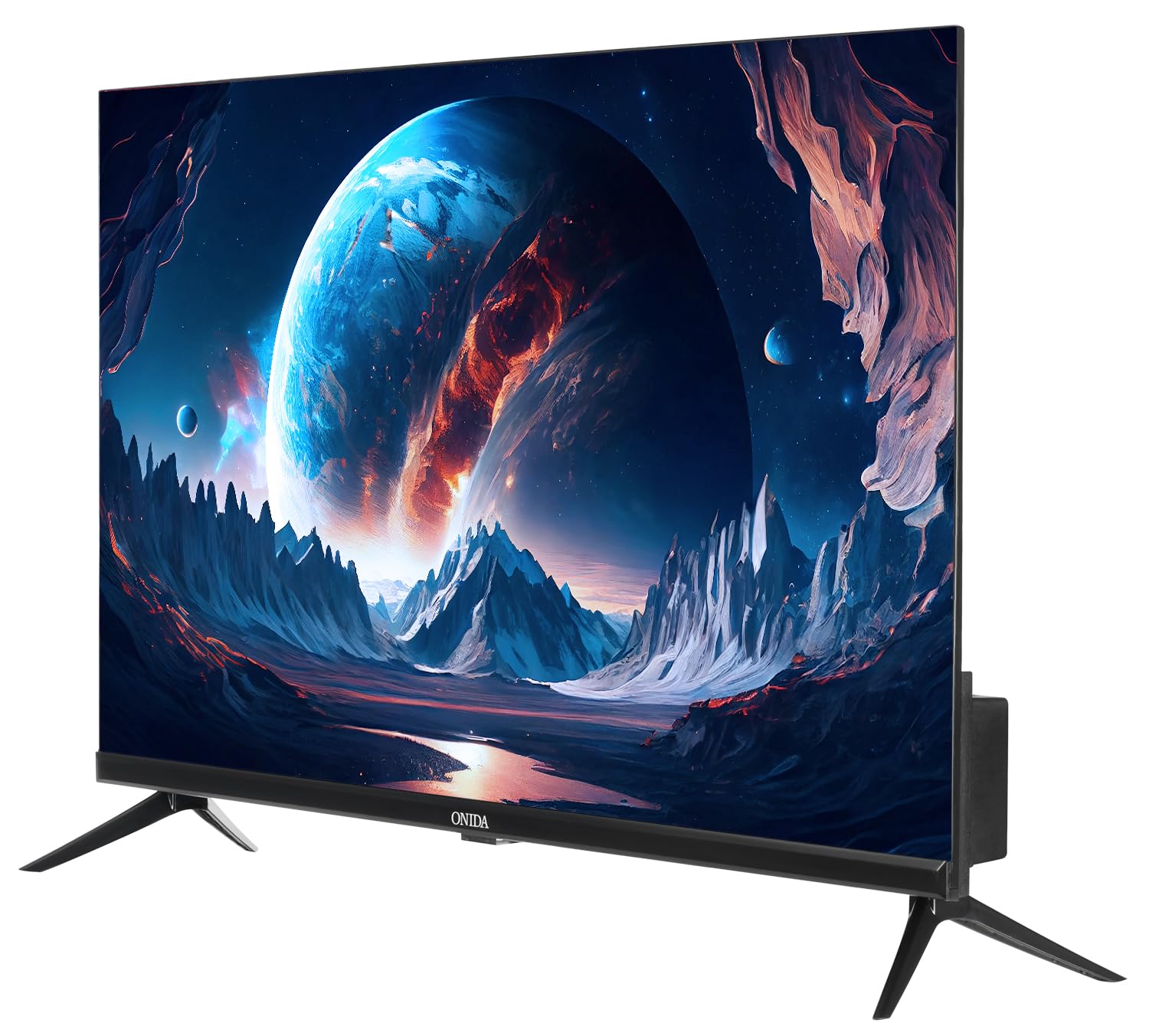
Immagine: Posteriore view of the ONIDA 32AHI TV, illustrating the wall mount screw points and various input ports.
3. Collegamento dell'alimentazione
Connect the power cord to the TV's power input and then plug it into a standard AC power outlet (140 Volts).
4. Collegamento di dispositivi esterni
Il televisore è dotato di più porte per collegare vari dispositivi:
- Porte HDMI (2): Collega decoder, lettori Blu-ray, console di gioco o altri dispositivi abilitati HDMI.
- Porta USB (1): Collega dischi rigidi, unità flash USB o altri dispositivi USB per la riproduzione multimediale.
- Mini AV Cable: Use for older devices requiring composite video and audio input.
- Wifi: Connect to your home network for smart TV features and internet access.

Immagine: Un dettaglio view of the connectivity panel on the ONIDA 32AHI TV, showing HDMI, USB, and other input/output ports.
Utilizzo del televisore
1. Accensione iniziale e configurazione
After connecting the power, press the power button on the remote control or the TV. Follow the on-screen instructions for initial setup, including language selection, network connection (Wi-Fi), and channel scanning.
2. Smart TV Features (Coolita OS)
Your ONIDA Smart Genius TV runs on the Coolita operating system, providing access to a variety of applications and streaming services. Navigate the smart interface using your remote control.
- App supportate: YouTube, YouTube Music, Jiohotstar, Prime Video, MX Player, SonyLiv, Zee5, Browser, Coolita Channel, CC Cast.
- Accesso all'app: Select the 'Apps' icon on the home screen to browse and launch installed applications.

Image: The ONIDA 32AHI TV screen showing the smart interface with icons for YouTube, Prime Video, JioHotstar, and other streaming applications.
3. Coolink Feature (Phone as Remote)
The Coolink feature allows you to use your smartphone as a remote control for your TV. Download the compatible Coolink app on your smartphone and follow the in-app instructions to pair it with your TV. This enables navigation, content search, and voice control directly from your phone.

Image: Illustration of the Coolink feature, demonstrating a smartphone being used as a remote control for the TV, including voice search and content casting.
4. CC Cast Feature
Utilize the CC Cast feature to mirror content from your compatible smartphone or tablet directly onto your TV screen. Ensure both devices are connected to the same Wi-Fi network for seamless casting.

Image: Visual representation of the CC Cast function, where a smartphone wirelessly displays its screen content onto the ONIDA TV.
5. Audio and Display Settings
- Uscita audio: The TV features 20 Watts audio output with Box Speakers and supports Dolby Digital for enhanced sound quality. Adjust audio settings via the TV menu.
- Display: Enjoy HD Ready (1366 x 768) resolution with a 60 Hertz refresh rate and a wide 178-degree viewing angle. Picture settings can be customized in the TV menu to suit your preferences.
Manutenzione
Una manutenzione regolare aiuta a prolungare la vita del tuo televisore:
- Pulizia dello schermo: Pulire delicatamente lo schermo con un panno morbido, asciutto e privo di lanugine. Per macchie ostinate, strofinare leggermenteampInumidire il panno con acqua o con un detergente specifico per schermi (non spruzzare direttamente sullo schermo).
- Pulizia dell'armadio: Per pulire il mobile TV, utilizzare un panno morbido e asciutto. Evitare l'uso di detergenti abrasivi o solventi.
- Ventilazione: Assicurarsi che le aperture di ventilazione del televisore non siano ostruite per evitare il surriscaldamento.
- Spegni: Scollegare il televisore dalla presa di corrente durante i temporali o quando si prevede di lasciarlo incustodito per lunghi periodi.
Risoluzione dei problemi
Se riscontri problemi con la tua TV, fai riferimento alle seguenti soluzioni comuni:
- Nessun potere:
- Verificare che il cavo di alimentazione sia collegato saldamente sia al televisore sia alla presa di corrente.
- Assicurati che la presa di corrente funzioni testandola con un altro dispositivo.
- Premere il pulsante di accensione sul televisore stesso, non solo sul telecomando.
- Nessuna immagine/suono:
- Verify that the correct input source (HDMI, AV, etc.) is selected.
- Controllare tutti i collegamenti dei cavi tra la TV e i dispositivi esterni.
- Assicurarsi che il volume non sia disattivato o impostato su zero.
- Funzionalità intelligenti non funzionanti:
- Check your Wi-Fi connection. Ensure the TV is connected to a stable internet network.
- Restart the TV by unplugging it for a few minutes and then plugging it back in.
- Update the TV's software if an update is available (check settings menu).
- Il telecomando non risponde:
- Sostituire le batterie AAA nel telecomando.
- Assicurarsi che non vi siano ostacoli tra il telecomando e il sensore IR del televisore.
For further assistance, please contact ONIDA customer support.
Specifiche
| Caratteristica | Dettaglio |
|---|---|
| Marca | Al momento |
| Modello | 32AHI |
| Dimensioni dello schermo | 80 cm (32 pollici) |
| Tecnologia di visualizzazione | GUIDATO |
| Risoluzione | HD Ready (1366 x 768 pixel) |
| Frequenza di aggiornamento | Frequenza 60 Hz |
| Viewangolo di ing | 178 gradi |
| Sistema operativo | Coolita |
| Capacità di archiviazione della memoria | 4 GB |
| Dimensione della memoria RAM installata | 512 MB |
| Coprocessore grafico | Mali-G31MP2 800M |
| Uscita audio | 20 Watt |
| Configurazione degli altoparlanti | Box Speaker, Dolby Digital |
| Connettività | 2 HDMI, 1 USB, Wi-Fi, Bluetooth |
| Fonte di alimentazione | CA (140 Volt) |
| Dimensioni del prodotto (LxWxH) | Dimensioni: 73.5 x 18 x 47.6 cm |
| Peso dell'articolo | 3.95 kg |
| Tipo di montaggio | Montaggio a parete e montaggio da tavolo |
| App supportate | Youtube, Prime Video, SonyLiv, Hungama, JioCinema, Zee5, Eros Now |

Image: The ONIDA 32AHI TV highlighting key features like HD Ready display, Coolink, CC Cast, and 512MB RAM.
Video ufficiali dei prodotti
ONIDA 80 cm (32 inch) Smart Genius Series HD Ready Smart LED TV 32AHI Overview
Video: Un oltreview of the ONIDA 80 cm (32 inch) Smart Genius Series HD Ready Smart LED TV 32AHI, showcasinle sue caratteristiche e il suo design.
ONIDA Smart TV Features - Perfect Picture, Perfect Sound, Coolink
Video: This video highlights the "Perfect Picture" and "Perfect Sound" capabilities of ONIDA Smart TVs, along with a demonstration of the Coolink feature for smartphone control.
Garanzia e supporto
Your ONIDA TV comes with a 1-year comprehensive warranty from the date of purchase. The warranty can be availed using your purchase invoice.
For customer support, inquiries, or warranty claims, please contact:
- Produttore: MIRC ELECTRONICS LTD
- Indirizzo: Mahakali Caves Road, Andheri East, Mumbai - 400093
- N. assistenza clienti: 7490955555
- E-mail: cliente.care@onida.com
Ask a question about this manual
Ask about setup, troubleshooting, compatibility, parts, safety, or missing instructions. Manuals+ will review the question and use this page’s manual context to help answer it.