
1. Introduzione
Thank you for choosing the Pro Breeze 40L Smart Dehumidifier. This manual provides important information regarding the safe operation, installation, use, and maintenance of your appliance. Please read this manual thoroughly before use and retain it for future reference.
This dehumidifier is designed to efficiently remove excess moisture from the air, helping to prevent mold, mildew, and condensation in spaces up to 50 m².
2. Importanti istruzioni di sicurezza
Quando si utilizzano apparecchi elettrici, seguire sempre le precauzioni di sicurezza di base per ridurre il rischio di incendi, scosse elettriche e lesioni.
- Leggere attentamente tutte le istruzioni prima di utilizzare l'apparecchio.
- Assicurare il volumetage indicato sull'etichetta di potenza corrisponde alla tensione di retetage.
- Non immergere l'apparecchio, il cavo di alimentazione o la spina in acqua o altri liquidi.
- Do not operate the appliance with a damaged cord or plug, or after it malfunctions or has been dropped or damaged in any manner.
- Tenere l'apparecchio fuori dalla portata dei bambini e degli animali domestici.
- Always unplug the appliance when not in use, before cleaning, or before moving.
- Assicurarsi che l'apparecchio sia posizionato su una superficie stabile e piana.
- Non ostruire le prese d'aria o le uscite. Mantenere almeno 20 cm di spazio libero attorno all'unità.
- Questo apparecchio è destinato esclusivamente all'uso in ambienti interni.
- Do not use in bathrooms or other excessively humid environments where water may splash onto the unit.
3. Prodotto finitoview
3.1 Componenti
The Pro Breeze 40L Smart Dehumidifier features a compact design with integrated controls and a water tank. It includes a continuous drainage option and mobility wheels for easy placement.
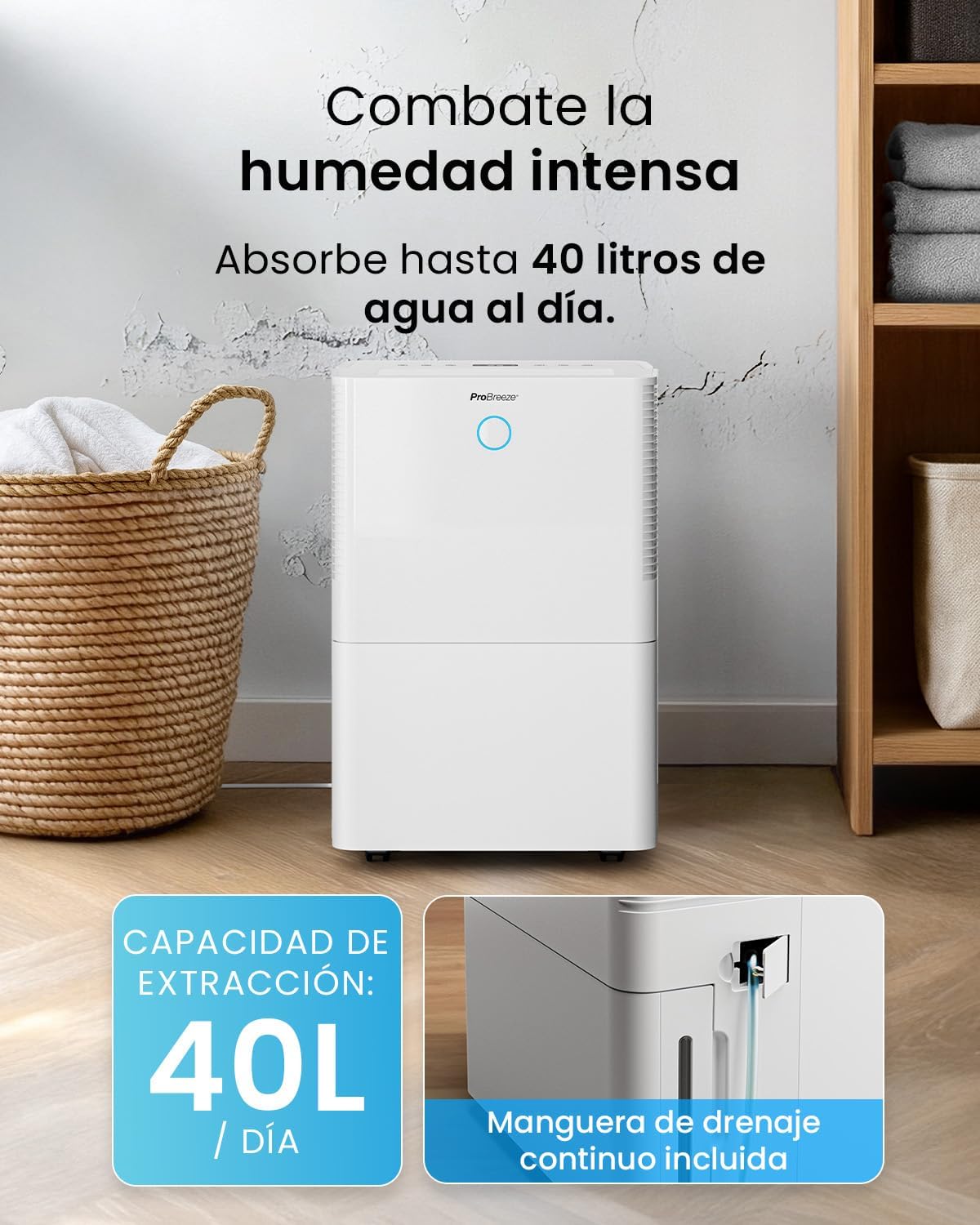
Immagine: Frontale view of the Pro Breeze 40L Smart Dehumidifier, highlighting its dimensions (52cm height, 28cm depth, 35.5cm width) and key features like smart app control, laundry mode, 5.5L tank, and low energy consumption.
3.2 Pannello di controllo e display
The dehumidifier is equipped with an intuitive touch control panel and an LED display for easy operation and monitoring of humidity levels.

Image: A hand interacting with the touch control panel of the dehumidifier, showing the digital display and various function buttons.
4. Impostazione
4.1 Disimballaggio
- Estrarre con cautela il deumidificatore dalla confezione.
- Rimuovere tutti i materiali di imballaggio, comprese eventuali pellicole o nastri protettivi.
- Inspect the appliance for any signs of damage. If damaged, do not operate and contact customer support.
4.2 Posizionamento
Place the dehumidifier on a firm, level surface in the desired room. Ensure there is at least 20 cm of clear space around all sides of the unit to allow for proper airflow.

Image: A person easily moving the dehumidifier across a wooden floor in a living room, demonstrating its portability with four swivel wheels.
4.3 Collegamento di alimentazione
Collegare il cavo di alimentazione a una presa elettrica dotata di messa a terra. Assicurarsi che la presa soddisfi i requisiti di alimentazione specificati nella sezione "Specifiche".
4.4 Drenaggio continuo (facoltativo)
For continuous operation without needing to empty the water tank, attach the included drainage hose. Connect one end to the drainage port on the back of the unit and the other end to a suitable drain or container that is lower than the drainage port.

Immagine: Primo piano view of the dehumidifier's side, showing the continuous drainage hose connected and leading to a floor drain.
5. Istruzioni per l'uso
5.1 Accensione/spegnimento
Premere il tasto Energia pulsante sul pannello di controllo per accendere o spegnere l'unità.
5.2 Impostazione dell'umidità desiderata
The dehumidifier features an automatic sensor that continuously measures room humidity. Use the Umidità buttons to set your desired humidity level between 30% and 80%.

Image: A family relaxing in a living room with the dehumidifier operating. An overlay illustrates the humidity indicator lights: Blue for >50% (Low), Green for 50-70% (Medium), and Red for <70% (High).
Modalità operative 5.3
- Modalità automatica: The unit will automatically adjust its operation to maintain the set humidity level.
- Modalità continua: The dehumidifier will operate continuously regardless of the humidity level, ideal for very damp condizioni.
- Modalità lavanderia: This mode is designed to accelerate the drying of clothes indoors by running at maximum fan speed and continuous dehumidification.
- Modalità risparmio: Reduces fan speed and dims the display for quiet operation during the night.

Image: A woman smiling while placing clothes on a drying rack next to the dehumidifier, illustrating the accelerated laundry drying feature.

Image: A family watching television in a dimly lit living room, with the dehumidifier operating quietly in the foreground, indicating its silent operation and night mode features.
5.4 Funzione timer
Utilizzare il Timer button to set a 24-hour timer for automatic power on or off. This allows you to schedule operation according to your needs.

Image: A close-up of a smartphone screen displaying the Pro Breeze app's 24-hour timer function, allowing users to schedule the dehumidifier's operation.
6. Connettività Wi-Fi e controllo delle app
The Pro Breeze 40L Smart Dehumidifier can be controlled remotely via the free Pro Breeze app, compatible with both Alexa and Google Home.
6.1 Installazione e associazione dell'app
- Download the Pro Breeze app from your smartphone's app store.
- Follow the in-app instructions to create an account and pair your dehumidifier.
- Ensure your dehumidifier is powered on and your smartphone is connected to a 2.4GHz Wi-Fi network during the pairing process.
6.2 Funzionalità del telecomando
Tramite l'app puoi:
- Turn the dehumidifier on/off.
- Regolare le impostazioni di umidità.
- Select operating modes (Auto, Continuous, Laundry, Sleep).
- Set and manage the 24-hour timer.
- Monitorare l'umidità attuale della stanza.

Image: A woman using a smartphone to control the dehumidifier, with icons for Amazon Alexa and Google Home indicating voice control compatibility.
7. Manutenzione
Una manutenzione regolare garantisce prestazioni ottimali e longevità del deumidificatore.
7.1 Pulizia del filtro dell'aria
Il filtro dell'aria deve essere pulito ogni due settimane o più frequentemente, a seconda dell'utilizzo e della qualità dell'aria.
- Spegni e scollega il deumidificatore.
- Rimuovere il filtro dell'aria dal retro dell'unità.
- Lavare il filtro con acqua tiepida e sapone. Risciacquare abbondantemente e lasciarlo asciugare completamente all'aria prima di reinserirlo.
- Non utilizzare il deumidificatore senza il filtro installato.
7.2 Svuotamento e pulizia del serbatoio dell'acqua
When the water tank is full, the unit will automatically shut off and an indicator light will illuminate. Empty the tank and clean it regularly to prevent mold and bacteria growth.
- Estrarre con cautela il serbatoio dell'acqua dalla parte anteriore dell'unità.
- Versare l'acqua raccolta.
- Clean the tank with mild detergent and water. Rinse thoroughly.
- Reinsert the dry tank firmly into the dehumidifier.

Image: The dehumidifier in operation, with an overlay indicating its 40L/day extraction capacity and the continuous drainage hose option.
7.3 Pulizia esterna
Pulire l'esterno del deumidificatore con un panno morbido, damp panno. Non usare detergenti abrasivi o solventi.
8. Risoluzione Dei Problemi
If you encounter issues with your dehumidifier, refer to the following table before contacting customer support.
| Problema | Possibile causa | Soluzione |
|---|---|---|
| Il deumidificatore non si accende. | No power; Power cord not plugged in; Water tank full or not correctly inserted. | Controllare l'alimentazione; collegare il cavo di alimentazione; svuotare e reinserire correttamente il serbatoio dell'acqua. |
| Non è stata raccolta acqua. | Room humidity too low; Temperature too low; Air filter blocked; Continuous drainage hose connected. | Increase desired humidity setting; Ensure room temperature is above 5°C; Clean air filter; Disconnect continuous drainage hose if collecting water in tank. |
| L'unità è rumorosa. | Unit not on a level surface; Air filter blocked; Fan obstruction. | Posizionare su una superficie piana e stabile; pulire il filtro dell'aria; verificare la presenza di ostruzioni nell'area della ventola. |
| Problemi di connessione Wi-Fi. | Password Wi-Fi errata; Non connesso alla rete a 2.4 GHz; Router troppo lontano. | Verify password; Connect to 2.4GHz Wi-Fi; Move unit closer to router or use a Wi-Fi extender. |
9. Specifiche
- Marca: Pro Brezza
- Nome modello: PB-D-32W-W
- Estrazione dell'umidità: Fino a 40 litri/giorno
- Capacità del serbatoio dell'acqua: 5.3 litri
- Dimensioni consigliate della stanza: Fino a 50 m² (538 piedi quadrati)
- Dimensioni (L x P x A): Dimensioni: 27.5 x 35.5 x 52.2 cm
- Peso: 16.36 kg
- Numero di velocità: 3
- Caratteristiche speciali: Smart App Control, Automatic Humidity Sensor, Automatic Shut-off, 24-hour Timer, Laundry Mode, Sleep Mode, Continuous Drainage
- Livello di rumore: <49dB
10. Garanzia e supporto
For warranty information and customer support, please refer to the documentation included with your purchase or visit the official Pro Breeze website. Ensure you have your model number (PB-D-32W-W) and proof of purchase available when contacting support.
Produttore: Un gruppo di vendita al dettaglio