
1. Introduzione
The Perixx PERIBOARD-832RGB is a compact, wireless mini keyboard featuring RGB backlighting and multi-device Bluetooth connectivity. This manual provides instructions for setting up, operating, and maintaining your keyboard to ensure optimal performance.

Image 1.1: The Perixx PERIBOARD-832RGB keyboard in use, showcasing its compact design and backlit keys.
2. Contenuto della confezione
Si prega di controllare la confezione per verificare la presenza dei seguenti elementi:
- Perixx PERIBOARD-832RGB Wireless RGB Backlit Mini Keyboard
- Cavo di ricarica da USB-C ad A
- Manuale dell'utente (questo documento)

Image 2.1: Contents of the Perixx PERIBOARD-832RGB package, including the keyboard, USB-C cable, and manual.
3. Configurazione e connessione
3.1 Ricarica della tastiera
Before first use, fully charge the keyboard. Connect the provided USB-C to A cable to the keyboard's USB-C charging port and the other end to a USB power source (e.g., computer USB port, USB wall adapter).
- Durante la ricarica, la spia di carica si illuminerà.
- Una volta completata la ricarica, l'indicatore cambierà o si spegnerà.

Image 3.1: Location of the USB-C charging port and power ON/OFF switch on the keyboard.
3.2 Accensione/spegnimento
Locate the power switch on the side or back of the keyboard. Slide it to the 'ON' position to power on the keyboard. Slide it to 'OFF' when not in use to conserve battery.
3.3 Bluetooth Pairing (Multi-Device Connection)
The PERIBOARD-832RGB supports connection to up to three devices via Bluetooth. Follow these steps to pair your keyboard:
- Assicurati che la tastiera sia accesa.
- Premere e tenere premuto il tasto Fn chiave e uno dei tasti del canale Bluetooth (Q per BT1, W per BT2, o E for BT3) for 3-5 seconds until the corresponding indicator light (usually above the key) starts blinking rapidly. This indicates the keyboard is in pairing mode.
- Sul tuo dispositivo (PC, laptop, tablet, smartphone), attiva il Bluetooth e cerca nuovi dispositivi.
- Select "PERIBOARD-832RGB" from the list of available devices.
- Se richiesto, inserisci il codice di associazione visualizzato sullo schermo utilizzando la tastiera e premi Entrare.
- Once paired, the indicator light will stop blinking and remain solid for a few seconds before turning off. The keyboard is now connected.
To connect to additional devices, repeat the process using a different Bluetooth channel key (Fn+W or Fn+E).

Image 3.2: Visual guide for connecting the keyboard to up to three devices using Fn+Q/W/E keys.
4. Funzionamento
4.1 Passaggio tra dispositivi connessi
Per passare da un dispositivo all'altro, premere semplicemente il tasto Fn tasto insieme al tasto del canale Bluetooth corrispondente (Q, W, O E) per il dispositivo desiderato. La tastiera si connetterà automaticamente al dispositivo selezionato.
4.2 Controllo della retroilluminazione
The PERIBOARD-832RGB features RGB backlighting with multiple color options.
- Attiva/disattiva la retroilluminazione: Premere Fn + F11 (RGB) per accendere o spegnere la retroilluminazione.
- Cambia colore retroilluminazione: Premere Fn + F12 (RGB) to cycle through the available RGB colors (7 colors).
- Regola luminosità: Utilizzo Fn + Pagina su per aumentare la luminosità e Fn + Pagina giù per diminuire la luminosità.
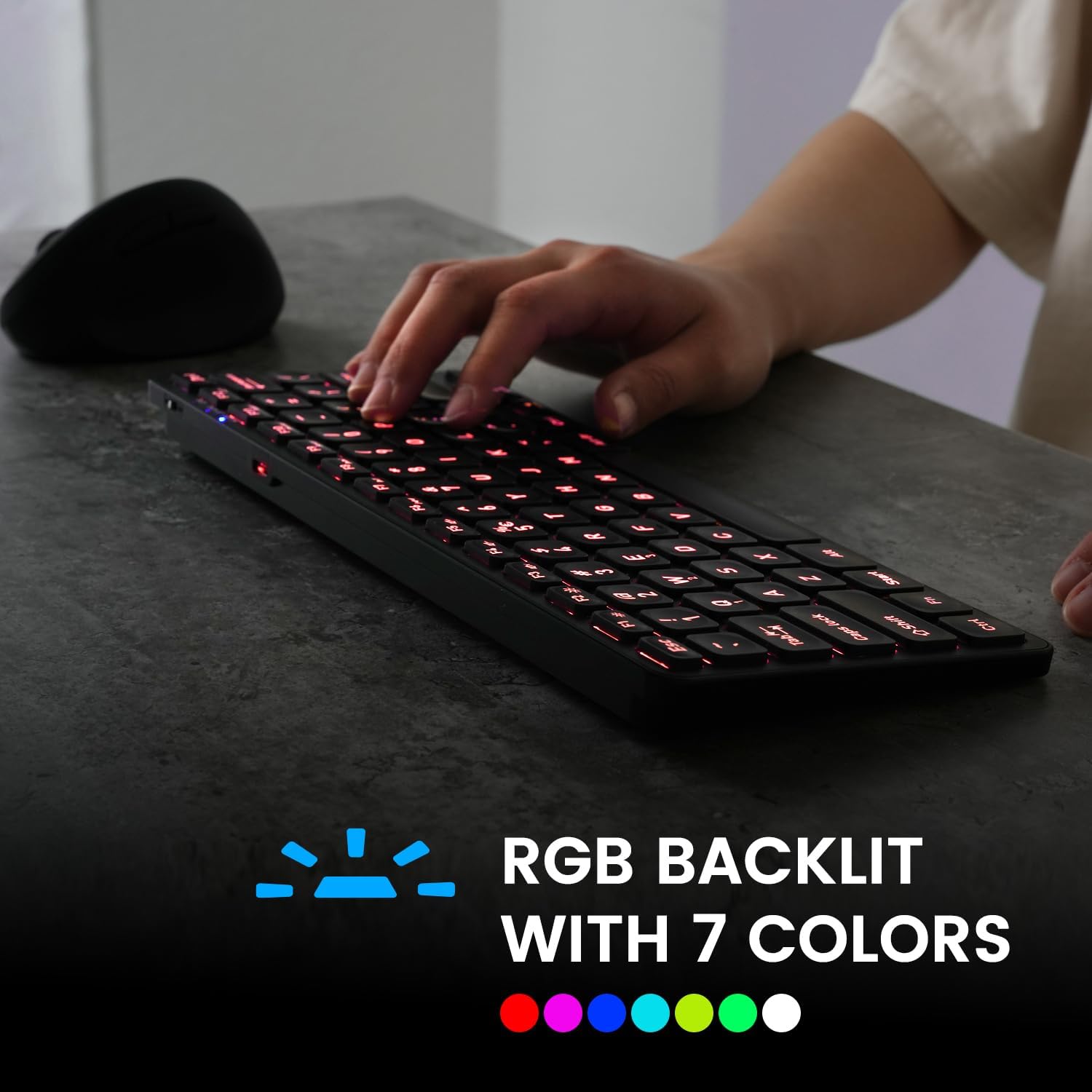
Image 4.1: The keyboard illuminated with RGB backlighting, demonstrating visibility in low-light conditions.
4.3 Tasti funzione (combinazioni Fn)
Many keys have secondary functions accessible by holding the Fn key and pressing the desired function key. These include media controls, volume adjustments, and other system shortcuts.
| Combinazione di tasti | Funzione |
|---|---|
| Fn + Q | Passa al dispositivo Bluetooth 1 |
| Fn + W | Passa al dispositivo Bluetooth 2 |
| Fn + E | Passa al dispositivo Bluetooth 3 |
| Tasto F1 | Lettore multimediale |
| Tasto F2 | Abbassa il volume |
| Tasto F3 | Alza il volume |
| Tasto F4 | Muto |
| Tasto F5 | Traccia precedente |
| Tasto F6 | Riproduci/Pausa |
| Tasto F7 | Traccia successiva |
| Tasto F8 | Fermare |
| Tasto F9 | Web Navigatore |
| Tasto F10 | |
| Fn + F11 (RGB) | Retroilluminazione attivata/disattivata |
| Fn + F12 (RGB) | Cycle Backlight Colors |
| Fn + Pagina su | Aumenta la luminosità della retroilluminazione |
| Fn + Pagina giù | Diminuire la luminosità della retroilluminazione |

Immagine 4.2: Dettagliata view of the keyboard keys, highlighting the primary and secondary (Fn) functions.
5. Manutenzione
Per garantire la longevità e le prestazioni ottimali della tastiera, seguire queste linee guida per la manutenzione:
- Pulizia: Utilizzare un panno morbido e privo di lanugine leggermente dampPulire la superficie della tastiera con acqua o una soluzione detergente delicata. Evitare prodotti chimici aggressivi o materiali abrasivi.
- Rimozione della polvere: Utilizzare aria compressa per rimuovere polvere e detriti dagli spazi tra i tasti.
- Cura della batteria: Avoid fully discharging the battery frequently. Charge the keyboard regularly, especially if it will not be used for an extended period.
- Magazzinaggio: Conservare la tastiera in un luogo fresco e asciutto, lontano dalla luce solare diretta e da temperature estreme.
6. Risoluzione Dei Problemi
If you encounter issues with your PERIBOARD-832RGB, refer to the following common solutions:
| Problema | Possibile soluzione |
|---|---|
| La tastiera non si accende. | Ensure the power switch is in the 'ON' position. Charge the keyboard fully using the provided USB-C cable. |
| Impossibile connettersi tramite Bluetooth. | Make sure the keyboard is in pairing mode (Fn + Q/W/E, indicator blinking). Ensure Bluetooth is enabled on your device. Try unpairing and re-pairing the keyboard. Move the keyboard closer to your device. |
| I tasti non rispondono o digitano in modo errato. | Check battery level and charge if necessary. Ensure the keyboard is connected to the correct device. Restart the keyboard and your device. |
| La retroilluminazione non funziona. | Press Fn + F11 to toggle the backlight. Ensure the keyboard has sufficient battery charge. |
| La tastiera si disconnette frequentemente. | Ensure the keyboard is within the effective Bluetooth range (typically 10 meters). Reduce interference from other wireless devices. Charge the keyboard. |
7. Specifiche
| Caratteristica | Dettaglio |
|---|---|
| Marca | Perixx |
| Modello | PERIBOARD-832RGB |
| Tecnologia di connettività | Bluetooth |
| Descrizione della tastiera | Mechanical (Scissor-switch type) |
| Caratteristica speciale | RGB Backlit (7 colors) |
| Dispositivi compatibili | PC, portatile, tablet, smartphone |
| Dimensioni del prodotto | 11.06"L x 4.53"W x 0.87"H (28.09 x 11.51 x 2.21 cm) |
| Peso dell'articolo | 1.06 libbre (0.48 kg) |
| Materiale | Plastica |
| Fonte di alimentazione | USB Powered (Rechargeable Battery) |
| Componenti inclusi | Cavo da USB-C a A |
8. Garanzia e supporto
Perixx products are covered by a limited warranty. For detailed warranty information, technical support, or customer service, please refer to the official Perixx webo contattare direttamente l'assistenza clienti. Conservare la ricevuta d'acquisto per eventuali reclami in garanzia.