
1. Introduzione e descrizione del prodottoview
This manual provides detailed instructions for the installation, operation, and maintenance of your WALI Vertical Dual Monitor Wall Mount, Model 012ARMV-49. This mount is designed to support two monitors in a stacked configuration, optimizing desk space and providing ergonomic viewangoli di inclinazione.
The mount supports displays from 17 to 49 inches, with a maximum weight capacity of 44 lbs (20 kg) per arm. It is compatible with VESA 75x75mm and 100x100mm mounting patterns. Key features include flexible tilt, swivel, and height adjustments, along with 360-degree rotation for versatile screen positioning.
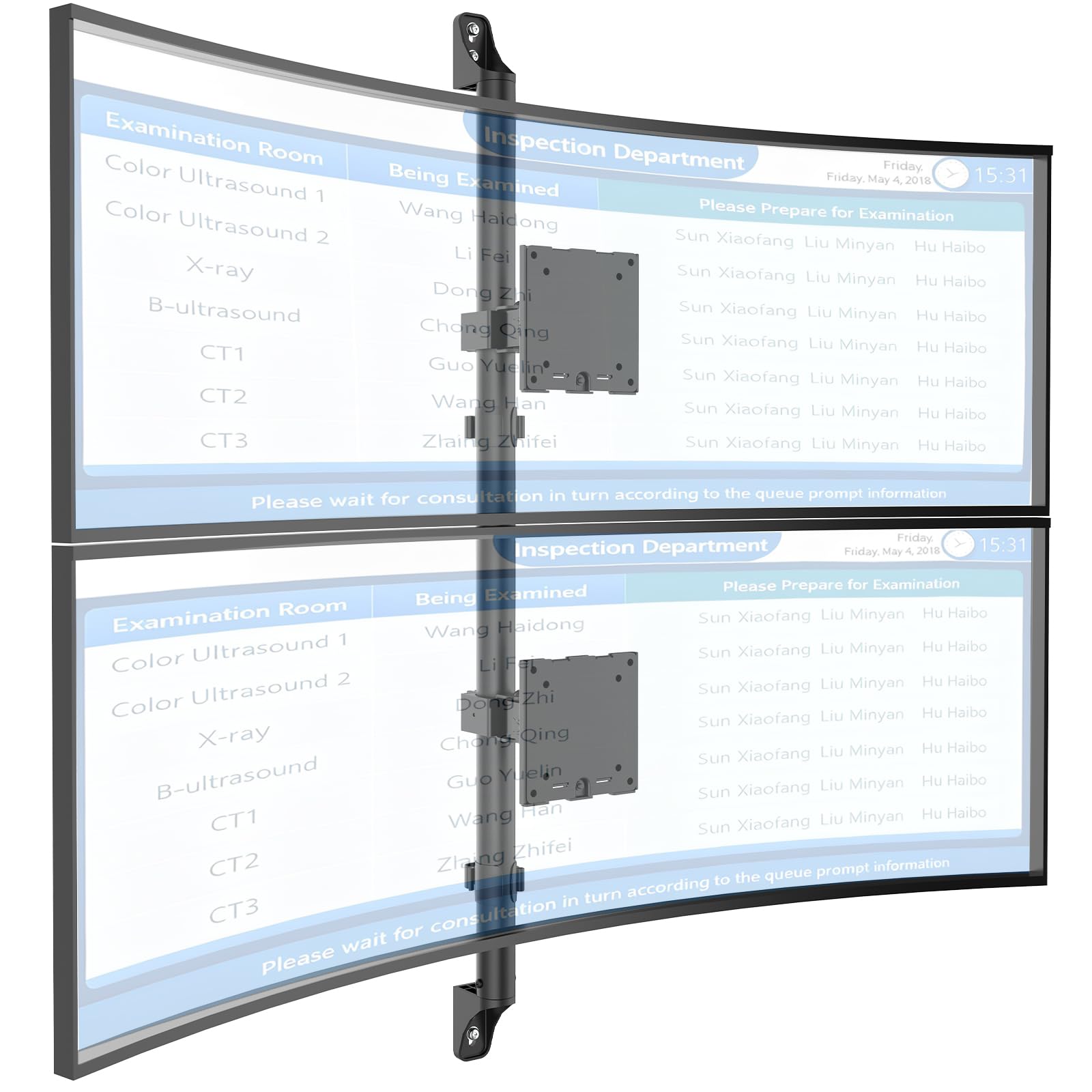
Figure 1: WALI Vertical Dual Monitor Wall Mount with two curved monitors.
2. Informazioni sulla sicurezza
Please read and understand all instructions before installation and use. Failure to do so may result in personal injury or property damage. Keep this manual for future reference.
- Capacità di peso: Do not exceed the maximum weight capacity of 44 lbs (20 kg) per monitor. Exceeding this limit can result in serious injury or product failure.
- Dimensioni del monitor: Ensure your monitors are within the supported size range of 17-49 inches.
- Compatibilità VESA: Verify your monitor's VESA mounting pattern (75x75mm or 100x100mm) before installation.
- Tipo di parete: This mount is designed for installation on concrete/brick walls or wooden studs. Do not install on drywall alone.
- Installazione professionale: In caso di dubbi sulla procedura di installazione o sul tipo di parete, consultare un professionista qualificato.
- Parti mobili: Durante la regolazione, tenere mani e dita lontane dalle parti mobili per evitare di rimanere incastrate.
- Bambini: Keep small parts and packaging materials away from children, as they may pose a choking hazard.
3. Contenuto della confezione
Verify that all components are present and undamaged. If any parts are missing or damaged, contact WALI customer support.
- 1 x WALI Vertical Dual Monitor Wall Mount (Black)
- Mounting Hardware Kit (includes screws, washers, wall anchors for masonry, and self-tapping screws for wood)
- Manuale d'uso
4. Specifiche
| Caratteristica | Specificazione |
|---|---|
| Tipo di montaggio | Montaggio a parete |
| Tipo di movimento | Articolazione |
| Marca | WALI |
| Materiale | Dual aerospace-grade aluminum mounting brackets, High-strength steel pole |
| Colore | Nero |
| Dispositivi compatibili | Monitor, Television |
| Angolo di inclinazione massimo | 20 gradi |
| Minimum Supported Screen Size | 17 pollici |
| Maximum Supported Screen Size | 49 pollici |
| Numero di modello | 012ARMV-49 |
| Compatibilità VESA | 75x75mm, 100x100mm |
| Capacità di peso | 44 libbre (20 kg) per braccio |
5. Configurazione e installazione
Follow these steps carefully to install your WALI Vertical Dual Monitor Wall Mount.
5.1 Preparazione della parete
- Identificare il tipo di muro: This mount is suitable for wooden studs, solid concrete walls, and brick walls.
- Individuare i montanti (per pareti in legno): Use a stud finder to locate the center of a wooden stud. Mark the drilling locations.
- Segnare le posizioni di perforazione: Hold the wall plate against the wall at your desired height and mark the screw holes. Ensure it is level.

Figure 2: Wall compatibility for installation.
5.2 Attaching the Wall Plate
- Praticare i fori pilota: Drill pilot holes at the marked locations. The size of the drill bit will depend on your wall type and the provided hardware.
- Piastra di sicurezza a muro: Attach the wall plate to the wall using the appropriate screws and anchors for your wall type. Ensure it is firmly secured.

Figure 3: Securing the wall mount plate.
5.3 Attaching VESA Plates to Monitors
- Remove Original Stand: Carefully remove the original stand from your monitors.
- Collegare la piastra VESA: Align the VESA plate with the mounting holes on the back of your monitor. Use the provided screws to secure the plate. Ensure the plate is oriented correctly for vertical stacking.
5.4 Mounting Monitors to the Arm
- Slide Arm onto Wall Base: Carefully slide the monitor arm assembly onto the secured wall base.
- Attach Monitors: With assistance, carefully lift each monitor and slide its VESA plate onto the corresponding arm bracket. Ensure it clicks securely into place.
- Secure Monitors: Use the safety screws or clips to prevent accidental dislodgement of the monitors from the arms.

Figure 4: Monitor arm assembly and attachment points.
5.5 Gestione dei cavi
- Cavi del percorso: Utilize the integrated cable management system to route monitor cables neatly along the arm and down the wall pole.
- Cavi sicuri: Use the provided clips or ties to secure the cables, preventing clutter and ensuring a clean setup.

Figura 5: Sistema integrato di gestione dei cavi.
6. Istruzioni per l'uso (Regolazioni)
The WALI Vertical Dual Monitor Wall Mount offers various adjustments for optimal viewcomfort.
- Regolazione dell'altezza: The monitors can be adjusted vertically along the main pole. Loosen the adjustment screws on the arm brackets, slide the monitors to the desired height, and then re-tighten the screws. The maximum height adjustment is 28.74 inches.
- Regolazione dell'inclinazione: Tilt the monitors up to +50 degrees or down to -20 degrees to reduce glare and find your preferred viewangolo di ing.
- Regolazione della rotazione: Swivel the monitors up to +/-90 degrees horizontally for collaborative work or to adjust the viewdirezione.
- Rotazione: Rotate the monitors 360 degrees to switch between landscape and portrait orientations.

Figure 6: Tilt, Swivel, and Rotation adjustments.

Figure 7: Full motion adjustment range and dimensions.
7. Manutenzione
Una manutenzione regolare garantisce la longevità e il funzionamento sicuro del supporto per monitor.
- Pulizia: Pulisci il supporto con un panno morbido eamp panno. Evitare detergenti abrasivi o solventi.
- Controllare la tenuta: Controllare periodicamente tutte le viti e i collegamenti per assicurarsi che siano ben serrati e sicuri. Serrare nuovamente se necessario.
- Ispezionare per danni: Regularly inspect the mount for any signs of wear, damage, or corrosion. Discontinue use and contact support if any issues are found.
8. Risoluzione Dei Problemi
If you encounter issues with your WALI Vertical Dual Monitor Wall Mount, refer to the following common problems and solutions:
- Il monitor si abbassa o non mantiene la posizione:
- Ensure the monitor weight is within the 44 lbs (20 kg) per arm limit.
- Tighten the tension adjustment screws on the arm joints using the included tool.
- Il monte sembra instabile:
- Verify that the wall plate is securely fastened to the wall with appropriate anchors for your wall type.
- Check that all connections between the arm and the VESA plates are tight.
- Difficoltà nella regolazione della posizione del monitor:
- Loosen the tension adjustment screws slightly if the movement is too stiff.
- Ensure no cables are obstructing the movement of the arms.
9. Garanzia e supporto
Your WALI Vertical Dual Monitor Wall Mount comes with a Garanzia di 10 anno, che copre difetti di materiali e fabbricazione in normali condizioni di utilizzo.
For technical assistance, missing parts, or warranty claims, please contact WALI customer support. Our experienced and friendly US-based customer support team is available to assist you 7 days a week.
Informazioni sui contatti: Refer to the WALI websito o sulla confezione del prodotto per i dettagli di contatto più aggiornati.