
1. Introduzione
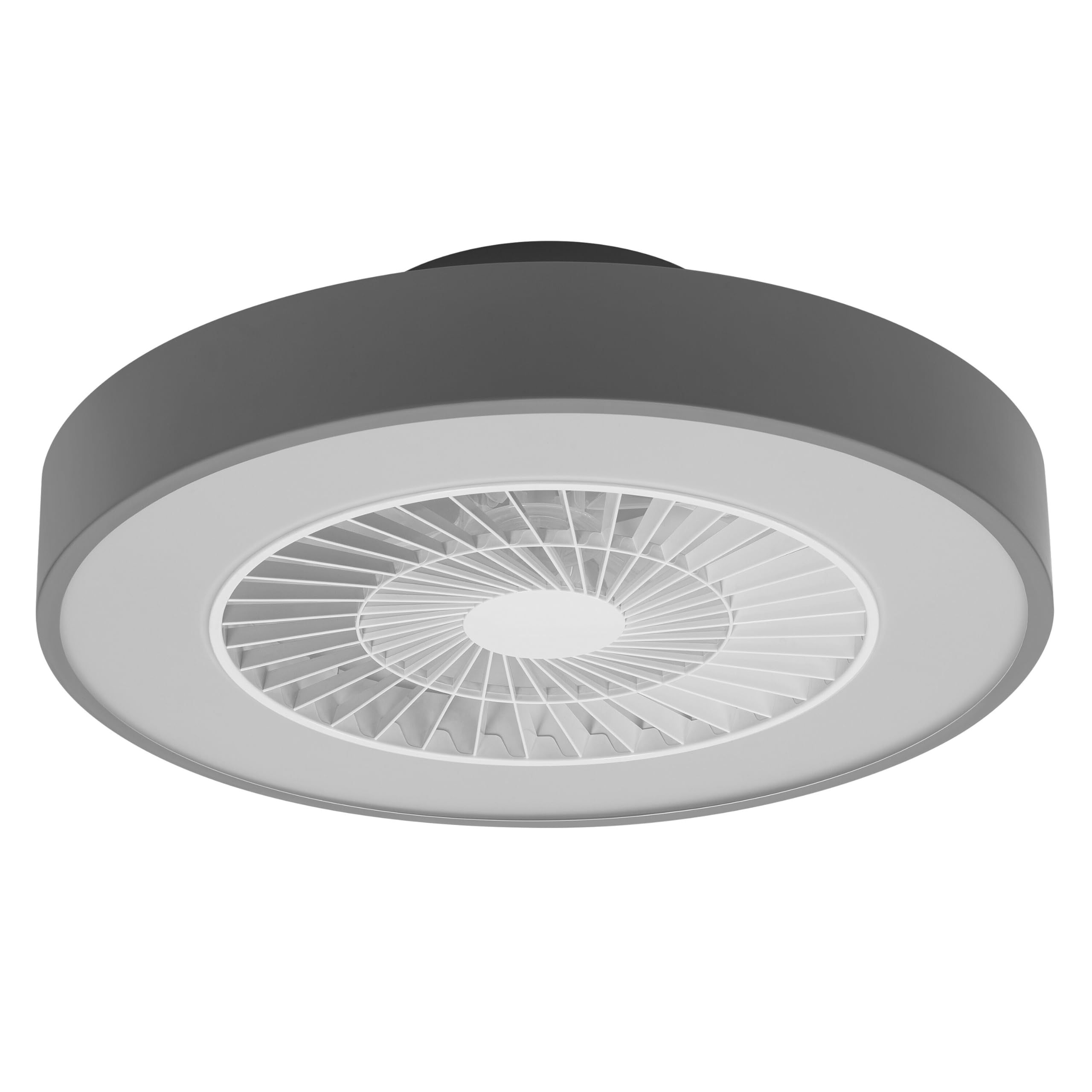
This manual provides detailed instructions for the installation, operation, and maintenance of your Osram SMART+ WiFi LED Ceiling Fan, Cylinder 550mm model. This innovative device combines an LED light fixture with an integrated fan, designed to provide both illumination and air circulation in various indoor environments.
The fan features adjustable speed settings, while the integrated LED light offers a customizable color temperature range from warm white (3000 K) to daylight white (6500 K) and is fully dimmable. Control options include a dedicated remote control, a smartphone application, and voice assistants for a seamless user experience.
2. Informazioni sulla sicurezza
Leggere attentamente tutte le istruzioni di sicurezza prima dell'installazione e dell'uso. Il mancato rispetto di queste istruzioni può causare scosse elettriche, incendi o lesioni personali.
- Tutti i collegamenti elettrici devono essere eseguiti da un elettricista qualificato.
- Always disconnect power at the circuit breaker before beginning any installation, maintenance, or cleaning procedures.
- Verify the suitability and structural integrity of the ceiling and wall before mounting the fan. If in doubt, consult a professional.
- Questo prodotto è progettato esclusivamente per uso interno.
- Prima di ripristinare l'alimentazione, assicurarsi che tutti i componenti siano fissati saldamente.

3. Contenuto della confezione
Carefully unpack the box and ensure all items are present and undamaged. If any parts are missing or damaged, contact customer support.
- 1x Osram SMART+ WiFi LED Ceiling Fan Cylinder 550mm
- 1x telecomando
- Mounting accessories (screws, dowels, bracket)
- Manuale di istruzioni
4. Configurazione e installazione
The Osram SMART+ WiFi LED Ceiling Fan is designed for simple assembly. Complete accessories are included for installation. The fan has dimensions of 60 x 60 cm, making it suitable for standard ceiling covers.
Fasi di installazione:
- Tagliare la corrente: Before starting any work, ensure the main power supply to the installation area is switched off at the circuit breaker.
- Preparazione del montaggio: Mark and drill holes for the mounting bracket on the ceiling. Ensure the holes are correctly spaced and sized for the provided dowels and screws.
- Fix the Support: Securely attach the mounting bracket to the ceiling using the provided dowels and screws.
- Collegare i cavi: Connect the electrical cables according to the wiring diagram provided in the manual. Ensure all connections are tight and secure.
- Installare la ventola: Attach the ceiling fan unit to the mounted bracket, ensuring it is securely locked in place.
- Ripristina alimentazione: Una volta completata l'installazione e verificati tutti i collegamenti, ripristinare l'alimentazione all'interruttore automatico.


5. Istruzioni per l'uso
Your Osram SMART+ WiFi LED Ceiling Fan can be operated using the included remote control, the SMART+ app, or voice commands.
5.1. Funzionamento del telecomando
The remote control allows for direct adjustment of fan speed, light brightness, and color temperature without needing a network connection.

- Pulsante di accensione: Accende/spegne la ventola e la luce.
- Pulsanti della velocità della ventola: Adjusts the fan speed (typically 3 levels).
- Luce accesa/spenta: Controlla la luce in modo indipendente.
- Regolazione della luminosità: Attenua o intensifica la luce.
- Regolazione della temperatura del colore: Changes the light color from warm white to daylight white.
- Modalità estate/inverno: Switches between airflow directions for cooling (summer) or circulating warm air (winter).


6. Smart Features (WiFi, App, Voice Control)
The Osram SMART+ WiFi LED Ceiling Fan integrates seamlessly into your smart home ecosystem, offering advanced control options via WiFi.
6.1. SMART+ App Control
Control your fan and light settings from anywhere using the SMART+ app on your smartphone or tablet. The app allows for precise adjustments of fan speed, light brightness, and color temperature, as well as scheduling and scene creation.
- Scarica l'App: Cercare "SMART+ App" in the App Store (iOS 14.0 or higher) or Google Play Store (Android 8.0 or higher). You can also scan the QR code or visit l.ead.me/SmartPlusWifi.
- Abbinamento: Follow the in-app instructions to pair your ceiling fan with the SMART+ app via your home WiFi network (2.4 GHz).
- Caratteristiche: Once paired, you can control individual fan and light functions, group multiple devices, create automated routines, and manage settings remotely.


6.2. Controllo vocale
Integrate your Osram SMART+ Ceiling Fan with compatible voice assistants like Google Home and Amazon Alexa for hands-free control.
- Impostare: Link your SMART+ account with your preferred voice assistant app (e.g., Google Home, Amazon Alexa).
- Comandi: Use simple voice commands to turn the fan or light on/off, adjust speed, brightness, or color temperature. For example, "Alexa, turn on the ceiling fan" or "Hey Google, set fan speed to medium."

7. Manutenzione
Una manutenzione regolare garantisce prestazioni ottimali e longevità del ventilatore da soffitto.
- Pulizia: Before cleaning, ensure the power is disconnected. Wipe the fan and light surfaces with a soft, dry, or slightly damp panno. Non usare detergenti abrasivi o solventi.
- Ispezione: Controllare periodicamente tutte le viti di montaggio e i collegamenti per assicurarsi che siano sempre ben serrati.
- Sorgente luminosa: The integrated LED light source is designed for a long lifespan (30,000 hours) and is not user-replaceable.
8. Risoluzione Dei Problemi
If you encounter issues with your Osram SMART+ WiFi LED Ceiling Fan, refer to the following common problems and solutions:
| Problema | Possibile causa | Soluzione |
|---|---|---|
| Fan/Light does not turn on | Nessuna alimentazione; Cablaggio allentato; Batteria del telecomando scarica. | Check circuit breaker; Verify electrical connections (consult electrician); Replace remote control batteries. |
| Il telecomando non risponde | Batteries depleted; Obstruction between remote and fan; Remote out of range. | Replace batteries; Ensure clear line of sight; Operate within closer range. |
| WiFi disconnection or app control issues | Weak WiFi signal; Router issues; Incorrect app pairing. | Ensure strong 2.4 GHz WiFi signal; Restart router; Re-pair device in SMART+ app. |
| La ventola è rumorosa | Montaggio allentato; ostruzione delle pale della ventola; problema al motore. | Check mounting screws; Ensure no obstructions; If noise persists, contact support. |
If the problem persists after attempting these solutions, please contact Osram customer support.
9. Specifiche
| Caratteristica | Specificazione |
|---|---|
| Marca | Osram |
| Nome del modello | SMART+ Wifi Ceiling Fan LED Cylinder 550mm + RC |
| Numero di modello | 4099854472800 |
| Colore | Grigio |
| Stile | Cilindro |
| Dimensioni | Dimensioni: 60 x 60 cm |
| Peso | 4000 grammi |
| Materiale | Acrilonitrile Butadiene Stirene (ABS) |
| Fonte di alimentazione | AC (corrente alternata) |
| Consumo energetico | 78 Watt |
| Voltage | 6 Volts (Note: This may refer to a control circuit voltage; the main power supply is AC.) |
| Tipo di luce | GUIDATO |
| Potenza luminosa | 2500 lumen |
| Temperatura del colore | 3000 K (Warm White) to 6500 K (Daylight White) |
| Dimmerabile | SÌ |
| Durata | 30,000 ore |
| Livelli di velocità della ventola | 3 |
| Tipo di motore | Motore senza spazzole |
| Metodo di controllo | App, Controllo remoto, Voce |
| Compatibilità con la casa intelligente | Yes (via SMART+ App, Google Home, Amazon Alexa) |
| Protocollo di rete | Wi-Fi (2.4GHz) |
| Funzionamento senza fili | No (Refers to main power supply, not control via WiFi) |
| Classe di efficienza energetica | E |
| Tipo di installazione | Auto-installazione |
| Ambiente di utilizzo | Al chiuso |
10. Garanzia e supporto
Osram products are manufactured to high-quality standards. This product comes with a standard manufacturer's warranty. Please refer to the warranty card included in your package or visit the official Osram websito per termini e condizioni di garanzia dettagliati.
For technical support, troubleshooting assistance, or warranty claims, please contact Osram customer service through their official websito o le informazioni di contatto fornite nella documentazione del prodotto.
Osram Official Websito: www.osram.com