
iSunirm XH-PSDBH-47CXL-B
iSunirm Gaming Desk Instruction Manual
Model: XH-PSDBH-47CXL-B
Prodotto finitoview
The iSunirm Gaming Desk is designed for an enhanced gaming and work experience, offering a robust structure, integrated features, and ample storage. This desk includes a monitor stand, reversible storage shelves, built-in LED lighting, and a power strip with USB charging ports.
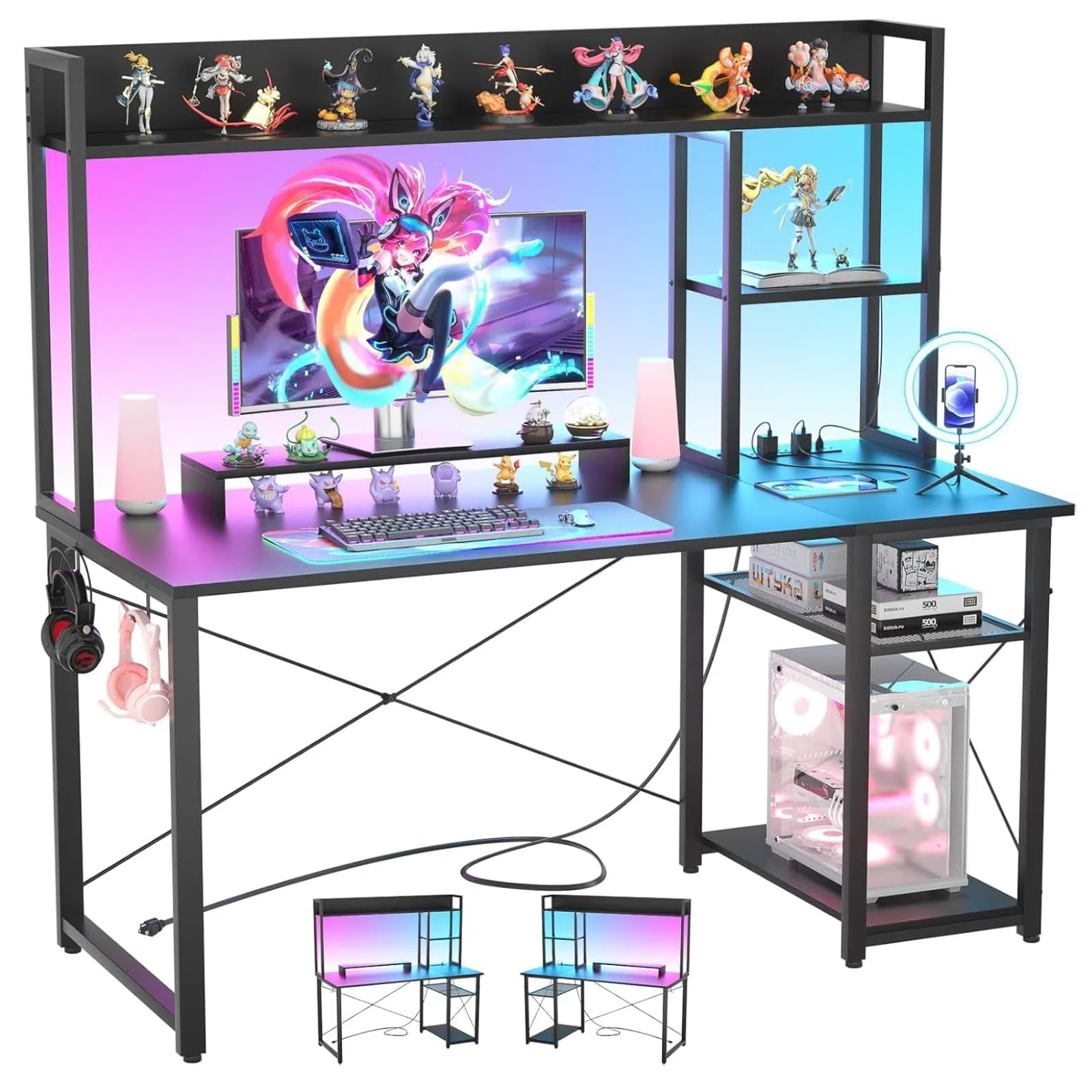
Image: Overall dimensions of the iSunirm Gaming Desk, showing a width of 120 cm, depth of 50 cm, and total height of 147 cm, including the monitor stand and upper shelves.
- Dimensioni: 120 cm (lunghezza) x 50 cm (larghezza) x 147 cm (altezza)
- Materiale: High-quality MDF panel and metal frame
- Caratteristiche speciali: Integrated RGB LED lights, 2 AC outlets, 2 USB ports, monitor stand, reversible storage shelves
- Colore: Nero
Informazioni sulla sicurezza
Si prega di leggere attentamente tutte le avvertenze e le istruzioni di sicurezza prima del montaggio e dell'uso. Il mancato rispetto di queste istruzioni può causare lesioni o danni al prodotto.
- Ensure all components are securely fastened during assembly. An improperly assembled desk may be unstable.
- Non sovraccaricare la scrivania o gli scaffali. Consultare le specifiche per i limiti di peso.
- Keep liquids away from electrical outlets and USB ports to prevent electric shock.
- Posizionare la scrivania su una superficie piana e stabile per evitare che si ribalti.
- Durante il montaggio, tenere le parti di piccole dimensioni lontano dalla portata dei bambini.
Contenuto della confezione
Verificare che tutti i componenti siano presenti prima di iniziare il montaggio. Se qualche componente risulta mancante o danneggiato, contattare l'assistenza clienti.
| Parte | Descrizione | Quantità |
|---|---|---|
| Pannelli da scrivania | Main desktop, monitor stand, shelf panels | Vario |
| Componenti del telaio in metallo | Legs, support bars, X-bars | Vario |
| Unità multipresa | Integrated outlets and USB ports | 1 |
| Strisce luminose a LED | RGB LED lighting for shelves | 1 set |
| Kit hardware | Screws, bolts, Allen wrench (assembly tools included) | 1 set |
| Manuale di istruzioni | Guida al montaggio | 1 |
Note: While assembly tools are included, a Phillips head screwdriver may be helpful for some steps.
Installazione e assemblaggio
Follow these steps carefully to assemble your iSunirm Gaming Desk. It is recommended to have two people for assembly.
- Disimballare i componenti: Lay out all parts on a clean, soft surface to prevent scratches. Identify each part using the provided parts list.
- Assemblare il telaio principale: Attach the desk legs to the main desktop panel using the provided screws. Ensure all connections are firm but do not overtighten initially.
- Installare le barre trasversali: Secure the X-shaped crossbars to the back of the desk frame for added stability.
- Fissare il supporto del monitor: Montare il supporto del monitor sulla scrivania principale.
- Assemble Storage Shelves: Construct the upper storage shelves and attach them to the desk frame. Note that these shelves are reversible, allowing for left or right side configuration.
- Integrare la multipresa: Install the power strip unit into its designated slot on the desk. Connect the power cable.
- Applicare luci LED: Adhere the RGB LED strip lights to the designated area on the storage rack. Connect them to the power source.
- Serraggio finale: Once all components are in place, carefully tighten all screws and bolts.

Image: An assembled iSunirm Gaming Desk with a monitor, keyboard, and mouse, showcasing the integrated LED lighting and upper storage shelves. This image illustrates a typical setup after assembly.

Image: A visual representation of the reversible storage shelves, demonstrating how they can be configured on either the left or right side of the desk to suit user preference and room layout.
Istruzioni per l'uso
Prese di corrente e porte USB
The desk features an integrated power strip with 2 AC outlets and 2 USB ports for convenient charging and powering of devices.
- Collegare il cavo di alimentazione principale della scrivania a una presa a muro standard.
- Use the AC outlets (10-240V) for devices like monitors, PCs, or lamps.
- Use the USB ports (5V/2A) to charge smartphones, tablets, or other USB-powered accessories.

Immagine: un primo piano view of the integrated power strip, showing two AC outlets and two USB ports, with devices plugged in for charging.
Sistema di illuminazione a LED
The RGB LED strip lights offer customizable illumination for your gaming setup.
- Connect the LED strip to its power source as per assembly instructions.
- Control the LED lights using the provided remote control or a compatible mobile application (if applicable).
- Adjust colors, brightness, and lighting modes to create your desired ambiance.

Image: A gaming desk setup featuring a monitor on the elevated stand, surrounded by vibrant RGB LED lighting from the integrated strips, enhancing the gaming atmosphere.
Monitor Stand and Ergonomics
The elevated monitor stand helps maintain an ergonomic posture.
- Place your monitor on the elevated stand to raise it to eye level.
- This design helps reduce neck and back strain during prolonged use.
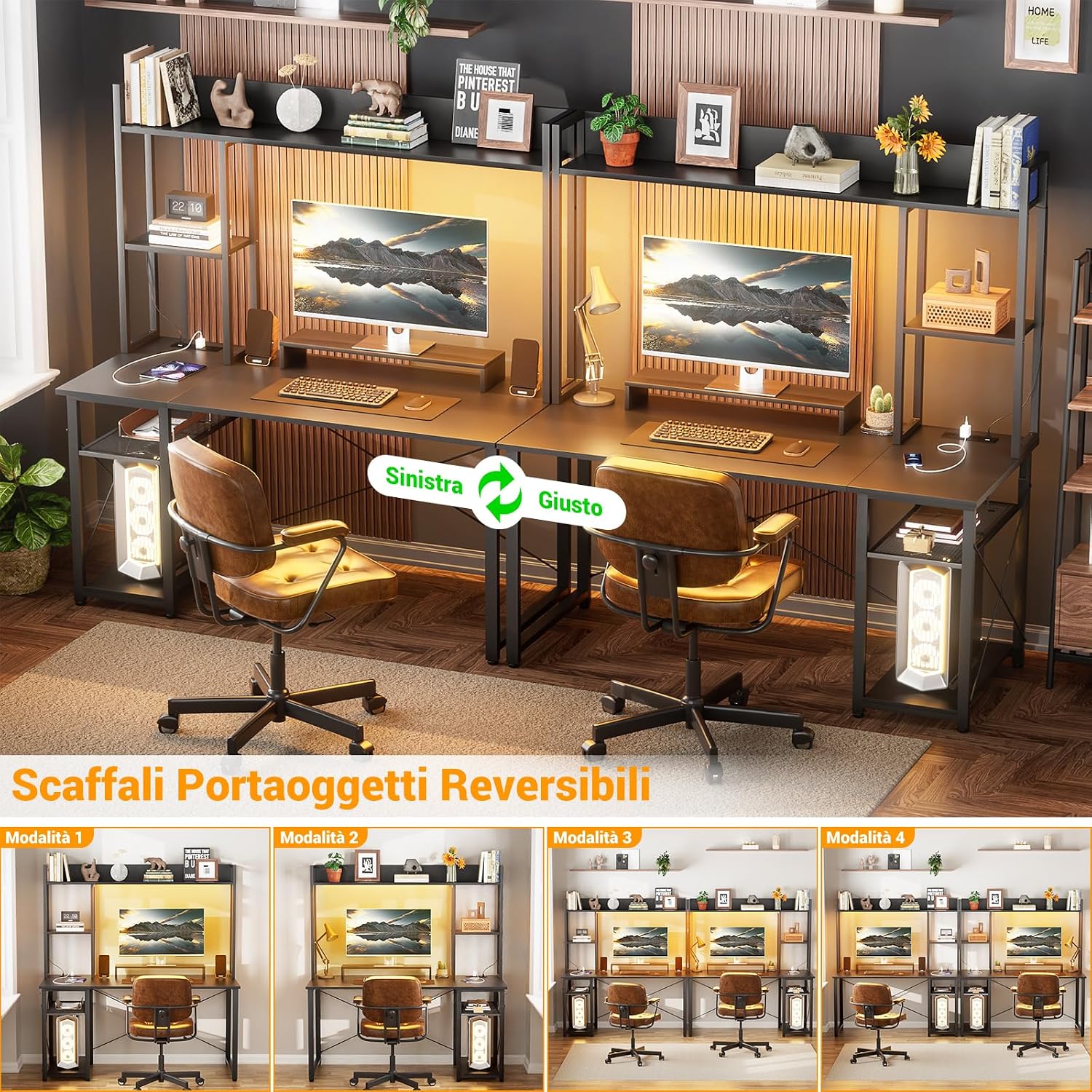
Image: An illustration demonstrating the correct ergonomic posture when using a monitor stand, showing how it helps align the user's neck and back for comfort and health.
Manutenzione
Proper maintenance will ensure the longevity and appearance of your iSunirm Gaming Desk.
- Pulizia: Pulire le superfici con un panno morbido, damp panno. Evitare prodotti chimici aggressivi o detergenti abrasivi che potrebbero danneggiare la finitura.
- Fuoriuscite: Clean up spills immediately to prevent staining or damage to the wood panel.
- Controllo hardware: Controllare periodicamente tutte le viti e i bulloni per assicurarsi che siano ben serrati. Serrarli nuovamente se necessario.
- Componenti elettrici: Assicuratevi che la ciabatta e le luci a LED siano asciutte e prive di polvere. Non tentate di riparare autonomamente i componenti elettrici.
Risoluzione dei problemi
| Problema | Possibile causa | Soluzione |
|---|---|---|
| La scrivania è traballante/instabile | Viti allentate o superficie irregolare. | Ensure all assembly screws are tightened. Place the desk on a level surface. Adjust leveling feet if present. |
| Le luci a LED non funzionano | Power connection issue, faulty strip, or remote battery. | Check if the LED strip is properly connected to power. Ensure the main desk power cable is plugged in. Replace remote control batteries. |
| Prese di corrente/porte USB non funzionanti | Desk not plugged in, circuit breaker tripped, or faulty unit. | Verify the desk's main power cable is securely plugged into a working wall outlet. Check your home's circuit breaker. If issues persist, contact customer support. |
| Parti mancanti durante il montaggio | Errore di imballaggio. | Carefully re-check all packaging materials. If parts are genuinely missing, contact customer support with your purchase details. |
Specifiche
- Modello: XH-PSDBH-47CXL-B
- Marca: iSunirm
- Dimensioni complessive (L x P x A): Dimensioni: 120 cm x 50 cm x 147 cm
- Materiale del tavolo: MDF (pannello di fibra a media densità)
- Materiale del telaio: Metallo
- Colore: Nero
- Prese di corrente: 2 x AC (10-240V)
- Porte USB: 2 USB (5 V/2 A)
- Caratteristiche speciali: RGB LED lighting, Monitor Stand, Reversible Storage Shelves, Headphone Hooks
- Assemblaggio richiesto: SÌ
- Numero di ripiani: 5
Garanzia e supporto
Garanzia limitata
This iSunirm Gaming Desk comes with a limited warranty. Please refer to your purchase documentation or contact customer support for specific warranty terms and conditions. The warranty typically covers manufacturing defects under normal use.
Assistenza clienti
For any questions, missing parts, or assistance with assembly or operation, please contact iSunirm customer support. Have your model number (XH-PSDBH-47CXL-B) and purchase information ready when contacting support.
Spesso puoi trovare le informazioni di contatto sul sito del rivenditore website or within your purchase confirmation emails. For general inquiries, you may visit the iSunirm Store on Amazon.
Ask a question about this manual
Ask about setup, troubleshooting, compatibility, parts, safety, or missing instructions. Manuals+ will review the question and use this page’s manual context to help answer it.