
Insignia NS-24F201CA26
Insignia NS-24F201CA26 24-inch 720p HD HDR LED Fire TV Smart TV User Manual
Model: NS-24F201CA26
Introduzione
Grazie per l'acquistoasing the Insignia NS-24F201CA26 24-inch 720p HD HDR LED Fire TV Smart TV. This manual provides essential information for the safe and efficient use of your television. Please read these instructions thoroughly before operating your new TV and retain them for future reference.
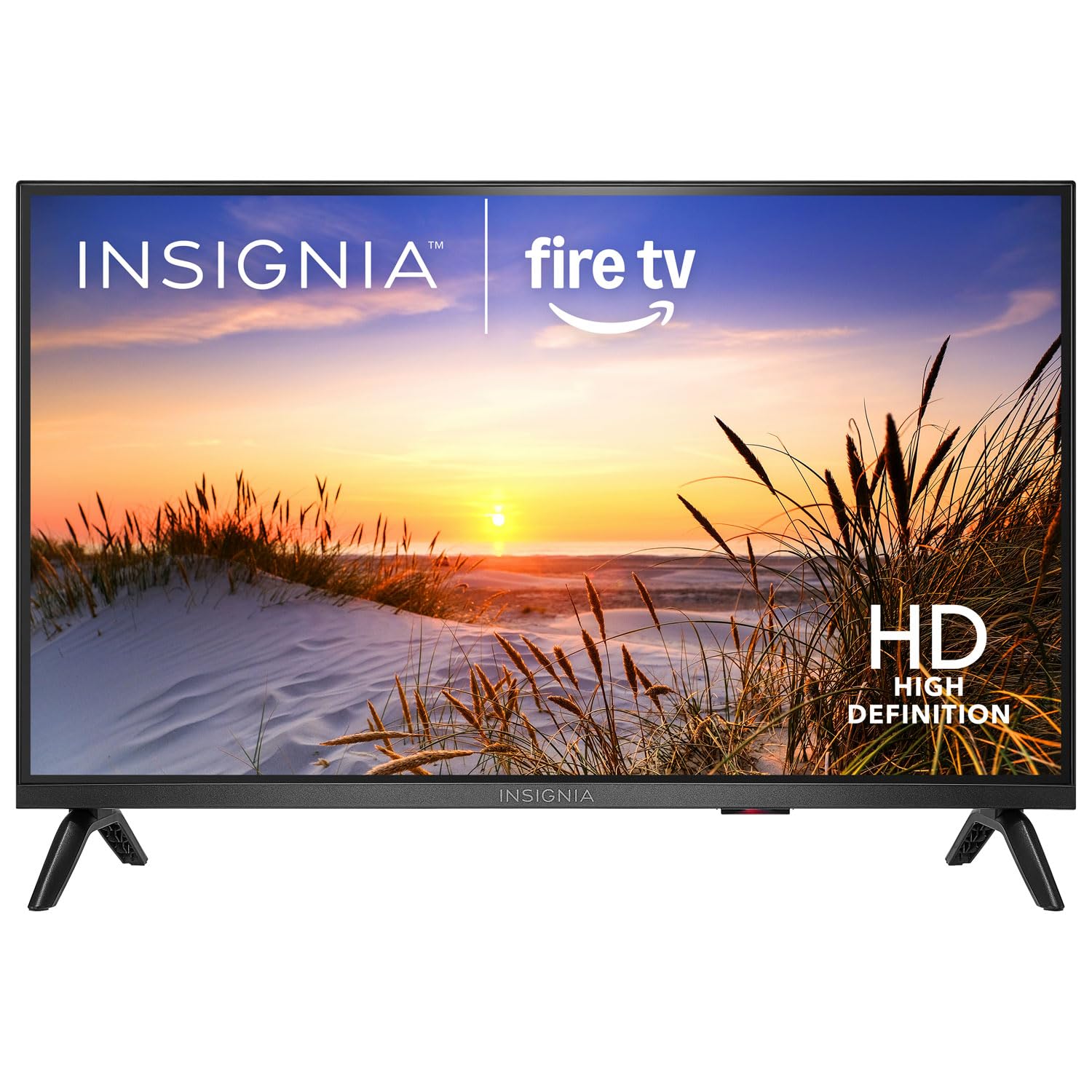
Immagine: Frontale view of the Insignia NS-24F201CA26 24-inch Fire TV Smart TV, showcasingrazie alla sua cornice sottile e allo schermo.
Informazioni importanti sulla sicurezza
Per ridurre il rischio di incendi, scosse elettriche e lesioni, attenersi sempre alle seguenti precauzioni di sicurezza di base quando si utilizza il televisore:
- Non esporre il televisore alla pioggia o all'umidità.
- Do not open the TV cabinet. Refer all servicing to qualified service personnel.
- Assicurare una ventilazione adeguata. Non ostruire le aperture di ventilazione.
- Proteggere il cavo di alimentazione per evitare che venga calpestato o schiacciato.
- Scollegare il televisore durante i temporali o quando non viene utilizzato per lunghi periodi.
- Tenere il televisore lontano da fonti di calore quali termosifoni, bocchette di ventilazione, stufe o altri apparecchi che producono calore.
- Utilizzare solo gli accessori specificati dal produttore.
Cosa c'è nella scatola
Carefully unpack your new product and ensure all items are present:
- Insignia NS-24F201CA26 24-inch Fire TV Smart TV
- Telecomando vocale con Alexa
- Batterie AAA (2)
- Cavo di alimentazione
- Supporto TV (2 pezzi)
- Viti per supporto TV
- Guida di installazione rapida
- Important Safety Information Sheet
Impostare
1. Fissaggio del supporto o montaggio a parete
You can either attach the included stand or mount the TV to a wall. If wall mounting, refer to the instructions provided with your wall mount kit. For stand attachment:
- Place the TV face-down on a clean, cushioned surface to prevent screen damage.
- Allineare i pezzi del supporto con i fori delle viti nella parte inferiore del televisore.
- Fissare ciascun elemento del supporto con le viti fornite. Assicurarsi che siano ben serrate.
Image Description: An illustration showing the process of attaching the two stand feet to the bottom of the television using screws. (Specific image not available in provided data)
2. Collegamento dei dispositivi
Connect your external devices (e.g., cable box, Blu-ray player, gaming console) to the TV's HDMI ports. The TV has 2 HDMI ports.
- HDMI: Per video e audio ad alta definizione.
- USB: Per collegare dispositivi di archiviazione USB.
- Antenna/cavo: Per collegare un'antenna o un'alimentazione TV via cavo.
- Uscita audio digitale ottica: Per il collegamento a una soundbar o a un ricevitore audio.
- Energia: Collegare il cavo di alimentazione al televisore e poi a una presa a muro.
Image Description: A diagram illustrating the various input/output ports on the back of the television, including HDMI, USB, and power connections. (Specific image not available in provided data)
3. Accensione iniziale e configurazione iniziale
- Collegare il cavo di alimentazione a una presa elettrica.
- Premere il tasto ENERGIA pulsante sul telecomando.
- Follow the on-screen instructions to complete the initial setup, which includes selecting your language, connecting to a Wi-Fi network, and signing in to your Amazon account for Fire TV features.
Utilizzo del televisore
Controllo remoto finitoview
The included Voice Remote with Alexa allows you to navigate the Fire TV interface, control playback, and use voice commands.
Image Description: A detailed diagram of the Voice Remote with Alexa, highlighting each button and its function. (Specific image not available in provided data)
- Pulsante di accensione: Accende o spegne la TV.
- Pulsante vocale (Alexa): Tieni premuto per attivare i comandi vocali di Alexa.
- Anello di navigazione: Utilizzare per spostarsi nei menu e selezionare le voci.
- Pulsante Home: Ritorna alla schermata iniziale di Fire TV.
- Pulsante Indietro: Ritorna alla schermata precedente.
- Volume su/giù: Regola il volume del televisore.
- Tasto muto: Disattiva o riattiva l'audio.
- Pulsanti dell'app: Quick access to popular streaming apps.
Funzioni di base
- Accensione/spegnimento: Premere il tasto ENERGIA pulsante sul telecomando.
- Controllo del volume: Utilizzare il VOL+ or VOL- pulsanti.
- Selezione input: From the Fire TV home screen, navigate to the "Inputs" section to switch between HDMI inputs, live TV, or other sources.
Smart TV Features (Fire TV)
Your Insignia Fire TV provides access to a vast library of streaming content, apps, and live TV options.
- Schermata iniziale: Displays recommended content, recently used apps, and input options.
- Applicazioni: Download and manage streaming applications from the Amazon Appstore.
- Controllo vocale Alexa: Press and hold the Voice button on your remote and speak commands to search for content, launch apps, control smart home devices, and more.
Controllo genitori
To manage content access for children, you can set up parental controls:
- From the Fire TV home screen, navigate to Impostazioni.
- Selezionare Preferenze, Poi Controllo genitori.
- Follow the on-screen prompts to enable parental controls and set a PIN. You can restrict purchases, app launches, and content based on ratings.
Manutenzione
Pulizia dello schermo
- Scollegare sempre la TV prima di pulirla.
- Utilizzare leggermente un panno morbido e privo di lanugine dampcon acqua o con un detergente specifico per schermi.
- Wipe the screen gently. Do not apply excessive pressure.
- Never use abrasive cleaners, waxes, or solvents.
Assistenza generale
- Tenere la TV in un luogo ben ventilato.
- Evitare di posizionare oggetti sopra il televisore.
- Non esporre il televisore alla luce solare diretta o a temperature estreme.
Risoluzione dei problemi
Prima di contattare l'assistenza, prova queste soluzioni comuni:
| Problema | Possibile soluzione |
|---|---|
| Nessun potere | Assicurati che il cavo di alimentazione sia collegato saldamente al televisore e a una presa elettrica funzionante. Prova una presa diversa. |
| Nessuna immagine, ma l'audio è presente | Controllare la sorgente di ingresso. Assicurarsi che il dispositivo collegato sia acceso e funzioni correttamente. |
| Nessun suono, ma l'immagine è presente | Check the volume level and ensure the TV is not muted. Verify audio cables are connected correctly. |
| Il telecomando non funziona | Replace the batteries (2 AAA batteries). Ensure there are no obstructions between the remote and the TV. |
| Impossibile connettersi al Wi-Fi | Assicurati che il router Wi-Fi sia acceso e nel raggio d'azione. Reinserisci la password Wi-Fi. Riavvia TV e router. |
Specifiche
| Caratteristica | Dettaglio |
|---|---|
| Numero di modello | Modello NS-24F201CA26 |
| Dimensioni dello schermo | 24 inches (Display Size Class) |
| Risoluzione | Risoluzione 720p |
| Tecnologia di visualizzazione | GUIDATO |
| Frequenza di aggiornamento | Frequenza 60 Hz |
| Picture Quality Enhancement | Immagine HDR |
| Sistema operativo | FireOS |
| Tecnologia di connettività | Wifi |
| Porte HDMI totali | 2 |
| Dimensioni del prodotto (P x L x A) | 17.7D x 53.7W x 36.3H cm (with stand) |
| Cosatage | 35 L |
| Batterie richieste | 2 AAA (incluse per il telecomando) |
| Caratteristiche speciali | Parental Controls, Smart Home Compatible |
Garanzia e supporto
This Insignia product is covered by a limited warranty. For specific warranty terms and conditions, please refer to the warranty card included with your product or visit the official Insignia websito.
For technical support, troubleshooting assistance, or service inquiries, please contact Insignia Customer Support. Contact information can typically be found on the manufacturer's websito o nella guida di installazione rapida.
- Supporto online: Visita www.insigniaproducts.com/support (exampil collegamento, il collegamento effettivo può variare).
- Supporto telefonico: Refer to your product documentation for regional phone numbers.
Ask a question about this manual
Ask about setup, troubleshooting, compatibility, parts, safety, or missing instructions. Manuals+ will review the question and use this page’s manual context to help answer it.