
1. Prodotto finitoview
The XBJ 360 Mini Portable Projector (Model TYY360B001) is a compact and versatile smart projector designed for various entertainment and presentation needs. It features 4K decoding support, 400 ANSI lumens brightness, electric focus, auto keystone correction, Wifi 6, and Bluetooth connectivity.

Image 1.1: XBJ 360 Mini Portable Projector and Remote Control. This image displays the projector unit in white, along with its remote control, and a projected image showing various features like 1080p support, 4K decoding, auto keystone, electric focus, Wifi 6, and Bluetooth 5.2.
Cosa c'è nella scatola
- XBJ 360 Portable Projector
- Cavo di alimentazione
- Telecomando
- Manuale dell'utente (questo documento)
2. Guida all'installazione
2.1 Collegamento di alimentazione
- Collegare il cavo di alimentazione in dotazione alla porta di ingresso dell'alimentazione del proiettore.
- Collegare l'altra estremità del cavo di alimentazione a una presa elettrica standard.
- Premere il pulsante di accensione sul proiettore o sul telecomando per accendere il dispositivo.
2.2 Posizionamento iniziale e adattamento
The XBJ 360 Mini Portable Projector features a 360° rotatable design, allowing flexible placement and projection onto walls, ceilings, or floors without needing to move the entire unit.

Image 2.1: Projector with 360° Rotation. This image illustrates the projector's ability to rotate 360 degrees, enabling projection onto various surfaces like walls and ceilings from a single position.
Per un funzionamento ottimale viewing, considera quanto segue:
- Recommended Projection Size: Da 40 a 150 pollici.
- Distanza di proiezione consigliata: 1.2 meters to 4 meters.
- Rapporto di lancio: 1.25:1, which means a larger screen can be achieved from a shorter distance.

Image 2.2: Projection Size and Distance Guide. This diagram shows recommended projection sizes (50", 100", 200") and corresponding distances, with a focus on the 40"-150" recommended range and 1.2m-4m distance.
2.3 Correzione della messa a fuoco e della distorsione trapezoidale
The projector features electric focus and automatic keystone correction for a clear and properly shaped image.
- Messa a fuoco elettrica: The projector will automatically adjust the focus for a sharp image. Manual adjustment may be available via the remote control if needed.
- Keystone automatico: The projector automatically corrects distorted images caused by angled projection, ensuring a rectangular display.
2.4 Connessione di rete (Wi-Fi)
The projector supports dual-band Wi-Fi 6 (2.4G and 5G) for fast and stable internet connectivity.
- Accedere al menu "Impostazioni" nell'interfaccia del proiettore.
- Select 'Network' or 'Wi-Fi settings'.
- Scegli la rete Wi-Fi desiderata dall'elenco.
- Inserisci la password Wi-Fi, se richiesta.
- Conferma la connessione.

Image 2.3: Dual-Band Wi-Fi 6 Connectivity. This image shows the projector wirelessly connected to a smartphone via Wi-Fi 6, demonstrating smooth streaming and screen mirroring capabilities (Airplay, Miracast) over both 2.4G and 5G networks.
2.5 Associazione Bluetooth
Collega altoparlanti o cuffie Bluetooth esterni per un'esperienza audio migliorata.
- Assicurati che il tuo dispositivo Bluetooth sia in modalità di associazione.
- Sul proiettore, vai su "Impostazioni" e seleziona "Bluetooth".
- Cerca i dispositivi disponibili.
- Seleziona il tuo dispositivo Bluetooth dall'elenco per associarlo.
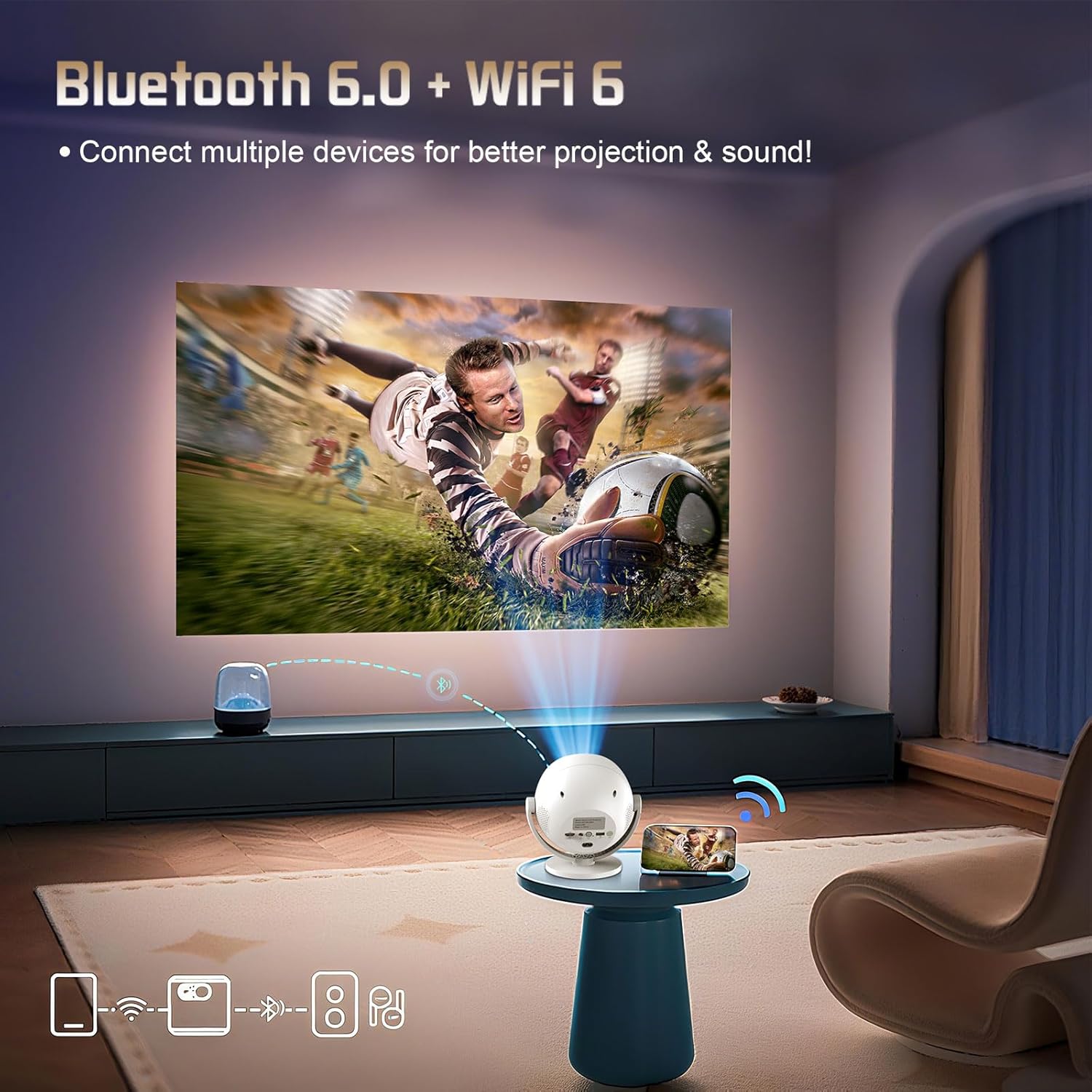
Image 2.4: Bluetooth 6.0 Connectivity. This image illustrates the projector's ability to connect to multiple devices, such as a Bluetooth speaker and a smartphone, for improved audio and projection experiences.
2.6 Collegamento di dispositivi esterni
The projector is equipped with various ports for connecting external devices.

Image 2.5: Projector Ports. This image highlights the various connectivity options on the projector, including HDMI, USB, and Audio Out (AUX) ports, along with the power input and switch.
- HDMI: Connect devices like laptops, gaming consoles (PS5), or TV sticks.
- USB: Play media directly from a USB drive or connect other USB accessories.
- AUX (jack da 3.5 mm): Collegare cuffie cablate o altoparlanti esterni.
3. Istruzioni per l'uso
3.1 Controlli di base
Use the included remote control to navigate the projector's interface. Point the remote control directly at the projector for optimal response.
3.2 Navigazione del sistema intelligente
The projector runs on an Android system with preloaded applications. You can access streaming services like Netflix and YouTube directly.
- From the home screen, use the remote to select desired applications.
- Log in with your account credentials for streaming services.
- Ensure a stable Wi-Fi connection for smooth streaming.
3.3 Mirroring dello schermo
Mirror content from your smartphone or tablet using Airplay (for iOS devices) or Miracast (for Android devices).
- Assicurati che sia il dispositivo che il proiettore siano connessi alla stessa rete Wi-Fi.
- On the projector, select the screen mirroring function (e.g., Airplay or Miracast).
- On your mobile device, activate the screen mirroring feature and select the projector from the list of available devices.
3.4 Projection Modes and Scenarios
The projector's portable design and 360° rotation allow for diverse usage scenarios.

Image 3.1: Versatile Usage Scenarios. This image demonstrates the projector's adaptability for various environments, including a bedroom movie setup, an outdoor movie night, a camping movie experience, and a home theater setup.
- Bedroom Movie: Project onto a wall or ceiling for comfortable viewing.
- Outdoor Movie: Ideal for backyard gatherings or camping trips (ensure dim lighting conditions for best results).
- Teatro domestico: Create an immersive experience in your living room.
4. Manutenzione
4.1 Pulizia
- Lente: Utilizzare un panno morbido e privo di lanugine, specificamente progettato per lenti ottiche. Pulire delicatamente la lente per rimuovere polvere o macchie. Evitare materiali abrasivi o sostanze chimiche aggressive.
- Esterno: Pulire l'esterno del proiettore con un panno morbido e asciutto. Non utilizzare detergenti liquidi direttamente sul dispositivo.
- Vents: Periodically check the ventilation openings for dust accumulation. Use a soft brush or compressed air to clear them, ensuring proper airflow for the built-in cooling system.
4.2 Conservazione
When not in use, store the projector in a cool, dry place away from direct sunlight and extreme temperatures. If storing for an extended period, consider placing it in its original packaging or a protective case to prevent dust buildup and damage.
5. Risoluzione Dei Problemi
This section addresses common issues you might encounter with your XBJ 360 Mini Portable Projector.
- Nessuna immagine o immagine distorta:
- Assicurarsi che il cavo di alimentazione sia collegato saldamente e che il proiettore sia acceso.
- Verificare che la sorgente di ingresso (HDMI, USB) sia selezionata correttamente.
- Allow the auto keystone correction to adjust the image. If needed, manually adjust focus via the remote.
- Nessun suono o suono basso:
- Regolare il volume sia sul proiettore che sul dispositivo sorgente collegato.
- If using Bluetooth speakers, ensure they are properly paired and charged.
- If using wired speakers/headphones, ensure the 3.5mm jack is fully inserted.
- Problemi di connessione Wi-Fi:
- Assicurati che il proiettore si trovi nel raggio d'azione del router Wi-Fi.
- Verificare che la password Wi-Fi sia corretta.
- Riavviare sia il proiettore che il router Wi-Fi.
- Per il mirroring dello schermo, assicurati che entrambi i dispositivi siano sulla stessa rete.
- Problemi di accoppiamento Bluetooth:
- Ensure the Bluetooth device is in pairing mode and fully charged.
- Clear previous Bluetooth connections on the projector and try pairing again.
- Move the Bluetooth device closer to the projector.