
OMOTON B0FCMD15TF
OMOTON Foldable Bluetooth Keyboard with Touchpad (QWERTZ Layout)
Model: B0FCMD15TF
Marca: OMOTON
1. Introduzione
Thank you for choosing the OMOTON Foldable Bluetooth Keyboard with Touchpad. This portable QWERTZ keyboard is designed for convenience and efficiency, offering multi-device connectivity and an integrated touchpad. This manual provides detailed instructions for setup, operation, and maintenance to ensure optimal performance.
2. Contenuto della confezione
Si prega di controllare la confezione per verificare la presenza dei seguenti elementi:
- Tastiera Bluetooth pieghevole OMOTON
- Supporto per telefono cellulare
- Cavo di ricarica di tipo C.
- Custodia per il trasporto
- Manuale d'uso
3. Prodotto finitoview
The OMOTON Foldable Bluetooth Keyboard features a compact QWERTZ layout with 78 full-size keys and a multi-touch touchpad. It supports connection to up to three devices simultaneously across iOS, Android, and Windows operating systems. Its magnetic folding design makes it highly portable.
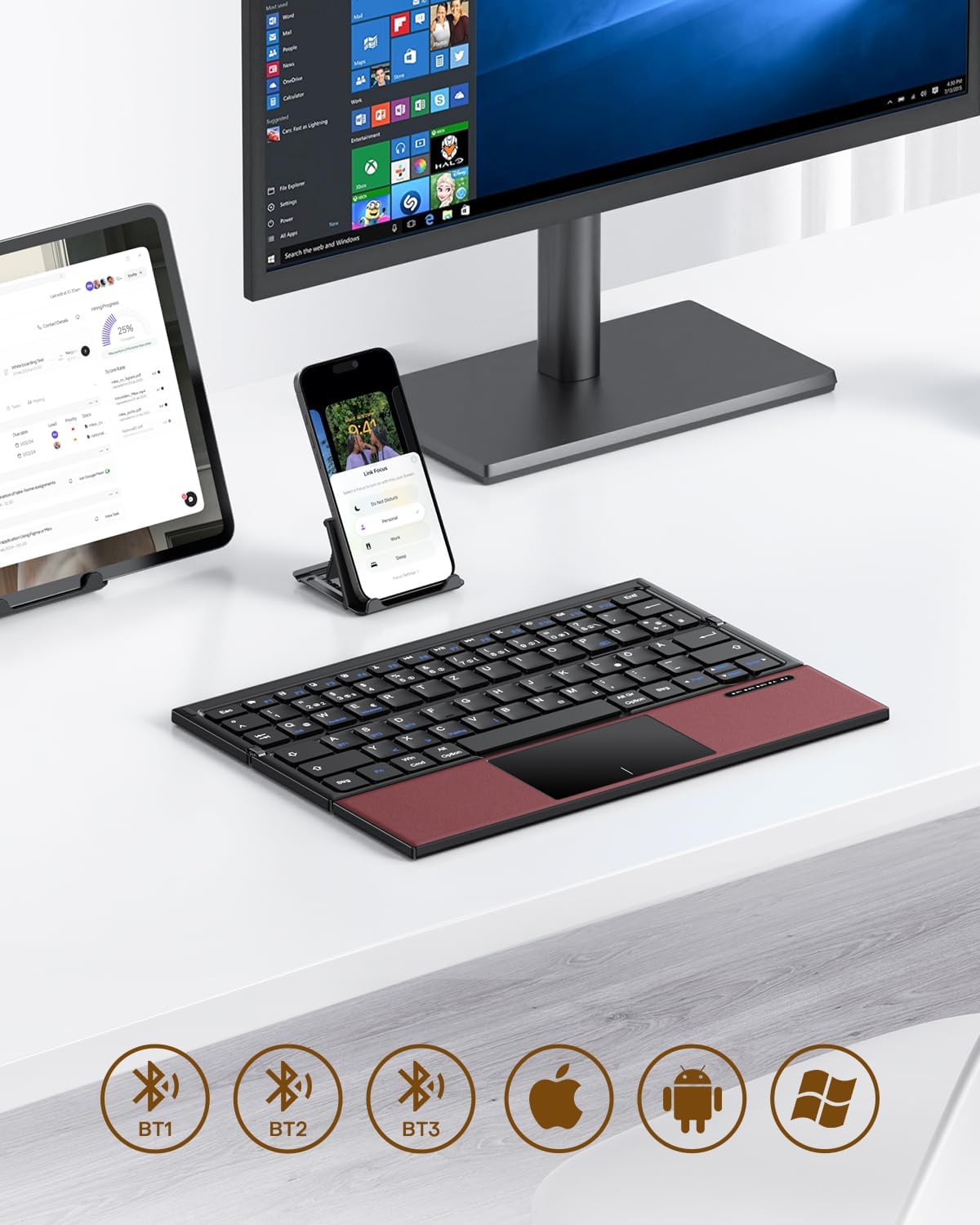
Image 3.1: The OMOTON Foldable Bluetooth Keyboard in use with a tablet, smartphone, and monitor, demonstrating multi-device connectivity via BT1, BT2, and BT3 channels.
Caratteristiche principali:
- Design ripiegabile: Compact and portable for travel.
- Touchpad integrato: Multi-touch functionality for navigation without an external mouse.
- Connettività multi-dispositivo: Connects to up to three Bluetooth-enabled devices (BT1, BT2, BT3).
- QWERTZ Layout: Standard German keyboard layout with 78 full-size keys.
- Batteria ricaricabile: Batteria integrata da 180 mAh con ricarica Type-C.

Image 3.2: Close-up details of the keyboard, highlighting its magnetic closure, indicator lights, silent scissor keys, elegant PU leather finish, and durable metal hinge.
Portabilità:
The keyboard's compact, tri-fold design makes it ideal for travel and on-the-go use. It easily fits into bags and pockets, making it a convenient companion for various environments.

Image 3.3: The keyboard in use in a cafe, on an airplane, and in a meeting room, demonstrating its versatility for different work and travel scenarios.

Image 3.4: The folded keyboard being placed into a carrying case inside a bag and slipped into a jacket pocket, illustrating its compact size and ease of transport.
4. Impostazione
4.1 Ricarica della tastiera
Before first use, fully charge the keyboard. Use the included Type-C charging cable to connect the keyboard to a power source (e.g., computer USB port, USB wall adapter).
- La spia di alimentazione indicherà lo stato di carica.
- Una ricarica completa richiede in genere 2-3 ore.
- The keyboard offers up to 60 hours of operating time and 90 days of standby time on a full charge.

Image 4.1: The keyboard connected via its Type-C port for charging, with icons indicating charging time, working time, and standby time.
4.2 Associazione con un dispositivo
The keyboard supports up to three Bluetooth connections (BT1, BT2, BT3). Follow these steps to pair your keyboard with a device:
- Accensione: Unfold the keyboard to automatically power it on. The indicator light will flash.
- Seleziona canale: Premere il tasto Fn + BT1, Fn + BT2, O Fn + BT3 keys simultaneously to select a Bluetooth channel. The corresponding indicator light will flash slowly.
- Entra in modalità di associazione: Premere Fn+C (or the Bluetooth icon key) to enter pairing mode. The selected channel indicator light will flash rapidly.
- Abilita Bluetooth sul dispositivo: Sul tuo dispositivo (smartphone, tablet, laptop), vai alle impostazioni Bluetooth e attiva il Bluetooth.
- Seleziona tastiera: Cercare "OMOTON Keyboard" (or similar) in the list of available devices and select it to connect.
- Conferma connessione: Una volta effettuata la connessione, la spia luminosa sulla tastiera smetterà di lampeggiare e rimarrà fissa per alcuni secondi prima di spegnersi.
Note: The Type-C cable is for charging only and does not support wired connectivity.
4.3 Passaggio da un dispositivo all'altro
Per passare da un dispositivo associato all'altro, premere semplicemente Fn + BT1, Fn + BT2, O Fn + BT3 to select the desired channel. The keyboard will automatically connect to the last paired device on that channel.
5. Istruzioni per l'uso
5.1 Keyboard Layout and Special Keys
The keyboard features a QWERTZ layout with 78 standard keys and 12 multimedia shortcuts. Familiarize yourself with the layout for efficient typing.

Image 5.1: The keyboard displaying its full-size keys and integrated multi-touch touchpad, designed for a laptop-like typing experience.
5.2 Utilizzo del touchpad
The multi-touch touchpad supports various gestures for navigation. This eliminates the need for an external mouse.
- Tocco con un solo dito: Fare clic con il pulsante sinistro del mouse.
- Tocco con due dita: Fare clic con il tasto destro del mouse (menu contestuale).
- Scorrimento con due dita: Scorri verso l'alto/il basso o verso sinistra/destra.
- Pizzica per ingrandire: Zoom in/out (supported on some devices/apps).
- Gesti di scorrimento: Specific gestures may vary by operating system (Windows, Android, iOS).
Note for iPad users: You may need to enable "AssistiveTouch" in your iPad settings for full touchpad functionality. Some gestures may vary between applications. Scrolling direction can be adjusted in your device settings.
5.3 Modalità risparmio energetico
To conserve battery, the keyboard will automatically enter sleep mode after 30 minutes of inactivity. To wake it up, press any key.
5.4 Utilizzo ergonomico
For comfortable and ergonomic typing, ensure your screen is positioned correctly to maintain a healthy posture.

Image 5.2: A visual guide showing the recommended ergonomic posture for using the keyboard with a screen, emphasizing proper neck and back alignment.
6. Manutenzione
- Pulizia: Utilizzare un panno morbido e asciutto per pulire la superficie della tastiera. Per lo sporco ostinato, leggermente dampPulire il panno con acqua o una soluzione detergente delicata. Evitare l'eccessiva umidità.
- Magazzinaggio: When not in use, fold the keyboard and store it in the provided carrying case to protect it from dust and scratches.
- Cura della batteria: Evitare di scaricare completamente la batteria frequentemente. Caricare la tastiera regolarmente, soprattutto se si prevede di non utilizzarla per un periodo prolungato.
- Evitare condizioni estreme: Non esporre la tastiera a temperature estreme, alla luce solare diretta o a elevata umidità.
7. Risoluzione Dei Problemi
7.1 La tastiera non si connette
- Ensure the keyboard is powered on (unfolded).
- Assicurati che il Bluetooth sia abilitato sul tuo dispositivo.
- Check if the keyboard is in pairing mode (indicator light flashing rapidly after pressing Fn+C).
- Ensure you have selected the correct Bluetooth channel (BT1, BT2, or BT3).
- Prova a disaccoppiare e riassociare la tastiera dalle impostazioni Bluetooth del tuo dispositivo.
- Assicurarsi che la batteria della tastiera sia carica.
7.2 Il touchpad non risponde
- Assicurarsi che la tastiera sia correttamente connessa tramite Bluetooth.
- For iPad users, verify that "AssistiveTouch" is enabled in your iPad settings.
- Riavvia la tastiera e il dispositivo.
- Pulisci la superficie del touchpad per rimuovere sporco o detriti.
7.3 Incorrect Key Output (QWERTZ vs. QWERTY)
- This keyboard has a QWERTZ layout. Ensure your device's software keyboard setting is also set to QWERTZ (German layout) for correct character output.
- If your device is set to QWERTY, some keys (e.g., Y/Z, special characters) will not match the physical keyboard. Adjust your device's input language/keyboard layout settings.
7.4 Durata breve della batteria
- Assicurarsi che la tastiera sia completamente carica prima dell'uso.
- The keyboard automatically enters sleep mode after 30 minutes of inactivity to save power.
- Avoid leaving the keyboard unfolded and powered on when not in use for extended periods.
8. Specifiche
| Marca | OMOTON |
| Modello | B0FCMD15TF |
| Tecnologia di connettività | Bluetooth |
| Dispositivi compatibili | iPadOS, iOS, Android, Windows (Laptops, PCs, Tablets, Smartphones) |
| Disposizione della tastiera | QWERTZ (layout tedesco) |
| Numero di chiavi | 78 |
| Caratteristiche speciali | Foldable, Portable, Rechargeable, Integrated Multi-touch Touchpad |
| Materiale | Plastica, poliuretano (PU) |
| Capacità della batteria | 180 mAh agli ioni di litio |
| Porta di ricarica | Tipo C |
| Tempo di ricarica | Circa 2-3 ore |
| Tempo di funzionamento | Fino a 60 ore |
| Tempo di standby | Fino a 90 giorni |
| Dimensioni piegate | Dimensioni: 25.3 x 6 x 2.1 cm |

Image 8.1: Visual representation of the keyboard's dimensions when unfolded and folded, alongside a tablet and smartphone for scale.
9. Garanzia e supporto
OMOTON products come with a standard warranty. For detailed warranty information, please refer to the warranty card included in your package or visit the official OMOTON websito.
If you encounter any issues or have questions regarding your OMOTON Foldable Bluetooth Keyboard, please contact OMOTON Customer Support:
- Websito: Negozio ufficiale OMOTON su Amazon
Please have your model number (B0FCMD15TF) and purchase details ready when contacting support.
Ask a question about this manual
Ask about setup, troubleshooting, compatibility, parts, safety, or missing instructions. Manuals+ will review the question and use this page’s manual context to help answer it.