
ARNSSIEN Y5
ARNSSIEN Y5 4K 48MP Dual Screen Digital Camera User Manual
Modello: Y5
Introduzione
This manual provides detailed instructions for the ARNSSIEN Y5 4K 48MP Digital Camera. Please read it thoroughly before using the camera to ensure proper operation and to maximize its features. This camera is designed for ease of use, making it suitable for beginners, children, and teenagers.

Image: The ARNSSIEN Y5 Digital Camera, showcasing its dual screen feature and compact design.
Contenuto della confezione
Verifica che tutti gli articoli siano presenti nel tuo pacco:
- 1x Digital Camera
- 1x Scheda di memoria da 32 GB
- 1x cavo di tipo C
- Lettore di schede 1x
- 1x custodia protettiva
- 1x cordino
- 1x Manuale utente
- 1x scatola regalo

Image: All items included in the ARNSSIEN Y5 Digital Camera package, neatly arranged.
Fotocamera finitaview
Familiarizzare con i componenti e i comandi della fotocamera.
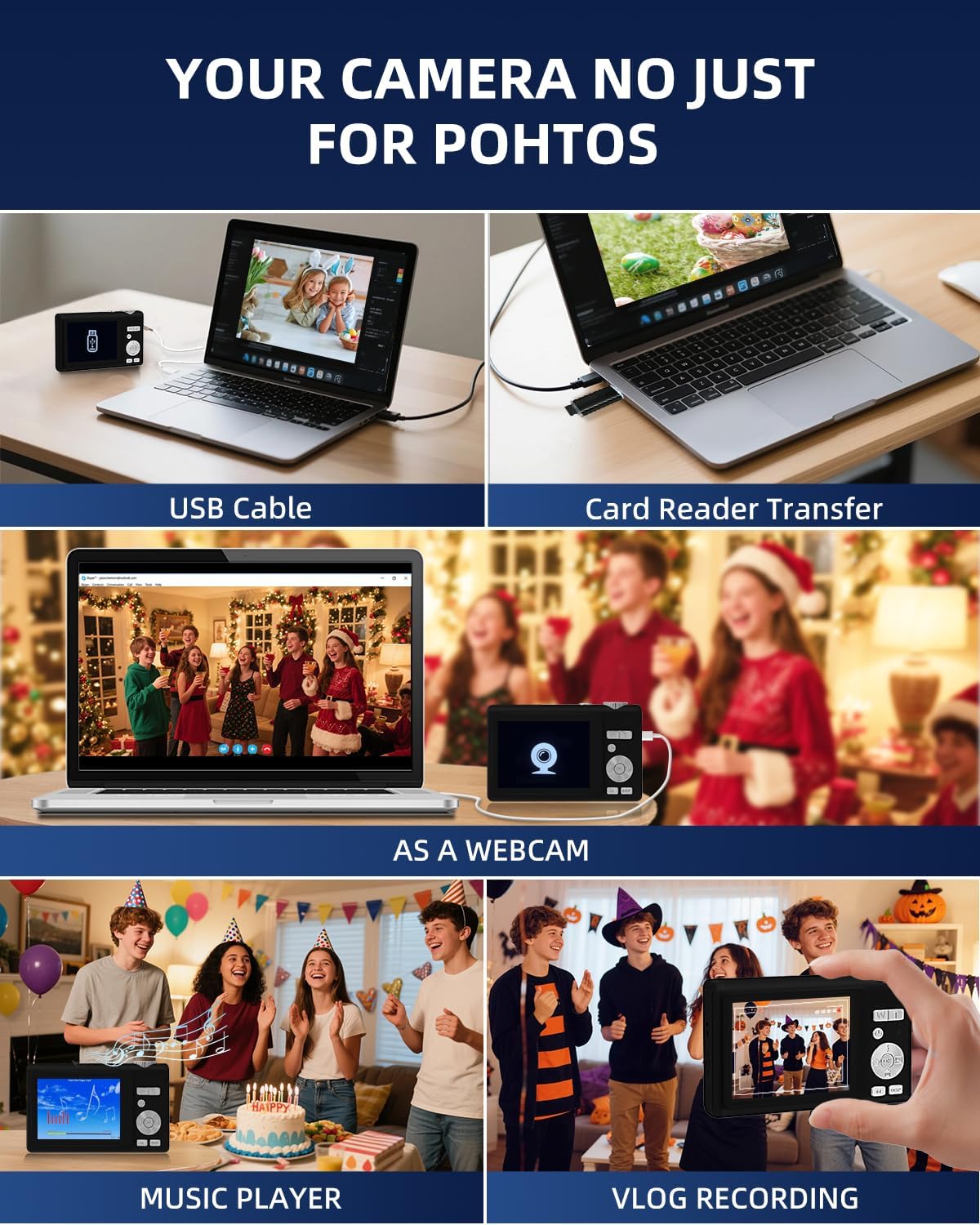
Image: Detailed diagram showing the camera's front, top, and rear views with labels for all buttons, ports, and screens.
- Mode Rotation Key: For selecting different camera modes.
- Pulsante dell'otturatore: To take photos or start/stop video recording.
- Luce flash: Integrated flash for low-light conditions.
- Porta di ricarica (tipo C): For charging the camera and data transfer.
- Carica Lamp: Indica lo stato di carica.
- Porta della carta di TF: Slot for the microSD card.
- Selfie Display: The smaller front screen for self-portraits.
- Zoom Key (W/T): To zoom in (T) or zoom out (W).
- Pulsante di accensione: Per accendere o spegnere la fotocamera.
- Indicatore luminoso di stato: Mostra lo stato operativo della telecamera.
- Up Button (Flash): Controls flash settings.
- Pulsante destro: Navigation or specific function button.
- Pulsante OK: Confirms selections or accesses special effects (1-15 types).
- Pulsante Giù: Navigation or specific function button.
- DISP Key: Switches to the selfie screen.
- Interruttore di modalità: Toggles between photo and video modes.
- Pulsante sinistro: Navigation or specific function button.
- Foro per appendere la corda: Per attaccare il cordino.
- Altoparlante: Per la riproduzione audio.
Impostare
1. Carica della batteria
Before first use, fully charge the camera. Connect the camera to a power source using the provided Type-C cable. The Charge Lamp indicherà lo stato di carica.
Note: The camera uses a built-in Lithium-polymer battery. No battery swaps are needed; simply charge and go.
2. Inserimento della scheda di memoria
The camera supports microSD cards up to 128GB. A 32GB memory card is included. Insert the memory card into the TF Card Port until it clicks into place.
Important: For optimal performance, format the SD card within the camera before its first use.
3. Accensione/Spegnimento
Premere e tenere premuto il tasto Pulsante di accensione per accendere o spegnere la fotocamera.
Istruzioni per l'uso
1. Basic Photography and Videography
- Scattare foto: In modalità foto, premere il tasto Pulsante dell'otturatore to capture a 48MP image. The camera features autofocus for clear shots.
- Registrazione di video: Passare alla modalità video utilizzando il Interruttore di modalità, quindi premere il tasto Pulsante dell'otturatore to start/stop 4K video recording.
- Ingrandisci: Utilizzare il Zoom Key (W/T) to adjust the 16x digital zoom.
- Dual Screen Function: The camera has a 2.8" main screen and a 1.4" selfie screen. Press the Tasto DISP to switch to the selfie screen for easy self-portraits.
2. Camera Settings and Modes
The camera offers various settings and modes for enhanced creativity and control. Access these through the menu system or dedicated buttons.

Image: On-screen display of photo mode settings including flash, anti-shake, burst, time-lapse, music player, photo size, white balance, exposure, ISO, scene, sharpness, quality, and general settings.

Image: On-screen display of video mode settings including audio recording, flash, video bitrate, motion detection, loop recording, music player, white balance, exposure, ISO, scene, sharpness, quality, and general settings.
- ISO: Adjusts light sensitivity.
- EV (valore di esposizione): Controls image brightness.
- WB (Bilanciamento del bianco): Corrects color cast based on lighting.
- WDR (ampia gamma dinamica): Improves detail in both bright and dark areas.
- Flash: Use the Up Button to cycle through flash modes (e.g., Auto, Fill-flash).
- Nitidezza: Regola la nitidezza dell'immagine.
- Filtri: Apply 15 different filter effects for creative shots.
- Modalità Bellezza: Esalta i tratti del viso nei ritratti.
- Scatto a raffica: Scatta più foto in rapida successione.
- Rallentatore: Records video at a slower playback speed.
- Lasso di tempo: Captures images at set intervals to create a sped-up video.
- Stabilization (Anti-Shake): Riduce la sfocatura causata dal movimento della fotocamera.
- Rilevamento del movimento: Camera starts recording when motion is detected.
- Composition Aid: Assists in framing your shots.

Image: A visual comparison demonstrating the effect of Beauty Mode when activated and deactivated on a group photo.

Image: A sequence of three images showing a snowboarder in mid-air, illustrating the continuous shooting feature.

Image: A four-panel sequence showing a person blowing bubbles, demonstrating the time-lapse feature with timestamps.

Image: A visual comparison showing the difference in image stability with Anti-Shake mode activated versus deactivated, illustrated with a skier.

Image: A multi-panel comparison demonstrating the effects of different sharpness levels, white balance modes, ISO settings, filter effects, and exposure values on an image.
3. Funzioni aggiuntive
- Lettore musicale: The camera includes a built-in music player.
- Webcamma Funzione: Collegare la fotocamera a un computer tramite USB-C per utilizzarla come webCamera.
- File Trasferimento: Transfer photos and videos to a computer using the Type-C cable or the included card reader.

Image: Illustration of two methods for transferring files: directly via USB cable to a laptop, and using a card reader for the memory card.
Manutenzione
- Pulizia: Use a soft, dry cloth to clean the camera body. For the lens and screens, use a specialized lens cleaning cloth and solution. Avoid abrasive materials.
- Cura della batteria: To prolong battery life, avoid fully discharging the battery frequently. Charge the camera regularly, especially if not used for extended periods. Store the camera in a cool, dry place.
- Magazzinaggio: When not in use, store the camera in its protective pouch to prevent scratches and dust accumulation.
Risoluzione dei problemi
| Problema | Possibile causa | Soluzione |
|---|---|---|
| La fotocamera non si accende. | Batteria scarica. | Caricare completamente la fotocamera utilizzando il cavo Type-C in dotazione. |
| Non è possibile scattare foto/registrare video. | Scheda di memoria piena o non inserita correttamente. | Controllare l'inserimento della scheda di memoria. Eliminare le voci non necessarie files or replace the card. Ensure the card is formatted. |
| Le immagini sono sfocate. | Anti-shake feature off, camera movement, or focus issue. | Ensure Anti-Shake is enabled. Hold the camera steady. For autofocus, hold down the shutter button halfway to lock focus before fully pressing. |
| Camera freezes or crashes. | Problema software o problema con la scheda di memoria. | Turn off the camera and restart. If the problem persists, remove and reinsert the memory card. |
Se riscontri problemi non elencati qui, consulta la sezione "Garanzia e supporto" per ricevere assistenza.
Specifiche
| Caratteristica | Dettaglio |
|---|---|
| Numero di modello | Y5 |
| Effective Capture Resolution | 48 Megapixel |
| Risoluzione di acquisizione video | 2160p (4K UHD) |
| Zoom ottico | 16x |
| Digital Zoom | 16x |
| Stabilizzazione dell'immagine | Ottico |
| Messa a fuoco automatica | SÌ |
| Tipo di visualizzazione | LCD |
| Dimensioni dello schermo principale | 2.8 pollici |
| Selfie Screen Size | 1.4 pollici |
| Tipo di scheda di memoria | microSD (TF Card) |
| Scheda di memoria massima supportata | 128 GB |
| Scheda di memoria inclusa | 32 GB |
| Tipo di batteria | Litio-polimero |
| Durata media della batteria | 2 ore |
| Tecnologia di connettività | Micro USB (Type-C) |
| Dimensioni (L x P x A) | Dimensioni: 2.54 x 5.08 x 3.81 cm |
| Peso | 250 grammi |
| Livello di abilità | Principiante |
| Supportato File Formati | Jpeg, MP4 |
| Flash | Integrated, Fill-flash automatic |
| Livello di resistenza all'acqua | Non impermeabile |
Garanzia e supporto
- Garanzia: This product comes with a 30-day warranty from the date of purchase. Please retain your proof of purchase.
- Assistenza clienti: For any questions, technical assistance, or warranty claims, please contact ARNSSIEN customer support. 24-hour assistance is available. Refer to the contact information provided with your purchase or on the official ARNSSIEN websito.
Ask a question about this manual
Ask about setup, troubleshooting, compatibility, parts, safety, or missing instructions. Manuals+ will review the question and use this page’s manual context to help answer it.