
Introduzione
This manual provides instructions for the NIMO 17.3" IPS FHD-Laptop, model Nimo N171. It covers initial setup, operation, maintenance, troubleshooting, and product specifications to ensure proper use and care of your device.
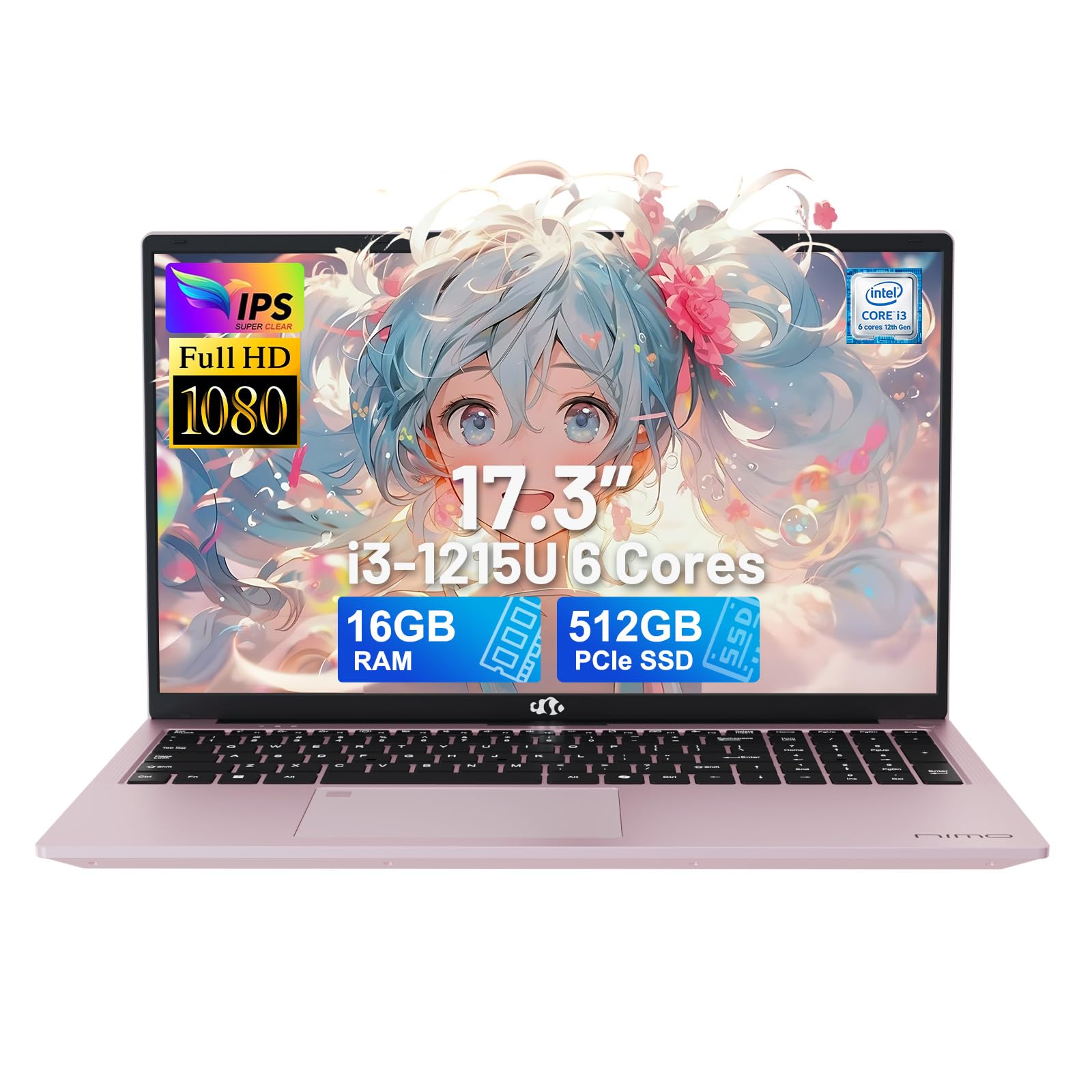
Image: The NIMO 17.3-inch FHD Laptop, showcasinil suo design elegante.
Impostare
1. Disimballaggio e ispezione iniziale
Carefully remove the laptop and all accessories from the packaging. Verify that all components listed in the 'What's in the Box' section are present and undamaged.
- 1 x Nimo N171 Laptop
- 1 x Type-C 65W PD Fast Charger
- 1 x Manuale utente
- Windows 11 Home (preinstallato)
2. Ricarica del laptop
Before first use, fully charge the laptop. Connect the 65W Type-C PD Fast Charger to the laptop's Type-C charging port and to a power outlet. The charging indicator light will show the charging status.

Image: The 65W Type-C PD charger, compatible with various devices, and an illustration of its compact design compared to multiple traditional chargers.
3. Accensione e configurazione iniziale
Press the power button to turn on the laptop. Follow the on-screen instructions to complete the initial setup of Windows 11 Home, including language selection, network connection, and user account creation.
4. Configurazione del lettore di impronte digitali
The laptop features a built-in fingerprint sensor for secure login. During the initial Windows setup or later via Windows Settings, configure your fingerprint for quick and secure access.

Image: A close-up of the laptop's backlit keyboard and the integrated fingerprint reader on the touchpad.
Istruzioni per l'uso
1. Tastiera e touchpad
The laptop is equipped with a full-size backlit keyboard and a multi-touch touchpad. Use the function keys (Fn) in combination with other keys to control features like screen brightness, volume, and keyboard backlight.
- Tastiera retroilluminata: Premere Fn + [Tasto] to adjust or toggle the keyboard backlight.
- Touchpad: Supports multi-finger gestures for scrolling, zooming, and other functions.
2. Caratteristiche dello schermo
The 17.3-inch FHD (1920x1080) IPS anti-glare display provides clear visuals. Adjust display settings through Windows Settings for optimal viewing.

Image: The laptop's 17.3-inch Full HD IPS display, highlighting its immersive visual experience with narrow bezels.
3. Riservatezza Webcamma
Il 2MP integrato webcam includes a physical privacy switch. Slide the switch to cover or uncover the camera lens for enhanced privacy.

Image: Illustration of the privacy webcam, showing the physical switch in both open and closed positions.
4. Connettività
The laptop supports Wi-Fi 6 (802.11a/b/g/n/ac) and Bluetooth 5.2 for wireless connections. It also features multiple ports for external devices:
- 1 porte USB 2.0
- 3 x USB 3.0 Ports (including USB 3.2 Gen1)
- 1 x USB Type-C 3.2 Gen1 Port
- 1 x USB Type-C Gen1 (Charge Only) Port
- 1 x Standard HDMI 1.4 Port
- Slot per scheda Micro SD 1 x
- 1 x Audio Jack (Headphone Combo)
- 1 slot per blocco Kensington

Image: Diagram illustrating the various ports available on the sides of the NIMO laptop, including USB, HDMI, Type-C, and audio jack.
Manutenzione
1. Pulizia del portatile
- Schermo: Utilizzare leggermente un panno morbido e privo di lanugine dampcon acqua o un detergente per schermi. Evitare prodotti chimici aggressivi.
- Tastiera e chassis: Utilizzare un panno morbido e asciutto. Una bomboletta di aria compressa può rimuovere la polvere dagli spazi tra i tasti.
- Prima di pulirlo, assicurarsi che il computer portatile sia spento e scollegato.
2. Cura della batteria
The laptop is equipped with a 54Wh Lithium Polymer battery. To prolong battery life:
- Evitare temperature estreme.
- Non scaricare completamente la batteria regolarmente.
- Se non si utilizza il computer portatile per lunghi periodi, conservarlo con una carica parziale (circa il 50%).
3. Aggiornamenti di memoria e archiviazione
The laptop comes with 16GB DDR4 RAM and a 512GB PCIe SSD. Both the RAM and SSD are upgradeable. Consult a qualified technician for upgrades to avoid damaging the device and to maintain warranty validity.

Image: An illustration highlighting the laptop's 16GB DDR4 RAM and 512GB PCIe 4.0 SSD, with an indication of dual RAM channels for expansion.
Risoluzione dei problemi
If you encounter issues with your NIMO laptop, refer to the following common solutions:
| Problema | Possibile soluzione |
|---|---|
| Il portatile non si accende. | Ensure the charger is properly connected and the laptop has sufficient battery charge. Try a different power outlet. |
| Lo schermo è vuoto o tremolante. | Adjust screen brightness using function keys. Connect an external monitor to check if the issue is with the laptop's display. Restart the laptop. |
| Problemi di connessione Wi-Fi. | Controlla se il Wi-Fi è abilitato nelle impostazioni di Windows. Riavvia il router e il laptop. Assicurati che i driver siano aggiornati. |
| Il lettore di impronte digitali non funziona. | Ensure your finger is clean and dry. Re-register your fingerprint in Windows Settings. |
| Prestazioni lente. | Chiudere le applicazioni non necessarie. Verificare i processi in background. Assicurarsi di avere sufficiente spazio di archiviazione libero. Eseguire una scansione del sistema per rilevare eventuali malware. |
If the problem persists, please contact NIMO customer support for assistance.
Specifiche
| Caratteristica | Dettaglio |
|---|---|
| Nome del modello | Nimo N171 |
| Dimensioni dello schermo | 17.3 pollici |
| Risoluzione dello schermo | 1920 x 1080 pixel (FHD IPS) |
| Processore | Intel Core i3-1215U (6-core, 8-thread, up to 4.4GHz) |
| Memoria RAM | 16 GB DDR4 (3200 MHz) |
| Magazzinaggio | SSD PCIe da 512 GB |
| Grafica | Intel grafica integrata |
| Sistema operativo | Windows 11 Casa |
| Connettività wireless | Wi-Fi 6 (802.11a/b/g/n/ac), Bluetooth 5.2 |
| Porti | 1x USB 2.0, 3x USB 3.0, 1x USB Type-C 3.2 Gen1, 1x USB Type-C (Charge Only), 1x HDMI 1.4, 1x Micro SD, 1x Audio Jack |
| Webcamma | 2 MP (with privacy switch) |
| Batteria | 54Wh Lithium Polymer (up to 5 hours average use) |
| Caricabatterie | 65W Type-C PD GaN Charger |
| Dimensioni (LxWxH) | 15.66 x 9.99 x 0.74 pollici |
| Peso dell'articolo | 3.84 libbre |
| Colore | Oro rosa |
| Caratteristiche speciali | Fingerprint Reader, Backlit Keyboard, HD Audio, Memory Card Slot, Numeric Keypad |
Garanzia e supporto
Informazioni sulla garanzia
The NIMO N171 laptop comes with a Garanzia del produttore di 2 anno from Nimo Direct Inc. This warranty covers defects in materials and workmanship under normal use. Please retain your proof of purchase for warranty claims.
Additionally, Nimo Direct Inc. offers a 90-Day Hassle-Free Return Policy dalla data di acquisto.
Assistenza clienti
For technical assistance, warranty claims, or any questions regarding your NIMO laptop, please contact NIMO Direct Inc. customer support. Contact details can typically be found on the NIMO official websito o all'interno della confezione del prodotto.
When contacting support, please have your laptop's model number (Nimo N171) and serial number ready.