
1. Introduzione
Thank you for choosing the Eonon UX6S Double Din Car Stereo. This advanced car audio receiver is designed to enhance your driving experience with its powerful Android 13 operating system, 7-inch QLED touchscreen, wireless CarPlay and Android Auto capabilities, and superior audio processing. This manual provides detailed instructions for installation, operation, and maintenance to ensure you get the most out of your new device.

Figure 1.1: Eonon UX6S Double Din Car Stereo with accessories.
2. Cosa c'è nella scatola
Si prega di verificare che tutti gli articoli elencati di seguito siano inclusi nel pacchetto:
- A0127 Reversing camera *1
- Cavo di alimentazione *1
- Antenna GPS *1
- 4G Antenna *1
- Cavo adattatore USB *2
- Cavo adattatore audio/video *2
- Reverse video input cable *1
- Fusibile da 15 A *1
- Porta scheda SIM *1
- Microfono esterno *1
- Manuale *1
- Viti *8
- Small knob *1

Figura 2.1: Rappresentazione visiva degli accessori inclusi.
3. Specifiche
The Eonon UX6S is engineered with high-performance components to deliver a superior in-car experience:
| Caratteristica | Descrizione |
|---|---|
| Numero di modello | UX6S |
| Processore | Qualcomm QCM6225 Octa-core (6nm Low-Power process technology) |
| Memoria RAM | 6 GB |
| ROM | 64 GB |
| Display | 7-inch QLED Touch Screen, 1280*720 HD Resolution |
| Sistema operativo | Androide 13 |
| Connettività | Bluetooth 5.1, HDMI, USB, Wi-Fi (Wi-Fi 6 ready, 2.4/5 GHz), 4G LTE |
| Uscita audio | Built-in DSP, 4*48W Max Output, 48-band graphic equalizer, Optical & Coaxial HD audio output |
| Caratteristiche speciali | Wireless CarPlay, Android Auto, Screen Mirroring, Split-Screen, Online Software Update (OTA), Steering Wheel Controls, Fast Charging |
| Dimensioni | 9.45 x 8.27 x 6.69 pollici (confezione) |
| Peso dell'articolo | 4.4 libbre (2 chilogrammi) |

Figure 3.1: Internal architecture highlighting Qualcomm QCM6225 and other key components.
4. Installazione
4.1 Modelli e dimensioni applicabili
The UX6S features a 7-inch adjustable panel that supports vertical movement and angle adjustments for optimal viewing and seamless dashboard integration. This unit is designed for double DIN car stereo installations. Ensure your car's original radio mounting size is compatible with a width from 170-178 mm (6.69-7.01 inches) and a height from 96-100 mm (3.78-3.94 inches). If your car's center console dimensions do not match this range, an extra installation kit (not included) will be required.

Figure 4.1: Compatible installation dimensions for the UX6S.
4.2 Schema elettrico
Refer to the following diagram for proper wiring connections. Ensure all connections are secure before powering on the unit. If your factory car radio's power cable has an ISO standard interface, you can directly install it. Otherwise, you may need to purchase a compatible ISO wiring harness.

Figure 4.2: Comprehensive wiring diagram for the UX6S unit.
5. Istruzioni per l'uso
5.1 Progettazione del pannello incentrata sull'utente
The UX6S features an intuitive panel design for easy access to essential functions:
- Manopola del volume: Regola il volume in modo semplice e intuitivo.
- Porte USB: Charge your phone or transfer music, movies, etc.
- Ingresso AUX: Collegare dispositivi audio esterni.

Figure 5.1: Front panel features for user interaction.
5.2 Performance and Processing
Powered by a Qualcomm QCM6225 Octa-core processor with 6GB RAM and 64GB ROM, the UX6S delivers high performance and responsiveness. The 6nm low-power process technology ensures efficient operation. The built-in DSP (Digital Signal Processing) and 4*48W max output power provide a superior sound experience with a 48-band graphic equalizer and six preset EQ modes.

Figure 5.2: Qualcomm QCM6225 8-Core processor specifications.

Figure 5.3: Built-in DSP for enhanced sound quality.
5.3 CarPlay & Android Auto & Screen Mirroring
Connect your smartphone effortlessly for navigation, music, and more:
- CarPlay senza fili: Enjoy a seamless in-vehicle experience by connecting your iPhone via Bluetooth.
- Android Auto: Access the full-featured Android Auto system via both Bluetooth and USB connections.
- Clonazione schermo: Project content from your mobile phone onto the large screen for immersive entertainment.

Figure 5.4: Wireless Apple CarPlay and Android Auto in action.
5.4 7-Inch QLED Display & Split-Screen Multitasking
The 7-inch QLED touch screen with 1280*720 HD resolution provides true-to-life colors and high contrast from any angle. The split-screen function allows you to view and use two applications simultaneously, enhancing multitasking capabilities.
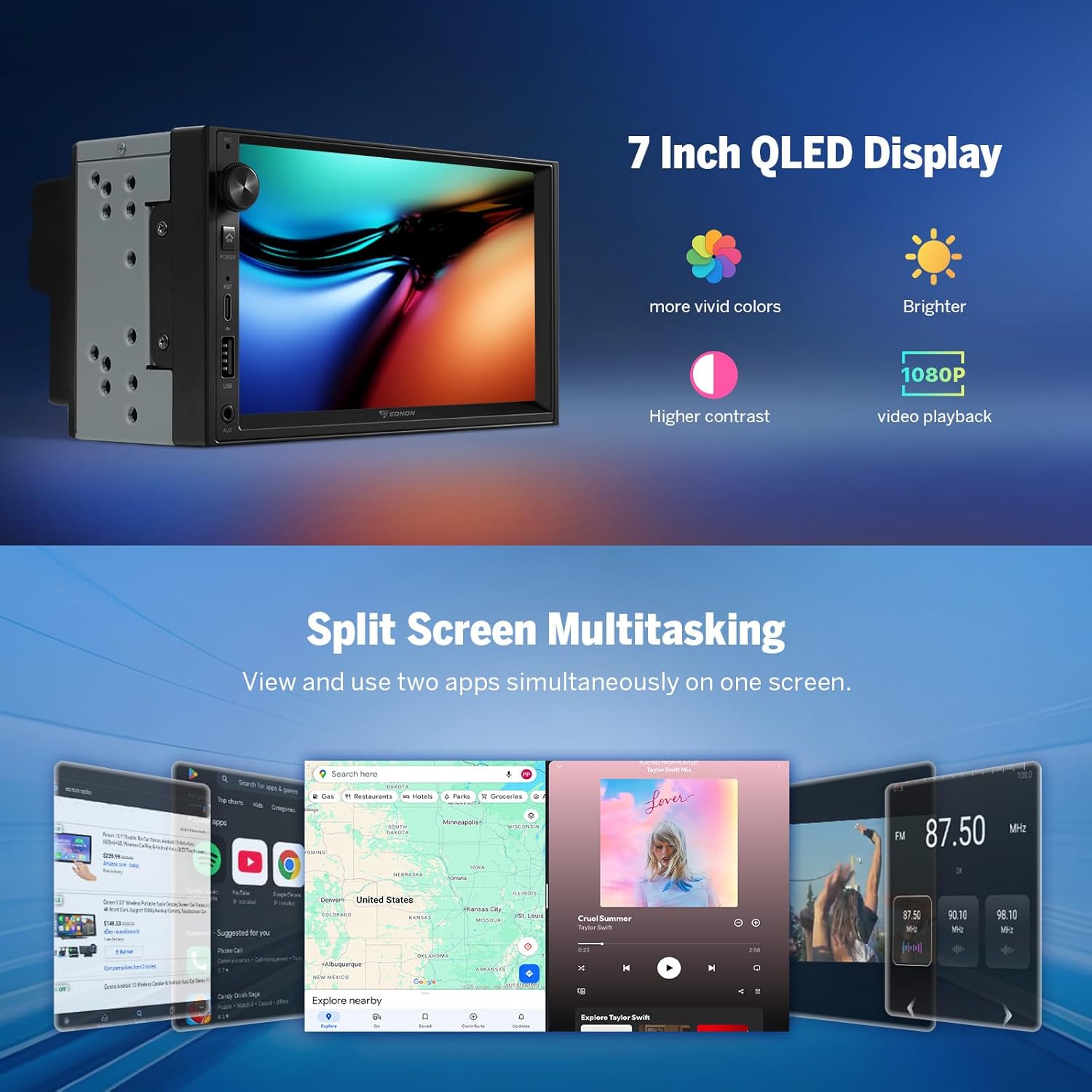
Figure 5.5: QLED display quality and split-screen functionality.
5.5 Funzionalità di Android 13
The UX6S runs on Android 13, offering a modern and flexible entertainment system with smartphone integration, app flexibility, and ease of use. It supports offline/online GPS navigation, Bluetooth 5.1, and RDS/FM radio.

Figura 5.6: Interfaccia del sistema operativo Android 13.
5.6 Comandi al volante
The unit supports analog Steering Wheel Control (SWC) signals, allowing you to retain factory features and control the stereo directly from your steering wheel for convenience and safety.

Figura 5.7: Integrazione del controllo del volante.
5.7 funzioni aggiuntive
- Ricarica rapida: Equipped with a high-speed Type-C port supporting PD 3.0 and PPS fast charging.
- Bluetooth 5.1: Upgraded built-in Bluetooth system for hands-free calls, contact synchronization, and music playback. Includes an external microphone for clear calls.
- Interfaccia utente personalizzabile: Choose from 3 built-in UI themes, customize button colors, boot logo, and wallpaper.
- Avvio rapido: Experience quick startup times.
- Più porte USB: Three USB ports for versatile connectivity.
- Uscita RCA: Provides maximum flexibility for connecting amplifiers, subwoofers, and DSPs.
6. Manutenzione
6.1 Over-the-Air (OTA) Firmware Updates
Keep your Eonon UX6S up-to-date through convenient Over-the-Air (OTA) updates. These updates help fix software issues and enhance security with just a few taps. Please note that these updates are for the software and do not upgrade the core Android system version.

Figura 6.1: Processo di aggiornamento del firmware OTA.
7. Risoluzione Dei Problemi
If you encounter any issues with your Eonon UX6S, please refer to the following general troubleshooting tips:
- Nessun potere: Check all power connections and ensure the 15A fuse is intact. Verify proper grounding.
- Nessun suono: Check speaker connections, audio output settings (DSP, EQ), and ensure volume is not muted or too low. Verify external amplifier connections if used.
- Touchscreen non reattivo: Try restarting the unit. If the issue persists, perform a factory reset (note: this will erase personal data).
- Problemi di connessione CarPlay/Android Auto: Ensure Bluetooth and Wi-Fi are enabled on both the stereo and your phone. Re-pair the devices. Check the Zlink5 app settings.
- Perdita del segnale GPS: Assicurarsi che l'antenna GPS sia installata correttamente e abbia una visuale libera view del cielo.
- Prestazioni lente: Chiudere le applicazioni in background non necessarie. Cancellare la cache e i file temporanei files. Consider a factory reset if performance remains sluggish.
For more detailed troubleshooting or persistent issues, please contact Eonon customer support.
8. Garanzia e supporto
Eonon is committed to providing high-quality products and customer satisfaction. For information regarding product warranty, technical support, or service inquiries, please visit the official Eonon webo contattare direttamente il servizio clienti. Conservare la ricevuta d'acquisto come prova d'acquisto per eventuali reclami in garanzia.
Puoi trovare maggiori informazioni e risorse di supporto su Negozio EONON su Amazon.