
1. Prodotto finitoview
The CYCPLUS GPS Bike Computer M3 is a high-performance cycling computer designed to provide accurate and comprehensive ride data. Paired with the robust Z1-New bike mount, it offers a stable and user-friendly experience for all cyclists.
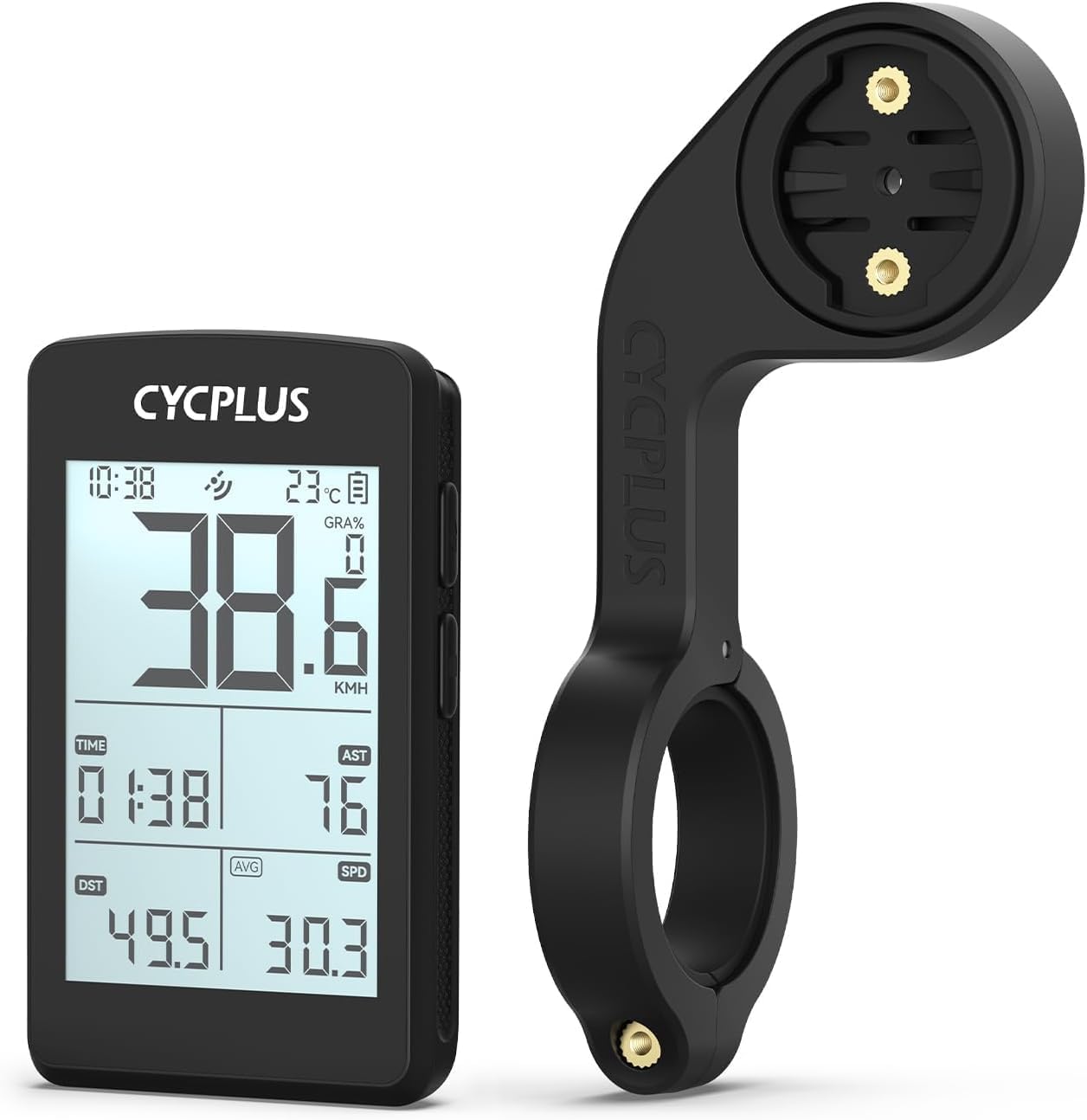
Image 1.1: The CYCPLUS GPS Bike Computer M3 and its accompanying Z1-New Bike Mount.
2. Contenuto della confezione
Si prega di verificare che tutti gli articoli siano presenti nel pacco:
- CYCPLUS GPS Bike Computer M3 (x1)
- CYCPLUS Bike Mount Z1-New (x1)
- Cavo di ricarica USB-C (x1)
- Screwdriver (for mount installation) (x1)
- Manuale utente (questo documento) (x1)
3. Installazione
3.1. Bike Mount Installation
The CYCPLUS Z1-New handlebar mount is designed for easy installation on 31.8 mm handlebars. Follow these steps:
- Position the mount on your bicycle's handlebar at the desired location.
- Use the included screwdriver to tighten the screw on the mount until it is securely fastened to the handlebar. Ensure it is firm and does not rotate freely.

Image 3.1: Visual guide for installing the Z1-New bike mount on handlebars.

Image 3.2: Demonstrating the tightening of the mount screw for secure attachment.
3.2. Bike Computer Attachment
Once the mount is secure, attach the M3 bike computer:
- Align the back of the M3 bike computer with the mounting interface on the Z1-New mount.
- Gently push and twist the computer clockwise until it clicks securely into place.

Image 3.3: The CYCPLUS M3 computer securely attached to the Z1-New mount.
4. Primo utilizzo e configurazione
4.1. Initial GPS Positioning
For the first use, the M3 bike computer requires an initial GPS lock. This process may take 3-5 minutes. Ensure you are outdoors with a clear view of the sky for optimal signal acquisition.
The M3 supports 5 major satellite systems: GPS, GLONASS, Galileo, QZSS, and BeiDou, ensuring dynamic, fast, and accurate positioning.

Image 4.1: The M3 utilizes multiple satellite systems for rapid and precise positioning.
4.2. CYCPLUS FIT APP
To minimize waiting time for GPS positioning, you can download offline ephemeris data via the CYCPLUS FIT APP. This app also allows for data synchronization and further customization of your device.
5. Funzionamento
5.1. Caratteristiche dello schermo
The M3 features a 2.8-inch segment code FSTN glass screen, designed for sunlight readability. Key data is displayed clearly at a glance. The device automatically senses the environment to activate the backlight for improved visibility in low-light conditions.

Image 5.1: The 2.8-inch screen provides clear data visibility during rides.
5.2. Data Displayed
The M3 bike computer can display a wide range of cycling metrics. Some data points require additional sensors (not included) for measurement.

Immagine 5.2: Passoview of data metrics available on the M3 display.
- Velocità: Velocità attuale, velocità media, velocità massima
- Distanza: Trip Distance (DST), Odometer (ODO)
- Tempo: Clock, Trip Time
- Altitude & Gradient: Altitudine, pendenza, salita
- Ambientale: Temperature, AUTO Backlight status
- Performance (requires additional sensors): Cadence, Heart Rate, Power
6. Ricarica e durata della batteria
The M3 bike computer is equipped with a built-in 1500mAh rechargeable lithium battery, providing up to 100 hours of runtime on a single charge. This extended battery life is suitable for both leisurely rides and daily commutes.
Charging is done via a USB-C port. A full charge takes approximately 2.5 hours.

Image 6.1: The M3 features a USB-C charging port and offers up to 100 hours of battery life.
7. Risoluzione Dei Problemi
- Slow GPS Positioning: If the device takes longer than expected to acquire a GPS signal, ensure you are outdoors with a clear view of the sky. For first-time use, it can take 3-5 minutes. Downloading offline ephemeris via the CYCPLUS FIT APP can significantly reduce this time.
- Batteria non in carica: Ensure the USB-C cable is properly connected to both the device and a power source. Use a standard USB charger. If the issue persists, try a different cable or power adapter.
- Il display non risponde: Try restarting the device. If unresponsive, ensure the battery is charged.
- Dati inesatti: Ensure the device has a strong GPS signal. For sensor-based data (Cadence, Heart Rate, Power), verify that the external sensors are properly paired and functioning.
8. Specifiche
| Caratteristica | Dettaglio |
|---|---|
| Nome del modello | M3 + Z1-NEW |
| Dimensioni dello schermo | 2.8 Inches (FSTN glass) |
| Durata della batteria | Fino a 100 ore |
| Tipo di batteria | Litio ricaricabile da 1500 mAh |
| Porta di ricarica | USB-C |
| Sistemi GPS | GPS, GLONASS, Galileo, QZSS, BeiDou |
| Tipo di montaggio | Handlebar Mount (Z1-New) |
| Compatibilità del manubrio | 31.8 millimetri |
| Montare il peso | 0.98 once (27.86 g) |
| Componenti inclusi | GPS bike computer, bike mount |

Image 8.1: Dimensions of the Z1-New bike mount (115mm/4.5in length, 31.8mm/1.25in handlebar clamp, 45mm/1.8in width).
9. Cura e manutenzione
- Pulizia: Wipe the device and mount with a soft, damp stoffa. Evitare l'uso di prodotti chimici aggressivi o detergenti abrasivi.
- Magazzinaggio: Conservare il dispositivo in un luogo fresco e asciutto quando non in uso. Evitare temperature estreme.
- Cura della batteria: For long-term storage, it is recommended to charge the battery to approximately 50% to prolong its lifespan.
10. Garanzia e supporto
Information regarding product warranty and customer support is typically provided with your purchase documentation or available on the manufacturer's official websito. Fare riferimento a tali risorse per i termini di garanzia dettagliati e le informazioni di contatto per l'assistenza tecnica.