
1. Introduzione
The Machenike KG98 is a versatile mechanical gaming keyboard designed for various uses including work, gaming, and study. It features multi-device connectivity, hot-swappable switches, an ergonomic structure, and customizable RGB lighting. This manual provides detailed instructions for setup, operation, and maintenance to ensure optimal performance and user experience.
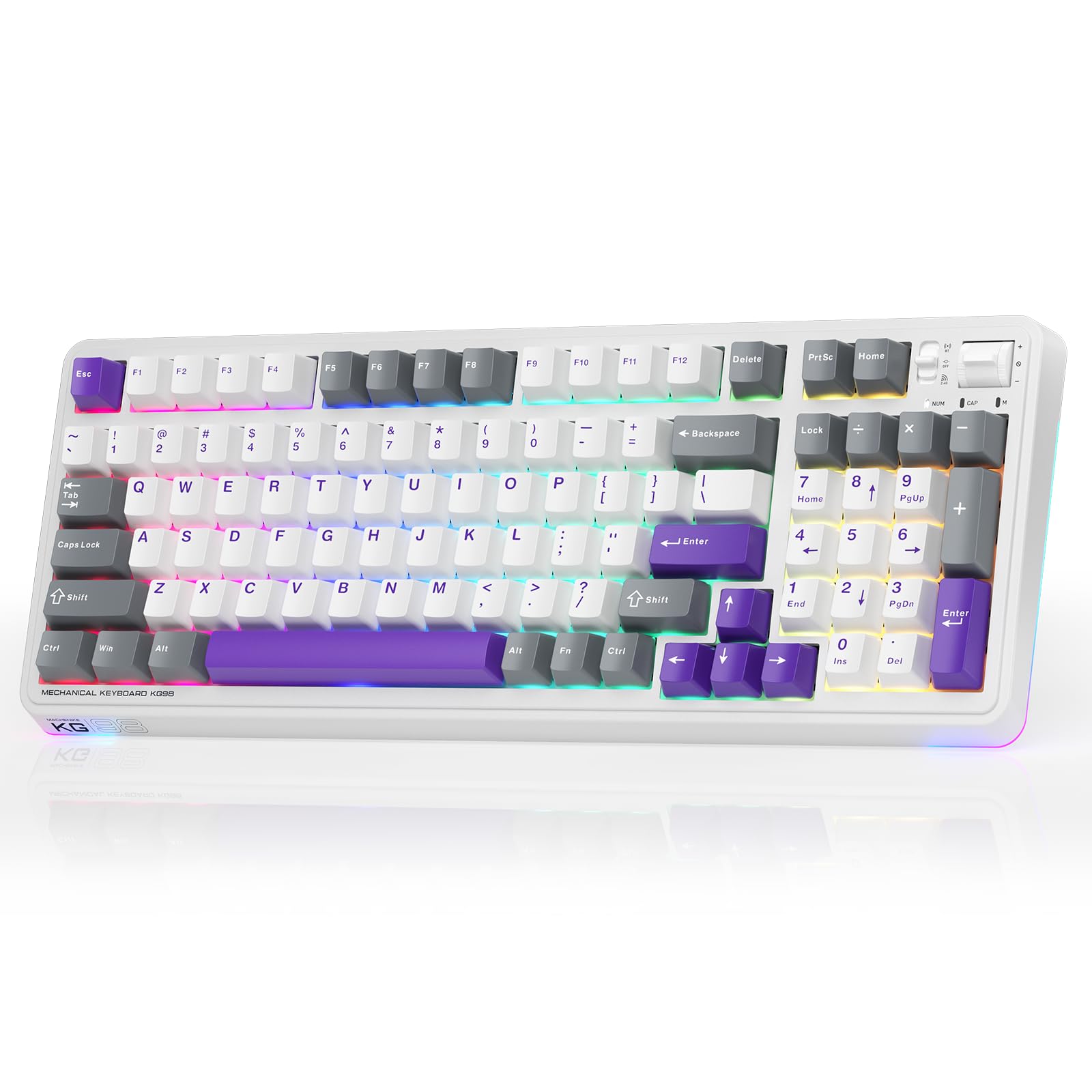
Figure 1: Machenike KG98 Mechanical Gaming Keyboard
2. Cosa c'è nella scatola
Si prega di verificare che tutti gli articoli siano presenti al momento dell'apertura della confezione:
- Machenike KG98 Mechanical Keyboard
- Extra 2 Grey Pre-lubed Linear Switches
- Estrattore per tasti
- Cavo USB (da tipo A a tipo C)
- Manuale dell'utente (questo documento)

Figure 2: Box Contents of the KG98 Keyboard
3. Impostazione
3.1 Modalità di connettività
The KG98 keyboard supports three connection modes: Wired (USB-C), 2.4G Wireless, and Bluetooth (BT5.0). A mode switch is located on the top-right side of the keyboard.
- Modalità cablata: Connect the provided USB-C cable to the keyboard and your computer. The mode switch should be in the middle (USB) position.
- Modalità wireless 2.4G: Locate the 2.4G USB dongle (usually stored magnetically on the keyboard's underside). Insert the dongle into your computer's USB port. Slide the mode switch to the bottom (2.4G) position. The keyboard will automatically connect.
- Modalità Bluetooth: Slide the mode switch to the top (BT) position. On your device (computer, tablet, smartphone), search for Bluetooth devices and select 'Machenike KG98'. The keyboard's indicator light will flash blue during pairing.
3.2 Ricarica della tastiera
The keyboard is equipped with an 8000mAh battery. To charge, connect the USB-C cable to the keyboard and a power source (e.g., computer USB port, USB wall adapter). The indicator light will show charging status.

Figure 3: Connectivity and Multimedia Control Switches
Video 1: Machenike KG98 Mechanical Keyboard Overview (Seller Content)
This video demonstrates the unboxing, various features, and connectivity options of the Machenike KG98 Mechanical Keyboard, including switch removal and typing sound tests.
4. Istruzioni per l'uso
4.1 Combinazioni di tasti funzione
The KG98 keyboard utilizes the 'Fn' key for various secondary functions. Refer to the included user manual for a comprehensive list of Fn key combinations for both Windows and macOS, including multimedia controls, brightness adjustments, and system functions.
4.2 Controllo dell'illuminazione RGB
The keyboard features 16.8 million customizable RGB backlighting and dual-sided RGB light strips. Use the following key combinations to adjust the lighting:
- Fn + Shift: Cycle through various RGB lighting effects.
- Fn + Invio: Change the solid color of the current lighting effect.
- Fn + Freccia su/giù: Regola la luminosità della retroilluminazione (4 livelli).
- Fn + Freccia sinistra/destra: Adjust animation speed (4 levels).
- Fn + Pagina su/Pagina giù: Change side light strip color.
- Fn + Home/Fine: Change side light strip mode/speed.
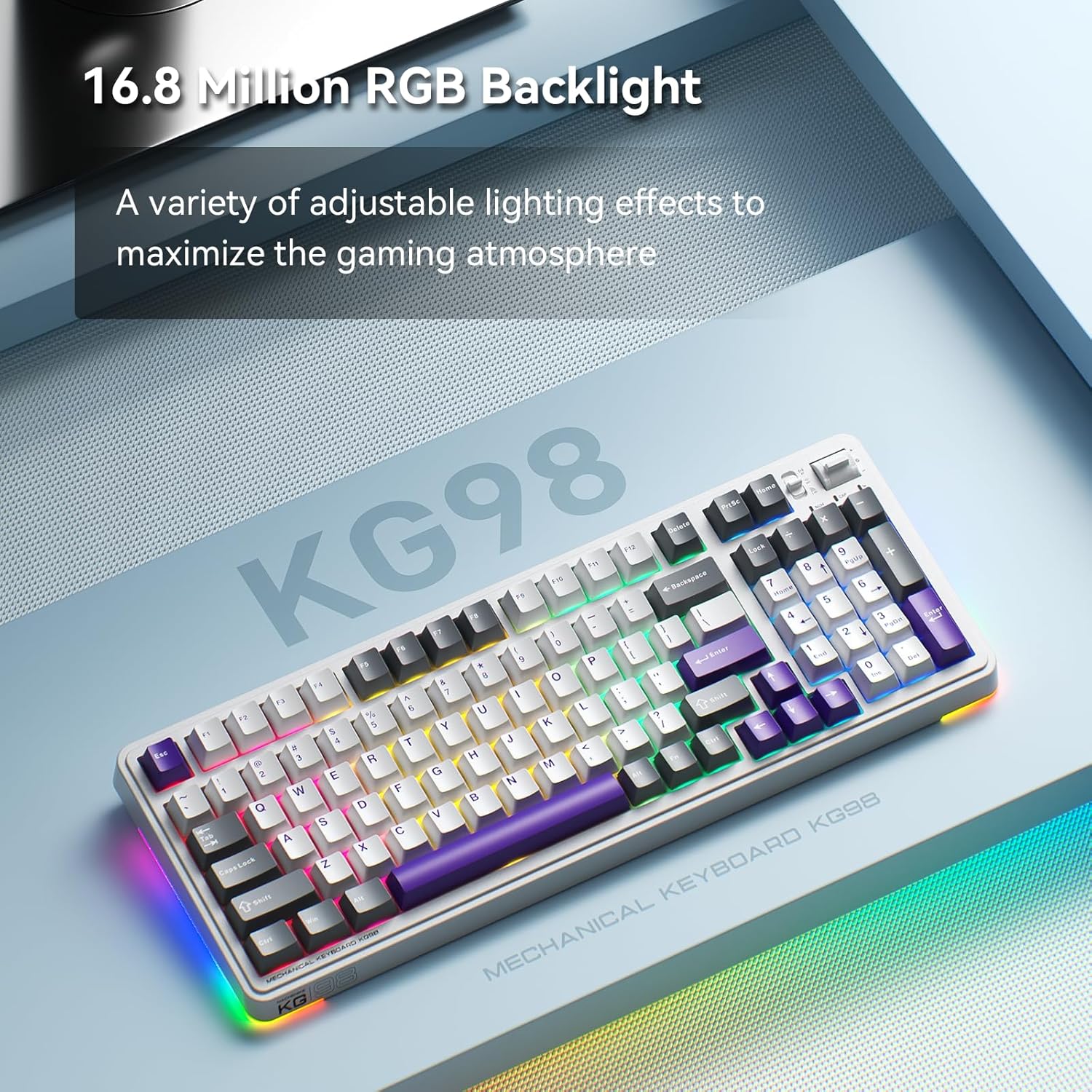
Figure 4: Customizable RGB Backlighting
4.3 Controlli multimediali e del volume
A multi-functional toggle switch is located on the top-right of the keyboard, allowing for quick adjustments:
- Ruotare: Regola il volume su o giù.
- Premere: Disattiva/riattiva l'audio.
- Premere e tenere premuto: Scorrere le modalità di illuminazione RGB.
5 Personalizzazione
5.1 Switch sostituibili a caldo
The KG98 keyboard features hot-swappable sockets, allowing you to easily replace switches without soldering. This enables personalization of typing feel and sound. Use the included keycap puller and switch puller to remove and install switches. The keyboard supports both 3-pin and 5-pin switches.

Figura 5: Switch sostituibili a caldo
5.2 Sostituzione dei tasti
The keyboard comes with durable PBT keycaps. You can replace these with aftermarket keycaps of your choice to further customize the keyboard's aesthetics. Use the keycap puller to safely remove keycaps.
5.3 Personalizzazione del software
Download the official Machenike software to unlock advanced customization options, including:
- Key remapping for individual keys.
- Macro recording and assignment.
- Detailed RGB lighting effects and color customization.
- Adjusting debounce time and sleep settings.
6. Specifiche
| Numero di modello | KG98 |
| Dimensioni del prodotto | 16.61 cm L x 7.48 cm P x 2.16 cm A |
| Peso dell'articolo | 3.39 libbre |
| Tecnologia di connettività | BT5.0 (Bluetooth), 2.4G Wireless, USB-C Wired |
| Descrizione della tastiera | Tastiera meccanica wireless con guarnizione |
| Retroilluminazione della tastiera | Colore RGB |
| Batteria | 1 batteria agli ioni di litio (inclusa) |
| Caratteristica speciale | Noise-canceling, Hot-swappable switches, Multi-functional switch |
| Dispositivi compatibili | Console di gioco, laptop, PC, smartphone, tablet |
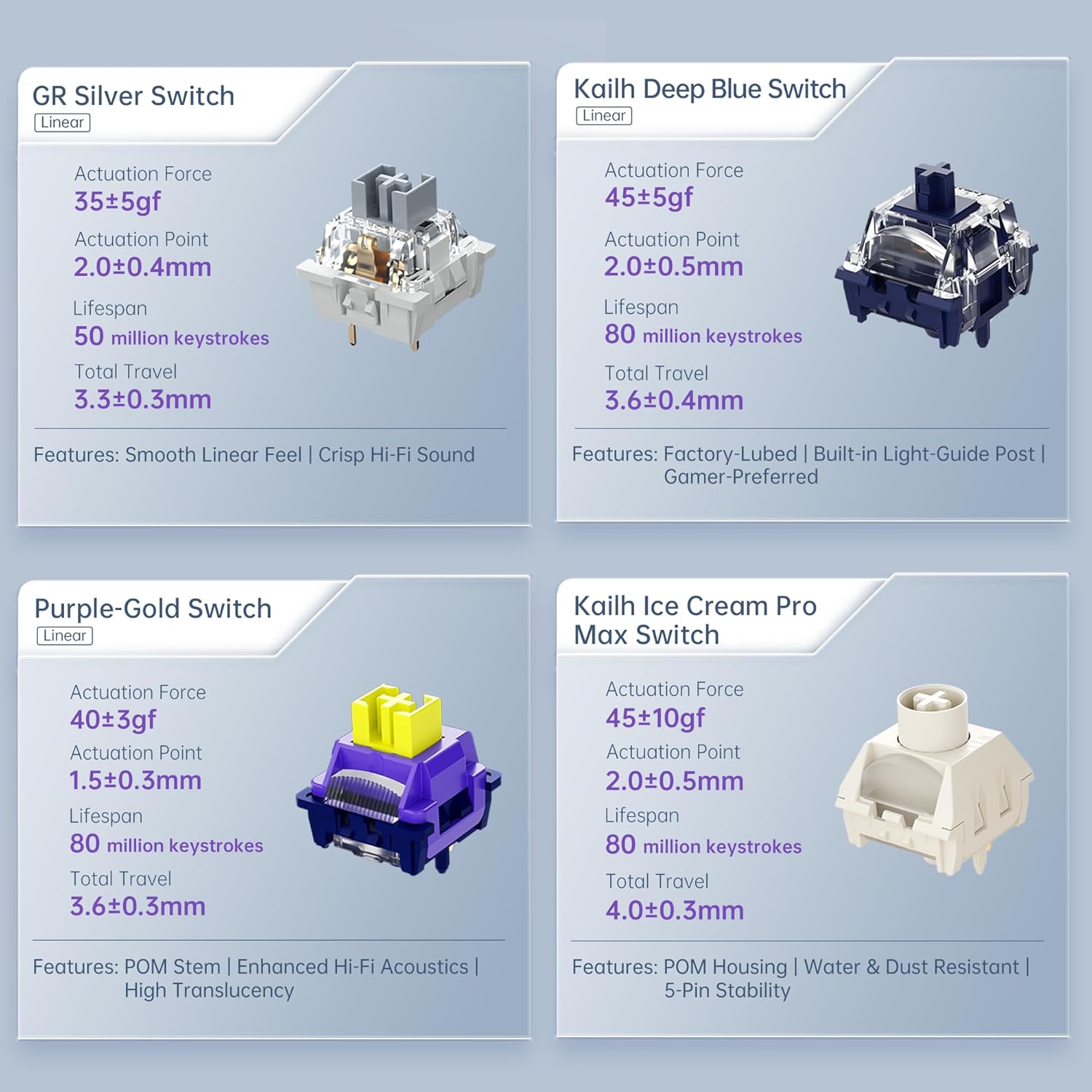
Figure 6: Premium 5-Layer Acoustic Filling Design
7. Manutenzione
To ensure the longevity and optimal performance of your Machenike KG98 keyboard, follow these maintenance guidelines:
- Pulizia: Regularly clean the keyboard with a soft, dry cloth. For deeper cleaning, remove keycaps using the provided puller and use compressed air to clear debris from between switches.
- Evitare i liquidi: Do not expose the keyboard to liquids. If spills occur, immediately disconnect the keyboard and allow it to dry completely before re-using.
- Magazzinaggio: Conservare la tastiera in un luogo fresco e asciutto, lontano dalla luce solare diretta e da temperature estreme.
8. Risoluzione Dei Problemi
If you encounter issues with your Machenike KG98 keyboard, try the following troubleshooting steps:
- Nessuna risposta: Ensure the keyboard is properly connected in wired mode, or that the 2.4G dongle/Bluetooth is correctly paired and the mode switch is in the correct position. Check battery level.
- Problemi di connettività: For wireless modes, ensure the keyboard is within range of your device. Try re-pairing Bluetooth or re-inserting the 2.4G dongle.
- Le luci RGB non funzionano: Check brightness settings (Fn + Up Arrow). Ensure the lighting mode is active (Fn + Shift).
- Chiavi non registrate: If individual keys are not working, try replacing the switch using the provided tools and extra switches.
- Problemi software: Ensure you have the latest version of the Machenike software installed. Restart your computer and the software.
- Ripristino di fabbrica: If problems persist, you can perform a factory reset via the customization software.
9. Garanzia e supporto
For warranty information, technical support, or service inquiries, please contact Machenike customer support through their official websito o i recapiti forniti al momento dell'acquisto. Conservare la prova d'acquisto per eventuali reclami in garanzia.