1. Introduzione
Thank you for choosing the BENLYDESIGN GL570 Digital Watch. This manual provides essential information for the proper setup, operation, and maintenance of your new timepiece. Please read these instructions carefully to ensure optimal performance and longevity of your watch.
2. Prodotto finitoview
The BENLYDESIGN GL570 is a digital wristwatch featuring a unique design and a stainless steel band. It includes standard digital watch functions such as time display, date, and a backlight.
Componenti dell'orologio
- Display: Digital screen for time, date, and other functions.
- Pulsanti: Typically located on the side for mode selection and setting adjustments. (Specific button functions are detailed in the 'Operating Instructions' section).
- Crown/Setting Knob: Used for specific adjustments, if applicable.
- Cinturino in acciaio inossidabile: Durable and adjustable for a comfortable fit.
- Fondello: Contiene informazioni sul modello e sulla classificazione di resistenza all'acqua.
Riferimento visivo

Figura 2.1: Fronte view of the BENLYDESIGN GL570 Digital Watch. This image shows the watch face with its distinctive wavy case and integrated band, highlighting the digital display and the 'SPORT', 'SECONDS DISPLAY', and 'SET' markings around the bezel.
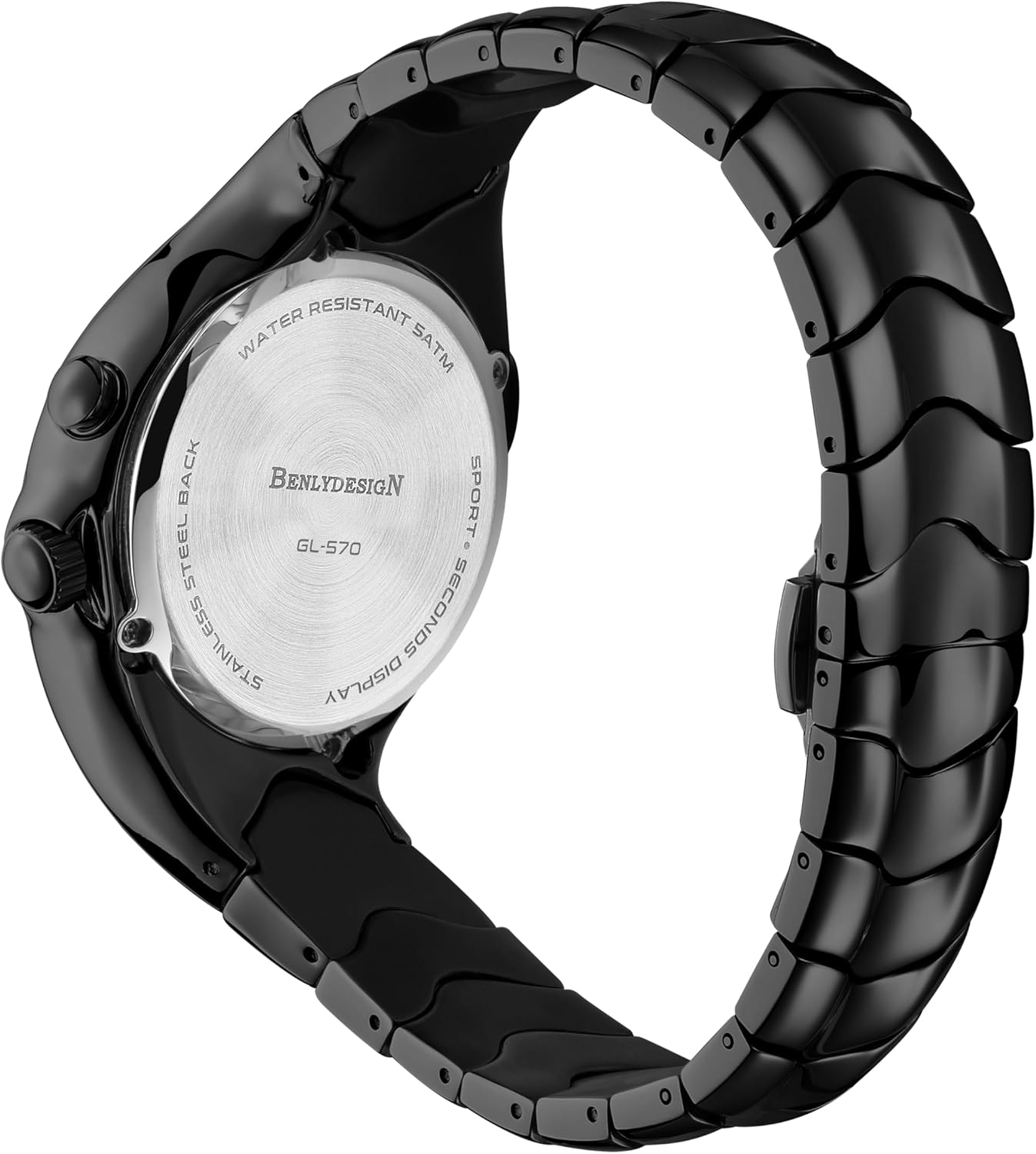
Figura 2.2: lato view of the BENLYDESIGN GL570 Digital Watch. This image provides a profile view, illustrating the watch's thickness, the two control buttons on the right side, and the continuous flow of the wavy band.

Figura 2.3: Indietro view of the BENLYDESIGN GL570 Digital Watch. The stainless steel case back is visible, engraved with 'WATER RESISTANT 5ATM', 'BENLYDESIGN', 'GL-570', and 'STAINLESS STEEL BACK'.
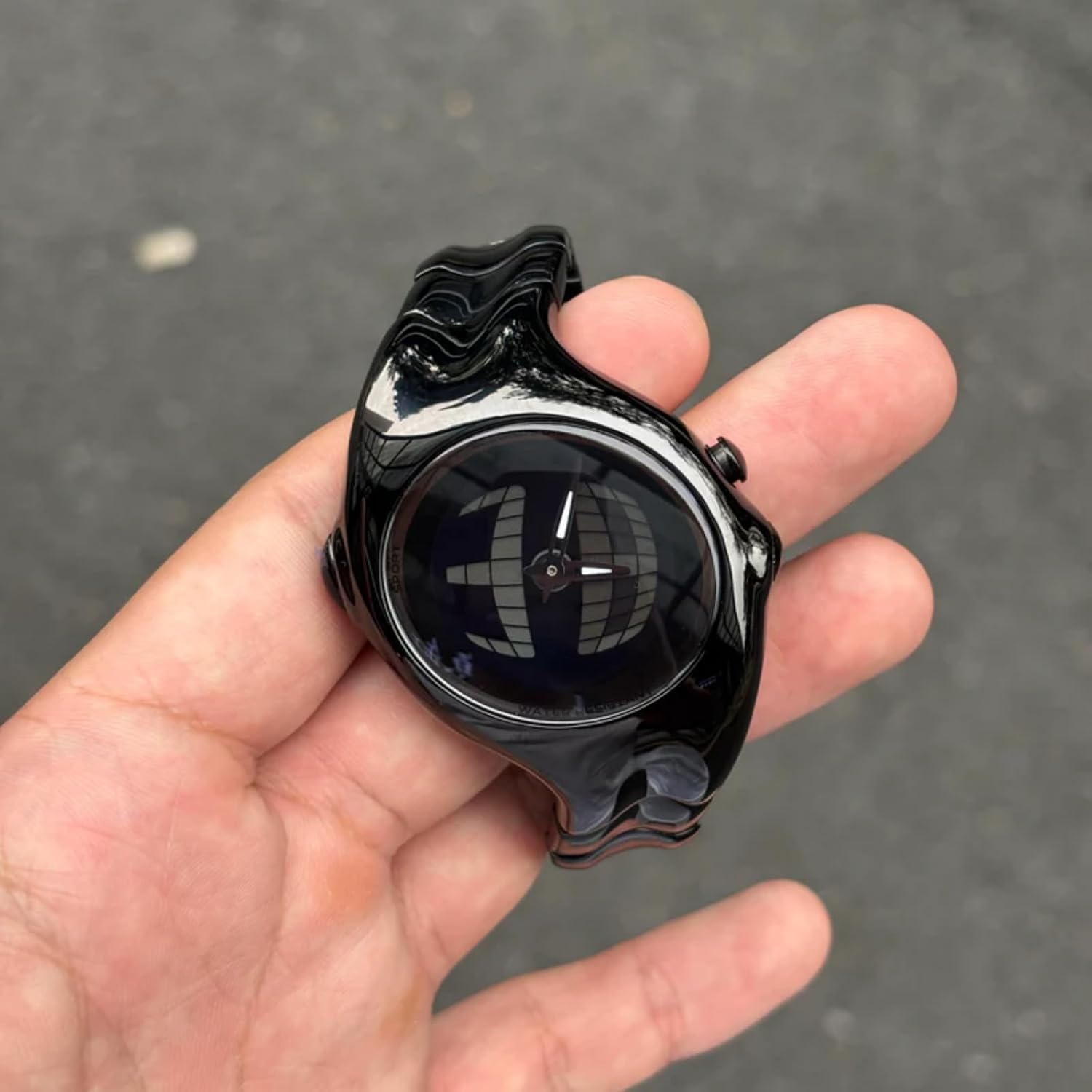
Figure 2.4: The BENLYDESIGN GL570 Digital Watch held in a hand. This perspective helps to visualize the watch's dimensions and how it sits in the palm, emphasizing its unique form factor.
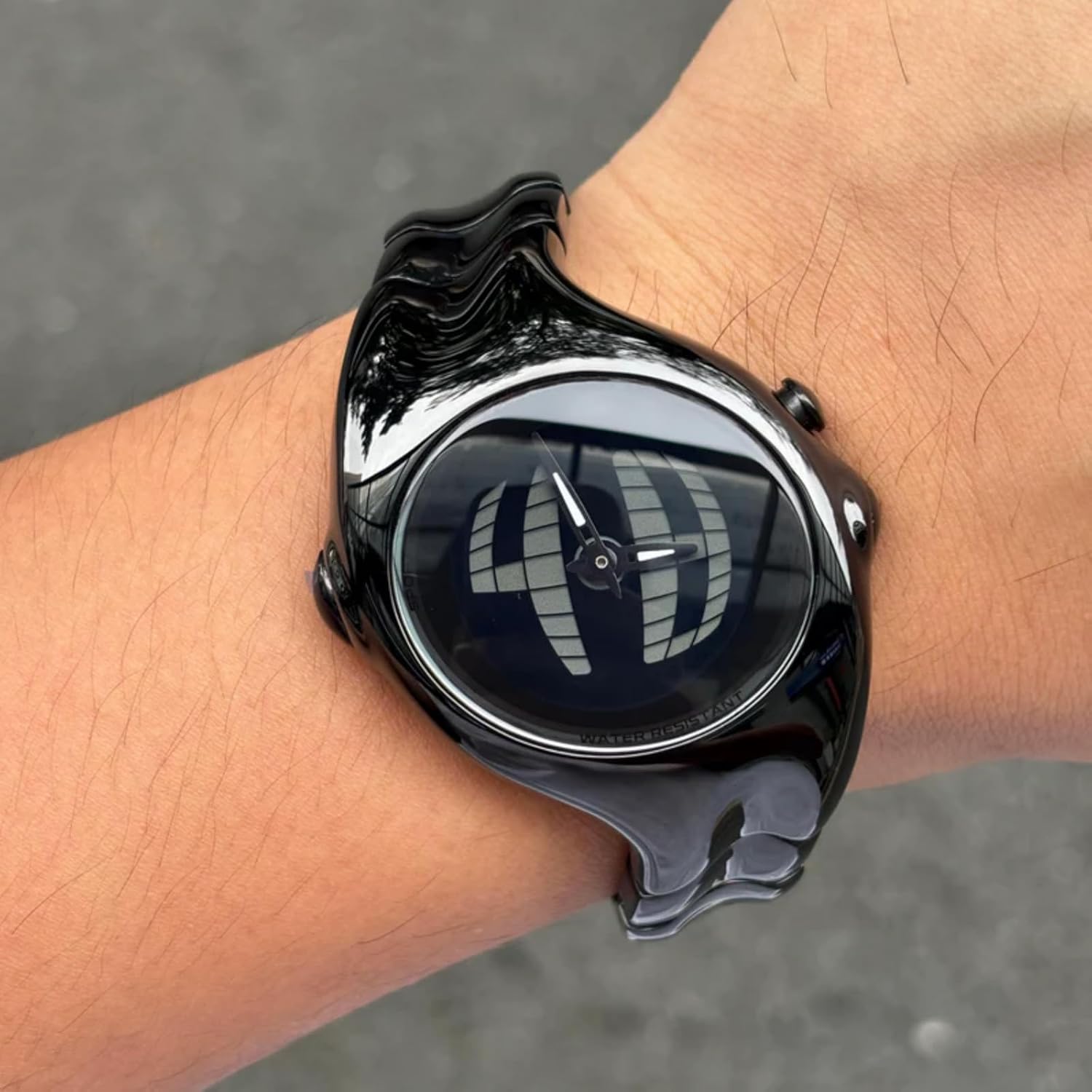
Figure 2.5: The BENLYDESIGN GL570 Digital Watch worn on a wrist. This image demonstrates how the watch conforms to the wrist, showcasing its aesthetic appeal when worn.

Figura 2.6: Angolato view of the BENLYDESIGN GL570 Digital Watch. This shot provides a dynamic perspective of the watch, revealing the intricate details of the wavy band and the clasp mechanism.
Video del prodotto
Video 2.1: An 11-second video showcasing the BENLYDESIGN GL570 Digital Watch. The video demonstrates the watch being unboxed, handled, and worn on a wrist, providing a dynamic view del suo design e delle sue caratteristiche.
3. Impostazione
3.1 Accensione iniziale
Your watch comes with a pre-installed C battery. If the display is not active, press any button to activate it. The watch should power on automatically.
3.2 Impostazione di data e ora
Per impostare l'ora e la data:
- Premere il tasto MODALITÀ button (usually bottom-left) repeatedly until the time setting mode is displayed (e.g., flashing hours).
- Premere il tasto IMPOSTATO button (usually top-right) to select the digit you wish to adjust (hours, minutes, year, month, day).
- Utilizzare il REGOLARE button (usually bottom-right) to increase the value. Hold the button to rapidly advance.
- Repeat steps 2 and 3 for all time and date parameters.
- Una volta che tutte le impostazioni sono corrette, premere il tasto MODALITÀ per uscire dalla modalità di impostazione e tornare alla visualizzazione normale dell'ora.
3.3 Regolazione del cinturino dell'orologio
The stainless steel band can be adjusted by removing links to achieve a comfortable fit. A link removal tool is typically included with the watch.
- Identify the pins on the side of the watch band links. Arrows on the inside of the band usually indicate the direction to push the pins out.
- Place the band in the link removal tool, aligning the pin with the tool's pusher.
- Carefully push the pin out. You may need to apply firm pressure.
- Remove the desired number of links. Ensure an even number of links are removed from each side of the clasp for balanced wear.
- Reconnect the band by inserting the pins back into the links in the opposite direction of removal. Ensure the pins are fully seated.
Note: Band link removal can be challenging. If you encounter difficulty, it is recommended to seek assistance from a professional watch repair service to avoid damaging the band.
4. Istruzioni per l'uso
4.1 Visualizzazione dell'ora di base
In normal mode, the watch displays the current time (hours, minutes, seconds). The display can be toggled between 12-hour and 24-hour format during the time setting process.
4.2 Cambio di modalità
Premere il tasto MODALITÀ button to cycle through different functions:
- Visualizzazione dell'ora: Mostra l'ora corrente.
- Visualizzazione della data: Mostra mese e giorno.
- Allarme: Consente di impostare e attivare un allarme.
- Cronometro: Per misurare il tempo trascorso.
4.3 Utilizzo della retroilluminazione
To illuminate the display in low-light conditions, press the designated LEGGERO button (often the top-left button, or a specific press of another button). The backlight will typically remain on for a few seconds.
4.4 Resistenza all'acqua
This watch is rated as 3ATM water-resistant. This means it is suitable for daily use and can withstand splashes, rain, and brief immersion in water. It is non suitable for showering, swimming, diving, or any activities involving prolonged water exposure or high-pressure water. Avoid pressing buttons while the watch is wet to prevent water ingress.
5. Manutenzione
5.1 Pulizia dell'orologio
Per mantenere l'aspetto del tuo orologio:
- Pulire regolarmente la cassa e il cinturino dell'orologio con un panno morbido e asciutto.
- Per lo sporco ostinato, una leggera damp è possibile utilizzare un panno e procedere immediatamente all'asciugatura.
- Evitare l'uso di detergenti chimici, solventi o materiali abrasivi, poiché potrebbero danneggiare la finitura.
5.2 Sostituzione della batteria
The watch is powered by one C battery. When the display becomes dim or stops functioning, the battery may need replacement. Battery replacement should ideally be performed by a qualified watch technician to ensure proper sealing and maintain water resistance.
Note: Improper battery replacement can compromise the watch's water resistance and may void the warranty.
6. Risoluzione Dei Problemi
6.1 Il display è vuoto o poco luminoso
- Controllare la batteria: La batteria potrebbe essere scarica. Per la sostituzione della batteria, fare riferimento alla sezione 5.2.
- Attivazione: Press any button to ensure the watch is not in a power-saving mode.
6.2 Ora/data errate
- Ripristina orario: Follow the instructions in section 3.2 to reset the time and date.
6.3 Pulsanti non reattivi
- Ricomincia: If possible, remove and reinsert the battery (consult a professional).
- Umidità: Ensure the watch is completely dry if it has been exposed to water.
6.4 Pedometer Functionality
Please note that despite some visual indications or previous product descriptions, the BENLYDESIGN GL570 model does non include a pedometer function. Any markings or mentions of 'pedometer' on the watch or in external materials are inaccurate for this specific model.
7. Specifiche
| Numero modello articolo | GL570 |
| Produttore | BENLYDESIGN |
| Fonte di alimentazione | 1 batteria C (inclusa) |
| Resistenza all'acqua | 3 ATM (resistente agli schizzi/alla pioggia) |
| Tipo di chiusura | Fibbia |
| Materiale della cassa | Stainless Steel (inferred from product description) |
| Materiale della fascia | Acciaio inossidabile |
| Tipo di visualizzazione | Digitale |
8. Garanzia e supporto
8.1 Informazioni sulla garanzia
BENLYDESIGN offers a 1-year after-sales service for this product, covering manufacturing defects from the date of purchase. This warranty does not cover damage caused by misuse, accidents, unauthorized repairs, or normal wear and tear.
8.2 Politica di restituzione
A 30-day return policy is available for eligible purchases. Please refer to your retailer's specific return guidelines for details.
8.3 Assistenza clienti
For any questions, concerns, or support needs regarding your BENLYDESIGN GL570 Digital Watch, please contact BENLYDESIGN customer service through the retailer's platform or the official BENLYDESIGN websito.