
NIMO Nimo N155
NIMO 15.6-inch FHD Laptop Nimo N155 User Manual
Model: Nimo N155
1. Introduzione
This manual provides essential information for setting up, operating, and maintaining your NIMO 15.6-inch FHD Laptop Nimo N155. Please read this manual thoroughly before using your device to ensure proper function and longevity.

Figure 1: NIMO 15.6-inch FHD Laptop Nimo N155 Overview
The NIMO N155 laptop is equipped with an AMD Ryzen 7 6800H processor, 32GB DDR5 RAM, and a 1TB PCIe 4.0 SSD, designed for efficient performance in various computing tasks. It features a 15.6-inch Full HD IPS anti-glare display, a backlit keyboard, and an integrated fingerprint sensor for enhanced security and user experience.
2. Cosa c'è nella scatola
Verificare che tutti gli articoli siano presenti nel pacco:
- 1 x Nimo N155 Laptop
- 1 x Type-C 100W PD Fast Charger
- 1 x Manuale utente (questo documento)
- Windows 11 Home Operating System (pre-installed)
3. Configurazione iniziale
3.1. Ricarica del laptop
Before first use, connect the laptop to the power adapter and charge it fully. The Type-C 100W PD Fast Charger provides rapid charging capabilities.
- Connect the Type-C charger to a power outlet.
- Plug the Type-C connector into one of the Type-C ports on your laptop.
- The charge LED indicator will illuminate, indicating that the laptop is charging.

Figure 2: Connecting the Type-C 100W PD Fast Charger
3.2. Accensione
Press the power button located on the keyboard to turn on the laptop. Follow the on-screen instructions to complete the initial Windows 11 setup, including language selection, network connection, and user account creation.
4. Componenti e porte del laptop
Familiarize yourself with the various components and ports of your NIMO N155 laptop.

Figura 3: Porte e connettori del laptop
4.1. Porte lato sinistro
- Porta USB 2.0: Per collegare dispositivi USB più vecchi.
- Porta USB 3.0: Per collegare dispositivi USB ad alta velocità.
- Slot per scheda microSD: For reading and writing to Micro SD cards.
- Jack per cuffie: Per collegare cuffie o altoparlanti esterni.
- Slot per blocco Kensington: Per proteggere il tuo laptop con un lucchetto compatibile.
4.2. Porte lato destro
- LED di carica: Indica lo stato di carica.
- Type-C (PD/Charging) Port: Primarily for power delivery and charging.
- Type-C (Multifunction) Port: Supports data transfer and display output.
- Porte USB 3.0 (x2): Per collegare dispositivi USB ad alta velocità.
- Porta HDMI: Per il collegamento a display o proiettori esterni.
4.3. Componenti interni
- Processore: AMD Ryzen 7 6800H (8 Cores, 16 Threads, up to 4.7 GHz).
- Grafica: Integrated AMD Radeon 680M GPU.
- Memoria RAM: 32GB DDR5 (upgradeable).
- Magazzinaggio: 1TB PCIe 4.0 SSD (upgradeable).
- Display: 15.6-inch FHD (1920x1080) IPS Anti-Glare Display.
- WebCamera: 2.0 MP with privacy shield.
- Senza fili: 802.11a/b/g/n/ac (Wi-Fi 5) and Bluetooth 5.2.

Figura 4: Dettagli del processore AMD Ryzen 7 6800H

Figure 5: High-Speed RAM and PCIe SSD
5. Utilizzo del laptop
5.1. Visualizzazione
The 15.6-inch Full HD IPS display offers a resolution of 1920x1080 pixels. Adjust brightness and display settings through Windows settings (Right-click on desktop > Display settings).
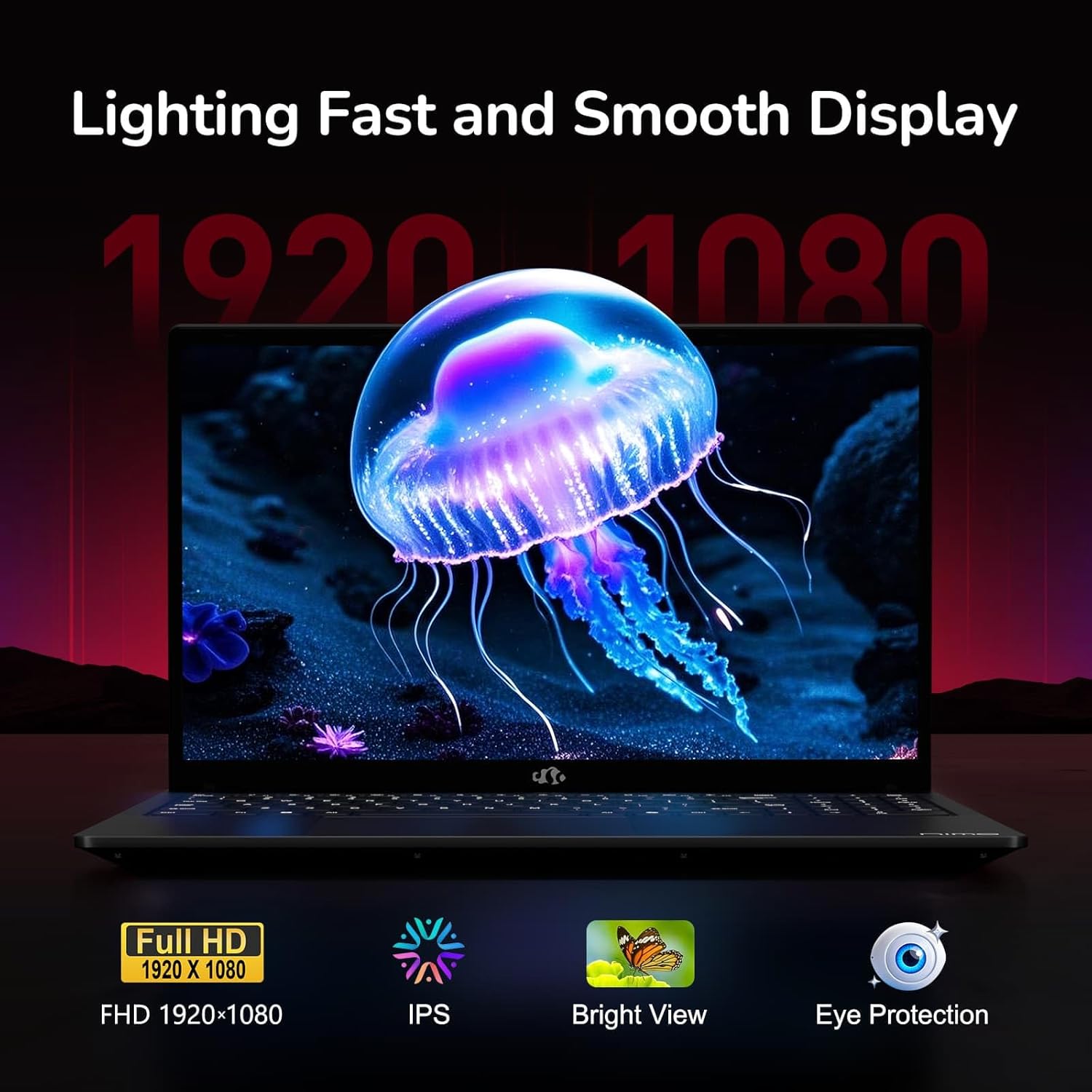
Figure 6: Laptop Display Features
5.2. Tastiera e touchpad
The laptop features a backlit keyboard and a responsive touchpad with multi-touch gesture support. The integrated fingerprint sensor is located on the touchpad for secure login.
- Tastiera retroilluminata: Premere Fn + Fx (where Fx is the backlight key, typically F3 or F4) to adjust keyboard backlight brightness.
- Sensore di impronte digitali: Enroll your fingerprints via Windows Settings > Accounts > Sign-in options for quick and secure access.
- Webcam Privacy Shield: Slide the physical cover over the webcam for privacy when not in use.

Figure 7: Keyboard and Input Features

Figure 8: Seamless Security Integration (Fingerprint and Webcam Shield)
5.3. Gestione energetica
The laptop is equipped with a 4700mAh (53.58Wh) Lithium Polymer battery. Battery life can vary based on usage. To optimize battery life, adjust power settings in Windows and close unnecessary applications.

Figura 9: Specifiche della batteria
6. Manutenzione e cura
6.1. Pulizia
- Per pulire lo schermo e la parte esterna, utilizzare un panno morbido e privo di lanugine.
- Per segni ostinati, dampPulisci il panno con acqua o un detergente per schermi. Evita prodotti chimici aggressivi.
- Prima di pulirlo, assicurarsi che il computer portatile sia spento e scollegato.
6.2. Stoccaggio e movimentazione
- Conservare il portatile in un luogo fresco e asciutto, lontano dalla luce solare diretta e da temperature estreme.
- Evitare di appoggiare oggetti pesanti sul portatile.
- Non esporre il portatile a liquidi.
6.3. Aggiornamenti
The NIMO N155 laptop supports detachable RAM and SSD, allowing for user upgrades. Refer to the official NIMO support website or contact customer service for detailed upgrade instructions to avoid voiding your warranty.
7. Risoluzione Dei Problemi
This section addresses common issues you might encounter with your NIMO N155 laptop.
| Problema | Possibile soluzione |
|---|---|
| Il portatile non si accende. | Ensure the charger is properly connected and the battery has sufficient charge. Try a different power outlet. |
| Lo schermo è vuoto. | Check if the laptop is powered on. Adjust screen brightness. Connect to an external monitor to check if the issue is with the laptop's display. |
| Problemi di connessione Wi-Fi. | Assicurati che il Wi-Fi sia abilitato nelle impostazioni di Windows. Riavvia il router e il laptop. Aggiorna i driver Wi-Fi. |
| La retroilluminazione della tastiera non funziona. | Press the Fn key combined with the appropriate function key (e.g., F3 or F4) to toggle or adjust the backlight. |
| Il sensore delle impronte digitali non risponde. | Ensure your finger is clean and dry. Re-enroll your fingerprints in Windows settings. Update fingerprint sensor drivers. |
If you encounter issues not listed here or require further assistance, please contact NIMO customer support.
8. Specifiche tecniche
| Caratteristica | Specificazione |
|---|---|
| Nome del modello | Nimo N155 |
| Display | 15.6-inch FHD (1920x1080) IPS Anti-Glare |
| Processore | AMD Ryzen 7 6800H (8 core, 16 thread, fino a 4.7 GHz) |
| Grafica | AMD Radeon 680M integrata |
| Memoria RAM | 32GB DDR5 4800 MHz (Dual-channel, upgradeable) |
| Magazzinaggio | 1TB PCIe 4.0 SSD (upgradeable) |
| Sistema operativo | Windows 11 Casa |
| Connettività wireless | Wi-Fi 5 (802.11a/b/g/n/ac), Bluetooth 5.2 |
| Porti | 1x USB 2.0, 3x USB 3.0, 2x Type-C (1x PD, 1x Multifunction), 1x HDMI, 1x Micro SD, 1x Headphone Jack, 1x Kensington Lock |
| Webcamma | 2.0 MP (with privacy shield) |
| Batteria | 4700mAh / 53.58Wh Lithium Polymer |
| Adattatore di alimentazione | Type-C 100W PD Fast Charger |
| Dimensioni (LxWxH) | 14.07 x 8.98 x 0.76 pollici (357.4 x 228 x 19.2 mm) |
| Peso | 3.8 libbre (1.7 kg) |
| Caratteristiche speciali | Tastiera retroilluminata, lettore di impronte digitali, audio HD, tastierino numerico |
9. Garanzia e supporto
9.1. Garanzia del produttore
Your NIMO N155 laptop comes with a Garanzia del produttore di 2 anniLa presente garanzia copre i difetti di materiali e fabbricazione in condizioni di normale utilizzo. Si prega di conservare la prova d'acquisto per eventuali reclami in garanzia.
9.2. Politica di reso
NIMO offers a Politica di reso senza problemi entro 90 giorni from the date of purchase. For details on eligibility and the return process, please refer to your purchase documentation or contact customer support.
9.3. Assistenza clienti
For technical assistance, warranty claims, or any other inquiries, please visit the official NIMO support website or contact their customer service team. Contact information can typically be found on the NIMO brand store page or included documentation.
NIMO Brand Store: Visit NIMO Store on Amazon
Ask a question about this manual
Ask about setup, troubleshooting, compatibility, parts, safety, or missing instructions. Manuals+ will review the question and use this page’s manual context to help answer it.