
Introduzione
This manual provides detailed instructions for the setup, operation, maintenance, and troubleshooting of your OnePlus Buds 4 wireless earbuds. Please read this manual thoroughly to ensure proper use and to maximize your listening experience.
Contenuto della confezione
Verifica che tutti gli articoli siano presenti nella confezione del prodotto:
- Auricolari OnePlus Buds 4 (sinistro e destro)
- Custodia di ricarica
- Cavo di ricarica USB-C
- Diverse misure di inserti auricolari (S, M, L)
- Manuale dell'utente (questo documento)
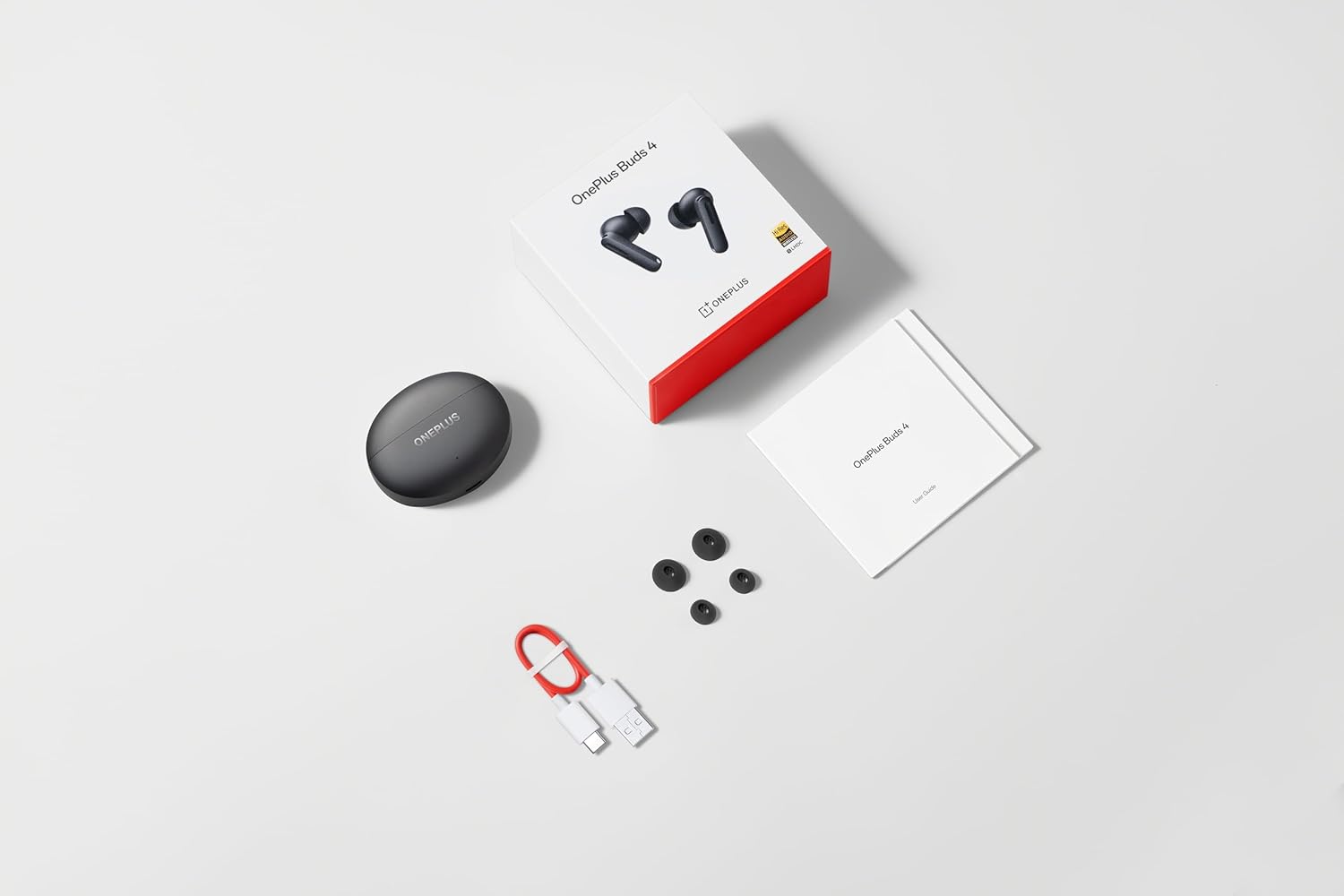
Image: The retail package contents for the OnePlus Buds 4, showing the earbuds, charging case, USB-C cable, and various ear tip sizes.
Prodotto finitoview
The OnePlus Buds 4 are advanced wireless in-ear headphones designed for high-quality audio and active noise cancellation. They feature an ergonomic design for comfort and secure fit, housed in a compact charging case.

Image: The OnePlus Buds 4 earbuds resting inside their open charging case. The earbuds and case are in Storm Gray, with the OnePlus logo visible on the case.

Image: This image shows the front perspective of the OnePlus Buds 4 earbuds and their charging case, highlighting the sleek Storm Gray finish.
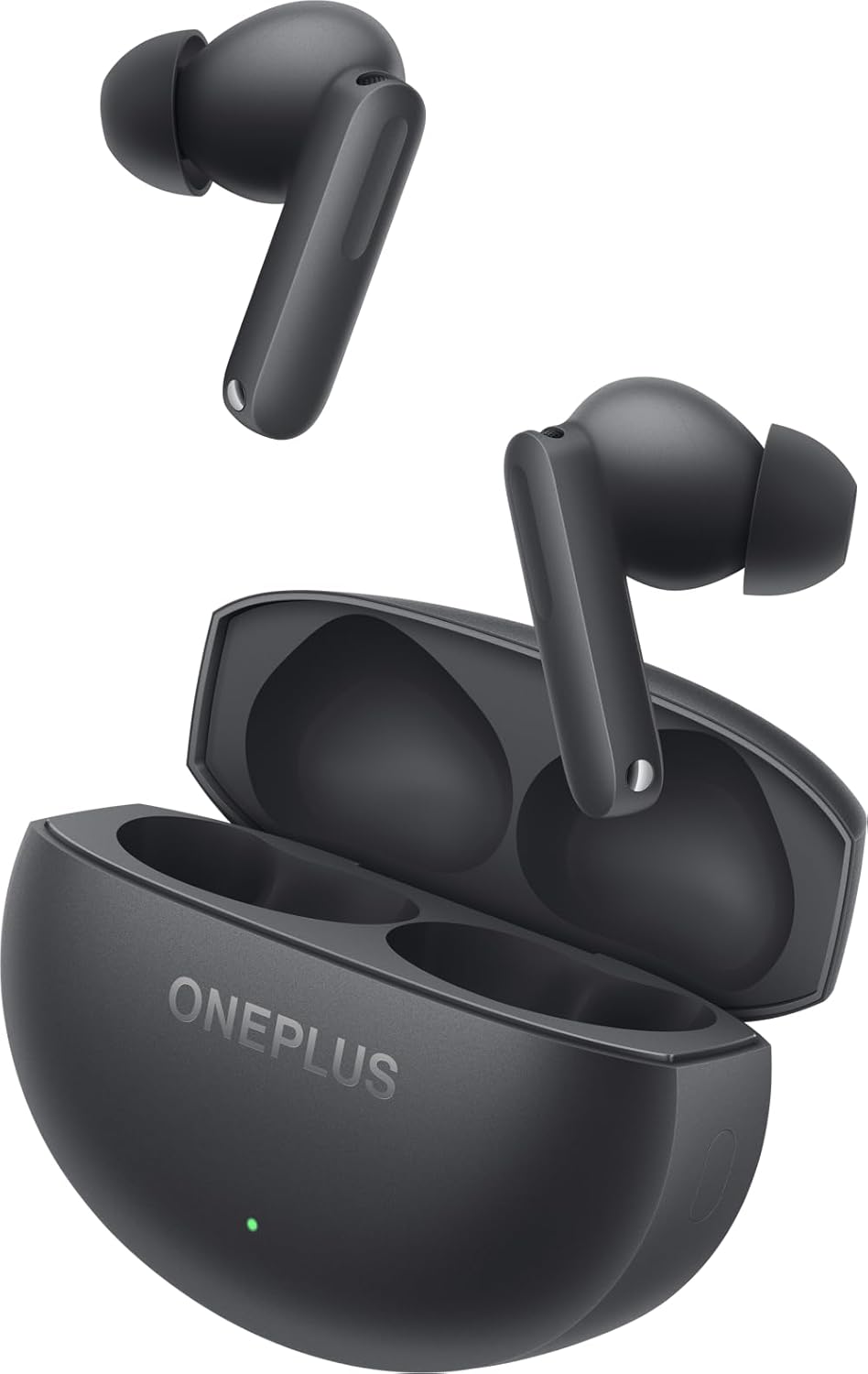
Image: The image features the two OnePlus Buds 4 earbuds separated from their charging case, showcasing il loro design.
Impostare
Carica iniziale
Before first use, place both earbuds into the charging case and connect the case to a power source using the provided USB-C cable. Ensure the indicator light on the case illuminates, signifying charging. A full charge is recommended for optimal battery performance.
Associazione con il tuo dispositivo
- Assicurarsi che la custodia di ricarica abbia potenza sufficiente.
- Open the charging case with the earbuds inside. The indicator light will flash white, indicating pairing mode.
- Sul tuo smartphone o dispositivo abilitato Bluetooth, vai alle impostazioni Bluetooth.
- Select "OnePlus Buds 4" from the list of available devices.
- Una volta effettuata la connessione, la spia luminosa sulla custodia si spegnerà.
For subsequent connections, the earbuds will automatically connect to the last paired device when the case is opened.
Installing the HeyMelody App
For advanced features, customization, and firmware updates, download and install the HeyMelody app from your device's app store. This app allows you to personalize touch controls, adjust sound profiles, and manage noise cancellation settings.
Selecting the Right Ear Tips
Choosing the correct ear tip size is crucial for sound quality, noise cancellation, and comfort. Experiment with the included small, medium, and large ear tips to find the best fit for your ears. A good seal will enhance bass response and active noise cancellation effectiveness.

Image: This image illustrates the different sizes of silicone ear tips included with the OnePlus Buds 4, essential for a comfortable and secure fit.
Istruzioni per l'uso
Controlli touch
The OnePlus Buds 4 feature intuitive touch controls on the stem of each earbud. These controls can be customized via the HeyMelody app.

Image: A close-up image of a single OnePlus Buds 4 earbud, indicating the specific area for touch controls on the stem.
- Singolo tocco: Riproduci/Metti in pausa la musica, Rispondi/Termina chiamata.
- Doppio tocco: Traccia successiva, Rifiuta chiamata.
- Tap triplo: Traccia precedente.
- Premere e tenere premuto: Switch between Active Noise Cancellation, Transparency Mode, and Noise Cancellation Off.
- Swipe Up/Down (on stem): Regola il volume.
Cancellazione attiva del rumore (ANC) e modalità Trasparenza
The earbuds offer advanced noise control features:
- Cancellazione attiva del rumore (ANC): Riduce il rumore ambientale per un'esperienza di ascolto immersiva.
- Modalità trasparenza: Allows you to hear your surroundings while still enjoying your audio, enhancing situational awareness.
Switch between these modes by pressing and holding the touch area on either earbud, or through the HeyMelody app.

Image: This graphic depicts the concept of Active Noise Cancellation, showing how the OnePlus Buds 4 reduce ambient sound for an immersive listening experience.
Caratteristiche audio
The OnePlus Buds 4 are equipped with features to deliver high-fidelity audio:
- Hi-Res Audio and LHDC 5.0: Supports high-resolution audio codecs for detailed and clear sound reproduction.
- Audio spaziale 3D immersivo: Provides a multi-directional sound experience, enhancing immersion in music and videos.

Image: An image highlighting the Hi-Res Audio and LHDC 5.0 capabilities of the OnePlus Buds 4, indicating high-fidelity sound reproduction.
Image: This graphic illustrates the immersive 3D Spatial Audio feature, suggesting a multi-directional sound experience provided by the earbuds.
Calls and Gaming
The earbuds feature enhanced voice cancellation for clear calls and low-latency connectivity for an optimized gaming and video watching experience.
Ricarica degli auricolari e della custodia
To charge the earbuds, place them into the charging case. The earbuds will begin charging automatically. To charge the case, connect the provided USB-C cable to the charging port on the back of the case and to a power adapter (not included).

Image: The rear of the OnePlus Buds 4 charging case, clearly showing the USB-C port for charging.
The charging case provides extended battery life, allowing for over 24 hours of total listening time with multiple recharges of the earbuds.
Manutenzione e cura
- Pulizia: Pulisci regolarmente gli auricolari e la custodia di ricarica con un panno morbido, asciutto e privo di lanugine. Non utilizzare prodotti chimici aggressivi o materiali abrasivi.
- Suggerimenti per le orecchie: Remove and clean ear tips with water and mild soap if necessary. Ensure they are completely dry before reattaching.
- Magazzinaggio: Quando non li usi, riponi gli auricolari nella custodia di ricarica per proteggerli e mantenerli carichi.
- Resistenza all'acqua: The earbuds are water-resistant (IP55 rated), meaning they can withstand splashes and sweat. They are not designed for swimming or submersion in water. Ensure the earbuds are dry before placing them back in the charging case.
Risoluzione dei problemi
If you encounter issues with your OnePlus Buds 4, refer to the table below for common problems and solutions.
| Problema | Possibile causa | Soluzione |
|---|---|---|
| Nessun suono dagli auricolari | Low battery; Not paired; Volume too low. | Charge earbuds; Re-pair with device; Increase device volume. |
| Gli auricolari non si accoppiano | Out of range; Pairing mode not active; Interference. | Ensure earbuds are in pairing mode (open case); Move closer to device; Turn off other Bluetooth devices. |
| La cancellazione attiva del rumore non è efficace | Improper ear tip fit; ANC mode not active. | Try different ear tip sizes for a better seal; Ensure ANC is enabled via touch control or app. |
| La custodia di ricarica non si ricarica | Cable issue; Power source issue. | Check USB-C cable connection; Try a different power adapter or USB port. |
| Un auricolare non ha alcun suono | Earbud not connected; Low battery. | Place both earbuds in the case, close, then reopen; Ensure both earbuds are charged. |
Specifiche
| Caratteristica | Dettaglio |
|---|---|
| Nome del modello | OnePlus Buds 4 |
| Numero di modello | E513A |
| Tecnologia di connettività | Bluetooth 5.4 |
| Controllo del rumore | Cancellazione attiva del rumore |
| Dimensioni del driver audio | 11 millimetri |
| Gamma di frequenza | 40 Hz - 20,000 Hz |
| Sensibilità | 100 dB |
| Impedenza | 18 Ohm |
| Metodo di controllo | Controlli touch |
| Livello di resistenza all'acqua | IP55 (auricolari) |
| Durata della batteria (auricolari + custodia) | Oltre 24 ore (con custodia di ricarica) |
| Dispositivi compatibili | Smartphones, Laptops, Desktops, Gaming Consoles, Tablets, Televisions |
Informazioni sulla sicurezza
Please observe the following safety guidelines to prevent damage to your device or personal injury:
- Protezione dell'udito: Evitare l'ascolto a livelli di volume elevati per periodi prolungati per evitare danni all'udito.
- Sicurezza di guida: Do not use earbuds while driving or cycling in situations where it may distract you or pose a hazard.
- Cura della batteria: Do not attempt to replace the battery yourself. Do not expose the device to extreme temperatures or direct sunlight.
- Disposizione: Smaltire il dispositivo e le batterie in conformità con le normative locali. Non smaltire con i rifiuti domestici.
Garanzia e supporto
Your OnePlus Buds 4 are covered by a limited warranty. For detailed warranty terms and conditions, please refer to the warranty card included in your package or visit the official OnePlus support website. For technical assistance or customer service, please contact OnePlus customer support.