
NIMO Nimo N157L
NIMO 15.6" FHD IPS Student Laptop Computer User Manual
Model: Nimo N157L
Introduzione
Thank you for choosing the NIMO 15.6" FHD IPS Student Laptop Computer. This manual provides essential information for setting up, operating, maintaining, and troubleshooting your new device. Please read this manual thoroughly to ensure optimal performance and longevity of your laptop.
Cosa c'è nella scatola
Si prega di verificare che tutti gli articoli elencati di seguito siano inclusi nel pacchetto:
- 1 x Nimo N157 Laptop
- 1 x Type-C 65W PD Fast Charger
- 1 x Manuale utente (questo documento)
- Windows 11 Home Operating System (pre-installed)
- Warranty Information (2 Years Warranty, 90 Days Return)
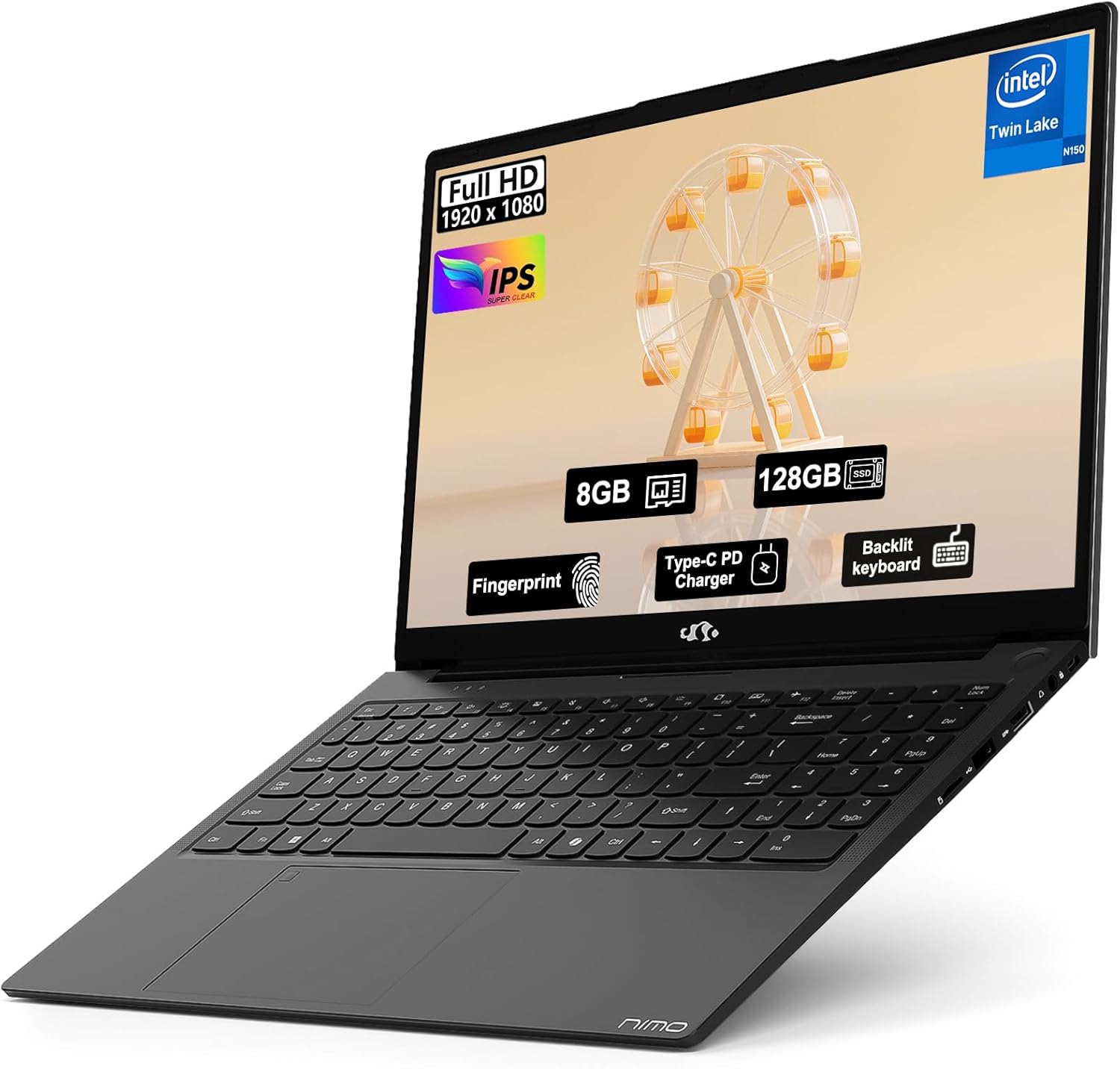
Image: The NIMO 15.6" FHD IPS Student Laptop Computer. The screen highlights key features such as Full HD 1920x1080 resolution, IPS display, 8GB RAM, 128GB SSD, Fingerprint reader, Type-C PD Charger, and Backlit keyboard. The laptop is shown in a sleek black finish.
Guida all'installazione
1. Accensione iniziale e ricarica
Before first use, it is recommended to fully charge your NIMO laptop. Connect the included Type-C 65W PD Fast Charger to the laptop's Type-C port and a power outlet. The charging indicator light will illuminate. A 15-minute charge can provide approximately 2 hours of standby time.
2. Configurazione del sistema operativo
Your NIMO laptop comes with Windows 11 Home pre-installed. Upon first boot, follow the on-screen instructions to complete the initial Windows setup, including language selection, network connection, and user account creation.
3. Configurazione del lettore di impronte digitali
For enhanced security and convenient login, set up the fingerprint reader. Navigate to Impostazioni > Account > Opzioni di accesso > Riconoscimento dell'impronta digitale (Windows Hello) and follow the prompts to register your fingerprints. The fingerprint sensor is integrated into the touchpad.
4. Backlit Keyboard Adjustment
The backlit keyboard allows for comfortable typing in low-light environments. Use the dedicated function keys (usually Fn + a specific F-key, refer to keyboard legends) to turn the backlight on/off and adjust its brightness levels.
Istruzioni per l'uso
1. Caratteristiche dello schermo
Your laptop features a 15.6-inch Full HD (1920x1080) IPS Anti-Glare Display. This provides wide viewing angles, accurate colors, and reduces reflections for a comfortable viewing experience. The 85% screen-to-body ratio and 16:9 aspect ratio optimize screen real estate.
2. Utilizzo del touchpad
The integrated touchpad supports multi-touch gestures for intuitive navigation. Common gestures include:
- Tocco con un dito: Sinistra-clic
- Tocco con due dita: Fare clic con il tasto destro del mouse
- Scorrimento con due dita: Scorri verso l'alto/verso il basso o verso sinistra/destra
- Pizzica per ingrandire: Ingrandisci/riduci
3. Connettività
The NIMO laptop supports various connectivity options:
- Wi-Fi 6: Per una connessione Internet wireless ad alta velocità.
- Bluetooth 5.2: Per collegare periferiche wireless come cuffie, mouse e tastiere.
- Porte USB: Includes 1 x USB 2.0 port and 3 x USB 3.0 ports for connecting external devices.
- Porta di tipo C: Utilizzato per la ricarica e il trasferimento dati.
4. Gestione della batteria
The laptop is equipped with a Lithium Polymer battery providing an average battery life of approximately 5 hours. To maximize battery life, adjust screen brightness, close unused applications, and utilize power-saving modes in Windows settings.
Manutenzione
1. RAM and SSD Upgrade
The NIMO laptop supports user-detachable RAM and SSD, allowing for future upgrades. If you plan to upgrade, ensure you use compatible components (DDR4 RAM, PCIe SSD) and follow proper electrostatic discharge (ESD) precautions. Consult a professional if you are unsure.
2. Pulizia del computer portatile
Per mantenere l'aspetto e la funzionalità del tuo laptop:
- Per pulire lo schermo e la parte esterna, utilizzare un panno morbido e privo di lanugine.
- Per macchie ostinate, leggermente dampInumidire il panno con acqua o con una soluzione detergente per schermi.
- Avoid using harsh chemicals, abrasive cleaners, or direct spraying of liquids onto the laptop.
- Pulisci regolarmente la tastiera e il touchpad per rimuovere polvere e detriti.
Risoluzione dei problemi
Questa sezione fornisce soluzioni ai problemi più comuni che potresti riscontrare.
| Problema | Possibile soluzione |
|---|---|
| Il portatile non si accende. | Ensure the charger is properly connected and the power outlet is functional. Allow the battery to charge for at least 30 minutes before attempting to power on again. |
| Lo schermo è vuoto o tremolante. | Check display cable connections (if external monitor is used). Restart the laptop. Update graphics drivers. |
| Problemi di connessione Wi-Fi. | Ensure Wi-Fi is enabled in Windows settings. Restart your router/modem. Update Wi-Fi drivers. |
| La tastiera o il touchpad non rispondono. | Restart the laptop. Check for driver updates. Ensure no external devices are interfering. |
If you encounter issues not covered here or require further assistance, please contact NIMO customer support.
Specifiche
Detailed technical specifications for your NIMO N157L laptop:
| Caratteristica | Dettaglio |
|---|---|
| Nome del modello | Nimo N157L |
| Dimensioni dello schermo | 15.6 pollici |
| Risoluzione dello schermo | 1920 x 1080 pixels (FHD IPS Anti-Glare) |
| Processore | Intel 4 Core N150 (up to 3.6 GHz) |
| Memoria RAM | 8 GB DDR4 (3200 MHz, detachable) |
| Disco rigido | 128 GB PCIe SSD (detachable) |
| Coprocessore grafico | Grafica integrata |
| Sistema operativo | Windows 11 Casa |
| Tipo senza fili | 802.11a/b/g/n/ac (Wi-Fi 6), Bluetooth 5.2 |
| Porte USB | 1 x USB 2.0, 3 x USB 3.0 |
| Altre porte | Type-C (65W PD Fast Charging), Memory Card Slot |
| Caratteristiche speciali | Tastiera retroilluminata, lettore di impronte digitali, audio HD, tastierino numerico |
| Durata della batteria | Approx. 5 Hours (Lithium Polymer) |
| Peso dell'articolo | 3.8 libbre |
| Dimensioni del prodotto | 14.07 x 8.98 x 0.76 pollici |
| Colore | Nero |
| Posteriore WebRisoluzione della camma | 2 MP |
Garanzia e supporto
NIMO Direct Inc. offers a comprehensive Garanzia del produttore di 2 anno for your laptop. This warranty covers defects in materials and workmanship under normal use. Additionally, a 90-Day Hassle-Free Return and Exchange Service è fornita a partire dalla data di acquisto.
For warranty claims, technical support, or any concerns regarding your NIMO laptop, please contact the manufacturer's dedicated support team. Refer to the contact information provided on the product packaging or the official NIMO websito.
Nota: The laptop is partially assembled in the USA. Please retain your proof of purchase for warranty purposes.
Ask a question about this manual
Ask about setup, troubleshooting, compatibility, parts, safety, or missing instructions. Manuals+ will review the question and use this page’s manual context to help answer it.