
1. Introduzione
Thank you for choosing the OBEST Mini 4K WiFi Action Camera. This manual provides essential information for the safe and effective use of your camera. Please read it thoroughly before operation and retain it for future reference. This camera is designed to capture high-quality video and photos in various environments, including sports, outdoor activities, and underwater adventures.
2. Prodotto finitoview
Caratteristiche principali
- Registrazione video 4K HD: Capture high-resolution videos at 3840 x 2160.
- Obiettivo grandangolare a 120°: Fornisce un ampio campo di view for comprehensive scene capture.
- POV Hands-Free Mode: Record from a first-person perspective.
- IP68 Waterproof (with case): Submersible up to 30 meters (98 feet) with the included waterproof housing.
- Design magnetico: Consente opzioni di montaggio flessibili.
- Connettività Wi-Fi: Controlla la telecamera e view cibo vivotage tramite un'app per smartphone.
- Compatto e portatile: Ultra-compact form factor for easy carrying.
- Batteria a lunga durata: Up to 150 minutes of recording time.
Componenti della fotocamera
The camera features a lens, power/mode button, recording button, status indicators, and a MicroSD card slot. Refer to the image below for a visual guide.

Dimensions and Packing List
The camera is designed to be ultra-compact. The package includes various accessories for different mounting scenarios.

3. Impostazione
3.1 Caricamento della fotocamera
Before first use, fully charge the camera. Connect the camera to a power source (laptop, power bank, or PC) using the provided USB cable. The charging time is approximately 120 minutes for a full charge, providing up to 150 minutes of battery life.
3.2 Inserimento di una scheda MicroSD
The camera supports MicroSDHC flash memory cards. Insert a Class 10, UHS Speed Class 3, or Video Speed Class V60 MicroSD card (up to 256GB, not included) into the designated slot. Ensure the card is inserted correctly to avoid damage.
3.3 Utilizzo della custodia impermeabile
For underwater activities or protection against harsh environments, place the camera inside the waterproof case. The case provides protection up to 30 meters (98 feet) depth.

3.4 Opzioni di montaggio
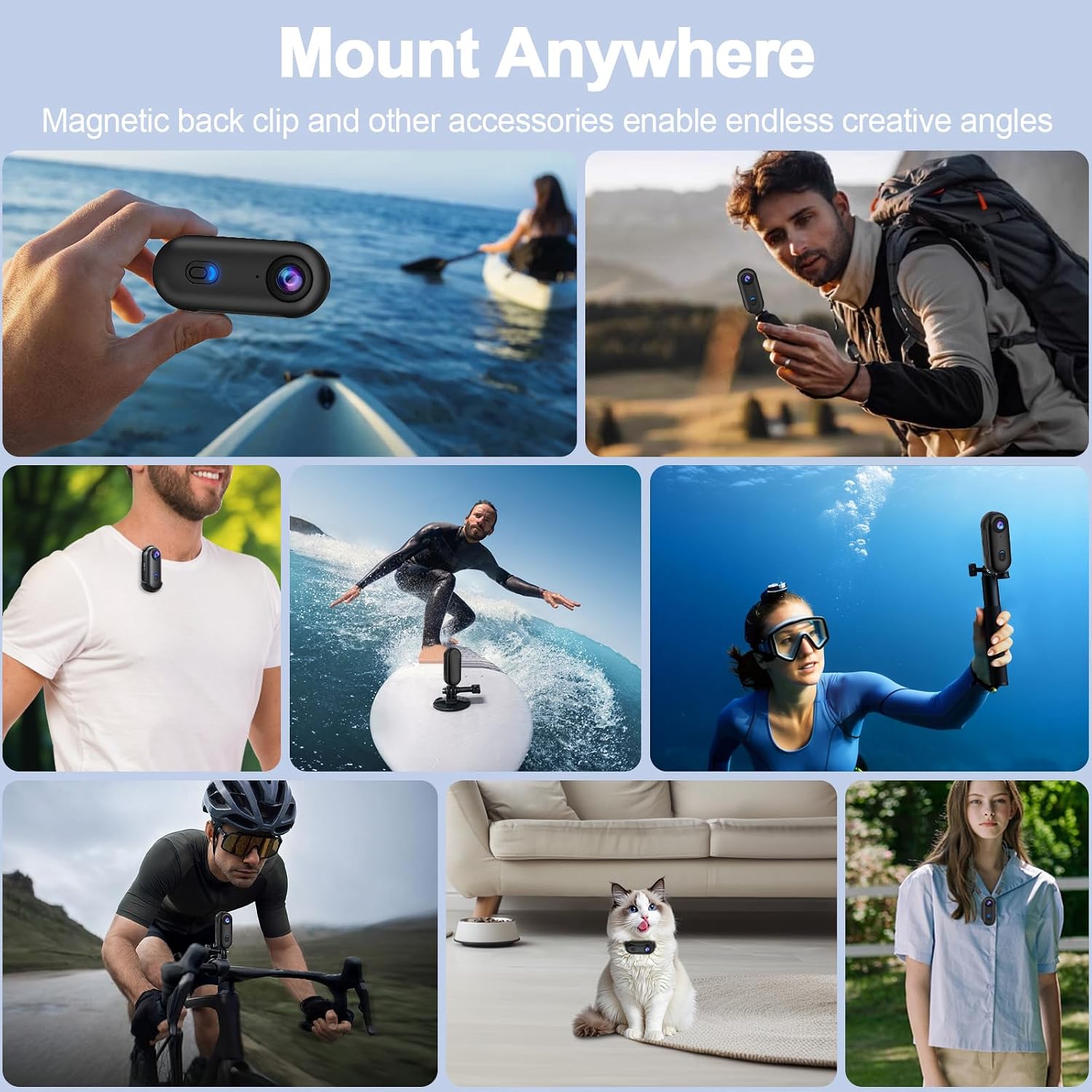
The camera offers multiple installation methods, including a magnetic back clip, spring-loaded clip, and various kits for bikes and helmets. This allows for versatile placement to capture different perspectives.


4. Istruzioni per l'uso
4.1 Accensione/spegnimento
Per accendere la fotocamera, tenere premuto il pulsante di accensione finché la spia non si illumina. Per spegnerla, tenere nuovamente premuto il pulsante di accensione finché la spia non si spegne.
4.2 Registrazione video
Once powered on, press the recording button to start video recording. The indicator light will change to indicate recording is in progress. Press the recording button again to stop recording. Videos are saved in MP4 format.
4.3 Catturare foto
Switch to photo mode (if available, refer to specific button functions) and press the recording button to capture a photo. Photos are saved in JPEG format.
4.4 Wi-Fi APP Control
Download the dedicated smartphone application to control your camera remotely. Connect your smartphone to the camera's Wi-Fi network. The app allows for live preview, playback, and downloading of content.

4.5 POV Hands-Free Recording
Utilize the various mounting accessories to achieve a hands-free, first-person perspective (POV) recording. This is ideal for capturing dynamic activities like cycling, skiing, or vlogging.

5. Manutenzione
5.1 Pulizia
- Pulire il corpo della fotocamera con un panno morbido e asciutto.
- Per la lente, utilizzare un panno e una soluzione specifici per la pulizia delle lenti, per evitare graffi.
- After using the waterproof case in saltwater, rinse it with fresh water and let it air dry.
5.2 Conservazione
Conservare la fotocamera in un luogo fresco e asciutto, lontano dalla luce solare diretta e da temperature estreme. Assicurarsi che la batteria sia parzialmente carica (circa il 50%) se si prevede di non utilizzarla per periodi prolungati.
6. Risoluzione Dei Problemi
La fotocamera non si accende
- Assicurarsi che la batteria sia carica. Collegare a una fonte di alimentazione e verificare che l'indicatore di carica si accenda.
- Try resetting the camera by pressing and holding the power button for 10 seconds.
Problemi di registrazione
- Check if a MicroSD card is inserted and if it has sufficient free space.
- Ensure the MicroSD card meets the recommended specifications (Class 10, UHS Speed Class 3, V60).
- Format the MicroSD card (this will erase all data, back up important file(prima).
Problemi di connessione Wi-Fi
- Ensure Wi-Fi is enabled on the camera and your smartphone.
- Riavvia sia la fotocamera che lo smartphone.
- Make sure you are within the camera's Wi-Fi range.
7. Specifiche
| Caratteristica | Specificazione |
|---|---|
| Marca | OBEST |
| Numero di modello | be993f6a-5a5f-47ad-8fd7-5e01108783b0 |
| Risoluzione di registrazione video | Risoluzione 4K (3840 x 2160) |
| Tecnologia dei sensori ottici | CMOS |
| Tipo di lente | Grandangolo (120°) |
| Tecnologia di connettività | Wifi |
| Livello di resistenza all'acqua | Waterproof (with case, up to 30M) |
| Tipo di memoria flash | MicroSDHC (Max 256GB, C10, U3, V60 recommended) |
| Formato di acquisizione video | MP4 |
| Formato immagine supportato | Formato JPEG |
| Formato audio supportato | CAA |
| Durata media della batteria | 150 minuti |
| Colore | Nero |
| Dispositivi compatibili | Smartphone, Tablet, Computer |
| Stabilizzazione dell'immagine | Digital (No optical stabilization) |
| Tipo di messa a fuoco | Messa a fuoco fissa |
| Proporzioni | 16:9 |
| Modalità di scatto | Underwater, Night, Sport |
8. Garanzia e supporto
For warranty information and technical support, please refer to the documentation included with your purchase or contact OBEST customer service directly. Keep your proof of purchase for warranty claims.