
1. Introduzione
This manual provides detailed instructions for the proper use and maintenance of your ANYSECU W63-US 4G Network Radio. The W63-US is an intelligent handheld transceiver operating on Android 9.0, designed for Push-to-Talk (PTT) communication over 4G networks. It supports popular platforms like Zello and RealPTT, offering features such as GPS, Bluetooth, Wi-Fi, and a flashlight function. Its robust design includes IP68 waterproof and dustproof ratings, making it suitable for various environments.
2. Contenuto della confezione
Please verify that all items listed below are included in your product package. If any items are missing or damaged, contact your vendor.
- ANYSECU W63-US Radio Body (x1)
- Antenna (x1)
- Batteria (x1)
- Cavo di alimentazione (x1)
- Adattatore di alimentazione (x1)
- Clip da cintura (x1)
- Manuale utente (x1)
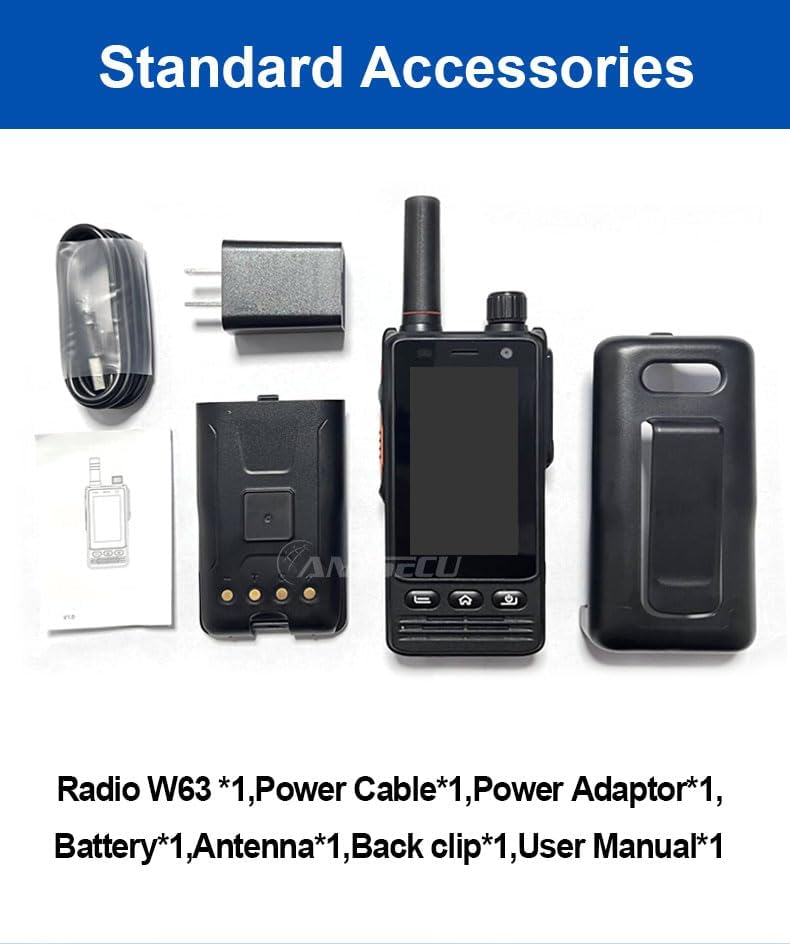
Image: Standard accessories included with the ANYSECU W63-US radio.
3. Prodotto finitoview
The ANYSECU W63-US features a compact design with a 2.95-inch high-definition touch screen and physical buttons for intuitive operation. It is equipped with both front and rear cameras, and a high-capacity battery for extended use.

Immagine: Frontale view of the ANYSECU W63-US radio highlighting Android 9, touch screen, GPS/BT/WiFi, and flashlight function.

Immagine: Posteriore view of the ANYSECU W63-US radio, showing the 5MP front and 13MP rear cameras with built-in flash.
Componenti chiave:
- Antenna: Per la ricezione e la trasmissione del segnale.
- Manopola del volume: Regola il livello di uscita audio.
- Pulsante SOS: Per avvisi di emergenza.
- Pulsante PTT: Pulsante Push-to-Talk per la comunicazione.
- Display: 2.95-inch touch screen (854*480 pixels).
- Pulsanti di navigazione: Home, Back, and Power buttons.
- Porta USB-C: Per la ricarica e il trasferimento dei dati.
- Clip da cintura: Per un trasporto comodo.

Image: The ANYSECU W63-US radio shown with its high-quality waist clip for portability.
4. Impostazione
4.1 Installazione della batteria
- Assicurarsi che il dispositivo sia spento.
- Individuare il coperchio del vano batteria sul retro della radio.
- Rimuovere con cautela il coperchio.
- Insert the provided 4000mAh 3.8V battery, aligning the contacts.
- Richiudere il coperchio del vano batteria, assicurandosi che sia ben chiuso.

Image: The ANYSECU W63-US radio highlighting its 4000mAh high-capacity battery.
4.2 SIM Card / SD Card Installation
The W63-US supports 4G network connectivity. Insert your SIM card into the designated slot. If desired, an SD card can also be installed for additional storage.
4.3 Accensione iniziale
- Tenere premuto il pulsante di accensione finché lo schermo non si illumina.
- Seguire le istruzioni visualizzate sullo schermo per la configurazione iniziale, inclusa la selezione della lingua e la configurazione di rete.
Video: Demonstration of the ANYSECU W63-US radio's physical features and initial power-on sequence.
5. Istruzioni per l'uso
5.1 Navigazione di base
- Schermo tattile: Navigate menus and applications by tapping and swiping on the 2.95-inch display.
- Pulsante Home: Ritorna alla schermata principale.
- Pulsante Indietro: Ritorna alla schermata precedente.
- Pulsante di accensione: Short press to lock/unlock screen, long press to power off/restart.

Image: A hand interacting with the 2.95-inch high-definition touch screen of the ANYSECU W63-US radio.
5.2 PTT Communication (Zello/RealPTT)
The W63-US is compatible with Zello and RealPTT applications for Push-to-Talk communication. Ensure you have an active account and are logged into your preferred application.
- Open the Zello or RealPTT application from the home screen.
- Select your desired contact or channel.
- Premere e tenere premuto il tasto dedicato Pulsante PTT on the side of the radio to transmit your voice.
- Rilascia il pulsante PTT per ascoltare.
5.3 Connettività di rete
The device supports global 4G networks, Wi-Fi, and Bluetooth for versatile connectivity.
- Rete 4G: Automatically connects if a valid SIM card is inserted and configured.
- Wifi: Access Wi-Fi settings through the Android interface to connect to available networks.
- Bluetooth: Pair with compatible Bluetooth accessories like headsets.
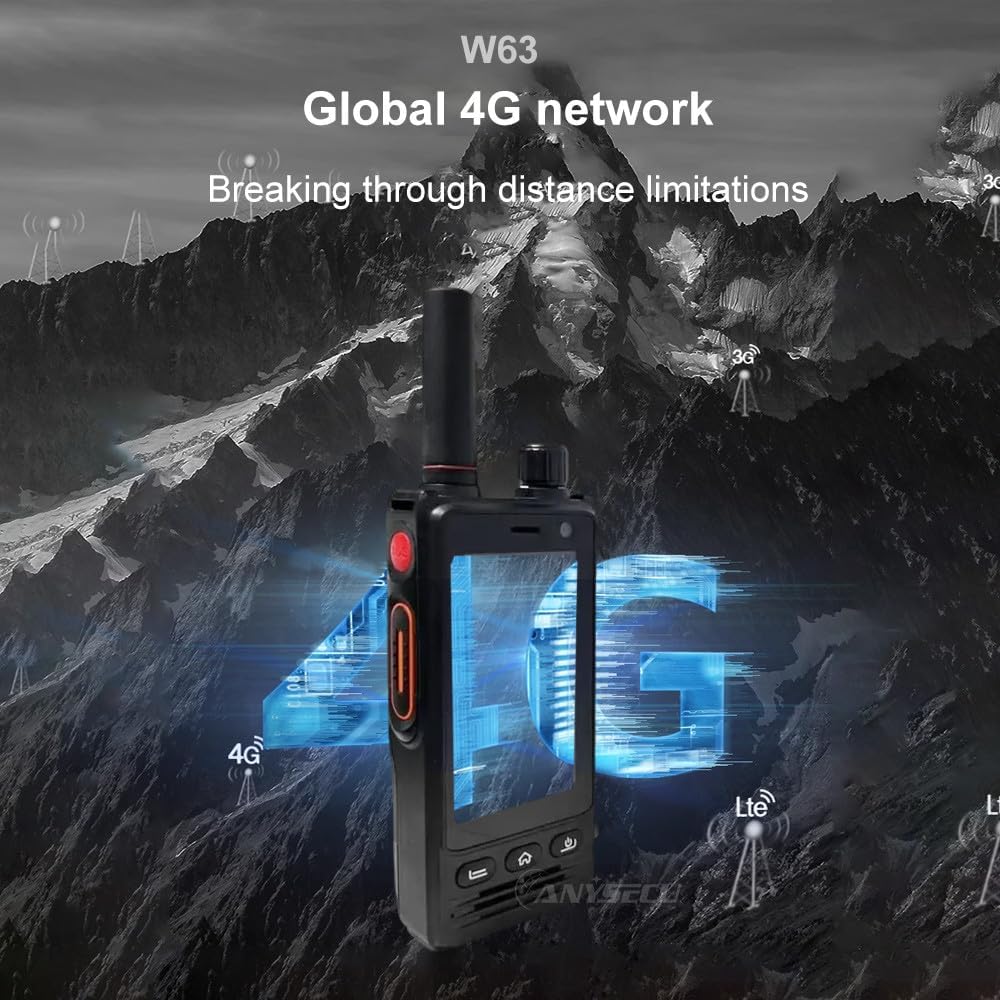
Image: The ANYSECU W63-US radio demonstrating its global 4G network capabilities.
6. Manutenzione
6.1 Pulizia del dispositivo
Utilizzare un morbido, damp cloth to clean the exterior of the radio. Avoid using harsh chemicals or abrasive materials that could damage the device or screen.
6.2 Cura della batteria
- Caricare completamente la batteria prima del primo utilizzo.
- Evitare di sovraccaricare o scaricare completamente la batteria per prolungarne la durata.
- Quando non vengono utilizzate per lunghi periodi, conservare la radio e la batteria in un luogo fresco e asciutto.
6.3 Resistenza all'acqua e alla polvere
The W63-US is rated IP68 waterproof and dustproof. This means it can withstand immersion in water up to 1.5 meters for 30 minutes and is protected against dust ingress. Ensure all ports and covers are securely closed before exposing the device to water or dust.

Image: The ANYSECU W63-US radio demonstrating its IP68 waterproof and dustproof features. An optional explosion-proof version may also be available.
7. Risoluzione Dei Problemi
If you encounter issues with your ANYSECU W63-US radio, refer to the following common problems and solutions:
- Il dispositivo non si accende:
Ensure the battery is correctly installed and charged. Connect the radio to the charger and attempt to power on again. - Nessuna connessione di rete:
Verify that your SIM card is properly inserted and active. Check network settings to ensure 4G is enabled. If using Wi-Fi, confirm you are connected to a valid network. - La funzione PTT non funziona:
Ensure you are logged into your Zello or RealPTT account. Check the application settings to confirm the PTT button is correctly mapped. Verify you have an active internet connection. - Problemi audio (nessun suono/suono distorto):
Adjust the volume knob. Check if a headset is connected and properly functioning. Restart the device. - Il touch screen non risponde:
Riavvia il dispositivo. Se il problema persiste, assicurati che lo schermo sia pulito e privo di detriti.
8. Specifiche
| Caratteristica | Dettaglio |
|---|---|
| Marca | ANYSECU |
| Numero di modello | W63-Stati Uniti |
| Colore | Nero |
| Sistema operativo | Androide 9.0 |
| Protocollo di connettività | 4G |
| Tipo di sintonizzatore | 4G |
| Display | 2.95 inch High-definition (854*480 pixels) Touch Screen |
| Livello di resistenza all'acqua | IP68 impermeabile |
| Batteria | 4000mAh 3.8V (1 AA battery required, included) |
| Numero di canali | 1000 |
| Portata massima di conversazione | 10 miglia |
| Caratteristiche speciali | Long Range, GPS, Bluetooth, Wi-Fi, Flashlight |
| Dispositivi compatibili | Zello, RealPTT |
| Telecamere | Front 5MP, Rear 13MP with Built-in Flash |
9. Garanzia e supporto
9.1 Informazioni sulla garanzia
The ANYSECU W63-US radio body is covered by a Garanzia di 1 anno dalla data di acquisto. La presente garanzia copre i difetti di fabbricazione in condizioni di normale utilizzo. Si prega di conservare la prova d'acquisto per eventuali reclami in garanzia. La garanzia non copre danni causati da uso improprio, incidenti, modifiche non autorizzate o normale usura.
9.2 Assistenza clienti
For technical assistance, troubleshooting beyond this manual, or warranty inquiries, please contact your authorized ANYSECU dealer or visit the official ANYSECU websito per le risorse di supporto.