
1. Introduzione
The NiTHO NEXUS DARK OPS is a versatile wireless controller designed for multi-platform gaming. It offers compatibility with PC (Windows), Nintendo Switch, Switch Lite, Switch OLED, Android, and iOS devices. This controller features a precise 6-axis gyro, four levels of vibration, and magnetic Hall Effect triggers for enhanced gaming accuracy and responsiveness. Customizable RGB lighting and a programmable turbo function further enrich the gaming experience. This manual provides essential information for setting up, operating, maintaining, and troubleshooting your controller.

The NiTHO NEXUS DARK OPS controller features an ergonomic design for comfortable extended gameplay sessions.
2. Contenuto della confezione
- NiTHO NEXUS DARK OPS Wireless Controller
- Cavo di ricarica USB-C
- Manuale dell'utente (questo documento)
3. Disposizione del controller

Dettagliato view of the controller's components and their labels.
- Left Rocker: Analog joystick for movement and camera control.
- - Chiave: Pulsante funzione di sistema.
- Pulsante di accoppiamento: Utilizzato per avviare la modalità di associazione Bluetooth.
- Cross Arrow Key (D-Pad): Directional input for navigation and specific game actions.
- Pulsante TURBO: Activates and adjusts the turbo function.
- Tasto CASA: Ritorna alla schermata iniziale del sistema.
- Chiave dello screenshot: Cattura schermate durante il gioco.
- + Chiave: Pulsante funzione di sistema.
- Tasti A/B/X/Y: Pulsanti di azione standard.
- Right Rocker: Analog joystick for movement and camera control.
- Spia luminosa della modalità: Displays current connection mode and battery status.
- R1/L1 (Shoulder Buttons): Top trigger buttons.
- R2/L2 (Trigger Buttons): Bottom trigger buttons with Hall Effect technology.
- Porta di ricarica TIPO C: Per caricare il controller.
- Force Online Button: For specific connection scenarios.
4. Configurazione e connessione
The NiTHO NEXUS DARK OPS controller supports wireless connection via Bluetooth to various platforms.

The controller is compatible with Nintendo Switch, PC, Android, and iOS devices.
4.1 General Pairing Instructions
- Assicurarsi che il controller sia sufficientemente carico.
- Premere e tenere premuto il tasto Pulsante di associazione on the controller until the Mode Indicator Light begins to flash rapidly, indicating it is in pairing mode.
- On your device (Switch, PC, Android, iOS), navigate to the Bluetooth settings.
- Cercare available Bluetooth devices and select "NEXUS DARK OPS" or a similar name.
- Once connected, the Mode Indicator Light will become solid.
4.2 Connessione a Nintendo Switch
- Dal menu HOME, seleziona Controllori > Cambia impugnatura/ordine.
- While on this screen, press and hold the Pulsante di associazione on the NEXUS DARK OPS controller.
- The controller will pair with the Switch, and the player indicator lights will illuminate.
4.3 Connessione al PC (Windows)
- Vai a Impostazioni > Dispositivi > Bluetooth e altri dispositivi.
- Assicurati che il Bluetooth sia attivato On.
- Clic Aggiungi Bluetooth o altro dispositivo > Bluetooth.
- Premere e tenere premuto il tasto Pulsante di associazione sul controller.
- Select "NEXUS DARK OPS" from the list of devices to pair.
4.4 Connessione a dispositivi Android/iOS
- Abilita il Bluetooth sul tuo dispositivo Android o iOS.
- Vai alle impostazioni Bluetooth.
- Premere e tenere premuto il tasto Pulsante di associazione sul controller.
- Select "NEXUS DARK OPS" from the list of available devices to connect.
5. Istruzioni per l'uso
5.1 Illuminazione RGB
The controller features customizable RGB lighting with 7 vibrant colors and 4 dynamic lighting modes.

Explore 7 colors and 4 lighting modes including Jumping, Colorful Constant, Rainbow Mixing, and Breathing effects.
To cycle through the lighting modes or colors, refer to the specific button combination in the quick start guide included with your product. Typically, a dedicated button or a combination with the TURBO button controls RGB effects.
5.2 Feedback di vibrazione
The controller includes dual motors for vibration feedback with 4 adjustable levels: Off, Low, Medium, and High.

Adjust vibration intensity from 0% to 100% for personalized feedback.
To adjust vibration intensity, consult the quick start guide for the specific button sequence, often involving the TURBO button and a directional input.
5.3 Funzione Turbo
The programmable turbo function allows for rapid-fire actions with three speed settings: 5, 10, or 15 shots per second.

Set your turbo speed to 5, 10, or 15 shots per second for competitive advantage.
To activate turbo for a button, press and hold the Turbosoffiante button, then press the desired action button. Repeat the process to adjust speed or deactivate turbo for that button.
5.4 Magnetic Hall Effect Triggers
The controller is equipped with magnetic Hall Effect triggers. This technology provides smooth, accurate trigger response and helps prevent common issues like analog stick drift, ensuring long-lasting precision.

Magnetic Hall Effect triggers offer precise and durable input.
5.5 6-Axis Gyro Motion Sensor
A precise 6-axis gyro sensor is integrated into the controller, allowing for responsive motion control in games that support it. This feature captures tilts and rotations, enhancing gameplay in racing, action, and adventure titles.
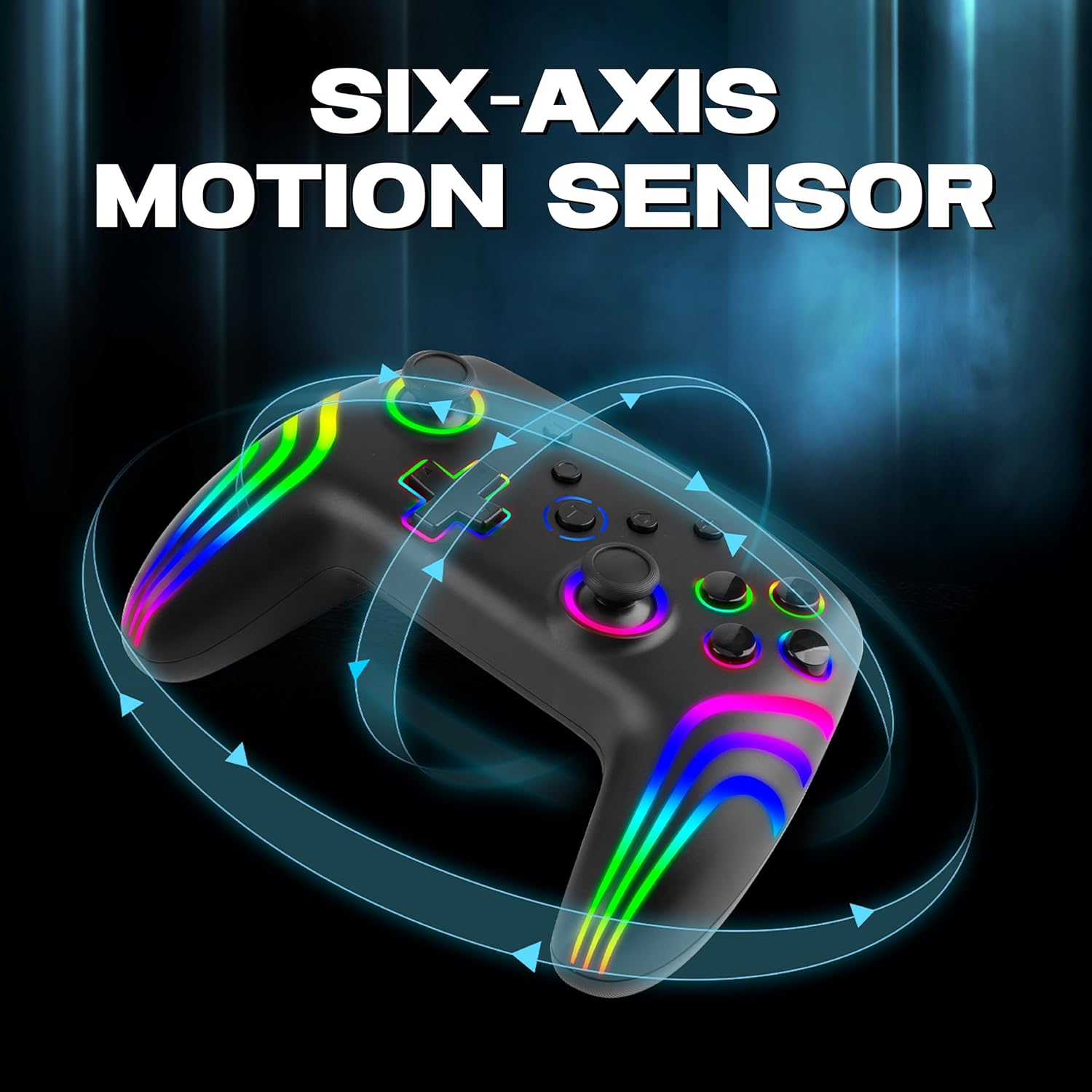
The 6-axis gyro provides accurate motion sensing for immersive gameplay.
6. Ricarica del controller
The NiTHO NEXUS DARK OPS controller is equipped with a built-in 800mAh rechargeable battery.

The 800mAh battery offers up to 9 hours of gameplay on a 2.5-hour charge.
- Connect the supplied USB-C charging cable to the TYPE-C charging port on the controller.
- Collegare l'altra estremità del cavo a una fonte di alimentazione USB (ad esempio, console, PC, adattatore USB da parete).
- The Mode Indicator Light will typically show charging status (e.g., blinking while charging, solid when fully charged).
- A full charge takes approximately 2.5 hours and provides up to 9 hours of continuous gameplay.
7. Manutenzione
- Pulizia: Utilizzare un panno morbido e asciutto per pulire il controller. Evitare l'uso di prodotti chimici aggressivi o materiali abrasivi.
- Magazzinaggio: Conservare il controller in un luogo fresco e asciutto, lontano dalla luce solare diretta e da temperature estreme.
- Cura della batteria: Per prolungare la durata della batteria, evitare di scaricare completamente il controller frequentemente. Caricarlo regolarmente, anche se non lo si utilizza per lunghi periodi.
- Evitare gocce: Proteggere il controller da cadute e urti che potrebbero danneggiare i componenti interni.
8. Risoluzione Dei Problemi
- Il controller non si accende:
- Assicurati che il controller sia completamente carico. Collegalo a una fonte di alimentazione e attendi che l'indicatore di carica si accenda.
- If the battery is completely drained, it may take a few minutes of charging before the controller responds.
- Unable to pair the controller:
- Make sure the controller is in pairing mode (Mode Indicator Light flashing rapidly).
- Assicurati che il Bluetooth sia abilitato sul tuo dispositivo e che sia rilevabile.
- Avvicina il controller al tuo dispositivo.
- Remove any previous pairings of the controller from your device's Bluetooth settings and try pairing again.
- Riavviare sia il controller che il dispositivo.
- Il controller si disconnette frequentemente:
- Ensure there are no obstructions or sources of interference (e.g., Wi-Fi routers, other Bluetooth devices) between the controller and your device.
- Keep the controller within the effective Bluetooth range (typically up to 10 meters).
- Check the controller's battery level. Low battery can affect connection stability.
- I pulsanti o i joystick non rispondono:
- Assicurati che il controller sia collegato correttamente al tuo dispositivo.
- Test the controller on another device or game to determine if the issue is specific to one setup.
- Perform a factory reset if available (refer to the quick start guide for specific instructions, often involves a small reset button).
- Motion sensor (gyro) not working:
- Verifica che il gioco a cui stai giocando supporti i controlli di movimento.
- Ensure the controller is properly calibrated. Some systems or games may require manual calibration.
- If connected to PC, ensure necessary drivers or software are installed and updated.
9. Specifiche
| Numero di modello | NEXUS DARK OPS |
| Connettività | Wireless (Bluetooth) |
| Compatibilità | PC (Windows), Nintendo Switch / Lite / OLED / Switch 2, Android, iOS |
| Tipo di batteria | Built-in Rechargeable Nonstandard Battery |
| Capacità della batteria | 800mAh |
| Tempo di gioco | Fino a 9 ore |
| Tempo di ricarica | Circa 2.5 ore |
| Porta di ricarica | USB di tipo C |
| Dimensioni (LxWxH) | Dimensioni: 16.1 x 6.5 x 11.1 cm |
| Peso | 270 grammi |
| Caratteristiche | RGB Lighting, Hall Effect Triggers, 6-Axis Gyro, Dual Motor Vibration, Turbo Function, Programmable Buttons |
10. Garanzia e supporto
Per informazioni sulla garanzia, consultare la documentazione fornita al momento dell'acquisto o contattare il rivenditore. I termini di garanzia specifici possono variare a seconda della regione e del rivenditore.
10.1 Supporto tecnico
If you encounter issues not covered in the troubleshooting section or require further assistance, please contact NiTHO customer support:
- Manufacturer Support Email: nithoamazonin@mtm-t.com
- Importer Support Email (India): marketgateindia@gmail.com