
1. Prodotto finitoview
The Xech Retro Typewriter Wireless Keyboard (Model X-202) combines a vintage aesthetic with modern multi-device connectivity. It features 84 round keycaps and supports connection to up to three devices simultaneously via Bluetooth 5.0 and a 2.4G USB dongle. An integrated holder allows for convenient placement of smartphones or tablets.

Immagine: dall'alto verso il basso view of the Xech Retro Typewriter Wireless Keyboard, showcasing its 84 round keycaps and classic design.
2. Istruzioni per l'installazione
2.1. Installazione della batteria
The keyboard is powered by AAA batteries. To install or replace batteries:
- Individuare il vano batteria sul lato inferiore della tastiera.
- Aprire il coperchio del vano batterie.
- Inserire due (2) batterie AAA, assicurandosi della corretta polarità (+/-).
- Chiudere saldamente il coperchio del vano batterie.

Image: The underside of the keyboard showing the battery compartment and the storage slot for the 2.4G USB dongle.
2.2. Connecting via 2.4G USB Dongle
For 2.4G wireless connection:
- Locate the 2.4G USB dongle stored in the battery compartment on the underside of the keyboard.
- Remove the dongle.
- Plug the 2.4G USB dongle into an available USB-A port on your computer or device.
- Turn on the keyboard. The keyboard should automatically connect.
- Premere il tasto Fn + 4 keys to switch to 2.4G mode if not already selected.
2.3. Connessione tramite Bluetooth
The keyboard supports two Bluetooth connections (BT1 and BT2). To pair:
- Accendi la tastiera.
- Premere Fn + 1 for Bluetooth Device 1 or Fn + 2 for Bluetooth Device 2. The indicator light will flash, indicating pairing mode.
- On your device (laptop, tablet, smartphone), enable Bluetooth and search for new devices.
- Select "Xech Keyboard" from the list of available devices.
- Seguire le istruzioni visualizzate sullo schermo per completare il processo di associazione. La spia luminosa sulla tastiera smetterà di lampeggiare una volta effettuata la connessione.
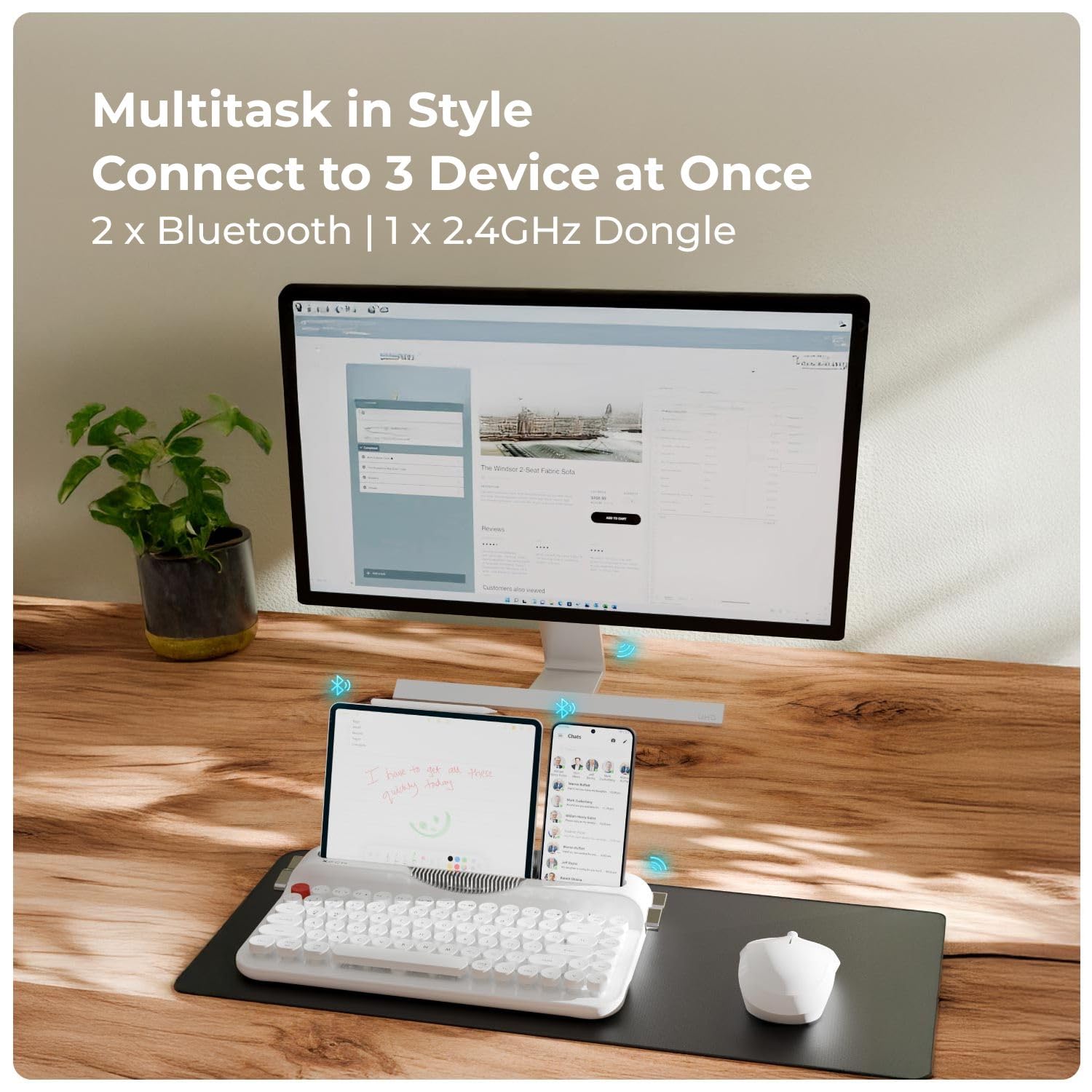
Image: The Xech keyboard demonstrating multi-device connectivity with a monitor, tablet, and smartphone.
3. Istruzioni per l'uso
3.1. Passaggio da un dispositivo all'altro
The keyboard allows seamless switching between three connected devices:
- Premere Fn + 1 per passare al dispositivo Bluetooth 1.
- Premere Fn + 2 per passare al dispositivo Bluetooth 2.
- Premere Fn + 4 to switch to 2.4G USB dongle connection.
3.2. Tasti di scelta rapida multimediali
The keyboard includes dedicated shortcut keys for various multimedia functions. These are typically accessed by holding the Fn tasto e premendo il tasto funzione corrispondente (F1-F12).
- Tasto F1: Media Player
- Tasto F2: Volume basso
- Tasto F3: Volume su
- Tasto F4: Muto
- Tasto F5: Traccia precedente
- Tasto F6: Prossima traccia
- Tasto F7: Riproduci/Pausa
- Tasto F8: Fermare
- Tasto F9: Web Navigatore
- Tasto F10: E-mail
- Tasto F11: Il mio computer
- Tasto F12: Calcolatrice
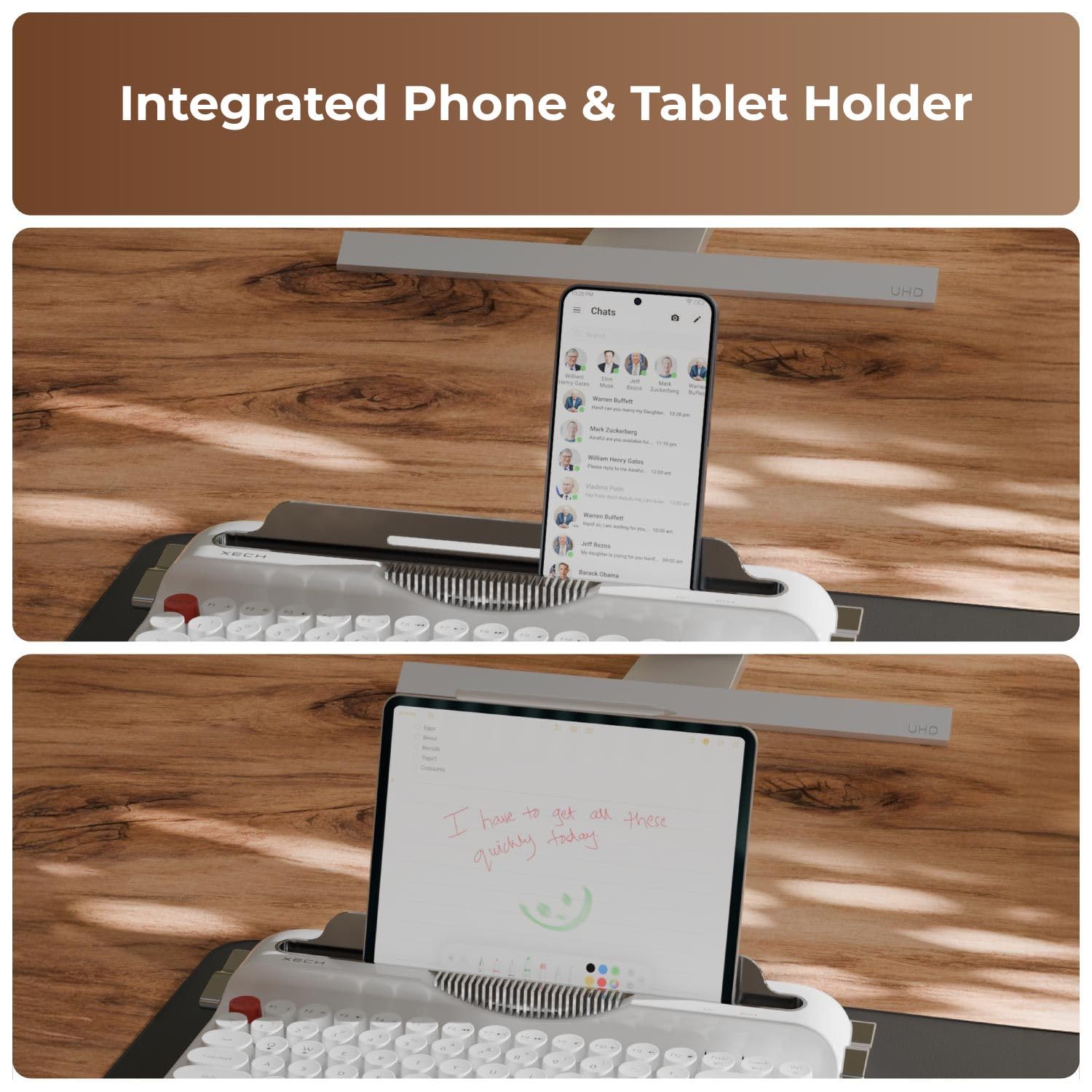
Immagine: un primo piano view of the keyboard's function keys, highlighting the multimedia shortcuts.
3.3. Integrated Phone & Tablet Holder
The keyboard features an integrated slot at the top to hold your smartphone or tablet, providing an optimal viewing angle for multitasking.

Image: The Xech keyboard with a tablet securely placed in its integrated holder, demonstrating its utility for multitasking.
3.4. Modalità di risparmio energetico
To conserve battery life, the keyboard automatically enters a sleep mode after 10 minutes of inactivity. To wake it up, simply press any key.
4. Manutenzione
4.1. Pulizia della tastiera
Per mantenere l'aspetto e la funzionalità della tastiera:
- Prima di pulirla, scollegare la tastiera da tutti i dispositivi.
- Utilizzare un panno morbido e privo di lanugine leggermente dampcon acqua o una soluzione detergente delicata per pulire la superficie.
- For cleaning between the keycaps, use compressed air or a small brush to remove dust and debris.
- Evitare l'uso di prodotti chimici aggressivi, detergenti abrasivi o umidità eccessiva, poiché potrebbero danneggiare la tastiera.
4.2. Sostituzione della batteria
When the keyboard's performance diminishes or it fails to power on, it may be time to replace the AAA batteries. Refer to Section 2.1 for battery installation instructions.
5. Risoluzione Dei Problemi
If you encounter issues with your Xech Retro Typewriter Wireless Keyboard, please refer to the following common solutions:
5.1. La tastiera non si connette
- Controllare le batterie: Assicurarsi che le batterie siano installate correttamente e abbiano una carica sufficiente. Sostituire se necessario.
- Accensione: Verify the keyboard is turned on.
- Modalità corretta: Ensure you have selected the correct connection mode (Fn + 1/2 per Bluetooth, Fn + 4 for 2.4G).
- Chiavetta 2.4G: For 2.4G connection, ensure the USB dongle is securely plugged into your device's USB port.
- Accoppiamento Bluetooth: For Bluetooth, ensure Bluetooth is enabled on your device and the keyboard is in pairing mode. Try unpairing and re-pairing the keyboard.
- Interferenza: Avvicinare la tastiera al dispositivo e allontanarla da altri dispositivi wireless che potrebbero causare interferenze.
5.2. I tasti non rispondono
- Livello della batteria: Low battery can cause intermittent key response. Replace batteries.
- Riconnessione: Try disconnecting and reconnecting the keyboard (either by turning it off/on or re-pairing Bluetooth/re-inserting dongle).
- Chiavi pulite: Assicurarsi che non vi siano detriti incastrati sotto i tasti.
5.3. Lag or Delayed Input
- Distanza: Ridurre la distanza tra la tastiera e il dispositivo.
- Interferenza: Ridurre al minimo le potenziali interferenze wireless provenienti da altri dispositivi.
- Batteria: Assicurarsi che le batterie non siano scariche.
6. Specifiche
| Caratteristica | Dettaglio |
|---|---|
| Numero di modello | X-202 |
| Numero di chiavi | 84 |
| Tipo di copritastiera | Round Volcano Keycaps |
| Connettività | 2x Bluetooth 5.0, 1x 2.4G USB |
| Dimensioni (L x P x A) | Dimensioni: 34.9 cm x 20.3 cm x 3 cm |
| Volume di lavorotage | 3.0V |
| Consumo energetico attivo | <10mA |
| Consumo energetico durante il sonno | <0.1mA |
| Fonte di alimentazione | Batterie AAA |
| Sistemi operativi compatibili | Windows XP/7/8/10+, macOS 10.10+, iOS, Android 4.3+ |
| Materiale di recinzione | Acrilonitrile-butadiene-stirene |
| Colore | Bianco |
| Contenuto della confezione | Cavo USB, manuale utente |
7. Informazioni sulla garanzia
The Xech Retro Typewriter Wireless Keyboard (Model X-202) comes with a Garanzia di 1 anno. This warranty covers manufacturing defects from the date of purchase. Please retain your proof of purchase for warranty claims. The warranty does not cover damage caused by misuse, accidents, unauthorized modifications, or normal wear and tear.
8. Supporto
For further assistance, technical support, or warranty inquiries, please contact Xech customer service:
- E-mail: support@xech.com
- Produttore: XECH (HK) LIMITED
- Importatore/Imballatore: XECH Technologies Pvt Ltd
You can also visit the official Xech store for more product information and updates: Xech Store on Amazon