
Introduzione
This user manual provides comprehensive instructions for the Chieftec AS-02B-TG-OP Midi Tower PC Case. It covers essential information regarding product features, installation procedures, operational guidelines, maintenance tips, and technical specifications. Please read this manual thoroughly before installing or operating your PC case to ensure proper functionality and longevity.
Prodotto finitoview
The Chieftec AS-02B-TG-OP is a Midi Tower PC case designed for optimal cooling and a modern aesthetic. It features a sleek brushed front panel, a tempered glass side panel, and a pre-installed 120mm PWM fan for efficient heat dissipation.
Caratteristiche principali:
- Sleek brushed front panel design.
- Tempered glass side panel for component visibility.
- Optimized interior layout for efficient cooling.
- Pre-installed 120mm PWM fan at the rear.
- Support for various motherboard form factors (ATX, micro ATX, Mini-ITX).
- Multiple expansion bays for storage devices.
- Front I/O panel with USB 2.0, USB Type-C, and audio ports.
Identificazione dei componenti:

Figura 1: Anteriore sinistro view of the Chieftec AS-02B-TG-OP PC case, showcasing the brushed front panel and the tempered glass side panel.

Figura 2: Fronte diretto view of the Chieftec AS-02B-TG-OP PC case, highlighting the brushed finish of the front panel.

Figura 3: Front-right angle view of the Chieftec AS-02B-TG-OP PC case, showing the subtle design elements.
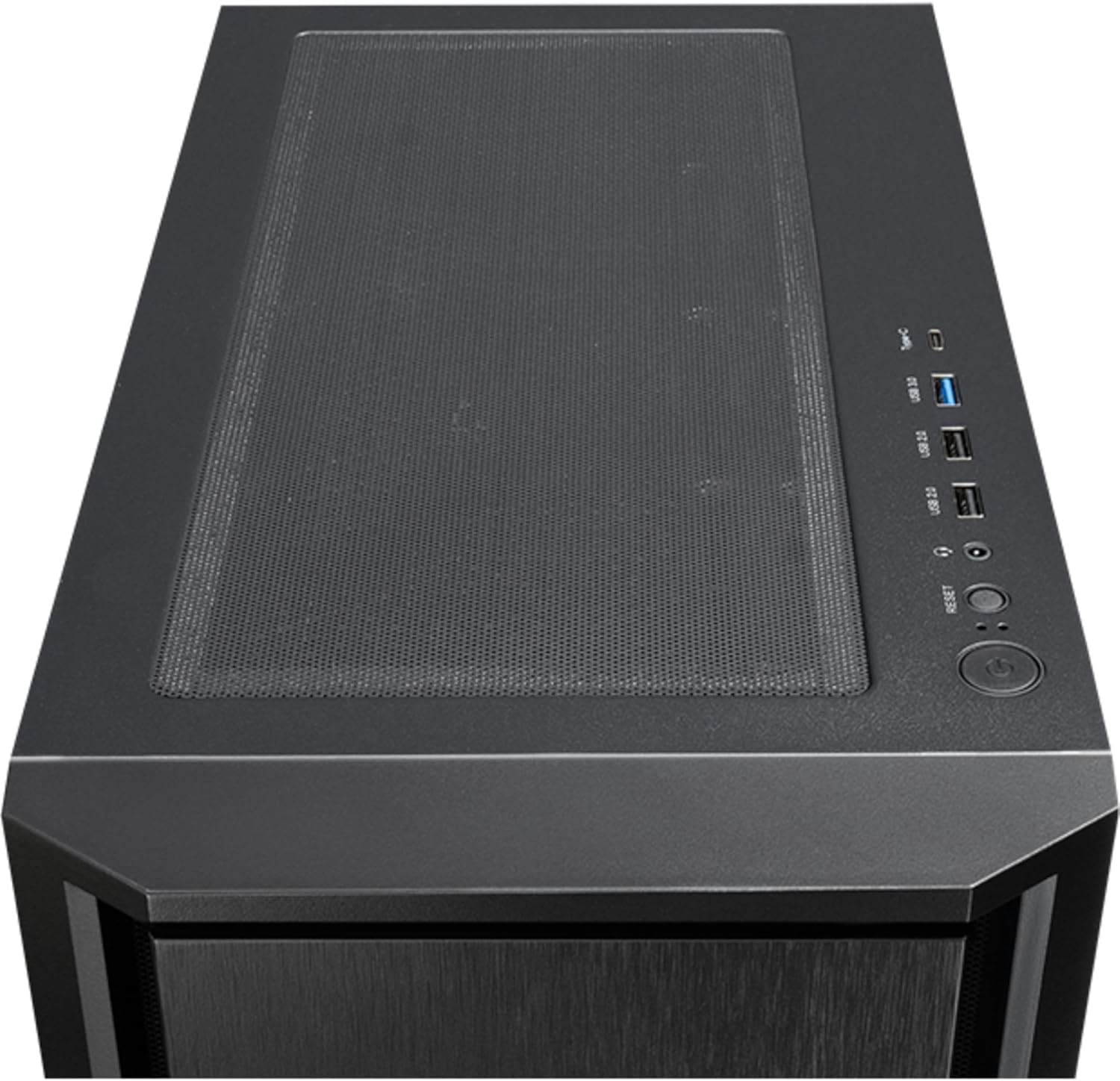
Figura 4: Superiore view of the Chieftec AS-02B-TG-OP PC case, showing the top ventilation and the front I/O panel with USB ports and audio jacks.

Figura 5: Posteriore view of the Chieftec AS-02B-TG-OP PC case, detailing the expansion slots, rear fan mount, and PSU opening.

Figura 6: Metter il fondo a view of the Chieftec AS-02B-TG-OP PC case, showing the case feet and bottom dust filter area.
Configurazione e installazione
This section guides you through the process of installing components into your Chieftec AS-02B-TG-OP PC case.
1. Preparing the Case:
- Posizionare la custodia su una superficie piana e stabile.
- Carefully remove the tempered glass side panel by unscrewing the thumb screws at the rear.
- Remove the opposite side panel to access the cable management area.
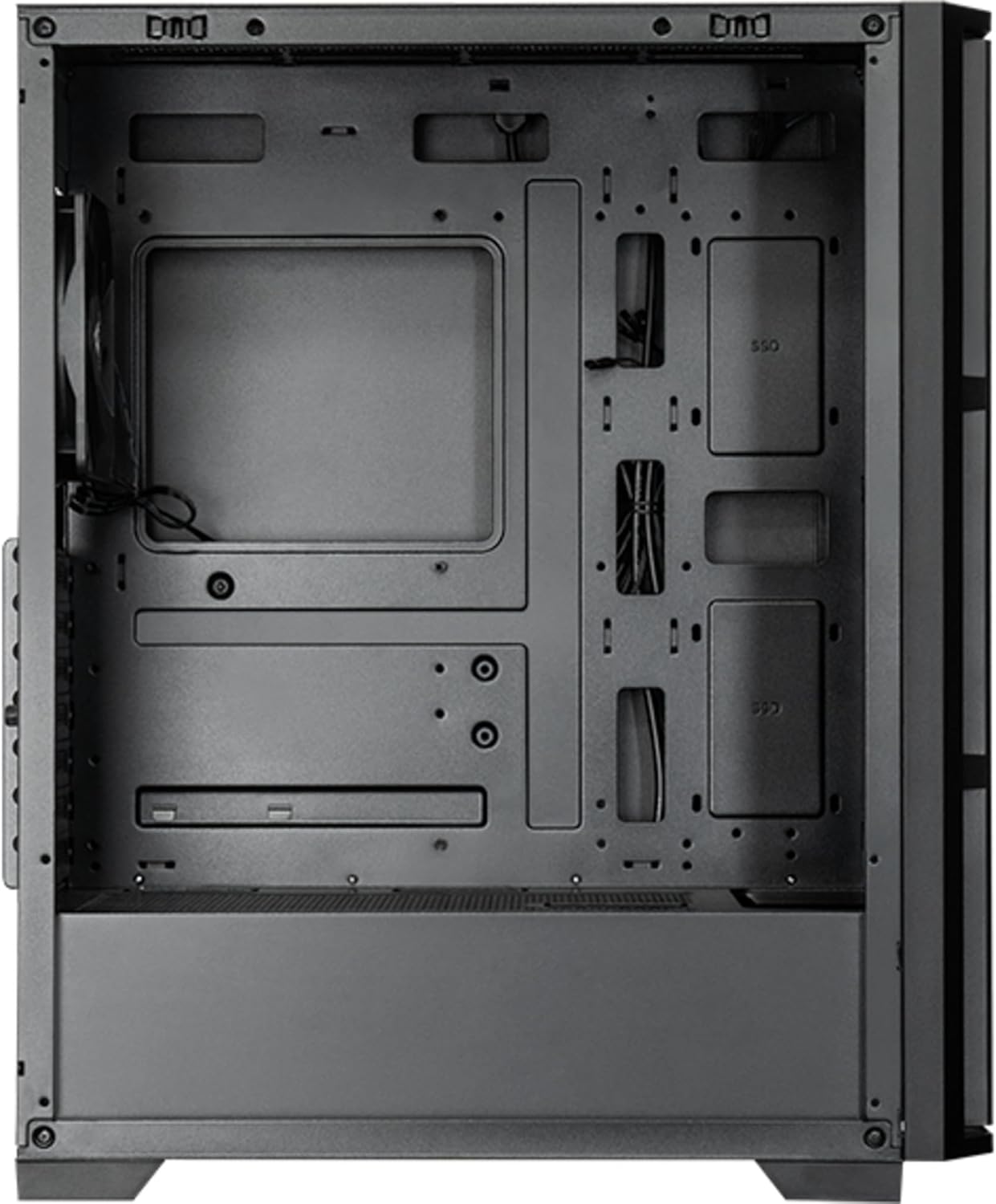
Figura 7: Interno view of the main compartment, showing the motherboard tray and fan mounting points.
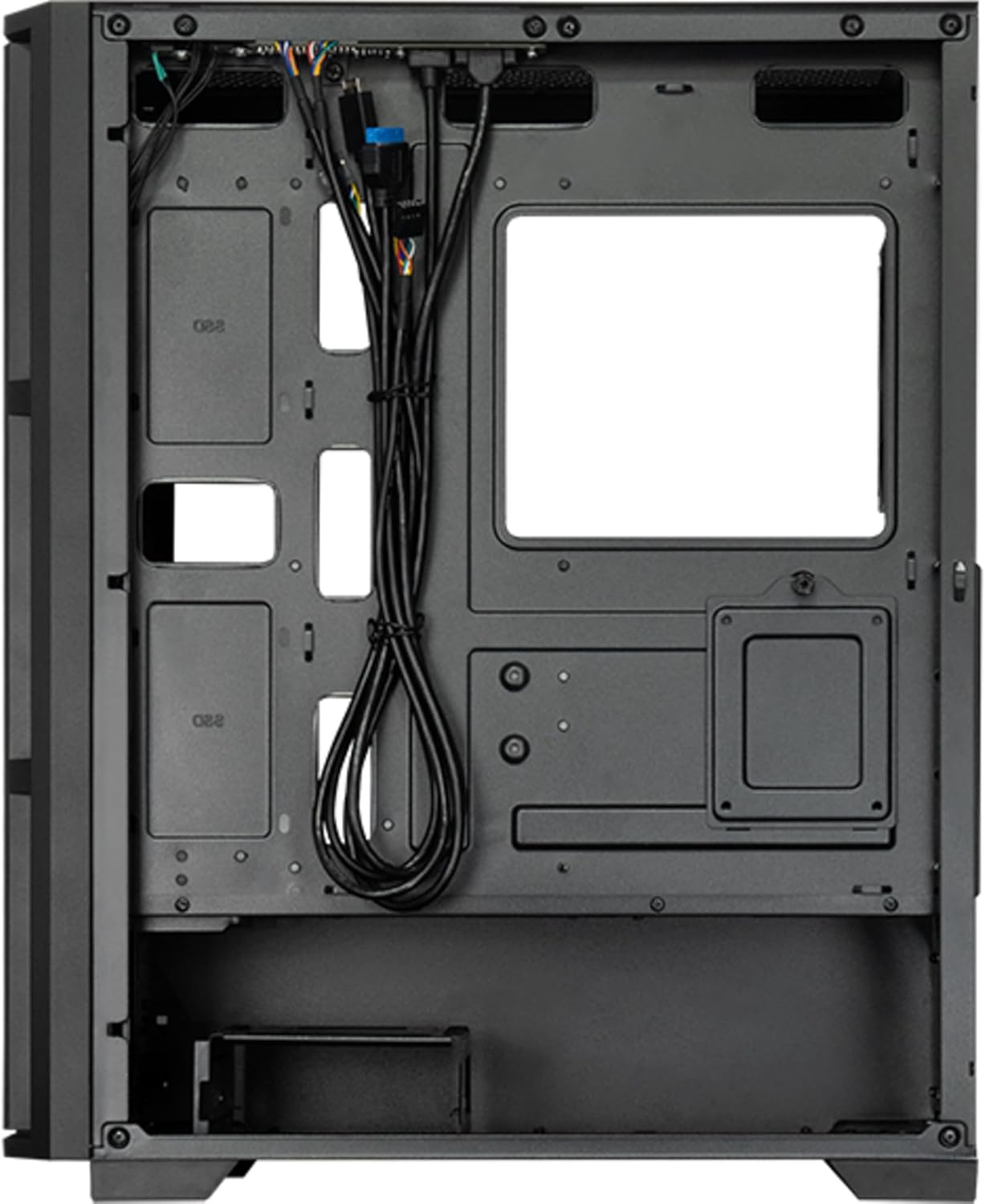
Figura 8: Interno view from the backside, illustrating the cable management routes and drive mounting locations.
2. Installazione della scheda madre:
- Installare la schermatura I/O nell'apertura posteriore del case.
- Align your ATX, micro ATX, or Mini-ITX motherboard with the standoffs inside the case.
- Fissare la scheda madre utilizzando le viti fornite.
3. Installazione dell'unità di alimentazione (PSU):
- The PSU is not included. Install your ATX power supply into the dedicated compartment at the bottom rear of the case.
- Fissare l'alimentatore con le viti dalla parte posteriore del case.
4. Storage Drive Installation:
- Install 3.5" HDDs into the drive cages located at the bottom.
- Install 2.5" SSDs/HDDs into the dedicated mounting points behind the motherboard tray.
- Fissare tutte le unità con le viti appropriate.
5. Graphics Card and Expansion Cards:
- Rimuovere le coperture degli slot di espansione necessari nella parte posteriore del case.
- Inserisci la scheda grafica o altre schede di espansione negli slot PCIe della scheda madre.
- Fissare le schede con le viti.
6. Gestione dei cavi:
- Route all power and data cables through the cutouts and tie-down points behind the motherboard tray.
- Connect the front panel I/O cables (USB, audio, power switch, reset switch, LED indicators) to the corresponding headers on your motherboard.
- Ensure cables do not obstruct airflow.
7. Installazione della ventola e del sistema di raffreddamento:
- The case includes one pre-installed 120mm PWM fan at the rear.
- Additional fans can be installed at the front (up to 3x 120mm/140mm) and top (up to 2x 120mm/140mm).
- Radiators up to 360mm can be installed at the front and up to 280mm at the top.
- Connect fan power cables to the motherboard fan headers.
Istruzioni per l'uso
Once all components are installed and secured, and the side panels are reattached, your PC is ready for operation.
Accensione:
- Collegare il cavo di alimentazione dell'alimentatore a una presa a muro.
- Premere il pulsante di accensione situato sul pannello I/O superiore del case.
- The system should boot up, and any installed lighting will illuminate.
Front I/O Panel Usage:
- Porte USB 2.0 (x2): For connecting peripherals such as keyboards, mice, and USB drives.
- Porta USB di tipo C (x1): Per collegare i moderni dispositivi USB-C.
- Jack audio (cuffie/microfono): Per collegare cuffie, altoparlanti o microfoni.
- Pulsante di reset: Per riavviare il computer.
Manutenzione
Una manutenzione regolare aiuta a garantire prestazioni ottimali e prolunga la durata dei componenti del PC.
Pulizia:
- Esterno: Utilizzare un morbido, damp panno per pulire le superfici esterne. Evitare detergenti abrasivi.
- Filtri antipolvere: The case features dust filters (e.g., on the top and bottom). Regularly remove and clean these filters with compressed air or by rinsing with water (ensure they are completely dry before reinstallation).
- Interno: Periodically use compressed air to remove dust buildup from fans, heatsinks, and other internal components. Ensure the system is powered off and unplugged before cleaning the interior.
Flusso d'aria:
- Assicurare uno spazio adeguato attorno alla custodia per garantire un corretto flusso d'aria.
- Evitare di bloccare le aperture di ventilazione.
Risoluzione dei problemi
Questa sezione affronta i problemi più comuni che potresti incontrare.
Nessun potere:
- Controllare che il cavo di alimentazione sia collegato saldamente sia all'alimentatore che alla presa a muro.
- Ensure the power switch on the PSU itself is in the "ON" position.
- Verificare che il cavo dell'interruttore di alimentazione del pannello frontale sia collegato correttamente al connettore della scheda madre.
I ventilatori non girano:
- Check if fan power cables are securely connected to the motherboard fan headers or a fan controller.
- Ensure fan speed settings in BIOS/UEFI or operating system are not set to zero RPM.
Pannello frontale USB/Audio non funzionante:
- Verify that the USB and audio cables from the front panel are correctly connected to the corresponding headers on the motherboard.
- Check motherboard drivers for USB and audio functionality.
Specifiche
| Caratteristica | Dettaglio |
|---|---|
| Nome del modello | AS-02B-TG-OP |
| Marca | Capotecnico |
| Fattore di forma | Torre Midi |
| Colore del prodotto | Nero |
| Supported Motherboard Form Factors | ATX, micro ATX, Mini-ITX |
| Dimensioni (L x P x A) | 215 mm x 390 mm x 485 mm (8.46" x 15.35" x 19.09") |
| Peso dell'articolo | 5.3 kg (circa 11.68 libbre) |
| 3.5" Expansion Bays | 2 |
| 2.5" Expansion Bays | 2 |
| 5.25" Expansion Bays | 0 |
| Slot di espansione | 7 |
| Finestra laterale | Sì (vetro temperato) |
| Illuminazione | Yes (Multi-color) |
| Altezza massima del dissipatore della CPU | 16.5 centimetri |
| Porte I / O anteriori | 2x USB 2.0, 1x USB Type-C, Audio In/Out |
| Ventole preinstallate | 1x 120mm PWM (Rear) |
| Supported Front Fans (Max) | 3x 120mm o 3x 140mm |
| Supported Top Fans (Max) | 2x 120mm o 2x 140mm |
| Supported Front Radiators | 120mm, 140mm, 240mm, 280mm, 360mm |
| Supported Top Radiators | 120mm, 140mm, 240mm, 280mm |
| Alimentazione inclusa | NO |
Informazioni sulla garanzia
The Chieftec AS-02B-TG-OP PC case comes with a Garanzia del produttore di 2 anni from the date of purchase. This warranty covers defects in materials and workmanship under normal use. It does not cover damage caused by misuse, accident, modification, unauthorized repair, or improper installation.
Conservare la prova d'acquisto per eventuali richieste di garanzia.
Supporto
For technical assistance, troubleshooting beyond this manual, or warranty inquiries, please contact Chieftec customer support.
- Websito: Refer to the official Chieftec websito per risorse di supporto e informazioni di contatto.
- E-mail/Telefono: Specific contact details can typically be found on the product packaging or the official Chieftec support page.
When contacting support, please have your product model (AS-02B-TG-OP) and proof of purchase readily available.