
Eonon UX7
Eonon UX7 Android 14 Double Din Car Stereo User Manual
Modello: UX7
Introduzione
This manual provides detailed instructions for the installation, operation, and maintenance of your Eonon UX7 Android 14 Double Din Car Stereo. Please read this manual thoroughly before using the product to ensure proper functionality and to maximize your user experience. Keep this manual for future reference.

Davanti view of the Eonon UX7 car stereo, showcasing its 7-inch touchscreen display with a vibrant interface for Apple CarPlay and Android Auto. The unit features physical buttons and a volume knob on the left side.
Cosa c'è nella scatola
Verifica che tutti gli articoli elencati di seguito siano inclusi nel tuo pacchetto:
- Eonon UX7 Car Stereo Unit
- Backup Camera (A0125)
- Cavo di alimentazione
- Antenna GPS
- Cavo adattatore USB (x2)
- Audio and Video Adapter Cable (x2)
- Cavo di ingresso video inverso
- Fusibile 15A
- Microfono esterno
- Manuale di istruzioni (questo documento)
- Viti (x8)
- Small Knob (Rotary Knob)

A visual representation of all items included in the Eonon UX7 package.
Configurazione e installazione
1. Applicable Models and Dimensions
The Eonon UX7 is a double din car stereo. Its panel is removable and can be directly installed on the dashboard within the specified size range. It will not fit if your factory car radio is single din.
- Dimensioni del pannello: 170-178 mm (length) x 96-100 mm (height)

Diagram showing the removable panel and dimensions for direct installation. It also clarifies that the UX7 is a double din unit and not compatible with single din factory radios.
2. Installation Kit and Wiring Harness
If your car dashboard size does NOT fall within the range of 170-178 mm (length) and 96-100 mm (height), an extra installation kit (not included) is needed to install the unit.
Please note that the power cable of your factory car radio must have an ISO standard interface. If not, you will need to purchase a compatible ISO wiring harness for installation. Use keywords like "Car make & model & year + ISO harness" or "Car make & model & year + 2 din kit" to find proper mounting kits or wire harnesses online.

Instructions for installing the Eonon UX7, indicating that an extra installation kit (not included) is needed if the car dashboard size is outside the specified range. It also provides guidance on checking for an ISO standard power cable and finding compatible wiring harnesses.
3. Schema elettrico
Fare riferimento allo schema seguente per il corretto cablaggio. Assicurarsi che tutti i collegamenti siano ben saldi prima di accendere l'unità.

A comprehensive wiring diagram for the Eonon UX7 car stereo, labeling all ports and connections including ISO Port, SWC Wires, Audio Outputs, USB Ports, GPS Antenna, and more, to assist with proper installation.
Collegamenti chiave:
- ISO Port: Collegamenti principali per l'alimentazione e gli altoparlanti.
- Illumination Wire: Connects to your car's illumination circuit.
- SWC Wires (1 & 2): For steering wheel control integration (analog signal supported).
- Filo di attivazione inverso: Connects to your car's reverse light circuit for automatic backup camera display.
- GND Wire: Collegamento a terra.
- AMP: Ampaccensione remota del lifier.
- Porte USB: For data transfer, media playback, and charging.
- Antenna GPS: Per la funzionalità di navigazione.
- Microfono esterno: Per chiamate in vivavoce e comandi vocali.
- RCA Audio Outputs (FR/FL/RR/RL + Subwoofer): Per l'esterno ampcollegamenti del filtro.
- Ingresso telecamera di retromarcia: Ingresso dedicato per la telecamera di retromarcia inclusa.
Istruzioni per l'uso
1. Controlli di base e interfaccia utente
The Eonon UX7 features a user-friendly panel design with essential physical controls and a customizable digital interface.
- Manopola del volume: Regola il volume in modo semplice e intuitivo.
- Porte USB: Charge your phone or transfer music, movies, etc.
- Ingresso AUX: Collegare dispositivi audio esterni.

An illustration of the Eonon UX7's front panel, highlighting the easily adjustable volume knob, USB port for charging and data transfer, and AUX input for connecting external audio devices.
2. Sistema operativo Android 14
The UX7 runs on Real Android 14 OS, offering extensive app compatibility and a familiar smartphone-like experience.

An image emphasizing the benefits of the Android 14 operating system on the Eonon UX7, including smartphone integration, app flexibility, and ease of use for an enhanced in-car entertainment system.
3. Smartphone Connectivity (CarPlay, Android Auto, Screen Mirroring)
The UX7 supports both wired and wireless Apple CarPlay and Android Auto, along with screen mirroring for iOS and Android devices.

The Eonon UX7 unit integrated into a car dashboard, demonstrating Apple CarPlay with navigation and media playback. Voice commands like 'Siri, play music' and 'Hey Google, navigate home' are shown.
Connessione wireless Apple CarPlay:
- Click the Zlink5 app on the car stereo.
- Attiva il Wi-Fi e il Bluetooth sul tuo iPhone.
- Find 'EONON' in your phone's Bluetooth device list and enter '0000' to pair. Once connected, tap 'Use CarPlay'.
- Attendi qualche secondo per completare la connessione.
A step-by-step guide for connecting an iPhone wirelessly to Apple CarPlay on the Eonon UX7.
Connessione automatica Android wireless:
- Click the Zlink5 app on the car stereo.
- Attiva il Wi-Fi e il Bluetooth sul tuo telefono Android.
- Find 'EONON' in your phone's Bluetooth device list, enter '0000' and click 'OK'.
- Attendi qualche secondo per completare la connessione.

A step-by-step guide for connecting an Android phone wirelessly to Android Auto on the Eonon UX7.
Screen Mirroring for iOS:
- Click the Zlink5 app on the car stereo, set the car stereo to iPhone wireless screen mirroring mode.
- Turn on the iPhone hotspot, and connect to the car stereo.
- Attiva la funzione di mirroring dello schermo dell'iPhone e seleziona "zj-airplay".

Instructions for screen mirroring an iOS device to the Eonon UX7.
Screen Mirroring for Android:
- Click the Zlink5 app on the car stereo, set the car stereo to Android wireless screen mirroring mode.
- Turn on your phone's Bluetooth. Find 'EONON' in your phone's Bluetooth device list, enter '0000' to pair.
- Turn on the phone's hotspot, and connect to the car stereo.
- Installa l'app Zplus sul tuo telefono. Avvia l'app e seleziona "connessione wireless".

Instructions for screen mirroring an Android device to the Eonon UX7.
4. Connettività Bluetooth
The UX7 features an independent Bluetooth module and an extra Bluetooth antenna for quick, stable connections, noise reduction, and high-quality audio streaming.
- Bluetooth 5.4: Ensures fast and stable connections for hands-free calls and audio streaming.

This image highlights the independent Bluetooth module and extra Bluetooth antenna, ensuring quick, stable, noise-reduced connections and high-quality Bluetooth music streaming.
5. Caratteristiche audio
Experience immersive audio with the built-in Digital Sound Processor (DSP) and powerful amppiù vivace.
- Professional 32-bit DSP: Delivers ultra-precise, dynamic sound with FFT acceleration.
- Equalizzatore a 48 bande: Shape your ideal soundstage with 3D surround and virtual bass.
- ST TDA7388 Amplificatore: Delivers 4x45W surround sound output.
- Uscite audio RCA: Includes 4-Channel FR/FL/RR/RL outputs + 1 Subwoofer output for professional-grade audio setups.
- Modalità equalizzatore: Choose from Custom, Standard, Popular, Rock, Classical, and Jazz.

Diagram detailing the audio processing capabilities of the Eonon UX7, including a professional 32-bit DSP with FFT acceleration, 48-band EQ with 3D surround and virtual bass, and optimization for car acoustics.
6. Personalizzazione e visualizzazione
- Schermo IPS da 7 pollici: Vibrant colors and sharp details with 1280x720 resolution and 178° viewangolo di ing.
- Luci dei pulsanti personalizzabili: Personalize the button backlight colors.
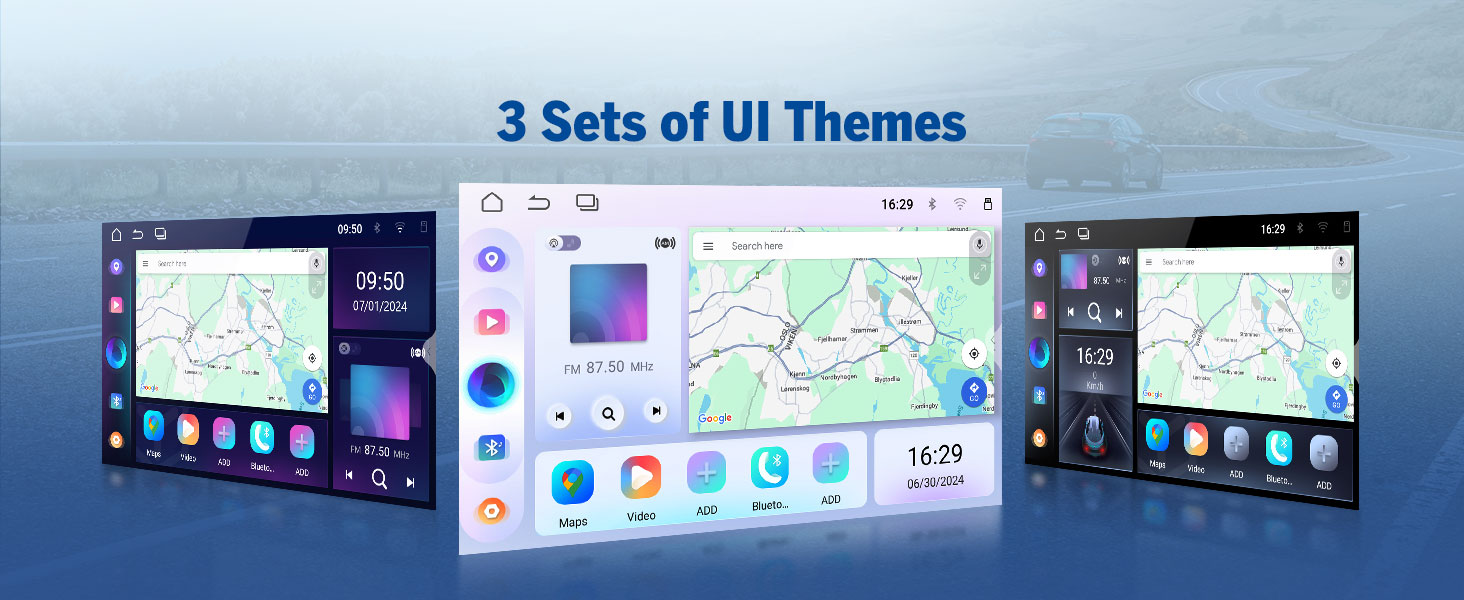
- 3 Preloaded UI Themes: Choose from stylish interfaces to suit your preference.
- Custom Boot Logo & Wallpaper: Further personalize the unit's appearance.

A display of the three preloaded UI themes available on the Eonon UX7, allowing users to choose a stylish interface that matches their preference.

Visuals demonstrating the customization options available on the Eonon UX7, including setting a custom boot logo, changing button backlight colors, and selecting personalized wallpapers.
7. Comandi al volante (SWC)
Control your Eonon UX7 while keeping your hands on the steering wheel. The head unit supports analog SWC signals. If your car is controlled by a digital signal, a SWC adapter cable (not included) is needed to transfer the digital signal to an analog signal.
A closer look at the steering wheel control learning interface, demonstrating how users can program various functions (GPS, Mode, Volume, etc.) to their car's steering wheel buttons. Note: Supports analog SWC signal.
8. Integrazione degli accessori
The Eonon UX7 is compatible with various Eonon accessories to enhance your driving experience.
- Backup Camera (A0125): Included with the unit, provides a clear 720P AHD view with 140° rear viewing angle and reversing guidelines. It is IP68 waterproof.
- Dash Cam (A100 - not included): Compatible for recording with 120° viewing angle and video playback.
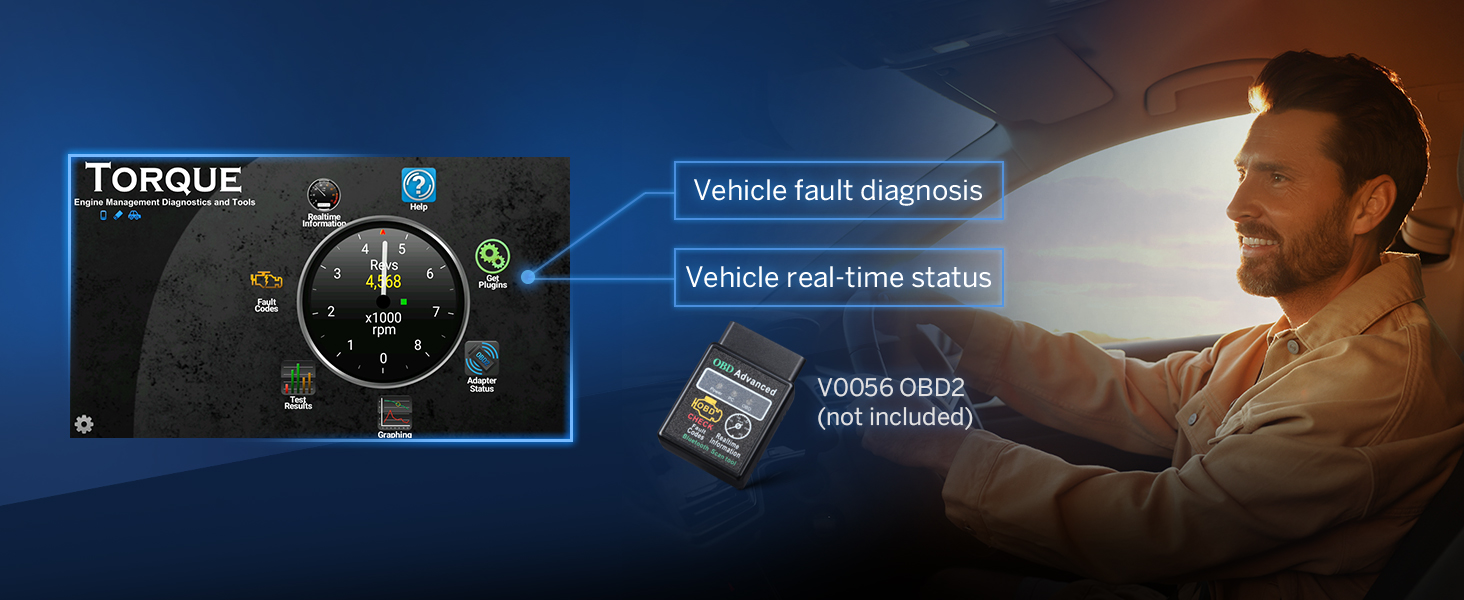
- OBD2 Diagnostic Tool (V0056 - not included): Connects to the unit for vehicle fault diagnosis and real-time status monitoring.

An illustration of the A0125 backup camera (included) integrated with the Eonon UX7, providing reversing guidelines, 720P AHD resolution, 140° rear viewing angle, and IP68 waterproof rating for safe parking.

This image shows the compatibility of the Eonon UX7 with an optional A100 dash cam (not included), featuring a 120° viewing angle, 360° adjustable mount, 1280x720 resolution, and video playback capabilities.
An image demonstrating the Eonon UX7's ability to connect with an optional V0056 OBD2 diagnostic tool (not included) to provide vehicle fault diagnosis and real-time status information.
9. Ricarica rapida
L'UX7 è dotato di una porta Type-C ad alta velocità che supporta la ricarica rapida PD 3.0 e PPS, garantendo un'alimentazione più rapida ed efficiente dei tuoi dispositivi in movimento.
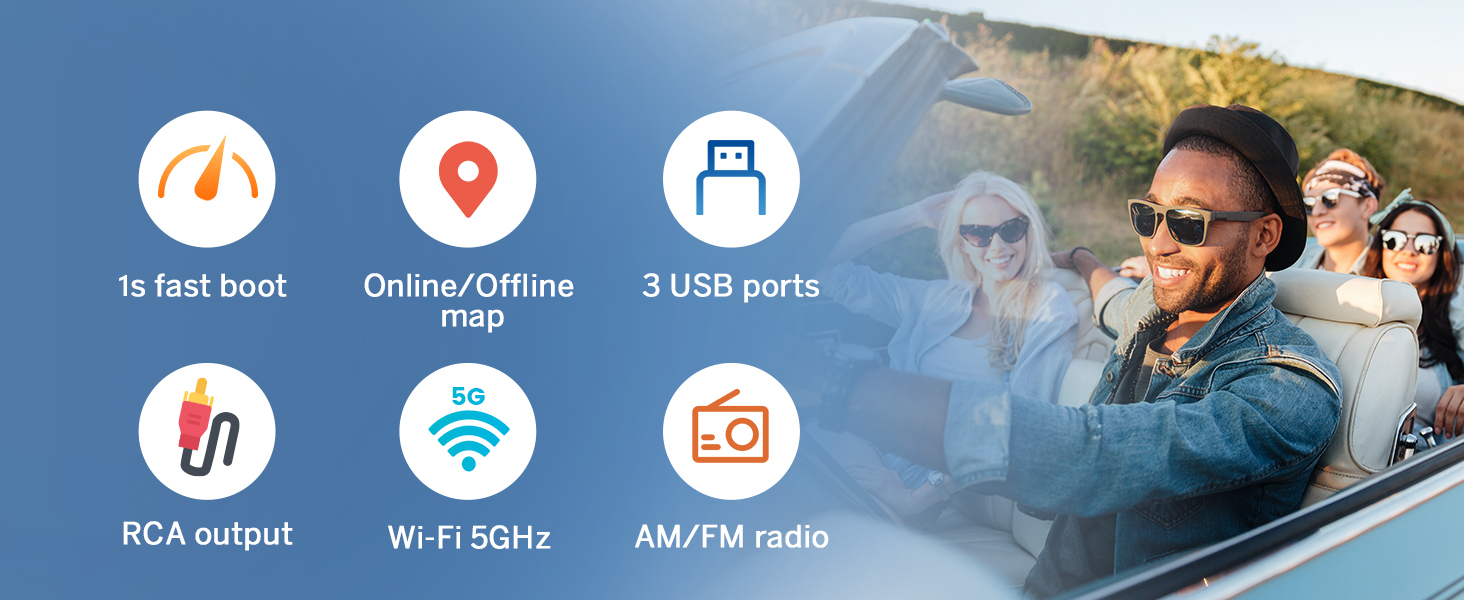
This image showcases the fast-charging capability of the Eonon UX7, equipped with a high-speed Type-C port supporting PD 3.0, PPS, QC3.0/QC2.0, FCP/SCP, and AFC protocols for efficient device charging.
Manutenzione
- Pulizia dello schermo: Utilizzare un panno morbido e privo di lanugine per pulire delicatamente il touchscreen. Per le macchie ostinate, strofinare leggermenteampPulisci il panno con acqua o con un detergente per schermi specifico per dispositivi elettronici. Evita materiali abrasivi o sostanze chimiche aggressive.
- Pulizia generale: Mantenere l'unità libera da polvere e detriti. Utilizzare una spazzola morbida o aria compressa per pulire intorno a pulsanti e porte.
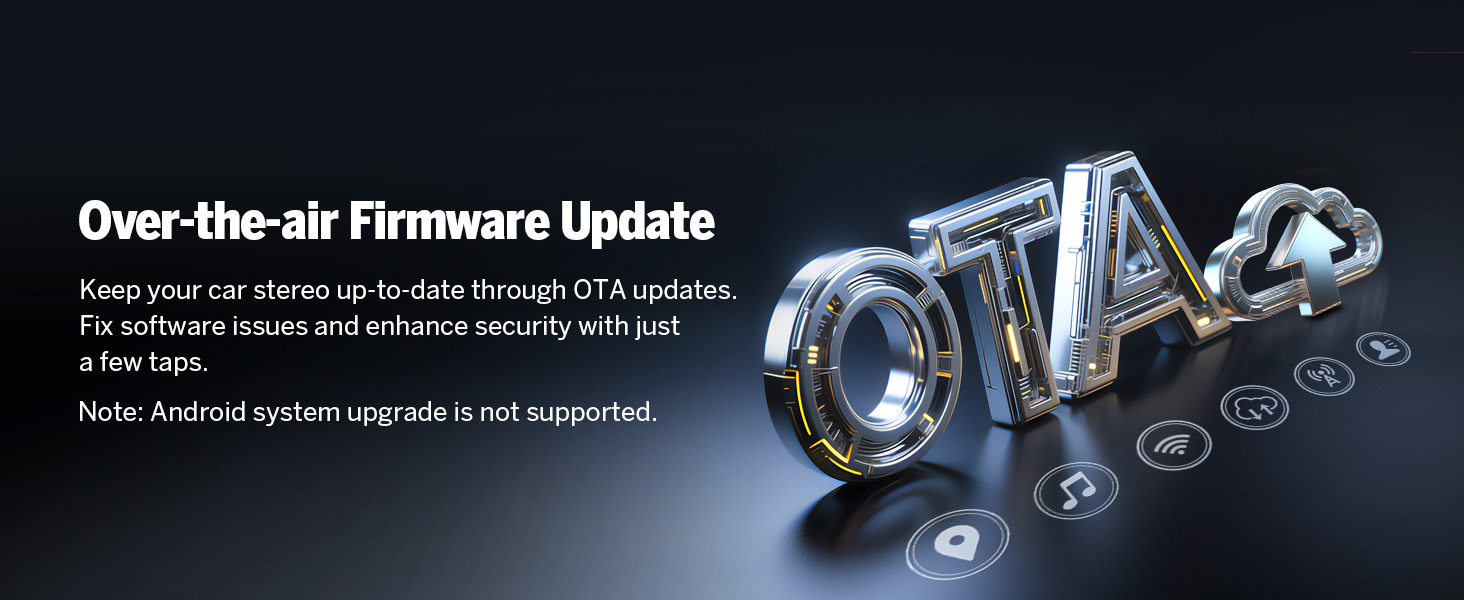
- Aggiornamenti software: Keep your car stereo up-to-date through Over-the-Air (OTA) firmware updates. These updates fix software issues and enhance security. Note: Android system upgrade is not supported via OTA.

An image explaining the over-the-air (OTA) firmware update feature for the Eonon UX7, which allows users to fix software issues and enhance security with simple taps. Note: Android system upgrade is not supported via OTA.
Risoluzione dei problemi
If you encounter issues with your Eonon UX7, refer to the following common problems and solutions:
| Problema | Possibile causa/soluzione |
|---|---|
| L'unità non si accende. | Check power connections and fuse. Ensure the car's ignition is on. |
| Nessun suono. | Check speaker wiring, volume level, and audio output settings. Ensure external ampi lifier (se utilizzati) siano accesi. |
| Problemi di connessione Bluetooth. | Assicurati che il Bluetooth sia abilitato su entrambi i dispositivi. Elimina le associazioni precedenti e prova a riassociarle. Riavvia entrambi i dispositivi. |
| CarPlay/Android Auto non si connette. | Ensure Wi-Fi and Bluetooth are on. Check Zlink5 app settings. Try a different USB cable for wired connection. Restart phone and stereo. |
| I comandi al volante non funzionano. | Ensure SWC wires are correctly connected. If your car uses digital signals, an analog adapter is required. Re-program the SWC functions in the unit's settings. |
| Lo schermo non risponde o è bloccato. | Perform a soft reset by pressing the RST button (usually a small pinhole). If the issue persists, disconnect power for a few minutes. |
| Segnale GPS debole o impreciso. | Assicurarsi che l'antenna GPS sia installata correttamente e abbia una visuale libera view del cielo. Evitare di posizionarlo sotto oggetti metallici. |
Verifying Product Specifications: To ensure you have genuine specifications, you can use a "Fake Device Test" app to verify the Android version, processor, RAM, and ROM.

An image advising users to verify product specifications like Android version, processor, RAM, and ROM using a 'Fake Device Test' app to avoid misleading information.
Specifiche
| Caratteristica | Dettaglio |
|---|---|
| Marca | Eone |
| Modello | UX7 |
| Sistema operativo | Androide 14 |
| processore | RK3562 Quad-core ARM Cortex-A53 @ 2.0GHz |
| Memoria RAM | 3 GB |
| ROM | 32 GB |
| Dimensioni dello schermo | 7 Inch IPS |
| Risoluzione dello schermo | 1280*720 |
| Viewangolo di ing | 178° |
| Car Play/Android Auto | Cablato e wireless |
| Bluetooth | Bluetooth 5.4 |
| Wifi | Yes (5GHz supported) |
| Controllo di Produzione | Built-in 32-bit DSP with 48-band EQ |
| Amppiù vivace | ST TDA7388 (4x45W) |
| Tipo di uscita audio | RCA (4-Channel FR/FL/RR/RL + 1 Subwoofer) |
| Porte USB | 3 (including Type-C with PD 3.0/PPS fast charging) |
| Dispositivi compatibili | Amplifier, Smartphone, Altoparlante |
| Caratteristiche speciali | Android Auto, Apple CarPlay, GPS Navigation, Hands-Free Calling, Voice Control, Screen Mirroring, Customizable UI Themes, OTA Firmware Update |
| Dimensioni del pacco | Dimensioni: 29 x 24 x 17 cm; 2 kg |
| Supporto per la codifica video | MPG, DAT, TS, AVI, MP4, MOV, 3GP, ASF, VOB, MKV, FLV, RM, RMVB |
Garanzia e supporto
Informazioni sulla garanzia
Eonon provides the following warranty and support for your product:
- 30 giorni: Free Returns.
- 90 giorni: Replacement available.
- 2 anni: Warranty available within 2 years of purchase.
- Tutta la vita: Lifelong after-sales service.
Assistenza clienti
For technical assistance, troubleshooting, or warranty claims, please contact Eonon customer support. You can find detailed support information and FAQs on the official Eonon websito o tramite la tua piattaforma di acquisto.
- Risposta rapida: Expect a reply within 24 hours (except weekends).
- Risorse online: Visita Eonon's Amazon Store per ulteriori informazioni e supporto.
Documenti correlatiUX7


Ask a question about this manual
Ask about setup, troubleshooting, compatibility, parts, safety, or missing instructions. Manuals+ will review the question and use this page’s manual context to help answer it.