
1. Introduzione
This manual provides detailed instructions for the installation, operation, and maintenance of your Eonon M3BLX7 Android 14 Car Stereo Receiver. This unit is specifically designed for Mazda 3 models manufactured between 2010 and 2013, offering seamless integration and enhanced in-car entertainment and navigation features. Please read this manual thoroughly before installation and use to ensure proper functionality and safety.

Figure 1.1: Eonon M3BLX7 Car Stereo Receiver
2. Cosa c'è nella scatola
Verificare che tutti i componenti siano presenti prima di iniziare l'installazione:
- A0125 Reversing camera *1
- Cavo di alimentazione *1
- Antenna GPS *1
- Cavo adattatore USB *2
- Cavo adattatore audio/video *2
- Reverse video input cable *1
- Fusibile da 15 A *1
- Microfono esterno *1
- CANBUS *1
- Manuale *1
- Double-sided adhesive sticker *1
- AUX adapter cable *1
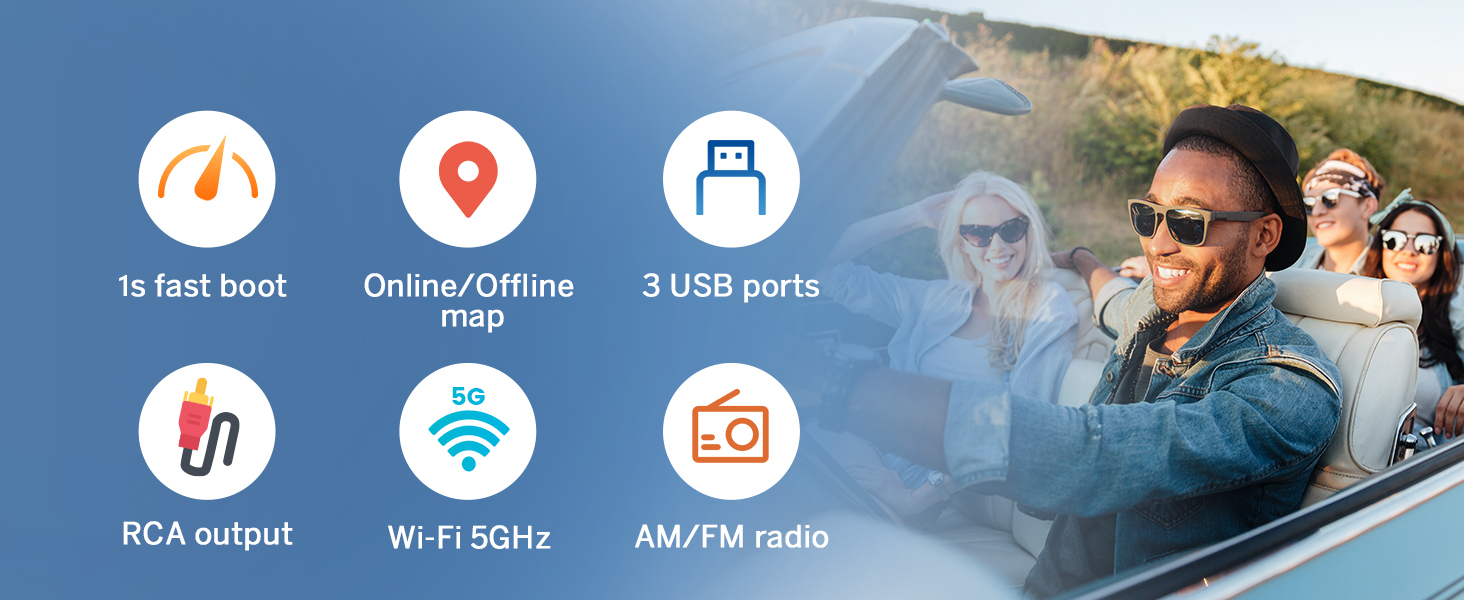
Figura 2.1: Componenti inclusi
3. Configurazione e installazione
The M3BLX7 head unit is designed for plug-and-play installation in Mazda 3 models from 2010-2013. No additional frame or cable modifications are typically required. The included CANBUS supports most original vehicle functions, including steering wheel controls (SWC) and the factory LCD screen.
3.1 Controlli pre-installazione
- Assicurarsi che l'accensione del veicolo sia spenta e che la batteria sia scollegata.
- Confirm compatibility with your Mazda 3 (2010-2013).
- Verificare che tutti i componenti elencati nella Sezione 2 siano presenti.
3.2 Removal of Factory Unit
Carefully pry off the air vent housing from the top to access the OEM stereo. Remove any securing screws and unclip the electrical connectors from the back of the factory unit. Gently slide out the old stereo.
3.3 Collegamenti di cablaggio
Connect the provided wiring harness to the M3BLX7 unit and the vehicle's existing connectors. Ensure all connections are secure. Refer to the wiring diagram for specific connections.

Figura 3.1: Schema elettrico
3.4 Installazione unità
Slide the M3BLX7 unit into the dashboard opening. Ensure it fits securely. Reattach any removed trim pieces. Reconnect the vehicle battery.
3.5 Installazione degli accessori opzionali
- Backup Camera (A0125 included): Connect the backup camera to the dedicated input. The unit supports HD 720P/1080P backup camera input.
- Front Camera (not included): Connect a front camera to the designated input if desired.
- OBD Scanner (V0056 not included): Connect an OBD scanner for vehicle diagnostics and real-time data.
Video 3.1: Installation Guide for Eonon Car Stereo in Mazda 3 (2010)
This video demonstrates the installation process of an Eonon car stereo in a 2010 Mazda 3, including removal of the old unit and connection of the new one.
4. Istruzioni per l'uso
4.1 Accensione/spegnimento
The unit powers on automatically with the vehicle ignition. To manually power off or restart, use the designated power button on the unit or within the system settings.
4.2 Interfaccia utente e navigazione
The M3BLX7 runs on the Android 14 operating system, providing a responsive and intuitive touchscreen experience. It features a 9-inch IPS display with 1280x720 resolution and a 178° viewangolo di inclinazione per una visibilità chiara.

Figure 4.1: 9-inch IPS Display Features
4.2.1 Funzionalità schermo diviso
The unit supports split-screen mode, allowing you to run two applications simultaneously, such as navigation and media playback. Windows are adjustable for size.
4.2.2 Temi personalizzabili
Choose from multiple UI themes to personalize the appearance of your stereo. Day and Night modes are supported for optimal visibility.

Figura 4.2: Temi UI personalizzabili
Video 4.1: New UI Features and Split-Screen Functionality
This video demonstrates the new user interface, split-screen media and navigation, adjustable windows, vertical volume control, and the fixed bottom shortcut bar.
4.3 CarPlay wireless e Android Auto
The M3BLX7 supports both wireless and wired Apple CarPlay and Android Auto. This allows for hands-free control of music, navigation, phone calls, and messages via voice commands (Siri or Google Assistant).

Figure 4.3: Wireless Apple CarPlay & Android Auto
4.3.1 Connessione wireless Apple CarPlay
- Click the Zlink5 app on the car stereo.
- Attiva il Wi-Fi e il Bluetooth sul tuo iPhone.
- Find 'EONON' in your phone's Bluetooth device list and pair it. Once connected, tap 'Use CarPlay'.
- Attendi qualche secondo per completare la connessione.

Figura 4.4: Passaggi per la connessione wireless di Apple CarPlay
4.3.2 Connessione wireless Android Auto
- Click the Zlink5 app on the car stereo.
- Attiva il Wi-Fi e il Bluetooth sul tuo telefono Android.
- Trova 'EONON' nell'elenco dei dispositivi Bluetooth del tuo telefono e associalo.
- Attendi qualche secondo per completare la connessione.

Figura 4.5: Passaggi per la connessione wireless ad Android Auto
4.4 Mirroring dello schermo
Mirror apps from your smartphone onto the car stereo display.
4.4.1 Mirroring dello schermo per iOS
- Click the Zlink5 app on the car stereo, set the car stereo to iPhone wireless screen mirroring mode.
- Turn on the iPhone hotspot, and connect to the car stereo.
- Attiva la funzione di mirroring dello schermo dell'iPhone e seleziona "zj-airplay".

Figure 4.6: iOS Screen Mirroring Steps
4.4.2 Mirroring dello schermo per Android
- Click the Zlink5 app on the car stereo, set the car stereo to Android wireless screen mirroring mode.
- Turn on the phone's hotspot, and connect to the car stereo.
- Installa l'app Zplus sul tuo telefono. Avvia l'app e seleziona "connessione wireless".

Figure 4.7: Android Screen Mirroring Steps
4.5 Caratteristiche audio
L'unità include un built-in amplifier (4x45W output) and a 36-band equalizer for sound customization. It supports Bluetooth audio, FM/AM radio, and AUX audio input.
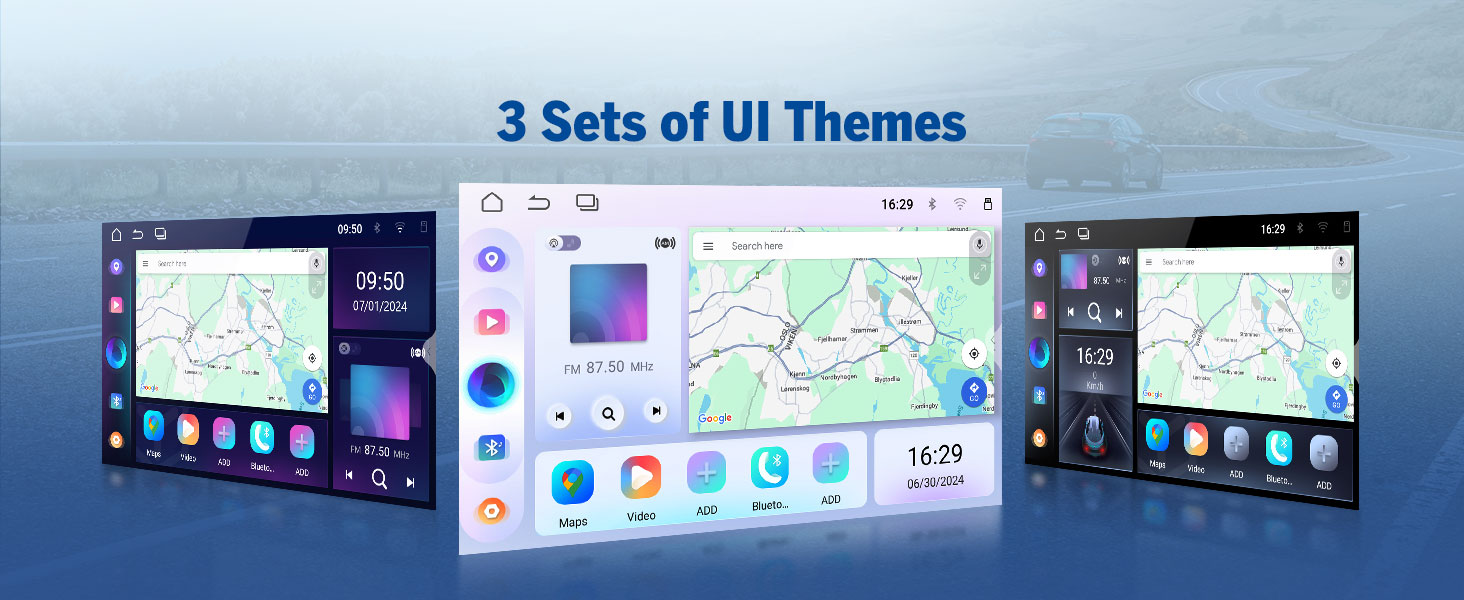
Figure 4.8: 36-Band Graphic Equalizer
5. Manutenzione
5.1 Pulizia
Utilizzare un panno morbido e asciutto per pulire lo schermo e la parte esterna dell'unità. Evitare detergenti abrasivi o solventi che potrebbero danneggiare la superficie.
5.2 Aggiornamenti firmware
The unit supports over-the-air (OTA) firmware updates to fix software issues and enhance security. Access the 'Updater' app on the unit to check for and install updates. Note that Android system upgrades are not supported via OTA.

Figure 5.1: Over-the-Air Firmware Update
6. Risoluzione Dei Problemi
If you encounter issues with your M3BLX7 unit, refer to the following common solutions:
- Nessun potere: Check all power connections and the 15A fuse. Ensure the vehicle battery is properly connected.
- Nessun suono: Verificare i collegamenti degli altoparlanti. Controllare i livelli del volume e le impostazioni dell'equalizzatore. Assicurarsi che sia selezionata la sorgente audio corretta.
- Problemi di connessione CarPlay/Android Auto: Ensure Wi-Fi and Bluetooth are enabled on your phone and the stereo. Restart both devices and attempt to reconnect. Confirm the Zlink5 app is running.
- Steering Wheel Controls Unresponsive: Ensure the CANBUS is correctly connected. Some steering wheel buttons may require a longer press to register input.
- La telecamera di backup non viene visualizzata: Check the reverse video input cable connection. Ensure the camera is receiving power.
- Ritardo/mancanza di risposta del sistema: Close unused applications. Perform a system restart. Check for and install any available firmware updates.
For persistent issues, contact Eonon customer support for assistance.
7. Specifiche
| Caratteristica | Specificazione |
|---|---|
| Dimensioni del prodotto | 8.67 x 5.12 x 1.34 pollici |
| Peso dell'articolo | 4.4 libbre |
| Numero modello articolo | M3BLX7 |
| Sistema operativo | Androide 14 |
| Dimensioni dello schermo | 9 pollici |
| Risoluzione dello schermo | 1280 * 720 IPS |
| Viewangolo di ing | 178° |
| Processore | Rockchip (8-core) |
| Capacità di archiviazione della memoria | 32 GB |
| Tecnologia di connettività | Bluetooth 5.4, Wi-Fi, USB |
| Caratteristiche speciali | Wireless CarPlay, Android Auto, DSP, Touchscreen, AM/FM, SWC Support |
| Modalità di uscita audio | Stereo (4x45W) |
| Tipo di mappa | Road (GPS Navigation) |
8. Garanzia e supporto
Eonon offers the following support for your M3BLX7 car stereo:
- Politica di ritorno: 30-day hassle-free return policy.
- Maintenance Coverage: 2-year maintenance coverage.
- Supporto tecnico: Supporto tecnico a vita.
For warranty claims, technical assistance, or product inquiries, please visit the official Eonon websito o contattare il loro servizio clienti.


