
Introduzione
Welcome to the Bigme E-reader 6 Zoll user manual. This guide provides essential information for setting up, operating, maintaining, and troubleshooting your new e-reader. The Bigme E-reader is designed to offer a comfortable reading experience with its 6-inch E-Ink display, powerful quad-core processor, and versatile connectivity options.
Contenuto della confezione
Si prega di selezionare la casella per i seguenti elementi:
- Bigme E-reader 6 Zoll
- Cavo USB
- Manuale dell'utente (questo documento)

Image: The Bigme E-reader 6 Zoll and its included USB charging cable.
Impostare
1. Carica del dispositivo
Before first use, fully charge your Bigme E-reader. Connect the included USB cable to the device's USB port and plug the other end into a compatible USB power adapter (not included) or a computer's USB port. The charging indicator light will show the charging status.
2. Accensione/Spegnimento
To power on the device, press and hold the power button for a few seconds until the screen activates. To power off, press and hold the power button, then select "Power Off" from the options. A short press will put the device into sleep mode.
3. Configurazione iniziale e connessione Wi-Fi
Upon first power-on, follow the on-screen instructions to select your language, time zone, and connect to a Wi-Fi network. A stable Wi-Fi connection is necessary for downloading books, updates, and accessing online services.
Video: Un breve riassuntoview of the e-reader's features and initial setup process.
Istruzioni per l'uso
Leggere e-book
The Bigme E-reader supports various e-book formats including EPUB, MOBI, and PDF. To open a book, navigate to your library and tap on the desired title.
- Girare pagina: Tap the left or right side of the screen, or use the physical page-turn buttons (if available on your model) to navigate through pages.
- Font and Display Settings: While reading, tap the center of the screen to bring up the reading menu. Here you can adjust font size, font style, line spacing, margins, and contrast.
- Modalità giorno/notte: Switch between day and night reading modes for optimal comfort in different lighting conditions.

Image: The e-reader displaying adjustable front light settings, offering 36 levels of warm and cold light.
Caratteristiche audio
The e-reader includes a text-to-speech function and supports MP3 audio files, allowing you to listen to audiobooks or have text read aloud. Connect Bluetooth headphones or speakers for a private listening experience.

Image: The e-reader displaying a book with headphones, illustrating the audio reading function.
Connettività
Your Bigme E-reader features Wi-Fi and Bluetooth connectivity.
- Wifi: Connect to wireless networks to download books, browse the internet, and access cloud services.
- Bluetooth: Pair with Bluetooth headphones, speakers, or other compatible accessories for enhanced functionality.
- USB: Use the USB-C port for charging and transferring files dal tuo computer.
Storage and Apps
The device comes with 32GB of internal storage, capable of holding thousands of e-books. Storage can be expanded up to 1TB via a TF card slot. The Android Open System allows access to Google Play Store and Kindle app, providing a wide range of reading materials and applications.
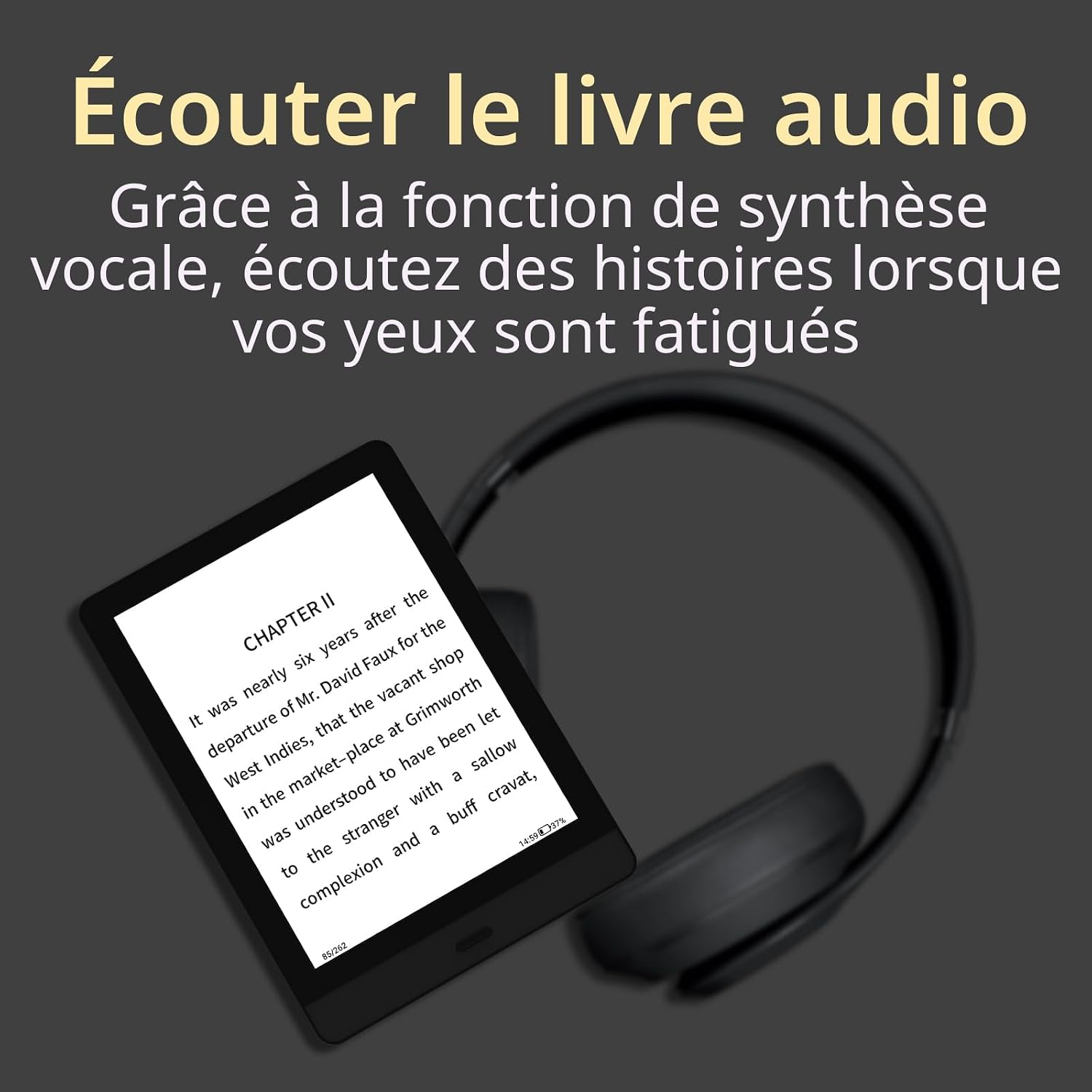
Image: The e-reader highlighting its 32GB storage capacity, sufficient for approximately 24,000 eBooks.

Image: The e-reader's screen showing the Android Open System interface with various third-party applications.
Video: A demonstration of the e-reader in use, showcasing its interface and responsiveness.
Manutenzione
- Pulizia: Utilizzare un panno morbido, asciutto e privo di lanugine per pulire lo schermo e il corpo del dispositivo. Evitare l'uso di detergenti liquidi o materiali abrasivi.
- Magazzinaggio: Store the e-reader in a cool, dry place away from direct sunlight and extreme temperatures.
- Cura della batteria: Per prolungare la durata della batteria, evitare di scaricare completamente il dispositivo frequentemente. Caricarlo regolarmente, anche se non utilizzato per periodi prolungati.
- Aggiornamenti software: Controlla periodicamente la presenza di aggiornamenti software e installali per garantire prestazioni ottimali e l'accesso a nuove funzionalità.
Risoluzione dei problemi
| Problema | Soluzione |
|---|---|
| Il dispositivo non si accende. | Ensure the device is charged. Connect to a power source and try turning it on after a few minutes. If unresponsive, perform a hard reset by holding the power button for 10-15 seconds. |
| Lo schermo è bloccato o non risponde. | Perform a soft reset by holding the power button for 5-7 seconds. If this doesn't work, try a hard reset (hold power button for 10-15 seconds). |
| Impossibile connettersi al Wi-Fi. | Check if Wi-Fi is enabled on the device. Verify your Wi-Fi password. Restart your router and the e-reader. Ensure you are within range of the Wi-Fi signal. |
| Books are not downloading. | Check your Wi-Fi connection. Ensure you have sufficient storage space. Restart the device and try downloading again. |
| La batteria si scarica rapidamente. | Reduce screen brightness. Turn off Wi-Fi and Bluetooth when not in use. Close background applications. |
Specifiche
- Marca: Grande me
- Nome modello: E-reader 6 Zoll
- Tecnologia di visualizzazione: E-inchiostro
- Dimensioni dello schermo: 6 pollici
- Risoluzione dello schermo: 1024x768
- Processore: Quad-Core 1.8 GHz
- Capacità di memoria: 32 GB (expandable up to 1 TB via TF card slot)
- Tecnologia di connettività: USB, Wi-Fi, Bluetooth
- Dispositivi compatibili: Android
- Supportato File Formati: EPUB, MOBI, PDF, MP3
- Colore: Nero
- Dimensioni del prodotto: 16.5L x 12W x 0.8Th centimetri
- Peso dell'articolo: 180 grammi
- Batteria Descrizione: Agli ioni di litio
- Input dell'interfaccia umana: Pulsanti
Garanzia e supporto
The Bigme E-reader 6 Zoll comes with a Garanzia di 2 anno dalla data di acquisto. La presente garanzia copre difetti di fabbricazione e malfunzionamenti in condizioni di normale utilizzo. Non copre danni causati da uso improprio, incidenti, modifiche non autorizzate o calamità naturali.
For technical support, warranty claims, or further assistance, please contact Bigme customer service through their official website or the retailer where you purchased the device. Please have your proof of purchase and the device's serial number ready when contacting support.