
Thunelec U9
Manuale utente degli auricolari wireless Thunelec U9
Modello: U9
1. Introduzione
Thank you for choosing the Thunelec U9 Wireless Earbuds. These earbuds are designed to provide a superior audio experience with advanced features such as Active Noise Cancellation (ANC), Environmental Noise Cancellation (ENC), Bluetooth 5.4 connectivity, a multifunctional touch screen charging case, and IPX7 waterproof rating. This manual will guide you through the setup, operation, and maintenance of your new earbuds to ensure optimal performance and longevity.

Image: The Thunelec U9 Wireless Earbuds in their dark blue charging case, showcasing the intuitive touch screen interface with battery levels and noise cancellation mode options.
2. Cosa c'è nella scatola
Si prega di verificare che tutti i componenti siano presenti nel pacchetto:
- U9 Wireless Earbuds (2 units)
- Multifunctional Touch Charging Case (1 unit)
- Cavo di ricarica (1 unità)
- Manuale dell'utente (1 unità)
- Ear Tips (3 pairs: S/M/L)

Image: A visual representation of the Thunelec U9 package contents, neatly arranged to show the earbuds, charging case, USB-C cable, user manual, and three sizes of ear tips.
3. Prodotto finitoview
3.1 Auricolari
The U9 earbuds are designed for comfort and high-fidelity audio. Each earbud features a 14.2mm bio-carbon fiber dynamic coil driver for powerful bass and clear mid-high frequencies. They are lightweight (3.8g each) and ergonomically shaped for a secure in-ear fit.

Image: An exploded diagram illustrating the internal structure of a Thunelec U9 earbud, highlighting the 14.2mm drivers and composite dynamic coil horn responsible for superior Hi-Fi stereo sound quality.
3.2 Custodia di ricarica
The charging case serves as both a protective storage unit and a portable power bank for your earbuds. Its most distinctive feature is the full-color LED touch screen, which allows direct control over various earbud functions and settings without needing to access your connected device.
4. Impostazione
4.1 Carica iniziale
Before first use, fully charge the charging case and earbuds. Place the earbuds into the charging case and connect the provided USB-C cable to the charging port on the case. Connect the other end to a USB power adapter (not included) or a computer's USB port.
- Charging case full charge time: Approximately 1.5 hours.
- Earbud playtime on a single charge: 6-8 hours.
- Tempo di riproduzione totale con custodia di ricarica: fino a 48 ore.
The touch screen on the charging case will display the battery levels of both earbuds and the case in real-time.

Image: The Thunelec U9 charging case being charged via a USB-C cable, with icons indicating 6-8 hours of single charge playtime and 48 hours total playtime with the case.
4.2 Associazione con il dispositivo
The U9 earbuds feature one-step auto-pairing for convenience.
- Assicurati che il Bluetooth del tuo dispositivo sia attivato.
- Aprire il coperchio della custodia di ricarica. Gli auricolari entreranno automaticamente in modalità di associazione.
- On your device, search for Bluetooth devices and select "U9" from the list.
- Once connected, the earbuds will indicate successful pairing, and the connection status will be shown on the charging case screen.
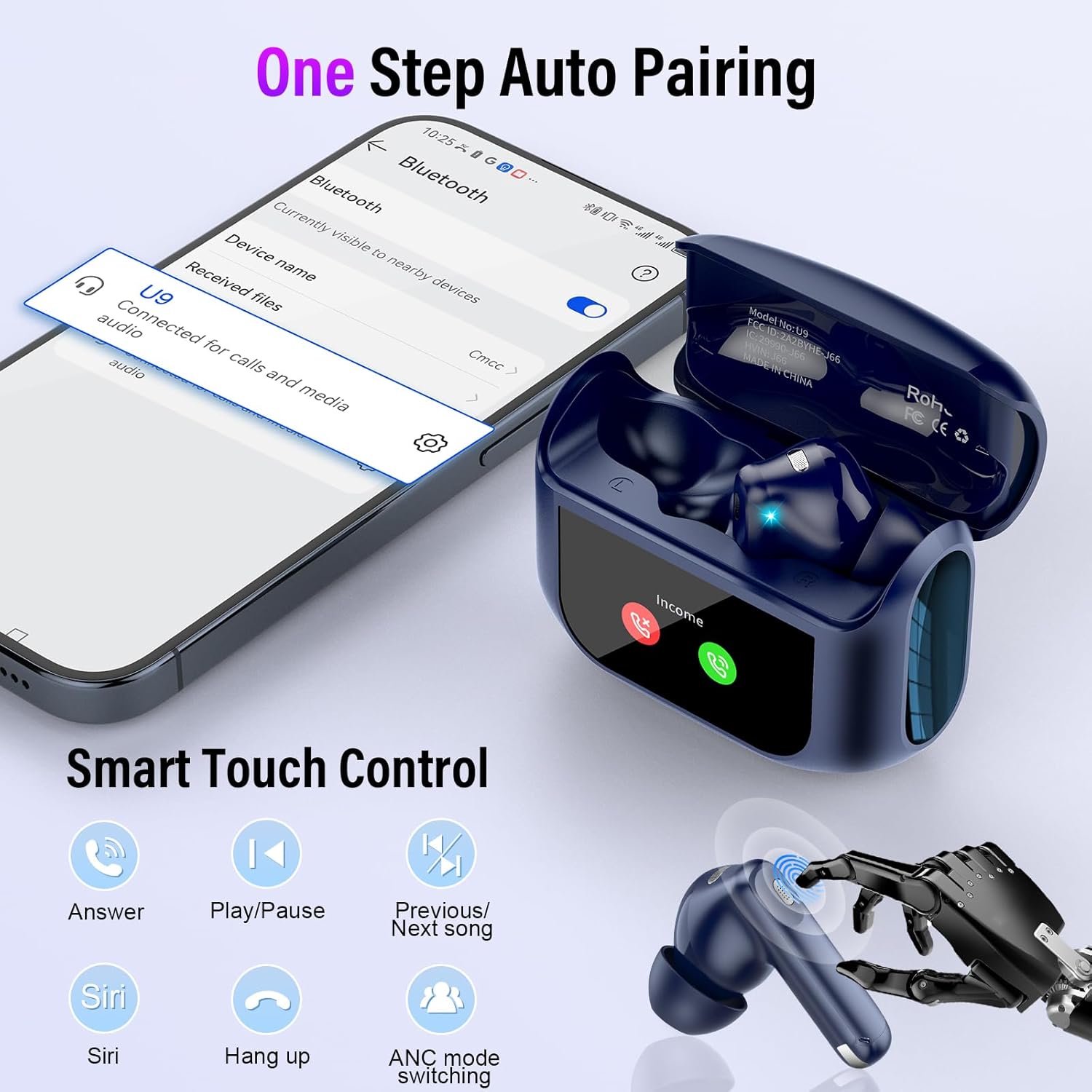
Image: A smartphone screen showing the Bluetooth pairing process with 'U9' selected, alongside the Thunelec U9 earbuds and charging case, illustrating the one-step auto-pairing feature.
5. Istruzioni per l'uso
5.1 Controlli touch degli auricolari
The earbuds feature intuitive touch controls for managing audio playback and calls. The touch sensor is located on the outer surface of each earbud.
| Azione | Funzione |
|---|---|
| Tocco singolo (S/D) | Rispondi/Termina chiamata |
| Doppio tocco (S/D) | Riproduci/Pausa musica |
| Triplo tocco (S/D) | ANC Mode Switching (Normal/ANC/Transparency) |
| Pressione prolungata per 2 secondi (auricolare sinistro) | Canzone precedente |
| Pressione prolungata 2 secondi (auricolare destro) | Prossima canzone |
| Pressione prolungata 3 secondi (S/D) | Attiva l'Assistente vocale (Siri, Google Assistant, ecc.) |

Image: A detailed graphic illustrating the various touch control gestures on the Thunelec U9 earbuds, including single tap for calls, double tap for play/pause, triple tap for ANC mode, and long presses for track navigation and voice assistant.
5.2 Funzioni del touch screen della custodia di ricarica
The smart touch screen on the charging case provides direct access to a wide range of functions:
- Controllo della riproduzione musicale: Riproduci, metti in pausa e salta i brani direttamente dallo schermo.
- Regolazione del volume: Precisely control the audio volume.
- Controllo della telecamera: Utilizza la custodia come otturatore remoto per la fotocamera del tuo telefono.
- Cambio lingua: Select from seven supported languages.
- Cambio di sfondo: Personalizza lo sfondo dello schermo.
- Regolazione della luminosità dello schermo: Optimize screen visibility.
- Ricerca cuffie: Locate misplaced earbuds (within Bluetooth range).
- Timer: Imposta un timer per varie attività.
- Noise Control Mode Selection: Switch between Normal, ANC, and Transparency modes.
- Selezione della modalità EQ: Choose from 5 equalization modes.
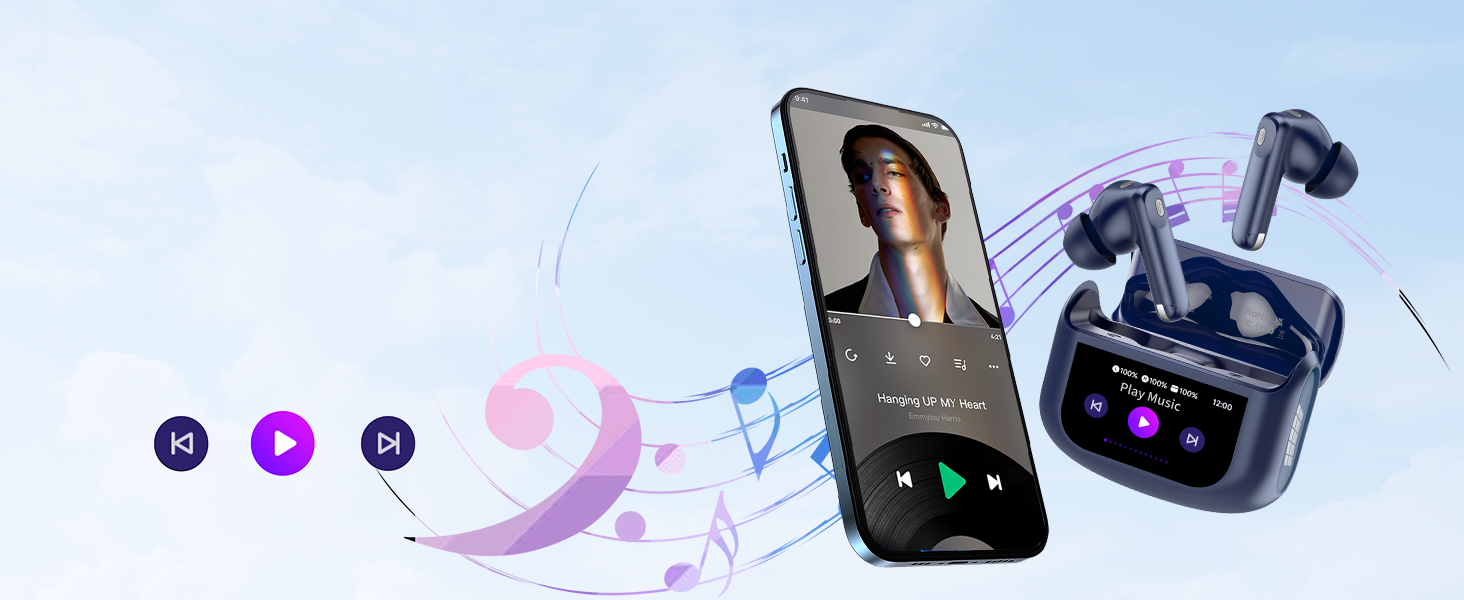
Image: A collage of different interface screens from the Thunelec U9 charging case's intelligent touch screen, demonstrating functions like music playback, volume control, timer, screen lock, and earbud finding.
5.3 Modalità di controllo del rumore
The U9 earbuds offer three distinct noise control modes:
- Cancellazione attiva del rumore (ANC): Reduces external noise by up to 45dB, ideal for noisy environments like public transport or offices.
- Cancellazione del rumore ambientale (ENC): Migliora la chiarezza delle chiamate filtrando i rumori ambientali durante le conversazioni telefoniche.
- Modalità trasparenza: Allows you to hear your surroundings clearly without removing the earbuds, enhancing safety during outdoor activities.
Switch between these modes using the earbud touch controls (triple tap) or via the charging case touch screen.
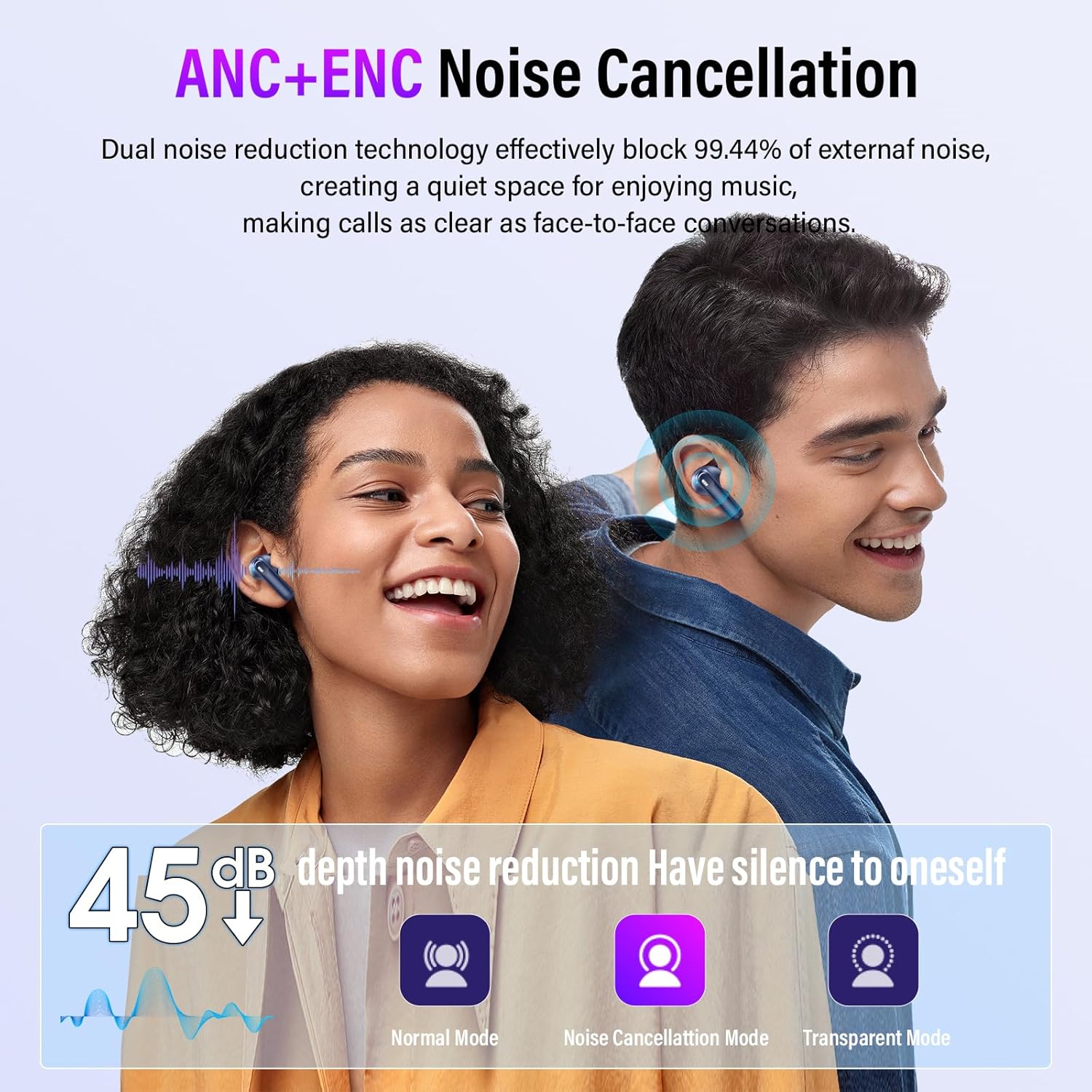
Image: A graphic demonstrating the effectiveness of ANC+ENC noise cancellation, showing a 45dB depth noise reduction and icons for Normal Mode, Noise Cancellation Mode, and Transparent Mode.
5.4 Modalità di equalizzazione (EQ)
Customize your listening experience with five built-in EQ modes:
- Standard
- Classico
- Jazz
- Roccia
- Pop
These modes can be selected directly from the charging case touch screen to match your preferred music genre or audio content.

Image: The Thunelec U9 charging case screen showing options for various 3D Spatial Audio EQ modes, including Normal, Jazz, Rock, Pop, and Classics, allowing users to customize their listening experience.
6. Manutenzione
6.1 Pulizia
Una pulizia regolare aiuta a mantenere le prestazioni e l'igiene degli auricolari:
- Pulisci delicatamente gli auricolari e la custodia di ricarica con un panno morbido, asciutto e privo di lanugine.
- Rimuovere i gommini auricolari e pulirli con acqua e sapone neutro, quindi asciugarli accuratamente prima di riapplicarli.
- Utilizzare un batuffolo di cotone asciutto per pulire con cura i contatti di ricarica sugli auricolari e all'interno della custodia.
- Evitare l'uso di materiali abrasivi, solventi o prodotti chimici aggressivi.
6.2 Resistenza all'acqua (IPX7)
The Thunelec U9 earbuds are IPX7 waterproof, meaning they can withstand immersion in water up to 1 meter for 30 minutes. This makes them suitable for workouts and use in rainy conditions. However, the charging case is not waterproof. Do not expose the charging case to water.
- Non immergere intenzionalmente gli auricolari per periodi prolungati o a profondità superiori a 1 metro.
- Per evitare danni, assicurarsi che gli auricolari siano completamente asciutti prima di riporli nella custodia di ricarica.
- IPX7 rating applies to the earbuds only, not the charging case.
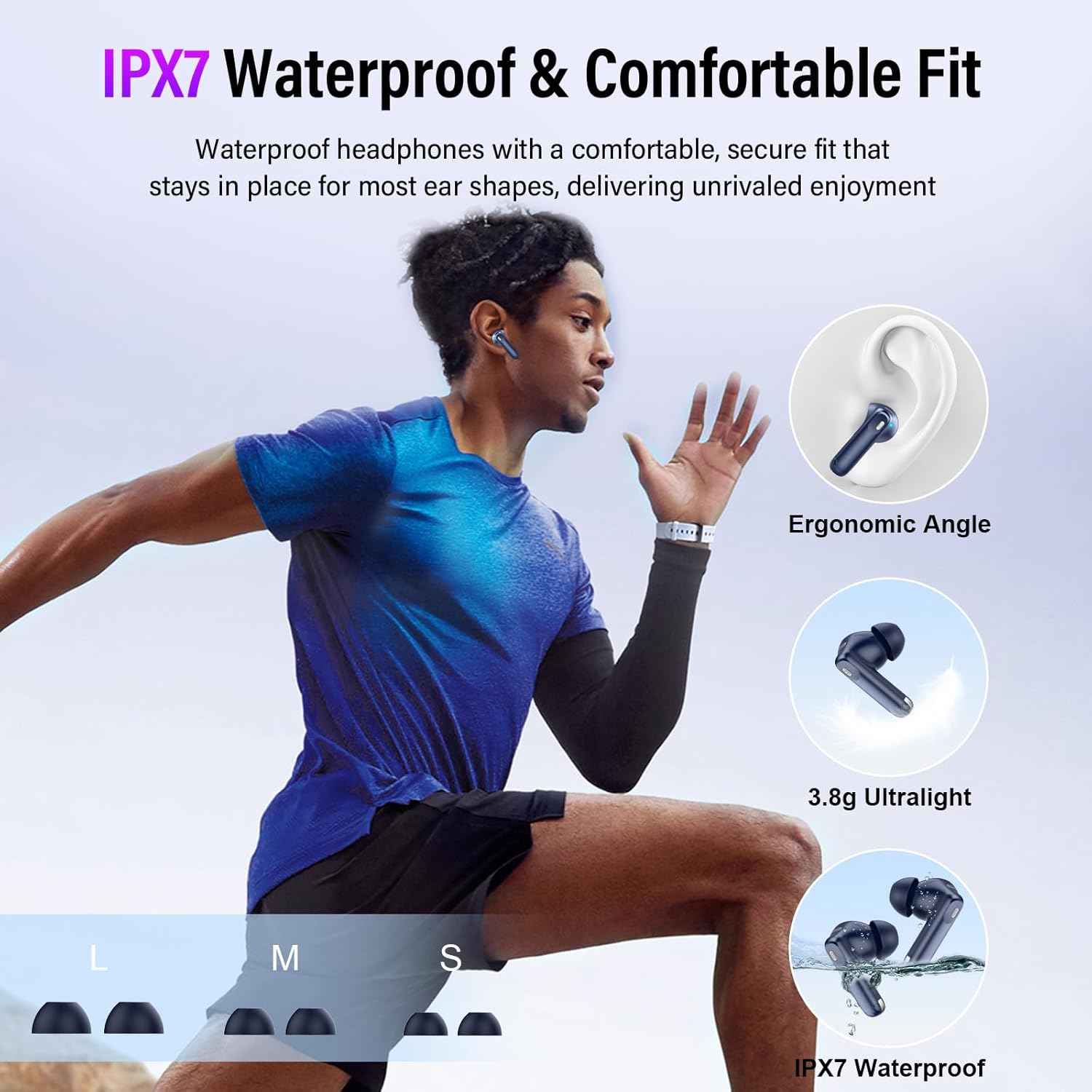
Image: A person running outdoors while wearing the Thunelec U9 earbuds, emphasizing their IPX7 waterproof rating and comfortable, secure fit for active use.
6.3 Cura della batteria
Per prolungare la durata della batteria:
- Evitare di esporre il dispositivo a temperature estreme (caldo o freddo).
- Quando non vengono utilizzati, conservare gli auricolari e la custodia in un luogo fresco e asciutto.
- Caricare regolarmente il dispositivo, anche se non utilizzato frequentemente, per evitare che si scarichi completamente.
7. Risoluzione Dei Problemi
If you encounter issues with your Thunelec U9 Wireless Earbuds, refer to the following common problems and solutions:
| Problema | Possibile soluzione |
|---|---|
| Gli auricolari non si associano o non si connettono. |
|
| Nessun suono da uno o entrambi gli auricolari. |
|
| Lo schermo della custodia di ricarica non risponde. |
|
| Scarsa qualità delle chiamate. |
|
| La batteria si scarica rapidamente. |
|
8. Specifiche
| Caratteristica | Dettaglio |
|---|---|
| Nome del modello | U9 |
| Tecnologia di connettività | Senza fili |
| Tecnologia di comunicazione wireless | Bluetooth 5.4 |
| Tipo di controllo | Controllo touch |
| Livello di resistenza all'acqua | IPX7 (solo auricolari) |
| Produttore | Thunelec |
| Peso dell'articolo | 3.52 once |
| Batterie | Sono necessarie batterie da 1 A (incluse) |
| Controllo del rumore | Active Noise Cancellation, Environmental Noise Cancellation, Sound Isolation |
| Tempo di riproduzione degli auricolari (carica singola) | 6-8 ore |
| Tempo di riproduzione totale (con custodia di ricarica) | Fino a 48 ore |
| Tempo di ricarica della custodia di ricarica | Circa 1.5 ore |
| Dimensioni del conducente | 14.2mm |
| Modalità EQ | Standard, Classic, Jazz, Rock, Pop |
9. Garanzia e supporto
For any product-related inquiries, technical support, or warranty information, please contact the manufacturer, Thunelec. Refer to the product packaging or the official Thunelec websito per i dettagli di contatto specifici e i termini di garanzia applicabili alla tua regione.