
1. Introduzione
The AWANFI GL-528 Walkie Talkies are designed for reliable and clear communication, suitable for various activities such as camping, hiking, and general outdoor use. Featuring a built-in rechargeable battery, multiple channels, and user-friendly controls, these two-way radios ensure you stay connected.
2. Contenuto della confezione
- AWANFI GL-528 Walkie Talkies (4 units)
- 1000mAh Li-ion Batteries (4 units, built-in)
- USB-C Charging Cables (2 units)
- Cordini (4 unità)
- Clip per cintura (4 unità)
- Manuale dell'utente (1 unità)
3. Prodotto finitoview
Familiarize yourself with the components of your AWANFI GL-528 Walkie Talkie:

- Antenna: Per trasmettere e ricevere segnali.
- Schermo LCD: Mostra il canale, lo stato della batteria e altri indicatori.
- Pulsante Premi per parlare (PTT): Tieni premuto per trasmettere la tua voce.
- Volume/Menu Up/Down Buttons: Regola il volume o naviga tra le opzioni del menu.
- Call Tone/Lock Button: Send a call tone or lock/unlock the keypad.
- Microfono: Per parlare nel dispositivo.
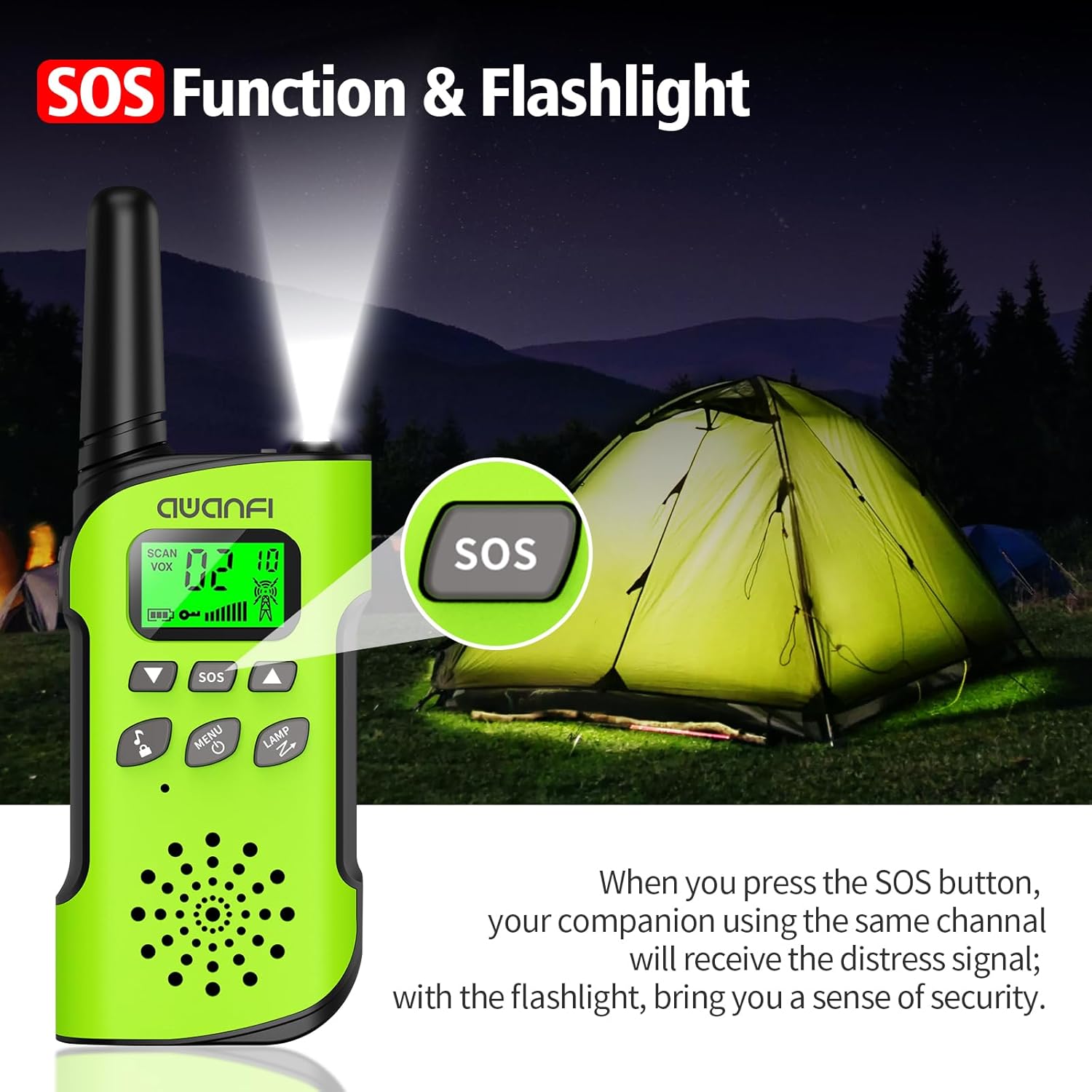
- Pulsante SOS: Activates the SOS alert function.
- Flashlight/Scan Button: Turns on the flashlight or initiates channel scanning.
- Pulsante di accensione/menu: Premere a lungo per accendere/spegnere, premere brevemente per accedere al menu.
- Oratore: Per ascoltare le trasmissioni in arrivo.
- Porta di ricarica di tipo C: Per ricaricare la batteria integrata.
- Torcia elettrica: Luce LED integrata per l'illuminazione.
4. Impostazione
4.1 Installazione e ricarica della batteria
The AWANFI GL-528 Walkie Talkies come with built-in 1000mAh Li-ion rechargeable batteries. Before first use, ensure the batteries are fully charged.


To charge the walkie talkie:
- Connect the provided USB-C charging cable to the Type-C charging port on the walkie talkie.
- Collegare l'altra estremità del cavo USB-C a un adattatore di alimentazione USB compatibile (non incluso) o a una porta USB del computer.
- The battery indicator on the LCD display will show charging status. A full charge typically provides 24 hours of talk time and 2 days of standby.
4.2 Fissaggio della clip da cintura e del cordino
The walkie talkies come with belt clips and lanyards for convenient carrying.
- Per il cordino: Insert the thin loop of the lanyard through the small hole at the top of the walkie talkie, near the antenna. Thread the rest of the lanyard through the loop and pull to secure.
- For Belt Clip: Align the belt clip with the grooves on the back of the walkie talkie and push it down firmly until it clicks into place.
5. Istruzioni per l'uso
5.1 Accensione/spegnimento
- Per accendere: Premere a lungo il tasto Accensione/Menu button (usually labeled with a power icon) until the LCD screen illuminates.
- Per spegnere: Premere a lungo il tasto Accensione/Menu button again until the LCD screen turns off.
5.2 Selezione del canale
The AWANFI GL-528 features 22 main channels and 121 sub-channels (CTCSS/DCS codes) for secure communication. All walkie talkies must be set to the same main channel and sub-code to communicate.
- Select Main Channel: Premere brevemente il tasto Menu button. The channel number on the LCD will flash. Use the Up or Giù arrow buttons to select your desired main channel (1-22). Short press Menu di nuovo per confermare.
- Select Sub-Channel (CTCSS/DCS): After confirming the main channel, the walkie talkie will move to the sub-channel setting. Use the Up or Giù arrow buttons to select your desired sub-channel (0-121). Press the PTT pulsante per confermare e uscire dal menu.
5.3 Push-to-Talk (PTT)
To communicate, press and hold the PTT pulsante sul lato del walkie-talkie. Parlare chiaramente nel microfono. Rilasciare il PTT pulsante per ascoltare una risposta.
5.4 Regolazione del volume
Utilizzare il Alza il volume (▲) e Abbassa il volume (▼) buttons to adjust the listening volume. These are typically the same buttons used for menu navigation when not in menu mode.
5.5 Funzione VOX (trasmissione attivata tramite voce)
La funzione VOX consente la comunicazione a mani libere. Se attivata, la radio trasmette automaticamente quando rileva la tua voce.
To activate/adjust VOX:
- Premere brevemente il tasto Menu button repeatedly until the VOX setting appears on the LCD.
- Utilizzare il Up or Giù arrow buttons to select the desired sensitivity level (1-3, or OFF to disable).
- Premere PTT per confermare e uscire.
5.6 Torcia elettrica
The walkie talkie includes an integrated LED flashlight.
To turn the flashlight on/off, short press the LAMP button (often combined with the Scan button).
5.7 Funzione SOS
In case of emergency, the SOS function can be activated to alert other users on the same channel.
To activate the SOS function, press the dedicated sos button. This will send out a distress signal to other walkie talkies on the same channel.
5.8 Blocco a chiave
The key lock feature prevents accidental changes to settings.
- Chiudere a chiave: Premere a lungo il tasto Call Tone/Lock button (usually labeled with a lock icon). A lock icon will appear on the LCD.
- Per sbloccare: Premere a lungo il tasto Call Tone/Lock button again. The lock icon will disappear.
6. Manutenzione
To ensure the longevity and optimal performance of your AWANFI GL-528 Walkie Talkies, follow these maintenance guidelines:
- Mantenere il dispositivo asciutto. Evitare l'esposizione a pioggia, umidità o liquidi.
- Pulisci il dispositivo con un panno morbido eamp stoffa. Non utilizzare prodotti chimici aggressivi o detergenti abrasivi.
- Evitare temperature estreme. Non conservare in ambienti molto caldi o molto freddi.
- Do not attempt to disassemble the walkie talkie. This will void the warranty and may cause damage.
7. Guida alla risoluzione dei problemi
If you encounter any issues with your walkie talkie, refer to the following troubleshooting guide:
| Fenomeni | Analisi | Soluzione |
|---|---|---|
| Non puoi accendere la radio. | La batteria potrebbe essere installata in modo errato. La carica della batteria potrebbe esaurirsi. La batteria potrebbe subire uno scarso contatto causato da contatti della batteria sporchi o danneggiati. | Rimuovere e ricollegare la batteria. Ricaricare o sostituire la batteria. Pulire i contatti della batteria o sostituire la batteria. |
| Durante la ricezione, la voce è debole o intermittente. | Il volume della batteriatage potrebbe essere basso. Il livello del volume potrebbe essere basso. L'antenna potrebbe essere allentata o installata in modo errato. | Ricaricare o sostituire la batteria. Aumentare il volume. Spegnere la radio, quindi rimuovere e ricollegare l'antenna. |
| Non puoi comunicare con altri membri del gruppo. | L'altoparlante potrebbe essere bloccato. La frequenza o il tipo di segnalazione possono essere incoerenti con quelli degli altri membri. Potresti essere interrotto dalle radio che utilizzano la stessa frequenza. | Pulisci la superficie dell'altoparlante. Verificare che la frequenza TX/RX e il tipo di segnalazione siano corretti. Spostati verso altri membri. |
| Senti voci o rumori sconosciuti. | La radio in modalità analogica magari impostata senza segnalazione. Potresti essere troppo lontano dagli altri membri. | Richiedere al rivenditore di impostare la segnalazione per il canale corrente per evitare interferenze. Spostati verso altri membri. |
| Non riesci a sentire nessuno a causa del troppo rumore e sibilo. | Potresti trovarti in una posizione sfavorevole. Per esample, la tua comunicazione potrebbe essere bloccata da edifici alti o bloccata in un'area sotterranea. Potrebbe essere il risultato di disturbi esterni (come interferenze elettromagnetiche). | Spostarsi in un'area aperta e piana, riavviare la radio e riprovare. Stare lontano da apparecchiature che potrebbero causare interferenze. |
| La radio continua a trasmettere. | VOX potrebbe essere acceso o l'auricolare non è installato in posizione. | Disattiva la funzione VOX. Verificare che le cuffie siano a posto. |
Nota: Se le soluzioni sopra indicate non risolvono i tuoi problemi o hai altre domande, contatta il tuo rivenditore per ulteriore supporto tecnico.
8. Specifiche
- Marca: AWANFI
- Modello: GL-528
- Tecnologia del sintonizzatore: Frequenza ultra-alta
- Numero di articoli: 4
- Durata media della batteria: 24 ore (tempo di conversazione)
- Tipo di batteria: 1000mAh Li-ion (built-in)
- Numero di canali: 22
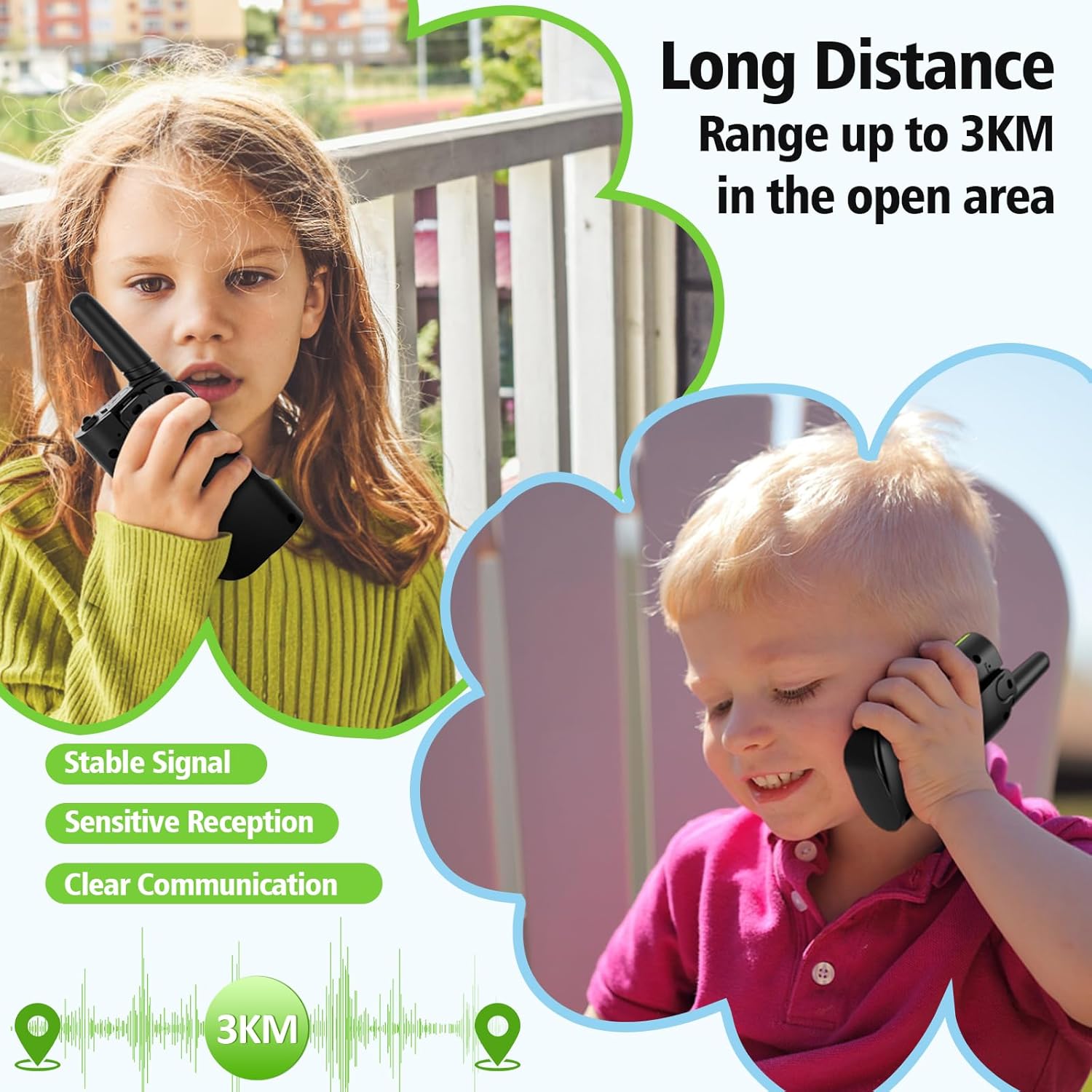
- Intervallo di conversazione massimo: Up to 3 Kilometers (in open areas)
- Livello di resistenza all'acqua: Non resistente all'acqua
- Caratteristiche speciali: 4 Pack, Integrated Flashlight, Keypad Lock, Long Range, Rechargeable
- Produttore: Shenzhen Geling Technology Co., Ltd.
9. Garanzia e supporto
For warranty information or technical support, please contact the manufacturer, Shenzhen Geling Technology Co., Ltd., or your product retailer. Keep your purchase receipt for any warranty claims.