
1. Introduzione
Welcome to the user manual for your new TABWEE T60 12.2-inch Android 16 Tablet. This guide provides essential information to help you set up, operate, maintain, and troubleshoot your device. The TABWEE T60 is designed for high-resolution viewing, efficient multitasking, and extended use, featuring a 2.5K UHD display, an Octa-Core processor, 48GB RAM, 256GB internal storage expandable up to 2TB, and a 10000mAh battery. It runs on Android 16 with integrated Gemini AI for enhanced performance and user experience.
Please read this manual thoroughly to ensure proper use and to maximize the potential of your tablet.
2. Cosa c'è nella scatola
Upon opening your TABWEE T60 package, verify that all the following items are included:
- 1x TABWEE T60 12.2-inch Android 16 Tablet
- 1x Detachable Keyboard
- 1x topo
- 1x penna stilo
- 1x Custodia protettiva
- 1x Charger & Cable (USB-C)
- 1x Manuale utente (questo documento)

Image: Contents of the TABWEE T60 package, showing the tablet, detachable keyboard, mouse, stylus pen, protective case, charger, and USB-C cable.
3. Impostazione
3.1 Ricarica del tablet
Before first use, fully charge your tablet. Connect the provided USB-C cable to the tablet's charging port and the other end to the included 18W power adapter. Plug the adapter into a wall outlet. The battery indicator on the screen will show charging status.
3.2 Accensione/Spegnimento
- Per accendere: Tenere premuto il pulsante di accensione situato sul lato del tablet finché non appare sullo schermo il logo TABWEE.
- Per spegnere: Tieni premuto il pulsante di accensione finché non viene visualizzato il menu delle opzioni di alimentazione. Seleziona "Spegni" e conferma.
- Ricominciare: Dal menu delle opzioni di risparmio energia, seleziona "Riavvia" e conferma.
3.3 Configurazione iniziale
The first time you power on your tablet, you will be guided through an initial setup process:
- Selezione della lingua: Scegli la tua lingua preferita.
- Connessione Wi-Fi: Connect to a Wi-Fi network to enable internet access. This is necessary for software updates and Google account setup.
- Account Google: Sign in with your existing Google account or create a new one. This allows access to the Google Play Store, Gmail, and other Google services.
- Data e ora: Imposta la data e l'ora corrette oppure lascia che la rete le imposti automaticamente.
- Sicurezza: Set up a screen lock method (PIN, pattern, password, or face unlock).
3.4 Collegamento degli accessori
The TABWEE T60 comes with a detachable keyboard, mouse, and stylus for enhanced productivity.
- Tastiera staccabile: Align the magnetic connectors on the keyboard with the corresponding ports on the tablet. The keyboard will snap into place and connect automatically via Bluetooth.
- Bluetooth Mouse/Stylus: To connect the mouse or stylus, ensure they are powered on and in pairing mode. On your tablet, go to Impostazioni > Dispositivi connessi > Bluetooth, then select the device from the list of available devices to pair.
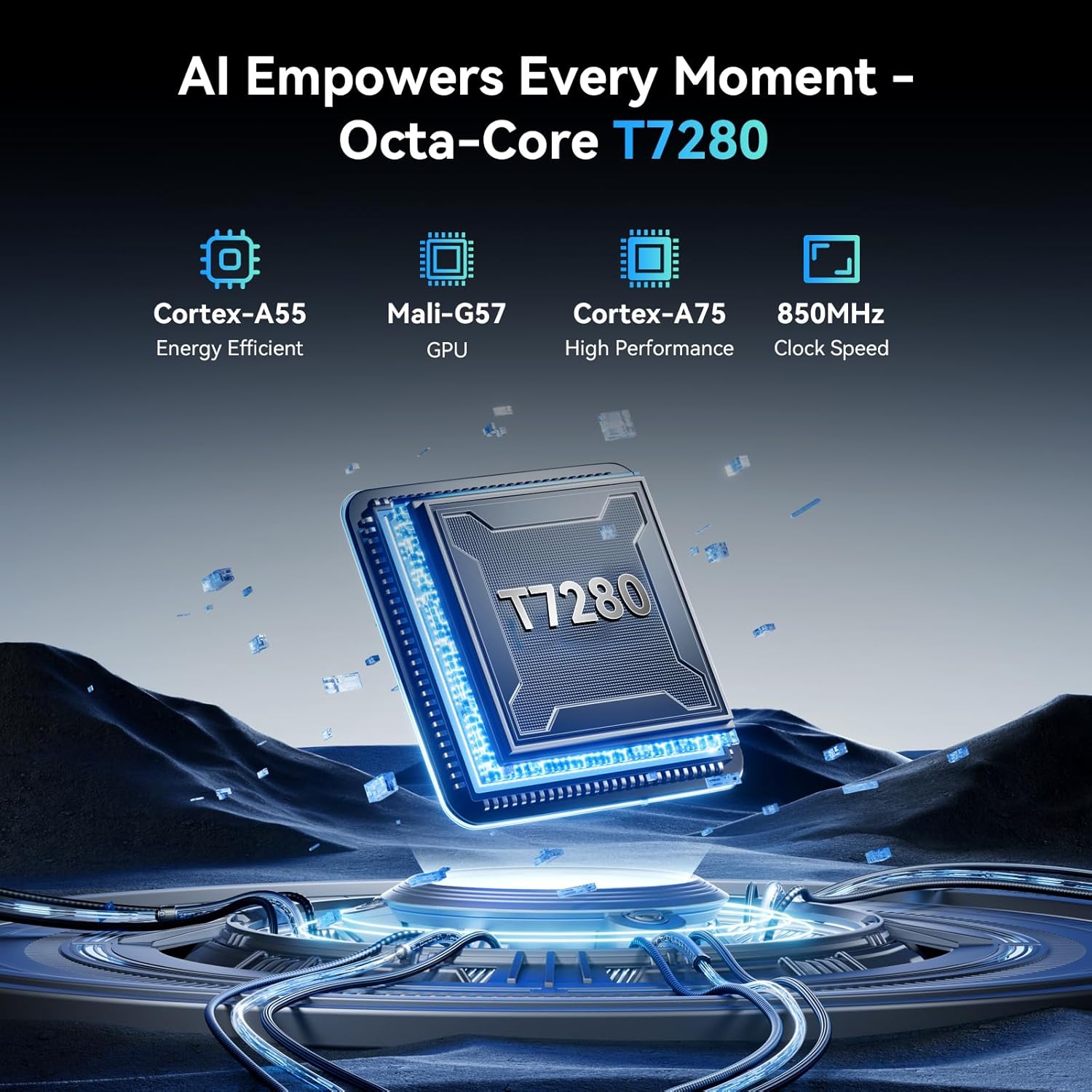
Image: The TABWEE T60 tablet shown with its detachable keyboard, wireless mouse, and stylus pen, illustrating its mobile office capabilities.
4. Utilizzo del tablet
4.1 Visualizzazione
The TABWEE T60 features a 12.2-inch CSOT 2.5K UHD display (2400 x 1600 pixels) with a 90Hz refresh rate for smooth visuals. It supports 99% sRGB color gamut and includes anti-glare technology for comfortable viewing in various lighting conditions. Widevine L1 certification ensures high-quality streaming from supported services.

Image: A visual comparison demonstrating the larger 12.2-inch 2.5K FHD display with 90Hz refresh rate, emphasizing its clarity and smoothness.
4.2 Prestazioni e archiviazione
Powered by an Octa-Core Unisoc T7280/UMS9230S processor clocked at 2.2 GHz, the T60 delivers efficient performance. It is equipped with 48GB RAM (12GB physical + 36GB virtual expansion) for seamless multitasking and 256GB of internal storage. The storage can be expanded up to 2TB using a TF (microSD) card, providing ampspazio per applicazioni, contenuti multimediali e documenti.

Image: An infographic detailing the tablet's memory specifications: 48GB RAM (12GB physical + 36GB expansion), 256GB ROM, and support for up to 2TB TF card storage.
4.3 Durata della batteria
The TABWEE T60 is equipped with a large 10000mAh battery, providing extended usage times. Expect approximately 20 hours of music playback, 17 hours of video playback, or 12 hours of gaming on a single charge. The tablet supports 18W fast charging via its USB-C port.

Image: A visual representation of the tablet's 10000mAh battery, highlighting its long-lasting power for various activities like navigation, entertainment, and work/study.
4.4 Telecamere
The tablet features a 16MP rear camera with autofocus and an 8MP front camera. These cameras are suitable for video calls, document scanning, and capturing everyday moments. Integrated AI features enhance image quality and offer modes like 'Beauty Mode' and 'Night Shot'.

Image: A depiction of the tablet's 16MP rear and 8MP front cameras, showcasing their capabilities for various photography scenarios.
4.5 Connettività
The TABWEE T60 supports 5G Wi-Fi (802.11ac) for fast internet speeds and Bluetooth 5.0 for connecting wireless peripherals. It also includes a 4-in-1 GPS system (GPS, GLONASS, Galileo, Beidou) for accurate navigation.

Image: A visual representation of the tablet's 5G WiFi and Bluetooth 5.0 capabilities, showing connections to various devices.

Image: The tablet displaying a navigation map in a car, emphasizing its integrated 4-in-1 GPS system for precise positioning.
4.6 Software (Android 16 & Gemini AI)
The TABWEE T60 runs on the latest Android 16 operating system, offering enhanced security, privacy features, and a smoother user experience. It integrates Gemini AI, which acts as an intelligent assistant for tasks such as summarizing articles, translating text, and optimizing workflow efficiency.

Immagine: Un overview of the Android 16 operating system, highlighting its key features such as enhanced security, smart core, and dynamic themes.

Image: A detailed graphic explaining the various functions of Gemini AI, including intelligent planning, personal assistance, and data analysis.
5. Manutenzione
5.1 Cura generale
- Evitare di esporre il tablet a temperature estreme, alla luce solare diretta o a elevata umidità.
- Non far cadere il tablet e non sottoporlo a forti urti.
- Tenere il tablet lontano da liquidi e polvere.
- Use the provided protective case to safeguard your device from scratches and minor bumps.
5.2 Pulizia
- Utilizzare un panno morbido e privo di lanugine per pulire lo schermo e il corpo del tablet.
- Per macchie ostinate, leggermente dampPulire il panno con acqua o una soluzione detergente per schermi. Non spruzzare liquidi direttamente sul tablet.
- Evitare l'uso di prodotti chimici aggressivi, detergenti abrasivi o solventi.
5.3 Aggiornamenti software
Regularly check for and install software updates to ensure your tablet has the latest features, security patches, and performance improvements. You can check for updates by going to Impostazioni > Sistema > Aggiornamento di sistema.
6. Risoluzione Dei Problemi
If you encounter issues with your TABWEE T60, refer to the following common troubleshooting steps:
6.1 Il tablet non si accende
- Ensure the tablet is sufficiently charged. Connect it to the charger and wait for at least 15 minutes before attempting to power it on again.
- Per eseguire un riavvio forzato, tenere premuto il pulsante di accensione per 10-15 secondi.
6.2 Problemi di connessione Wi-Fi
- Riavvia il router Wi-Fi e il tablet.
- Vai a Impostazioni > Rete e Internet > Wi-Fi, dimentica la rete e poi riconnettiti.
- Assicurati di trovarti nel raggio d'azione del segnale Wi-Fi.
6.3 Prestazioni lente
- Chiudere le applicazioni in background non necessarie.
- Cancella i dati della cache per le app utilizzate di frequente (Impostazioni > App > [Nome app] > Archiviazione e cache > Cancella cache).
- Ensure you have sufficient free storage space. Delete unused apps or large files.
- Riavviare periodicamente il tablet.
6.4 Lo schermo non risponde
- Perform a forced restart (press and hold the Power button for 10-15 seconds).
- Assicurarsi che lo schermo sia pulito e privo di umidità o detriti.
6.5 Accessori non collegati
- For the detachable keyboard, ensure it is correctly aligned and firmly connected to the tablet's magnetic ports.
- For Bluetooth devices (mouse, stylus), ensure they are charged, powered on, and in pairing mode. Re-pair them via Impostazioni > Dispositivi connessi > Bluetooth.
7. Specifiche
Below are the key technical specifications for the TABWEE T60 tablet:
| Caratteristica | Specificazione |
|---|---|
| Marca | TABWEE |
| Nome del modello | T60 |
| Sistema operativo | Androide 16 |
| Dimensioni dello schermo | 12.2 pollici |
| Risoluzione dello schermo | 2400 x 1600 pixel (2.5K UHD) |
| Processore | Unisoc T7280/UMS9230S Octa-Core (2.2 GHz) |
| Memoria RAM | 48 GB (12 GB fisici + 36 GB virtuali) |
| Memoria interna | 256 GB |
| Archiviazione espandibile | Fino a 2 TB tramite scheda TF |
| Coprocessore grafico | Integrated Ai Graphics Mali-G57 |
| Posteriore WebRisoluzione della camma | 16 MP |
| Davanti WebRisoluzione della camma | 8 MP |
| Tipo senza fili | 802.11ac (5G WiFi), 802.11b, 802.11g, 802.11n |
| Bluetooth | Bluetooth 5.0 |
| Capacità della batteria | 10000 mAh |
| Durata media della batteria | 10000 Hours (standby, actual usage varies) |
| Porta di ricarica | USB-C (18W Fast Charging) |
| GPS | 4-in-1 System (GPS, GLONASS, Galileo, Beidou) |
| Peso dell'articolo | 1.41 libbre |
| Dimensioni del prodotto | 25 x 20 x 5 pollici |
| Colore | Grigio siderale |
8. Garanzia e supporto
The TABWEE T60 tablet comes with an industry-leading Garanzia di 4 anno, demonstrating our commitment to quality and customer satisfaction. This warranty covers manufacturing defects and ensures long-term support for your device.
8.1 Richieste di garanzia
For warranty claims or technical assistance, please contact TABWEE Customer Support. You will need your proof of purchase and the tablet's serial number (usually found on the back of the device or in Settings > About tablet).
8.2 Assistenza clienti
Our dedicated customer support team is available 24/7 to assist you with any questions or issues you may have. Please refer to the contact information provided on the TABWEE official websito o la documentazione relativa all'acquisto per i canali di supporto più aggiornati.