
1. Introduzione
This manual provides detailed instructions for the CHEREEKI Digital Alarm Clock. Please read it carefully to ensure proper use and to fully utilize all features of your new alarm clock. This device is designed for convenience and reliability, offering a large LED display, dual alarm settings, adjustable brightness and volume, and a USB charging port.

Figure 1: CHEREEKI Digital Alarm Clock with included power adapter and USB cable.
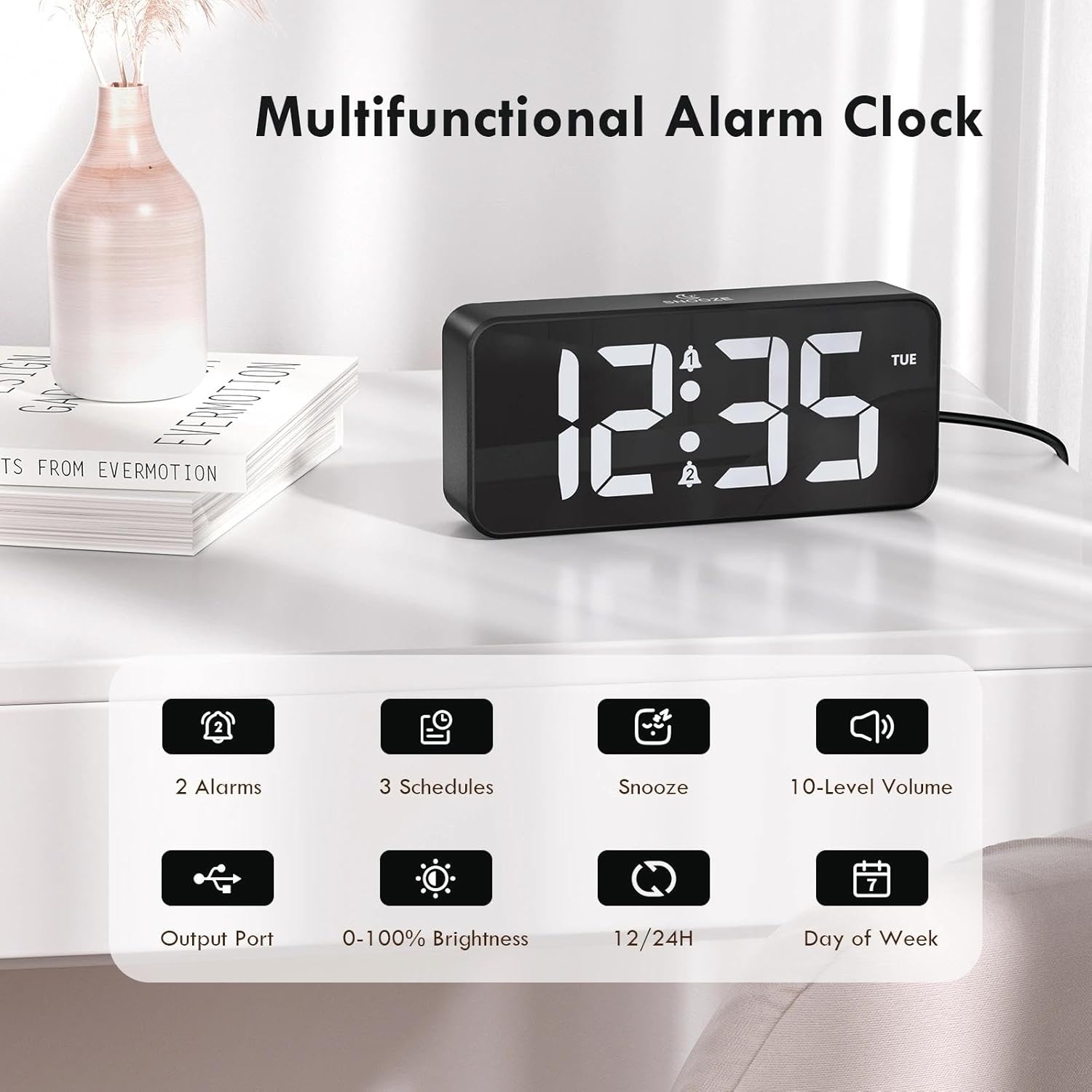
Figure 2: Key features of the CHEREEKI Digital Alarm Clock.
2. Contenuto della confezione
Dopo aver aperto la confezione, verificare che siano presenti tutti i seguenti elementi:
- 1 x CHEREEKI Digital Alarm Clock
- 1 x adattatore di alimentazione
- 1 x cavo di ricarica USB (1.5 m)
- 1 x Manuale di istruzioni

Figure 3: Contents of the CHEREEKI Digital Alarm Clock package.
3. Prodotto finitoview
Familiarize yourself with the various buttons and ports on your CHEREEKI Digital Alarm Clock:

Figure 4: Rear panel controls and ports of the alarm clock.
- Manopola dimmer: Adjusts display brightness (0% to 100%).
- Pulsante di impostazione dell'ora: Entra nella modalità di impostazione dell'ora.
- Pulsante allarme 1: Enters Alarm 1 setting mode.
- Pulsante allarme 2: Enters Alarm 2 setting mode.
- Pulsante Su (+): Aumenta i valori durante l'impostazione.
- Pulsante Giù (-): Diminuisce i valori durante l'impostazione.
- Manopola del volume: Adjusts alarm volume (10 levels).
- USB Port (Output): Per caricare dispositivi esterni.
- Type-C Port (DC 5V Input): For main power connection.
- Interruttore dell'ora legale: Attiva/disattiva l'ora legale.
- Vano batteria: Houses the CR2032 backup battery.
4. Impostazione
4.1 Collegamento di alimentazione
The CHEREEKI Digital Alarm Clock operates solely on AC power. Connect the provided USB cable to the Type-C port on the back of the alarm clock and plug the power adapter into a standard wall outlet (5V/1A or 5V/2A adapter recommended). The display will illuminate once power is connected.

Figure 5: Connecting the alarm clock to a power source.
4.2 Backup Battery Installation (Memory Function)
The alarm clock includes a CR2032 backup battery (pre-installed) to retain time and alarm settings during power outages. This battery does not power the clock's display or functions; it only preserves memory. If the battery needs replacement, open the battery compartment on the rear panel and insert a new CR2032 battery, ensuring correct polarity.

Figure 6: The backup battery ensures settings are retained during power interruptions.
5. Istruzioni per l'uso
5.1 Impostazione dell'ora
- Premere il tasto Ora impostata pulsante. Le cifre dell'ora lampeggeranno.
- Utilizzare il Su (+) or Giù (-) pulsanti per regolare l'ora.
- Premere Ora impostata di nuovo. Le cifre dei minuti lampeggeranno.
- Utilizzare il Su (+) or Giù (-) pulsanti per regolare i minuti.
- Premere Ora impostata ancora una volta per confermare e uscire dalla modalità di impostazione dell'ora.
5.2 Formato 12/24 ore
Per passare dal formato orario a 12 ore a quello a 24 ore, premere il tasto Ora impostata button while the time is displayed (not in setting mode). The display will show "AM" or "PM" for 12-hour format, or no indicator for 24-hour format.

Figure 7: The alarm clock supports both 12-hour and 24-hour time displays.
5.3 Impostazione degli allarmi (allarme 1 e allarme 2)
The clock features two independent alarms. The setting process is identical for both:
- Premere il tasto Allarme 1 or Allarme 2 pulsante. Le cifre dell'ora della sveglia lampeggeranno.
- Utilizzare il Su (+) or Giù (-) pulsanti per regolare l'ora della sveglia.
- Press the respective alarm button again. The minute digits will flash.
- Utilizzare il Su (+) or Giù (-) pulsanti per regolare i minuti della sveglia.
- Press the alarm button again to select the alarm schedule:
- LUN-VEN: Alarm sounds on weekdays.
- SAB-DOM: Alarm sounds on weekends.
- LUN-DOM: La sveglia suona ogni giorno.
- Press the alarm button once more to confirm and activate the alarm. A bell icon will appear on the display.

Figure 8: Dual alarms with customizable schedules.
5.4 Funzione posticipa
When an alarm sounds, press any button (except the alarm buttons) to activate the 5-minute snooze function. The alarm will temporarily stop and sound again after 5 minutes. To completely turn off the alarm, press the corresponding Allarme 1 or Allarme 2 pulsante.
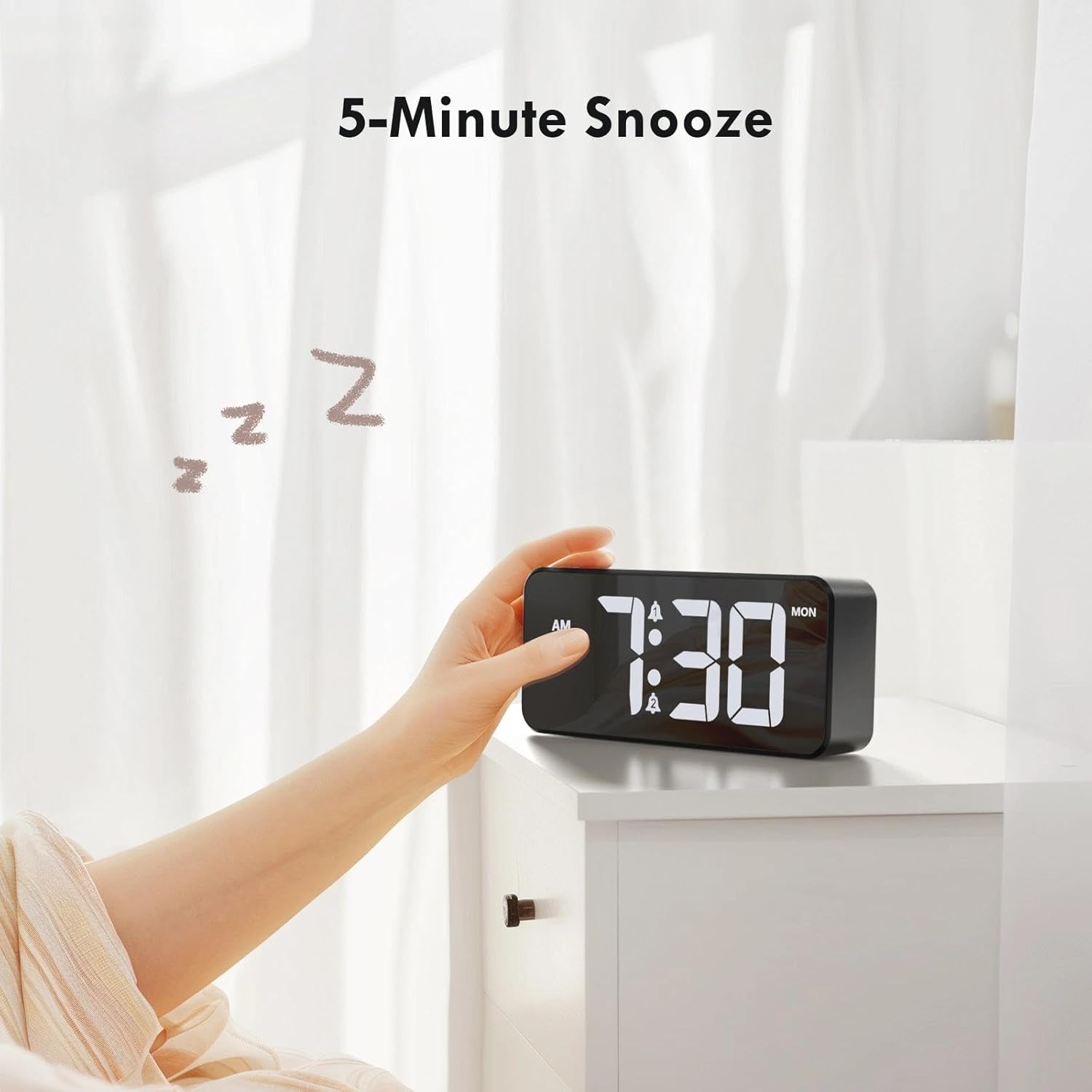
Figura 9: Attivazione della funzione snooze di 5 minuti.
5.5 Regolazione della luminosità del display
Ruotare il Oscuratore knob on the rear panel to adjust the LED display brightness from 0% (off) to 100% (maximum brightness). This allows you to customize the display visibility for different lighting conditions and personal preference.
5.6 Regolazione del volume della sveglia
Ruotare il Volume knob on the rear panel to select one of the 10 available volume levels for the alarm sound. Choose a volume that is suitable for your needs.

Figure 10: Controls for brightness and volume adjustment.
5.7 Ora legale (DST)
The alarm clock supports Daylight Saving Time. Locate the Ora legale switch on the rear panel. Slide the switch to activate or deactivate DST as required by your local time zone.
6. Porta di ricarica USB
The alarm clock is equipped with a USB output port on the rear panel. This port allows you to conveniently charge other electronic devices, such as smartphones or tablets, directly from the alarm clock. Simply connect your device's charging cable to the USB port.

Figure 11: Using the USB port to charge an external device.
7. Manutenzione
To ensure the longevity and optimal performance of your CHEREEKI Digital Alarm Clock, follow these maintenance guidelines:
- Pulizia: Use a soft, dry cloth to clean the surface of the alarm clock. Avoid using abrasive cleaners, solvents, or chemical sprays, as these can damage the finish.
- Posizionamento: Place the alarm clock on a stable, flat surface. Avoid areas with excessive heat, humidity, direct sunlight, or strong magnetic fields.
- Energia: Always use the provided power adapter and cable. Do not attempt to power the clock with incompatible adapters.
8. Risoluzione Dei Problemi
If you encounter any issues with your alarm clock, please refer to the following common problems and solutions:
| Problema | Possibile causa | Soluzione |
|---|---|---|
| Il display è spento o non funziona. | Nessuna connessione di alimentazione o alimentazione fuoritage. Backup battery does not power the display. | Ensure the power adapter is securely plugged into both the clock and a working wall outlet. Check the power source. |
| L'allarme non suona. | Sveglia non attivata, volume troppo basso o impostazione errata dell'ora della sveglia. | Verify that the alarm is activated (bell icon visible). Adjust the volume knob. Re-check alarm time settings. |
| L'ora/le impostazioni vengono perse dopo lo spegnimentotage. | Backup battery is depleted or not installed correctly. | Sostituire la batteria di backup CR2032, assicurandosi della corretta polarità. |
| La porta di ricarica USB non funziona. | Device not properly connected or power issue. | Ensure the alarm clock is powered on. Check the connection of the charging cable to both the clock and your device. Try a different USB cable. |
9. Specifiche
| Caratteristica | Dettaglio |
|---|---|
| Marca | CHEREEKI |
| Modello | B0FHHKMP1X |
| Colore | Nero |
| Dimensioni del prodotto | Dimensioni: 14.5 x 3.81 x 6.5 cm |
| Peso | 230 grammi |
| Materiale | Acrilonitrile Butadiene Stirene (ABS) |
| Tipo di visualizzazione | LED digitale |
| Caratteristiche speciali | Adjustable Brightness, Dual Alarms, Snooze, USB Charging Port, 12/24H Format, DST Support |
| Fonte di alimentazione | Corded Electric (5V/1A or 5V/2A adapter) |
| Batteria di backup | CR2032 (for memory retention only) |
10. Garanzia e supporto
10.1 Informazioni sulla garanzia
The CHEREEKI Digital Alarm Clock comes with a Lifetime Warranty from CHEREEKI. Please refer to the warranty card included in your package or contact CHEREEKI customer support for detailed terms and conditions.
10.2 Assistenza clienti
For any questions, technical assistance, or warranty claims, please contact CHEREEKI customer support. You can typically find contact information on the product packaging, the official CHEREEKI websito o tramite la tua piattaforma di acquisto.